
1. Uvod
This manual provides detailed instructions for the installation, operation, and maintenance of your RESTMO Smart Water Flow Meter. Please read this manual thoroughly before use to ensure proper function and longevity of the device.
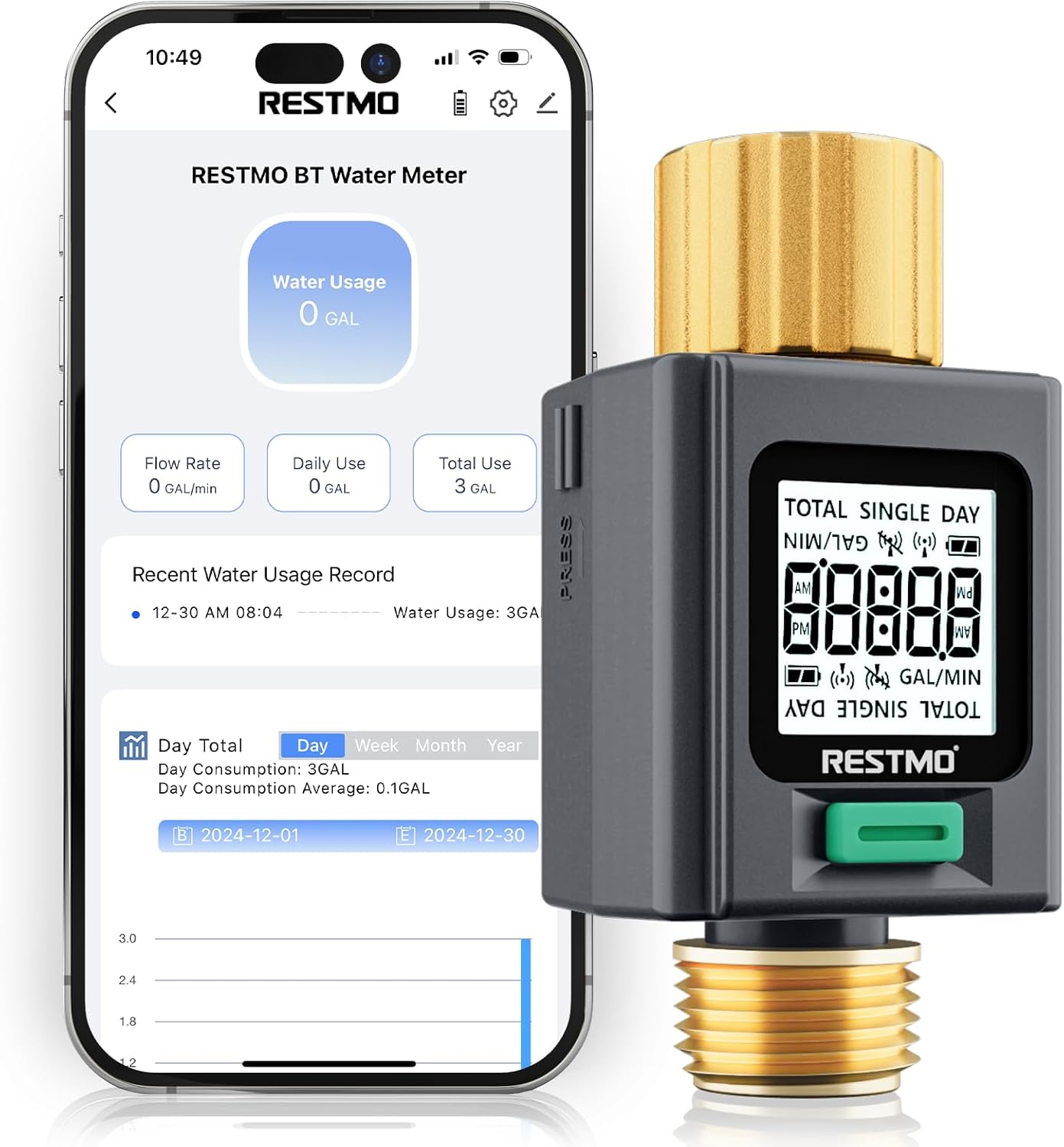
Image 1.1: RESTMO Smart Water Flow Meter connected to a smartphone app.
2. Nastavitev
2.1 Vsebina paketa
- RESTMO Smart Water Flow Meter (Model O-WM-2-BT)
- Uporabniški priročnik (ta dokument)
Note: Batteries are not included. Two AAA batteries are required for operation.
2.2 Namestitev baterije
- Poiščite predal za baterije na zadnji strani naprave.
- Odprite pokrov prostora za baterije.
- Vstavite dve bateriji AAA in pazite na pravilno polarnost (+/-).
- Trdno zaprite pokrov prostora za baterije.
2.3 Fizična namestitev
The water flow meter features durable brass inlet and outlet connections for secure attachment.

Image 2.1: Detail of the brass inlet and outlet connections, highlighting durability and leak-proof design.
- Povežite brass inlet (top connection, often with a swivel feature) to your water source (e.g., outdoor faucet). Ensure the connection is tight to prevent leaks.
- Connect your garden hose, RV water tank filler, or sprinkler system to the brass outlet (bottom connection, 3/4" NH thread). Ensure a secure connection.
- Verify that the flow direction arrow on the meter aligns with the direction of water flow.
2.4 Prenos in seznanjanje aplikacije
The RESTMO Smart Water Flow Meter connects via Bluetooth to the Smart Life app for monitoring and control.
- Prenesite in namestite Aplikacija Smart Life iz trgovine App Store (iOS) ali trgovine Google Play (Android).
- Log in or create your account within the Smart Life app.
- Prepričajte se, da je Bluetooth na vašem pametnem telefonu omogočen.
- On the water meter, the LCD will display "Uncon" and flash if it has not been connected. If it has been connected previously, it will display the current time. To enter pairing mode, long-press the button until the display turns to "Uncon".
- In the Smart Life app, click the "+" icon or "Add Device" to search for nearby devices.
- Select "RESTMO BT Water Flow Meter" from the list of discovered devices to complete pairing.

Image 2.2: App download and pairing instructions.
Connection Tip:
- This device can only be paired with one smartphone at a time. If you are unable to connect, ensure it has been unbound from any previous phone via the Smart Life app before attempting to pair with a new one.
- Please update the Smart Life app to the latest version for optimal performance.
3. Navodila za uporabo
3.1 Funkcije zaslona
The meter features a bright backlit display and 180° adaptive screen orientation for easy readability in various conditions.

Image 3.1: The backlit display ensures visibility day or night.
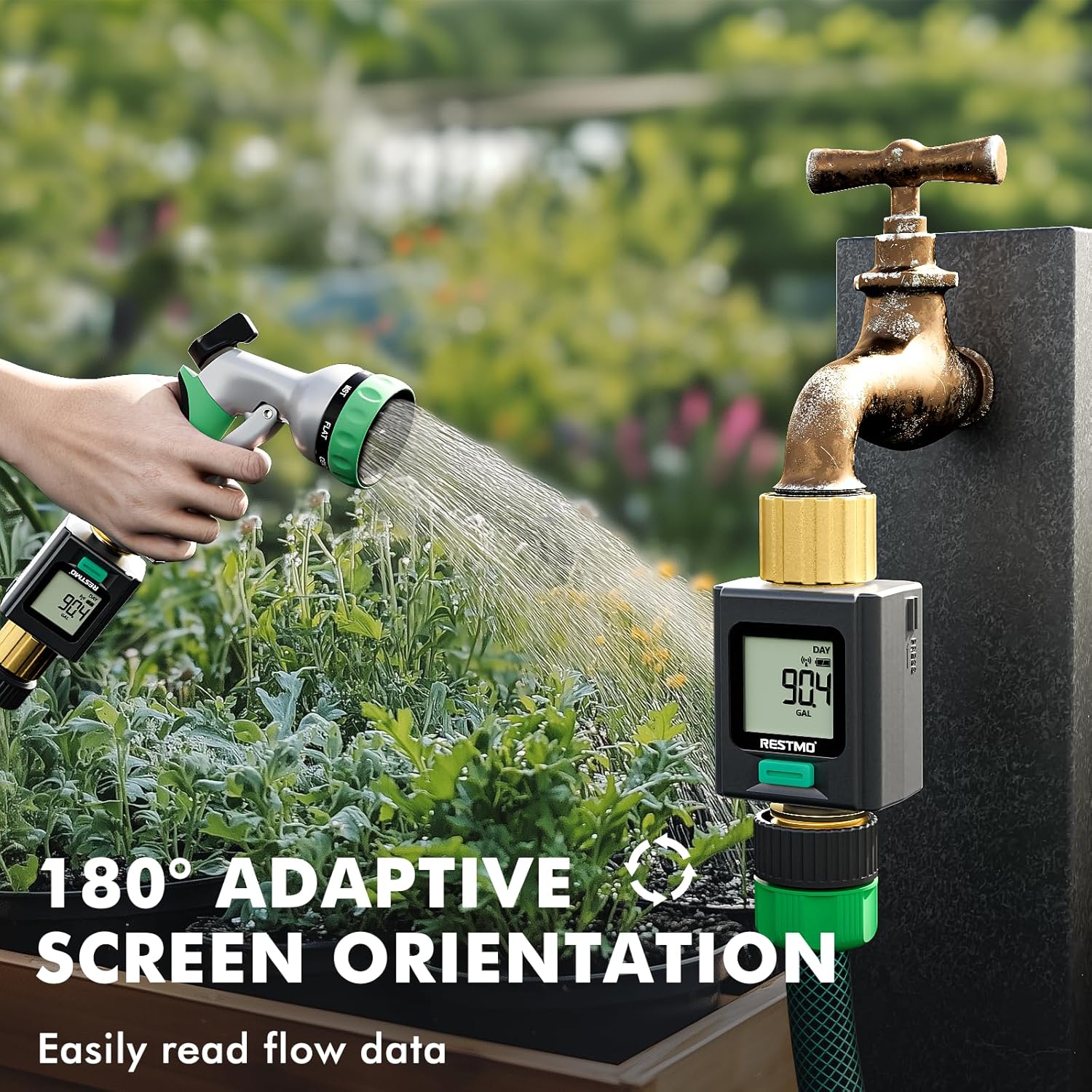
Image 3.2: The 180° adaptive screen orientation allows for comfortable viewiz katerega koli kota.
3.2 Načini merjenja
The meter offers four distinct measurement modes, accessible by a short press of the main button:

Image 3.3: Visual representation of the four measurement modes.
- FLOW Mode: Displays the real-time water flow rate (e.g., Gallons per Minute).
- CONSUMPTION Mode: Shows the water usage from the last watering session.
- DNEVNI način: Displays today's total water consumption.
- TOTAL Mode: Shows the cumulative total water usage since the last reset.
3.3 Units Conversion
To switch between US Gallons and Liters:
- Ensure the meter is in Način PRETOKA.
- Long-press the button to toggle between US Gallons and Liters.

Image 3.4: Instructions for units conversion.
3.4 Ponastavitev podatkov
To reset data for Consumption, Daily, or Total modes:
- Navigate to the desired mode (CONSUMPTION, DAILY, or TOTAL) using a short press of the button.
- Long-press the button while in that mode to clear the displayed data.
3.5 App Monitoring and Data Records
The Smart Life app allows you to monitor water usage remotely and view zgodovinski podatki.
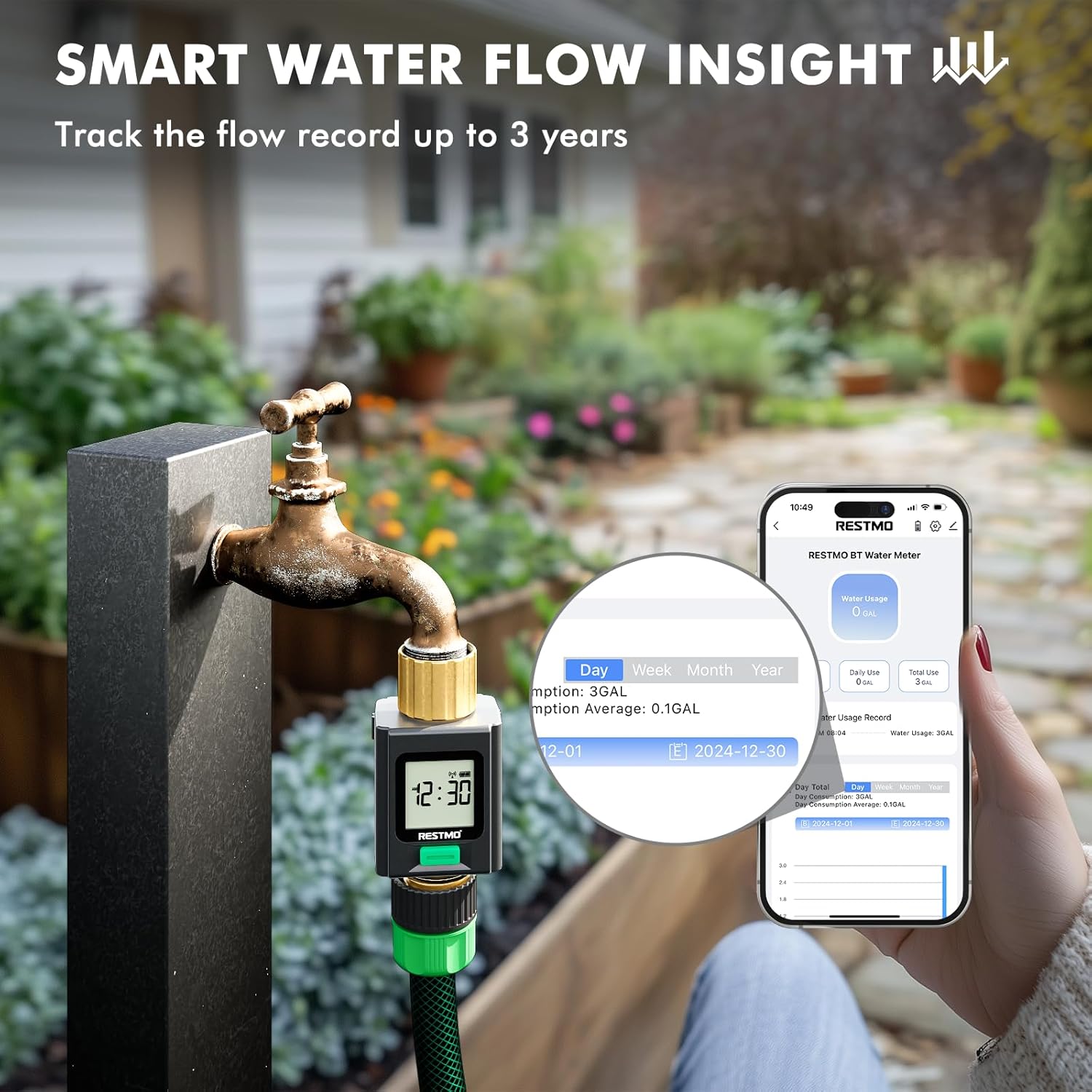
Image 3.5: Smart Life app interface showing water usage insights and historical data.
- The app records water usage data for up to 3 years, enabling analysis of usage patterns.
- The device can save up to 100 records internally if disconnected from the app. Once 100 records are exceeded, the oldest records will be automatically cleared.
4. Vzdrževanje
4.1 Splošna nega
- Napravo obrišite z mehko damp cloth to clean. Do not use abrasive cleaners or solvents.
- Ensure the brass fittings are kept clean and free of debris to maintain a good seal.
4.2 Prezimovanje
For optimal longevity, especially in regions with freezing temperatures, it is recommended to disconnect the water flow meter from the water source and store it indoors during winter months.
5. Odpravljanje težav
| Težava | Možen vzrok | rešitev |
|---|---|---|
| Device not pairing with app | Device is already paired with another phone; Bluetooth is off; App is outdated. | Unbind from previous phone via Smart Life app. Ensure Bluetooth is on. Update Smart Life app. Long-press meter button to enter pairing mode ("Uncon" display). |
| No water usage displayed/meter stopped measuring | Low batteries; Obstruction in flow path; Device malfunction. | Replace batteries. Check for debris in the inlet filter. Ensure water is flowing through the device. If problem persists, contact support. |
| Poor Bluetooth connection/limited range | Environmental interference; Distance from device. | Bluetooth range can be affected by obstacles. Try to maintain a closer proximity to the device for stable connection. |
| Puščanje vode na priključkih | Loose connections; Worn washers. | Ensure all connections are tightened securely. Check and replace rubber washers if they appear worn or damaged. |
6. Specifikacije
- Model: O-WM-2-BT
- Znamka: Restmo
- Material: Brass (Inlet & Outlet)
- barva: siva
- Dimenzije izdelka: 1.6"D x 1.6"Š x 3.4"V
- Teža artikla: 0.18 kilograma (6.4 unč)
- Število nastavitev: 4 (Measurement Modes)
- Velikost zaslona: 4.2 palcev
- Povezljivost: Bluetooth (Wi-Fi not supported)
- vir energije: 2 x AAA baterije (niso vključene)
7. Informacije o garanciji
The RESTMO Smart Water Flow Meter (Model O-WM-2-BT) typically comes with an 18-mesečna garancija od datuma nakupa. Ta garancija krije proizvodne napake in zagotavlja, da izdelek deluje, kot je predvideno, pri normalni uporabi. Prosimo, shranite dokazilo o nakupu za uveljavljanje garancije.
For specific warranty terms and conditions, refer to the documentation included with your product or contact Restmo customer support.
8. Podpora strankam
If you encounter any issues or have questions regarding your RESTMO Smart Water Flow Meter, please contact Restmo customer support. You can often find contact information on the product packaging, the official Restmo website, or through the Smart Life app's help section.
When contacting support, please provide your product model number (O-WM-2-BT) and a detailed description of the issue.