
Uvod
Thank you for choosing the Grandder 47x24 Inch Electric Standing Desk with Keyboard Tray. This manual provides detailed instructions for assembly, operation, maintenance, and troubleshooting to ensure safe and efficient use of your new desk. This electric height-adjustable desk is designed to promote a healthier work environment by allowing seamless transitions between sitting and standing positions.
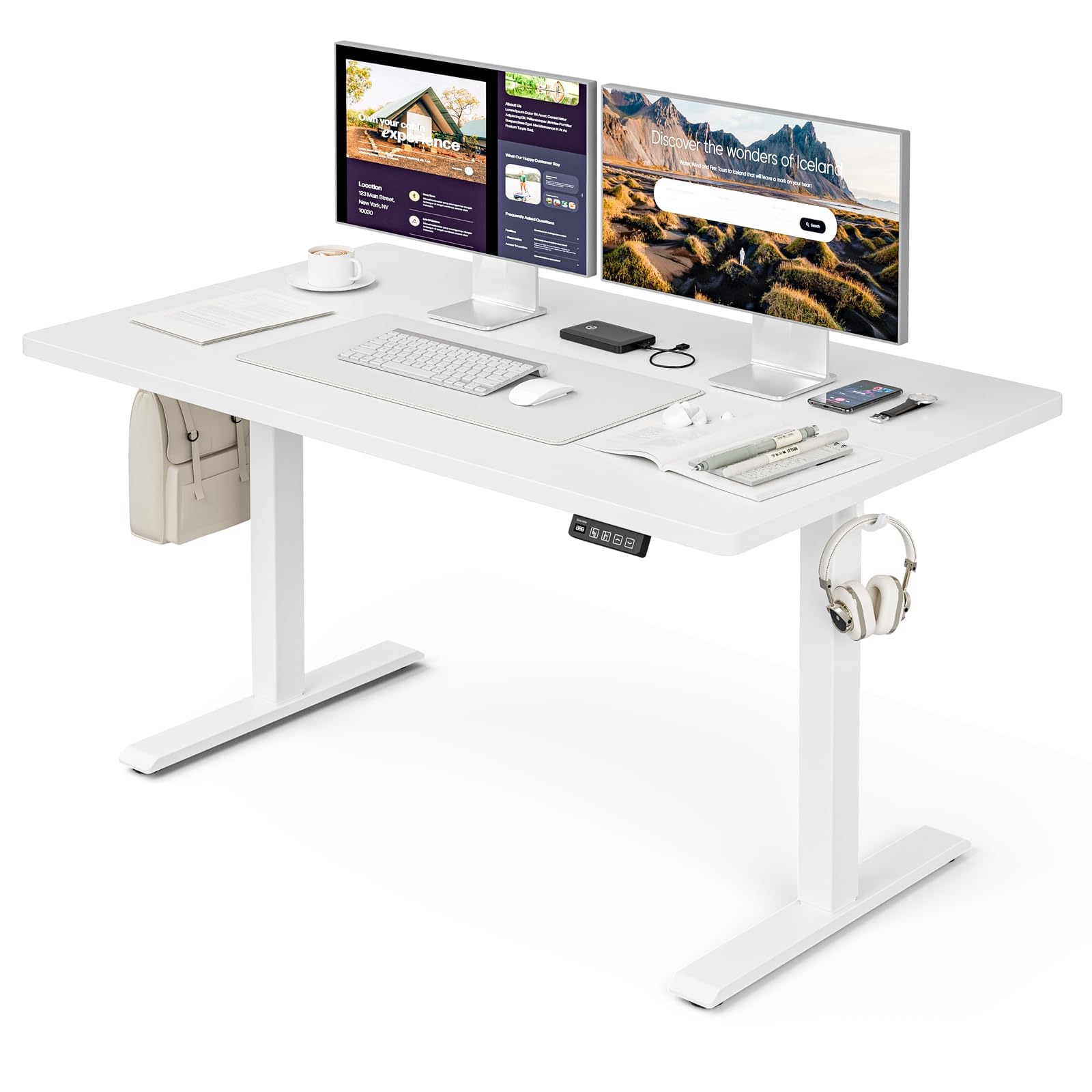
The Grandder 47x24 Inch Electric Standing Desk with Keyboard Tray, featuring a white desktop and frame, integrated keyboard tray, and a control panel for height adjustment.
Varnostne informacije
Splošni varnostni ukrepi
- Ne prekoračite največje dovoljene teže 176 lbs (80 kg) na namizju. Preobremenitev lahko povzroči škodo ali poškodbo.
- Always use the motorized lift with caution. Ensure no obstructions are present during height adjustments to prevent injury or damage to property.
- Med delovanjem naj se otroci in hišni ljubljenčki ne približujejo mizi.
- Ensure all cables are properly managed and secured to prevent tripping hazards or entanglement with moving parts.
- Ne sedite in ne stojte na mizi.
- Pred čiščenjem ali kakršnim koli vzdrževanjem izklopite napajanje.
Vsebina paketa
Pred začetkom montaže preverite, ali so prisotne vse komponente. Če kateri koli deli manjkajo ali so poškodovani, se obrnite na podporo strankam.
- Desktop (Splice Board)
- Noge za mizo (2)
- Ščitniki za noge (4)
- Motor in krmilna omarica
- Nadzorna plošča
- Keyboard Tray and Rails
- Earphone Hooks (2)
- Kabelske vezice (3)
- Napajalnik in kabel
- Montažni material (vijaki, matice itd.)
- L-shaped Allen Wrench
- Navodila za uporabo
Postavitev in montaža
Assembly typically takes approximately 30 minutes. All parts are labeled, and an L-shaped Allen wrench is included for convenience. Follow the step-by-step instructions provided in the separate assembly guide for detailed visual instructions.
Pre-Assembly Considerations
- Za montažo izberite prosto in prostorno območje.
- Lay out all components and hardware, matching them against the package contents list.
- Ensure the power outlet is easily accessible once the desk is in its final position.

Desk dimensions: 47 inches wide, 24 inches deep, with a height range of 28 to 45.6 inches.
Ključni koraki sestavljanja
- Attach the desk legs to the desktop using the provided hardware.
- Install the motor and control box according to the assembly guide.
- Mount the control panel to the underside of the desktop in an accessible location.
- Assemble and attach the keyboard tray rails and the keyboard tray itself.
- Install the adjustable foot pads on the bottom of the desk legs to ensure stability on uneven floors.
- Attach the earphone hooks to the side of the desk for convenient storage.
- Use the included cable ties to manage and secure power and peripheral cables, maintaining a tidy workspace.

Included accessories: two earphone hooks for organization, four adjustable foot pads for stability, and three cable ties for cable management.
Navodila za uporabo
Powering On and Initial Use
- Connect the power adapter to the control box and plug it into a wall outlet.
- The LED display on the control panel will illuminate, indicating the current desk height.
Nastavitev višine
The desk can be adjusted electrically from a minimum height of 28.3 inches to a maximum height of 47.2 inches. The motorized lift operates smoothly and quietly (less than 45dB).
- Pritisnite Up arrow (↑) gumb za dvig mize.
- Pritisnite Down arrow (↓) gumb za spuščanje mize.
- Release the button at your desired height. The LED display shows the real-time height.

The control panel features an LED display for real-time height tracking, memory buttons for preset heights, and up/down adjustment buttons.

The desk operates with a smooth and quiet motor, maintaining noise levels below 45dB during height adjustments.
Prednastavitve pomnilnika
The control panel includes memory buttons to save and quickly recall your preferred sitting and standing heights.
- Prilagodite mizo na želeno višino.
- Pritisnite M button (or similar memory set button, indicated by a person sitting/standing icon) until the display flashes.
- Press one of the numbered preset buttons (e.g., 1 or 2), da shranite trenutno višino v to prednastavitev.
- Za priklic shranjene višine preprosto pritisnite ustrezni gumb prednastavitve. Miza se bo samodejno premaknila v shranjeni položaj.
Uporaba pladnja za tipkovnico
The integrated keyboard tray provides additional space and ergonomic benefits. It has a maximum load capacity of 10 kg (22 lbs).

The sturdy keyboard tray is designed to save working space and enhance typing comfort, supporting a maximum load of 10 kg.
Sistem proti trčenju
The desk is equipped with an anti-collision system that automatically stops and slightly reverses the desk's movement if it encounters an obstruction during height adjustment. This feature protects against damage and injury.
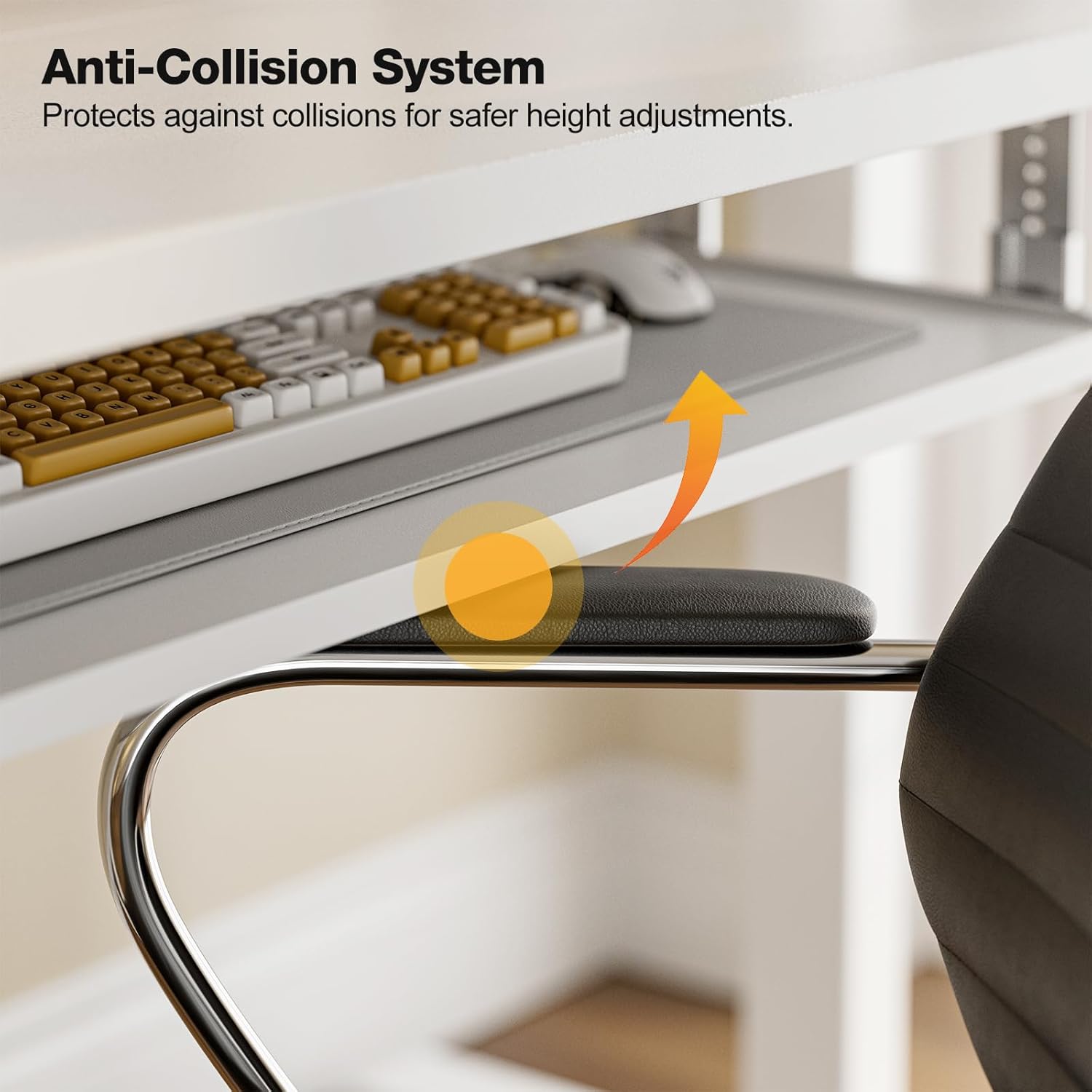
The anti-collision system protects against impacts by stopping and reversing desk movement when an obstruction is detected.
Vzdrževanje
Čiščenje
- Obrišite namizje in okvir z mehko krpoamp krpo. Izogibajte se abrazivnim čistilom ali močnim kemikalijam.
- Ensure the desk is unplugged before cleaning.
Redni pregledi
- Občasno preverite vse vijake in matico, da se prepričate, da so trdno priviti. Po potrebi jih ponovno privijte.
- Inspect the power cable for any signs of damage. If damaged, discontinue use and contact support.
Odpravljanje težav
If you encounter any issues with your Grandder standing desk, please refer to the following common troubleshooting steps:
| Težava | Možen vzrok | rešitev |
|---|---|---|
| Miza se ne premika / Ni napajanja | Power cable disconnected; Power outlet malfunction; Control box issue. | Check if the power cable is securely plugged into both the desk and the wall outlet. Try a different outlet. Ensure all connections to the control box are secure. |
| Miza se premika neenakomerno ali oddaja nenavaden hrup | Uneven load; Loose connections; Obstruction. | Ensure weight is evenly distributed on the desktop. Check all assembly screws and bolts for tightness. Inspect for any obstructions in the lifting mechanism. |
| Anti-collision system triggers frequently | Obstruction in path; Sensitivity setting. | Clear any objects from the desk's path. Refer to the full assembly guide for instructions on adjusting anti-collision sensitivity, if available. |
| Prednastavitve pomnilnika ne delujejo | Prednastavitve niso pravilno shranjene. | Re-save your desired heights by following the memory preset instructions in the Operating Instructions section. |
If the problem persists after attempting these solutions, please contact Grandder customer support for further assistance.
Specifikacije
| Funkcija | Podrobnost |
|---|---|
| Znamka | Grandder |
| Model | Električna stoječa miza 47 x 24 palcev |
| Oblikovanje pisalne mize | Stojna miza |
| oblika | Pravokotna |
| Mere izdelka (D x Š x V) | 60D x 120W x 74H Centimetres (approx. 23.6D x 47.2W x 29.1H Inches) |
| Najmanjša višina | 28.3 palcev |
| Največja višina | 47.2 palcev |
| barva | Bela |
| Vrsta zgornjega materiala | Melamin |
| Osnovni material | Kovina |
| Največja priporočena teža | 176 funtov (80 kg) |
| Motorized Lift Speed | 25 mm/s |
| Nivo hrupa | Manj kot 45 dB |
| Posebne lastnosti | Ergonomic, Electric Height Adjustable, Keyboard Tray Included, Anti-Collision System |
| Zahtevana montaža | Da (orodje je vključeno) |
Garancija in podpora
Informacije o garanciji
Grandder products are manufactured with quality and durability in mind. For specific warranty details regarding your electric standing desk, please refer to the warranty card included in your package or visit the official Grandder website. Typically, warranty covers manufacturing defects and motor malfunctions under normal use.
Podpora uporabnikom
Should you require assistance with assembly, operation, or troubleshooting that is not covered in this manual, please contact Grandder customer support. Have your product model number and purchase date ready when contacting support.
- Spletna podpora: Visit the Grandder official webspletno mesto za pogosta vprašanja in kontaktne obrazce.
- Podpora po e-pošti: Za e-poštni naslov službe za stranke glejte embalažo izdelka ali garancijski list.