
1. Uvod
This manual provides essential instructions for the setup, operation, and maintenance of your TMY Projector. Please read this manual thoroughly before using the product to ensure proper functionality and to maximize your viewizkušnje. Ta priročnik shranite za poznejšo uporabo.
2. Izdelek je končanview
2.1 Vsebina paketa
Preverite, ali so v paketu prisotni vsi elementi:
- TMY Projector Unit
- Daljinski upravljalnik
- HDMI kabel
- Napajalni kabel
- Garancijska kartica
2.2 Ključne lastnosti
- Netflix Officially Licensed: Access streaming services directly without external devices.
- Ločljivost 1080P: Zagotavlja jasne in podrobne slike.
- Electric Focus & Auto Keystone: Automatic image adjustment for optimal clarity and shape.
- 270° vrtljivo stojalo: Flexible projection angles, including ceiling projection.
- Upgraded WiFi 6 Connectivity: Zagotavlja stabilno in hitro brezžično pretakanje.
- Dual-Mode Bluetooth 5.2: Connects to external speakers or functions as a standalone Bluetooth speaker.
- Več možnosti povezovanja: HDMI, USB, Phone/PC mirroring.
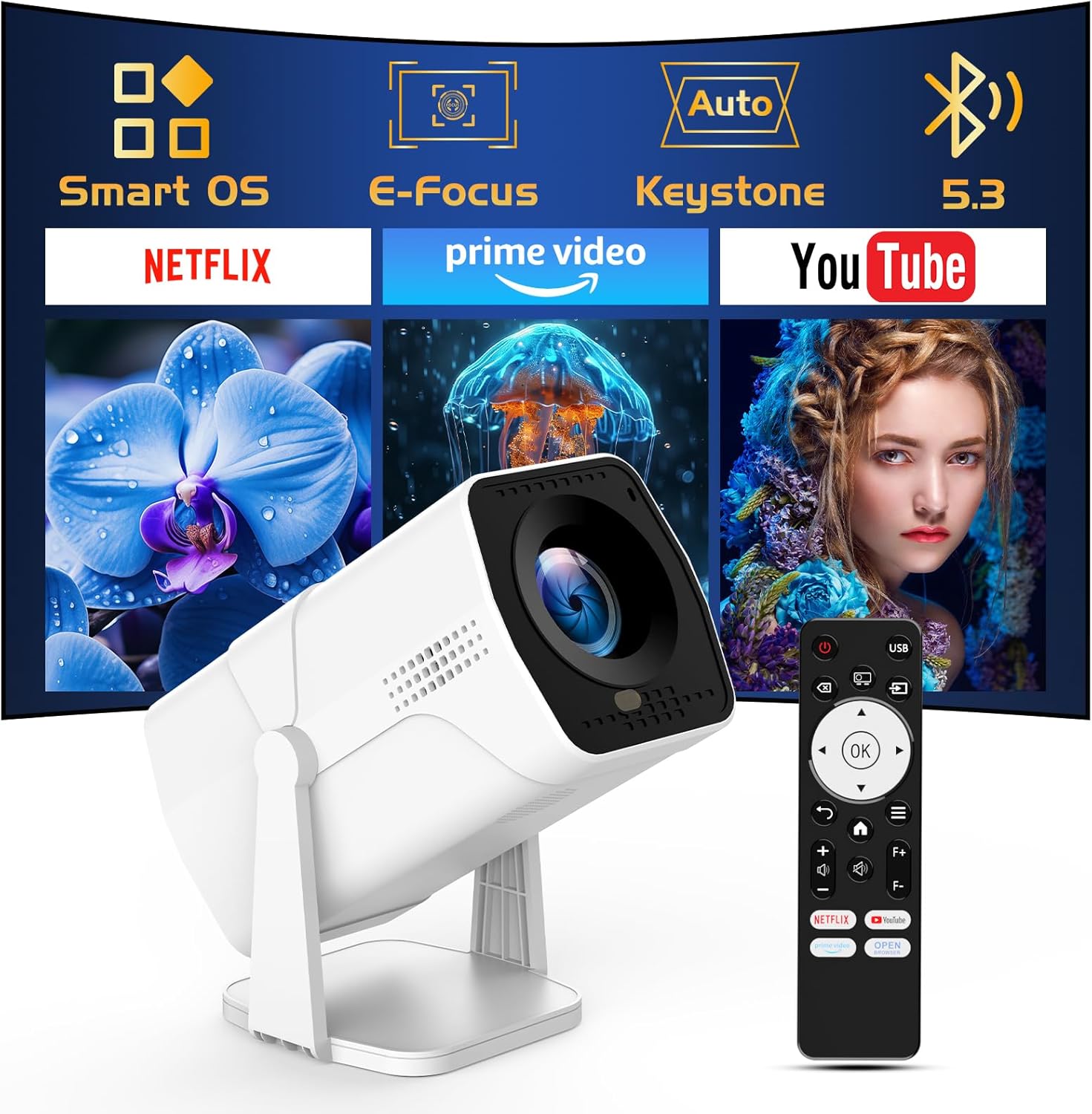
Image: The TMY Projector unit, its remote control, and a projected screen displaying logos for Smart OS, E-Focus, Auto Keystone, Bluetooth 5.3, Netflix, Prime Video, and YouTube.
3. Nastavitev
3.1 Namestitev
Position the projector on a stable, flat surface. The 270° rotatable stand allows for versatile placement, including projecting onto walls or ceilings. Ensure adequate ventilation around the projector.

Image: A TMY Projector positioned on a bedside table, projecting an image onto the ceiling, demonstrating its 270° rotatable stand for multi-angle viewing.
3.2 Napajalni priključek
- Priključite napajalni kabel na vhod za napajanje projektorja.
- Drugi konec napajalnega kabla priključite v standardno električno vtičnico.
3.3 Začetni vklop in nastavitev ostrenja
- Pritisnite gumb za vklop na projektorju ali daljinskem upravljalniku, da vklopite napravo.
- Lastnosti projektorja Električni fokus in Samodejno Keystone correction. The image will automatically adjust for clarity and a rectangular shape within approximately 2 seconds.
- If further adjustment is needed, use the remote control to fine-tune the focus.

Image: A TMY Projector projecting a vibrant image onto a screen, with an overlay illustrating the 'FOCUS' function and icons for Auto Keystone and 50%-100% Zoom.
3.4 Omrežna povezava (WiFi)
The projector supports WiFi 6 for a fast and stable internet connection.
- Navigate to the 'Settings' menu using the remote control.
- Izberite »Omrežje« ali »Nastavitve Wi-Fi«.
- Choose your desired WiFi network from the list and enter the password.
- Potrdite povezavo.

Image: A TMY Projector wirelessly connected to a tablet, smartphone, and laptop, illustrating its WiFi 6 connectivity for faster streaming with no lagging.
3.5 Povezava Bluetooth
The projector features Dual-Mode Bluetooth 5.2 for audio connectivity.
- Projector Mode (Output): To connect to external Bluetooth speakers or soundbars: Navigate to 'Bluetooth Settings', enable Bluetooth, and pair with your audio device.
- Speaker Mode (Input): To use the projector's built-in speakers as a standalone Bluetooth speaker: Select 'Speaker Mode' in the Bluetooth settings. Your phone or other device can then connect to the projector to play audio.

Image: A TMY Projector illustrating its two-way Bluetooth 5.2 functionality, showing connections to a soundbar (Projector Mode) and a smartphone (Speaker Mode).
4. Delovanje
4.1 Navigacija po pametnem operacijskem sistemu
The projector runs on a smart TV operating system. Use the provided remote control to navigate menus, select applications, and control playback.

Image: The TMY Projector unit with a projected screen showing a grid of built-in smart OS applications, including Netflix, YouTube, Prime Video, TikTok, and others.
4.2 Accessing Built-in Apps
The projector comes with pre-installed and officially licensed applications such as Netflix, Prime Video, and YouTube. Access these directly from the home screen or through the 'App Store' for additional content.

Image: A TMY Projector projecting a screen filled with content from officially licensed apps like Netflix, Prime Video, and YouTube, with the remote control in the foreground.
4.3 Priključitev zunanjih naprav
The projector offers multiple ports for connecting external devices:
- HDMI: Connect TV sticks, TV boxes, PCs/Laptops, or gaming consoles (e.g., PS).
- USB: Predvajaj predstavnost files directly from USB drives or connect other USB accessories.
- Phone/PC Mirroring: Wirelessly mirror content from your smartphone or PC (refer to the on-screen instructions for specific mirroring protocols).
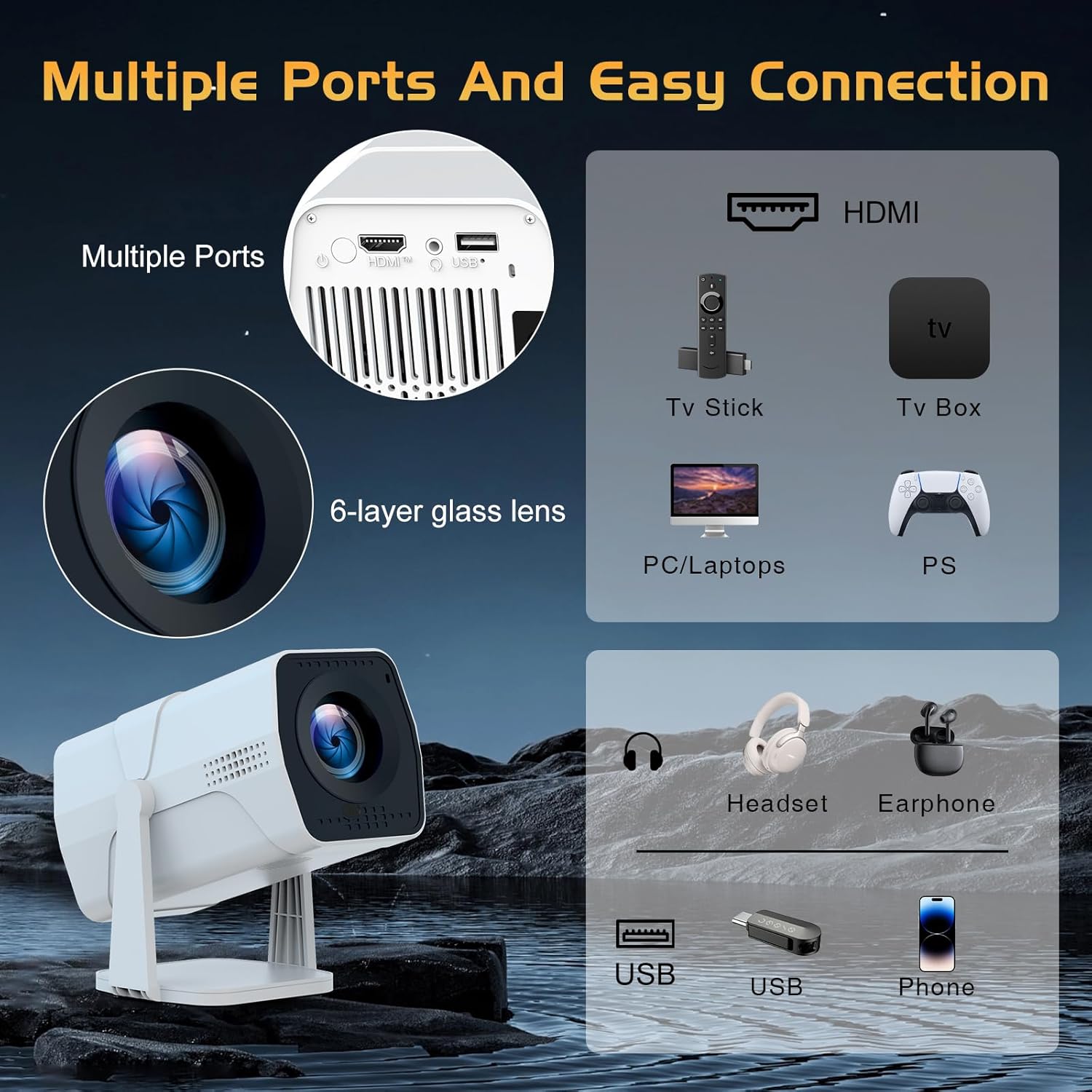
Image: A detailed diagram showing the multiple ports on the TMY Projector (HDMI, USB) and various connection possibilities, including TV sticks, PCs, gaming consoles, headsets, and phones.
4.4 Screen Zoom Function
The projector includes a 50%-100% zoom function, allowing you to adjust the screen size without moving the projector. This feature can be accessed via the remote control or settings menu.
5. Vzdrževanje
To ensure the longevity and optimal performance of your TMY Projector, follow these maintenance guidelines:
- Čiščenje leče: Uporabite mehko krpo, ki ne pušča vlaken in je posebej zasnovana za optične leče. Izogibajte se abrazivnim materialom ali agresivnim kemikalijam.
- Čiščenje zunanjosti: Zunanjost projektorja obrišite z mehko, suho krpo. Tekočih čistil ne uporabljajte neposredno na napravi.
- Prezračevanje: Prepričajte se, da prezračevalne odprtine niso blokirane, da preprečite pregrevanje.
- Shranjevanje: When not in use for extended periods, store the projector in a cool, dry place, away from direct sunlight and dust.
6. Odpravljanje težav
If you encounter issues with your TMY Projector, refer to the following common problems and solutions:
- Brez napajanja:
- Prepričajte se, da je napajalni kabel varno priključen tako na projektor kot v delujočo električno vtičnico.
- Preverite, ali vtičnica deluje.
- Ni slike / Zamegljena slika:
- Verify the projector is powered on and the lens cap is removed.
- Allow the automatic focus and keystone correction to complete. If still blurry, manually adjust focus using the remote.
- Ensure the projection surface is suitable and the projector is within the recommended distance.
- If using an external source (HDMI), ensure the correct input source is selected.
- Ni zvoka:
- Check the volume level on the projector and any connected external audio devices.
- If using Bluetooth speakers, ensure they are properly paired and connected.
- If using internal speakers, ensure external Bluetooth output is not selected.
- Daljinski upravljalnik se ne odziva:
- Ensure the batteries are correctly inserted and not depleted.
- Daljinski upravljalnik usmerite neposredno v IR-sprejemnik projektorja.
- Težave z WiFi povezavo:
- Prepričajte se, da je vaše omrežje WiFi aktivno in v dosegu.
- Dvakrat preverite geslo za WiFi.
- Znova zaženite projektor in usmerjevalnik WiFi.
- If the connection times out, try moving the projector closer to the router or reducing interference.
7. Specifikacije
| Funkcija | Specifikacija |
|---|---|
| Znamka | TMY |
| Model | B0DRFF5KMF |
| Teža predmeta | 2.79 funtov |
| Dimenzije izdelka | 5.35 x 4.84 x 7.09 palcev |
| barva | Bela |
| Posebne lastnosti | Speakers, Electric Focus, Auto Keystone, 270° Rotatable Stand |
| Tehnologija povezljivosti | HDMI, USB, WiFi 6, Bluetooth 5.2 |
| Ločljivost zaslona | 1920 x 1080 (1080p polna visoka ločljivost) |
| Priporočene uporabe | Notranja |

Image: A visual comparison showing the TMY Projector's 1080P Full HD image quality, emphasizing that it is recommended for use in dark environments for optimal viewing, contrasted with daytime or light-on conditions.
8. Garancija in podpora
TMY is committed to providing excellent customer service and product support.
- Garancija: Ta izdelek ima 3-letno garancijo.
- Politika vračila: Enjoy a 30-day return period.
- Tehnična podpora: Lifetime after-sale service and technical support are available.
- Odzivni čas: Expect a quick reply within 24 hours for support inquiries.
Za dodatno pomoč obiščite uradno TMY Store on Amazon or contact customer support through the provided channels in your warranty card.