
1. Uvod
This manual provides essential instructions for the proper setup, operation, and maintenance of your OnePlus Nord N30 5G smartphone. Please read this guide thoroughly before using your device to ensure optimal performance and longevity.
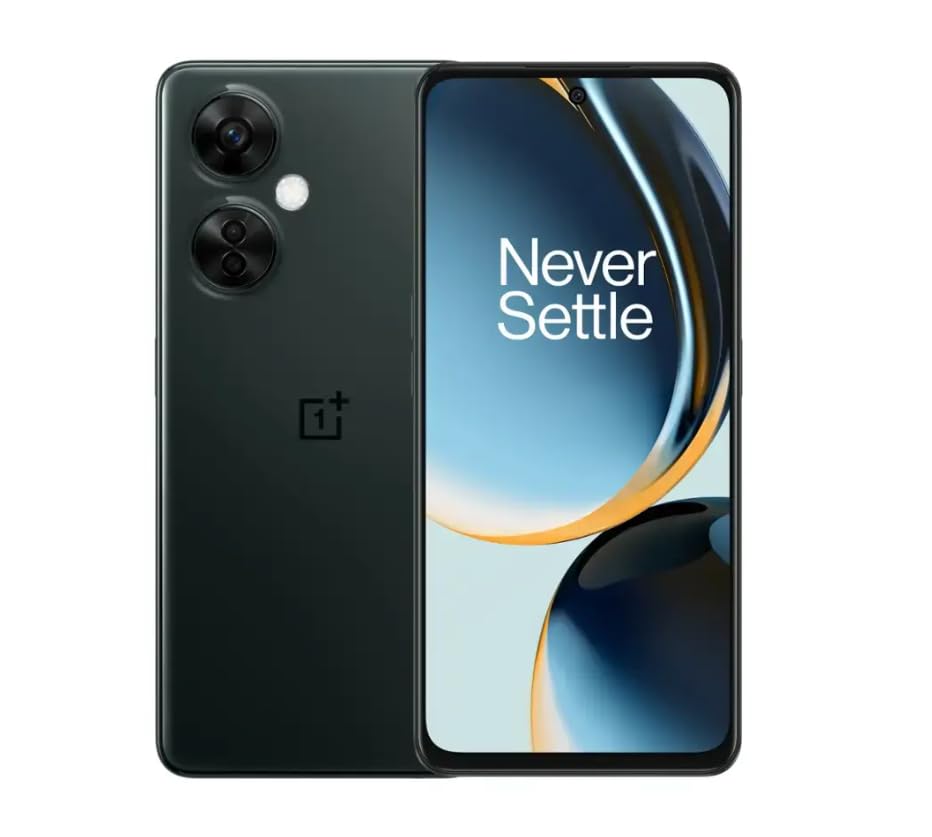
Image 1.1: OnePlus Nord N30 5G smartphone. This image displays the overall design of the device, highlighting its screen and camera module.
2. Kaj je v škatli
Preverite, ali so v paketu prisotni vsi elementi:
- Pametni telefon OnePlus Nord N30 5G
- Napajalni adapter
- USB kabel
Opomba: Dodatki se lahko razlikujejo glede na regijo.
3. Nastavitev
3.1. Vstavljanje SIM kartice
- Poiščite pladenj za kartico SIM na strani naprave.
- Insert the SIM ejector tool (not included, use a paperclip if necessary) into the small hole next to the tray to open it.
- Place your Nano-SIM card(s) into the tray with the gold contacts facing down. The device supports a single SIM card and a microSDXC card for expandable storage.
- Previdno potisnite pladenj nazaj v režo, dokler ni poravnan z ohišjem telefona.
3.2. Začetno polnjenje in vklop
Pred prvo uporabo je priporočljivo, da napravo popolnoma napolnite.
- Connect the USB cable to the power adapter and then to the phone's USB-C port.
- Plug the power adapter into a wall outlet. The device supports 50W SUPERVOOC fast charging.
- Once sufficiently charged, press and hold the Power button (located on the side) until the OnePlus logo appears.
3.3. Začetna konfiguracija naprave
Za dokončanje začetne nastavitve sledite navodilom na zaslonu:
- Izberite želeni jezik.
- Povežite se z omrežjem Wi-Fi.
- Review in sprejmite pogoje poslovanja.
- Prijavite se s svojim Google Računom ali ustvarite novega.
- Set up security features such as fingerprint unlock or face unlock.
4. Navodila za uporabo
4.1. Prikaz in navigacija
The OnePlus Nord N30 5G features a 6.72-inch LCD display with a 120Hz refresh rate for smooth visuals. Navigate the OxygenOS interface using gestures or traditional navigation buttons.
- Povlecite navzgor: Dostop do predala z aplikacijami.
- Povlecite navzdol: Access notifications and quick settings.
- Tapnite: Izberite predmete.
- Ščepec: Povečaj ali pomanjšaj.
4.2. Uporaba kamere
The device is equipped with a triple rear camera system and a front camera.
- Glavna kamera: 108 MP, f/1.7 (wide) for high-resolution photos.
- Makro kamera: 2 MP, f/2.4 for close-up shots.
- Globinska kamera: 2 MP, f/2.4 for portrait mode effects.
- Sprednja kamera: 16 MP, f/2.4 for selfies and video calls.
Open the Camera app and select your desired mode (Photo, Video, Portrait, Macro, etc.) from the interface. Tap the shutter button to capture images or start/stop video recording.
4.3. Upravljanje shranjevanja
The phone comes with 128GB of internal storage. You can expand this up to 1TB using a microSDXC card inserted into the SIM tray.
- To check storage usage: Go to nastavitve > Shranjevanje.
- Za premikanje files to microSD: Use the File Aplikacija Manager.
4.4. Povezljivost
The device supports 5G cellular technology, Wi-Fi, and Bluetooth 5.1.
- 5G: Ensure your SIM card and plan support 5G for faster mobile data speeds.
- Wi-Fi: Povežite se z brezžičnimi omrežji prek nastavitve > Wi-Fi.
- Bluetooth: Združite z brezžičnimi slušalkami ali drugimi napravami prek nastavitve > Bluetooth.
4.5. Varnostne funkcije
Secure your device using the side-mounted fingerprint sensor or face unlock.
- To set up fingerprint unlock: Go to nastavitve > Varnost in zasebnost > Odklepanje s prstnim odtisom.
- To set up face unlock: Go to nastavitve > Varnost in zasebnost > Odklepanje z obrazom.
4.6. Zvok
The device features dual stereo speakers for enhanced audio experience. It also includes a 3.5 mm audio jack for wired headphones.
5. Vzdrževanje
5.1. Skrb za baterijo
Baterija s kapaciteto 5000 mAh omogoča daljšo uporabo. Za podaljšanje življenjske dobe baterije:
- Izogibajte se ekstremnim temperaturam.
- Use the provided 50W SUPERVOOC charger for optimal charging speed and battery health.
- Izogibajte se pogostemu popolnemu praznjenju baterije.
5.2. Posodobitve programske opreme
Keep your OxygenOS (based on Android 13) updated to ensure optimal performance, security, and access to new features.
- Če želite preveriti posodobitve: Pojdite na nastavitve > O napravi > Različica OxygenOS.
5.3. Čiščenje naprave
Za čiščenje zaslona in ohišja telefona uporabljajte mehko krpo, ki ne pušča vlaken. Izogibajte se uporabi agresivnih kemikalij ali abrazivnih materialov.
6. Odpravljanje težav
Ta razdelek obravnava pogoste težave, na katere lahko naletite.
6.1. Naprava se ne vklopi
- Prepričajte se, da je baterija napolnjena. Napravo priključite na polnilnik za vsaj 15 minut.
- Pritisnite in držite gumb za vklop 10–15 sekund, da prisilite ponovni zagon.
6.2. Težave z omrežno povezljivostjo
- Preverite, ali je kartica SIM pravilno vstavljena.
- Verify that mobile data is enabled in nastavitve > Mobilno omrežje.
- Ponovno zaženite napravo.
- Contact your carrier (T-Mobile) to confirm service availability in your area.
6.3. Aplikacije se sesuvajo ali zamrzujejo
- Zaprite in znova odprite aplikacijo.
- Clear the app's cache: nastavitve > Aplikacije > [Ime aplikacije] > Poraba prostora za shranjevanje > Počisti predpomnilnik.
- Ensure the app and OxygenOS are updated to the latest versions.
6.4. Hitro praznjenje baterije
- Zmanjšajte svetlost zaslona.
- Disable unused features like Bluetooth, GPS, or Wi-Fi when not needed.
- Preverite porabo baterije v nastavitve > Baterija za prepoznavanje aplikacij, ki porabijo veliko energije.
- Ensure background app refresh is limited for non-essential apps.
7. Specifikacije
| Ime modela | OnePlus Nord N30 5G |
| Operacijski sistem | OxygenOS (based on Android 13) |
| Procesor | Osemjedrni Qualcomm Snapdragon 695 |
| RAM | 8 GB |
| Notranji pomnilnik | 128GB (Expandable up to 1TB via microSDXC) |
| Zaslon | 6.72 inches LCD, 2400 x 1080 resolution, 120Hz Refresh Rate |
| Zadnja kamera | 108 MP (širokokotni), 2 MP (makro), 2 MP (globinski) |
| Sprednja kamera | 16 MP |
| Kapaciteta baterije | 5000 mAh |
| Polnjenje | 50W SUPERVOOC Fast Charging (approx. 47 minutes for full charge) |
| Povezljivost | 5G, Wi-Fi, Bluetooth 5.1, USB-C |
| Avdio priključek | 3.5 mm |
| Dimenzije | 6 x 4 x 4 palcev |
| Teža | 10.8 unč |
| Posebne lastnosti | Dual SIM, Side-mounted Fingerprint Sensor, Face Unlock, Dual Stereo Speakers |
8. Posodobljene informacije o izdelku
This OnePlus Nord N30 5G is an Amazon Renewed product. Renewed products are pre-owned and professionally inspected, tested, and cleaned to work like new. They come with generic or original accessories and packaging.
8.1. Obnovljeni pogoji Amazona
Amazon Renewed products are categorized based on their cosmetic condition and battery life. All renewed products are fully functional and have a battery life greater than 80% of a new equivalent.

Image 8.1: Amazon Renewed conditions overview. This image illustrates the criteria for Excellent, Good, and Acceptable cosmetic conditions for renewed products.
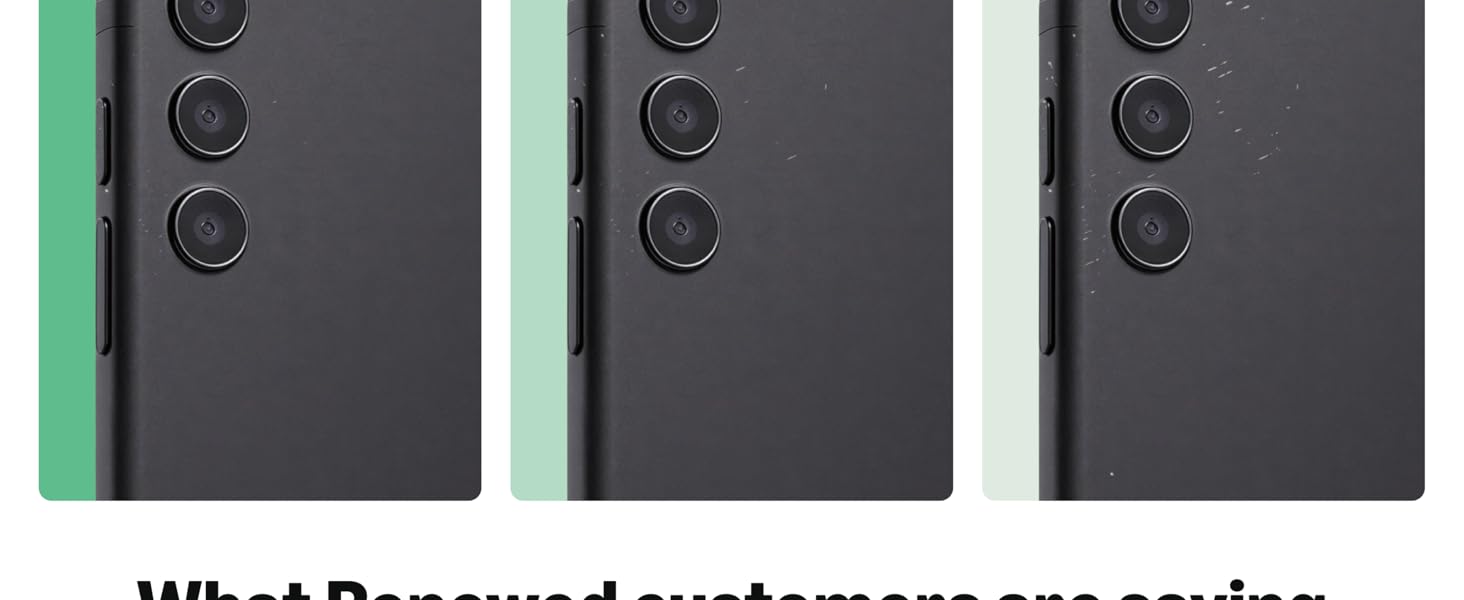
Slika 8.2: Vizualni primeramples of renewed product cosmetic conditions. This image provides visual examples of what 'Excellent', 'Good', and 'Acceptable' cosmetic conditions might look like on a phone's back.
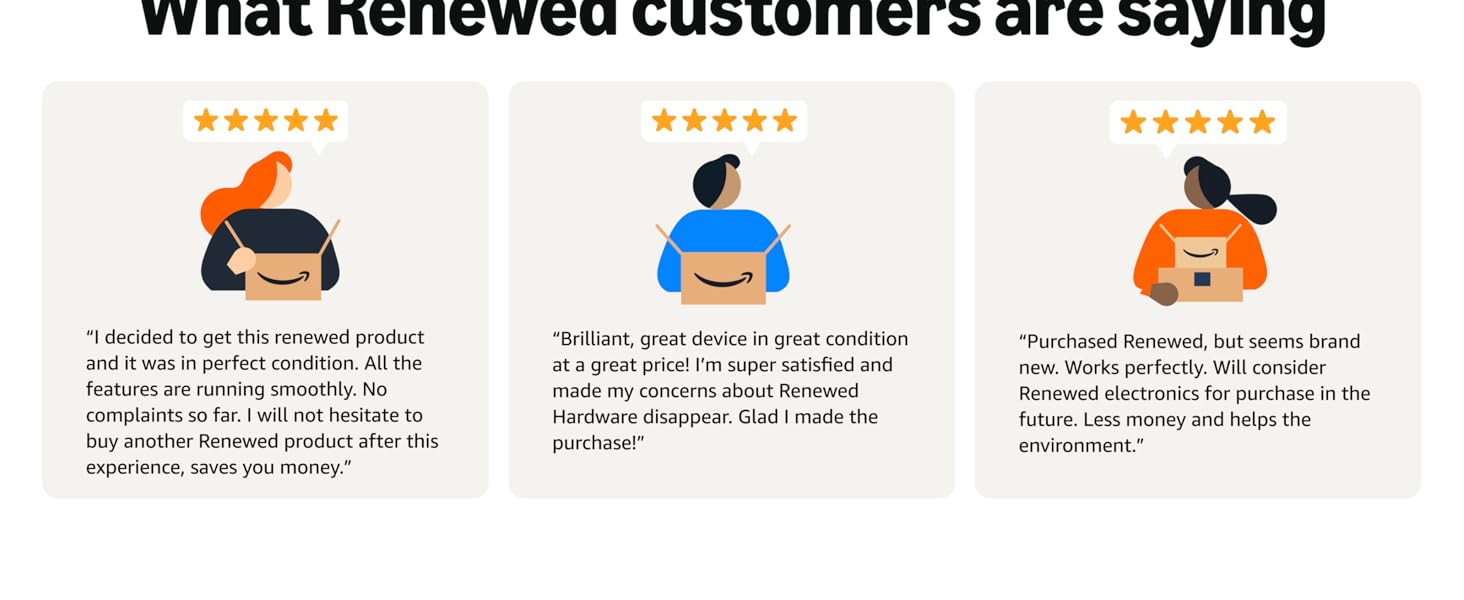
Image 8.3: Customer feedback on Amazon Renewed. This image presents testimonials from customers regarding their positive experiences with Amazon Renewed products.
9. Garancija in podpora
9.1. Informacije o garanciji
As an Amazon Renewed product, this device is backed by the Amazon Renewed Guarantee. Please refer to the Amazon Renewed program terms and conditions for specific warranty details and coverage. This typically includes a limited warranty for a specified period from the date of purchase, covering defects in materials and workmanship.
9.2. Podpora strankam
For technical assistance, troubleshooting, or warranty claims, please contact Amazon Customer Service or refer to the official OnePlus support webstran za dodatne vire in pogosta vprašanja.
- Amazonova služba za stranke: Obisk amazon.com/contact-us
- OnePlus Support: Visit the official OnePlus support webspletno mesto za vašo regijo.