
Uvod
Thank you for choosing the Netzu 6206ZD Vibrating Alarm Clock. This device is designed to provide a reliable wake-up experience, especially for heavy sleepers and individuals with hearing impairments, through a combination of loud alarm, powerful vibration, and bright wake-up light. This manual provides detailed instructions for setup, operation, and maintenance to ensure optimal performance.
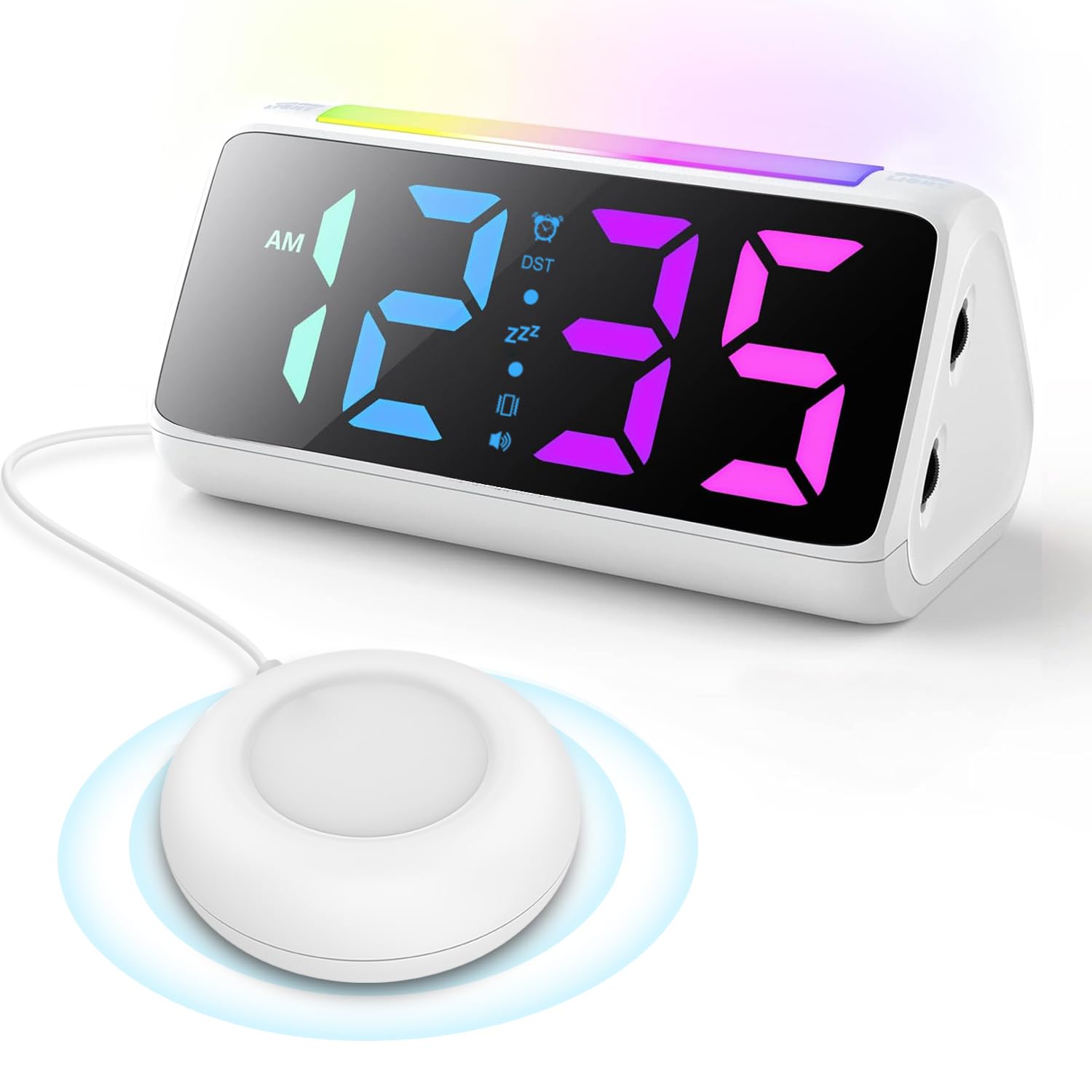
Image: The Netzu 6206ZD Vibrating Alarm Clock with its connected bed shaker unit.
Vsebina paketa
Preden nadaljujete z namestitvijo, se prepričajte, da so v paketu prisotni vsi elementi:
- Netzu 6206ZD Alarm Clock Unit
- Vibrating Bed Shaker
- Napajalni adapter
- USB polnilni kabel
- Uporabniški priročnik (ta dokument)

Image: Contents of the Netzu 6206ZD alarm clock package, including the clock, bed shaker, and power accessories.
Nastavitev
1. Napajalni priključek
Connect the provided power adapter to the alarm clock and plug it into a standard electrical outlet. The clock requires continuous power to operate.

Image: The alarm clock connected to a power source via its USB port, also showing a phone charging from the clock's USB output.
2. Rezervna baterija (neobvezno)
Za ohranitev nastavitev časa in alarma med izpadom električne energijetage, insert 2 AAA batteries (not included) into the battery compartment located on the bottom of the clock. The batteries do not power the display or alarm functions, only memory retention.

Image: The battery compartment on the underside of the alarm clock, showing where to insert AAA batteries for backup.
3. Priključitev stresalnika za posteljo
Plug the vibrating bed shaker into the designated port on the back of the alarm clock. Place the shaker under your pillow, under a fitted sheet, or between your mattress and box spring for optimal vibration.

Image: Diagrams illustrating various placements for the bed shaker: under a pillow, under a fitted sheet, and between the mattress and box spring.
Navodila za uporabo
1. Nastavitev časa in datuma
- Format časa: Press the '12/24H' button to switch between 12-hour and 24-hour display formats.
- Poletni čas (DST): Long press the 'DST' button to add or subtract one hour for daylight saving time adjustments.

Image: Visual representation of 12-hour, 24-hour, and DST time display options on the alarm clock.
2. Nastavitev alarmov
Budilka ponuja tri načine bujenja:
- Samo zvonjenje: The clock will emit a loud audible alarm.
- Vibrate Only: The bed shaker will activate without an audible alarm.
- Ring + Vibrate: Zvočni alarm in stresalnik postelje se bosta aktivirala hkrati.
Refer to the specific buttons on your device for setting the alarm time and selecting the desired wake-up mode.

Image: Illustration showing the three available wake-up modes: Loud Ringing Only, Powerful Vibration Only, and Ringing + Vibration.
3. Prilagajanje glasnosti alarma
The alarm features 4 adjustable volume levels, with a maximum output of 110 dB. Use the volume control buttons (typically '+' and '-' or dedicated volume buttons) to set your preferred alarm loudness.

Image: Graphic depicting the four volume levels (75dB, 95dB, 100dB, 110dB) available for the alarm.
4. Funkcija dremeža
When the alarm sounds, press the large snooze button on the top of the clock to activate a 5-minute snooze period. The alarm will sound again after 5 minutes.

Image: A person reaching to tap the snooze button on the alarm clock, indicating a 5-minute snooze duration.
5. Display and Night Light Settings
- Svetlost zaslona: The RGB display offers 11 color options and adjustable brightness from 0% to 100%. Use the dedicated dimmer buttons to adjust the display intensity to your preference.
- Nočna luč: The clock features a light bar with 9 color modes, which can function as a night light. Activate and cycle through the night light colors using the designated button.

Slika: Večkratna views of the alarm clock displaying different RGB colors and brightness levels, from 0% to 100%.

Image: The alarm clock illuminated with its night light feature, casting a soft glow.
Vzdrževanje
To ensure the longevity and proper functioning of your Netzu 6206ZD Alarm Clock, follow these maintenance guidelines:
- Čiščenje: Wipe the clock and bed shaker with a soft, dry cloth. Do not use abrasive cleaners, solvents, or immerse the unit in water.
- Umestitev: Uro postavite na stabilno, ravno površino, stran od neposredne sončne svetlobe, prekomerne vročine ali vlage.
- moč: Always use the provided power adapter. Disconnect power during electrical storms or when not in use for extended periods.
Odpravljanje težav
| Težava | Možen vzrok | rešitev |
|---|---|---|
| Prikaz ure je izklopljen ali utripa. | Ni napajanja ali ohlapna povezava. | Ensure the power adapter is securely plugged into the clock and the wall outlet. Check if the outlet is functional. |
| Alarm se ne oglasi/ne vibrira. | Alarm not set, wrong mode selected, or volume too low. | Verify alarm time is set correctly. Check that the desired wake-up mode (Ring, Vibrate, or both) is selected. Increase alarm volume. Ensure bed shaker is properly connected. |
| Nastavitve izgubljene po izpadu električne energijetage. | Ni rezervnih baterij ali pa so baterije izpraznjene. | Install 2 new AAA batteries for memory retention. |
| Zaslon je presvetel/pretemn. | Potrebno je prilagoditi raven svetlosti. | Use the dimmer buttons to adjust the display brightness to your preference. |
Specifikacije
- Model: 6206ZD
- Znamka: Netzu
- barva: Bela
- Vrsta zaslona: Digitalno
- Dimenzije izdelka: 6.3 cm Š x 3.15 cm V
- vir energije: Električni na kabel
- Varnostno kopiranje baterije: 2 AAA batteries (not included) for memory retention
- Glasnost alarma: 4 levels, up to 110 dB
- Trajanje dremeža: 5 minut
- Lastnosti zaslona: 11 RGB color options, 0-100% brightness adjustment
- Nočna luč: 9 barvnih načinov
- Format časa: 12/24-hour display, Manual DST adjustment
- Material: Plastika
Garancija in podpora
For warranty information or technical support, please refer to the contact details provided with your purchase documentation or visit the official Netzu webspletnega mesta. Račun shranite kot dokazilo o nakupu za morebitne garancijske zahtevke.