
Uvod
Thank you for choosing the CREATE Speaker Retro. This portable Bluetooth speaker combines a classic retro design with modern audio technology, offering versatile connectivity and powerful sound. This manual will guide you through the setup, operation, and maintenance of your new speaker to ensure optimal performance and longevity.

Image: The CREATE Speaker Retro, highlighting its elegant retro aesthetic and compact form factor.
Pomembna varnostna navodila
- Pred uporabo izdelka natančno preberite vsa navodila.
- Ta priročnik shranite za poznejšo uporabo.
- Do not expose the speaker to water or excessive moisture. This product is ni vodoodporen.
- Ne postavljajte v bližino virov toplote, kot so radiatorji, grelniki, štedilniki ali druge naprave (vključno z amplifiers), ki proizvajajo toploto.
- Uporabljajte samo priključke/dodatke, ki jih je določil proizvajalec.
- Napravo izklopite med nevihtami ali ko je dlje časa ne uporabljate.
- Za vse servise se obrnite na usposobljeno servisno osebje.
Vsebina paketa
The CREATE Speaker Retro package includes:
- CREATE Speaker Retro Portable Bluetooth Speaker (1 unit)
- Polnilni kabel USB-C
- Uporabniški priročnik (ta dokument)
Kontrole in vrata nadview
Seznanite se s krmilnimi elementi in priključnimi vrati zvočnika:

Slika: Podrobna view of the speaker's top control panel.
- Gumb za glasnost: Prilagodi splošno glasnost zvoka.
- Gumb za bas: Prilagodi raven nizkih tonov.
- Visokotonski gumb: Prilagodi raven visokih tonov.
- Stikalo za izbiro vhoda: Toggles between AUX, Bluetooth (BT), and USB input modes.
- Stikalo za vklop: Vklopi/izklopi zvočnik.
- AUX vhod (3.5 mm): Za priključitev zunanjih avdio naprav prek avdio kabla.
- Vrata USB: Za predvajanje z USB pogona.
- DC-IN 5V Port: Za polnjenje zvočnika.
- Indikatorska lučka: Prikazuje stanje napajanja, stanje polnjenja in stanje seznanjanja Bluetooth.
Nastavitev
1. Polnjenje zvočnika
Before first use, fully charge the speaker. Connect the provided USB-C charging cable to the DC-IN 5V port on the speaker and the other end to a compatible USB power adapter (not included) or a computer's USB port. The indicator light will show the charging status. A full charge takes approximately 4-5 hours.
- Polnjenje: Indicator light glows (color may vary).
- Popolnoma napolnjen: Indicator light turns off or changes color.
2. Vklop/izklop
To power on the speaker, flip the Stikalo za napajanje to the "ON" position. To power off, flip the switch to the "OFF" position.
Navodila za uporabo
1. Način Bluetooth
The speaker features Bluetooth 5.2 for wireless audio streaming with a range of up to 10 meters.
- Vklopite zvočnik.
- Nastavite Stikalo za izbiro vhoda to "BT/AUX" and then ensure it's in Bluetooth mode (indicator light will blink, indicating pairing mode).
- Na pametnem telefonu, tabličnem računalniku ali drugi napravi, ki podpira Bluetooth, omogočite Bluetooth in poiščite razpoložljive naprave.
- Select "CREATE Speaker Retro" from the list.
- Once paired, the indicator light will stop blinking and remain solid. You can now play music wirelessly.
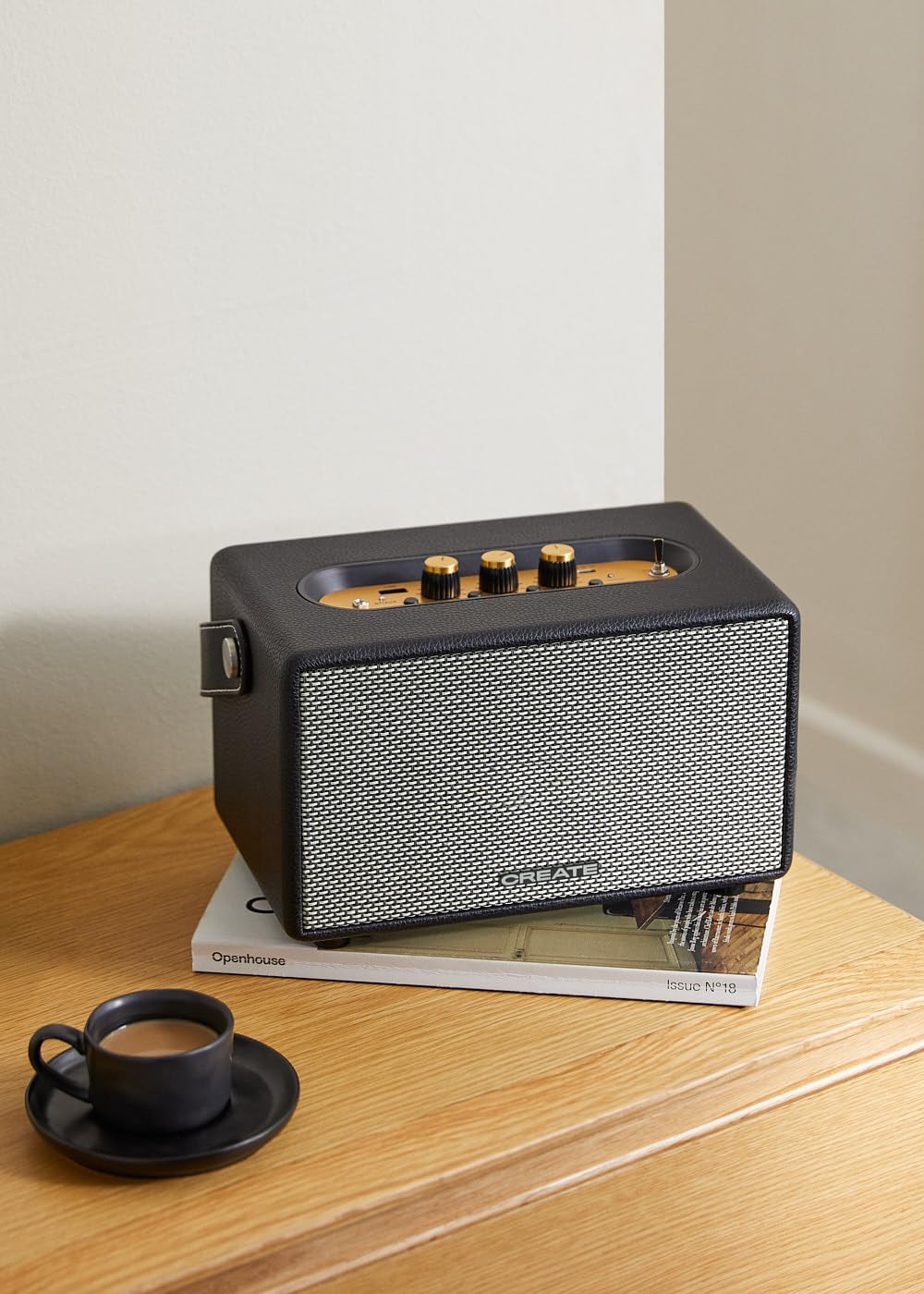
Image: Connecting to the speaker via Bluetooth from a mobile device.
2. Način predvajanja prek USB-ja
Predvajaj zvok files neposredno iz bliskovnega pogona USB.
- Vklopite zvočnik.
- Vstavite bliskovni pogon USB z zvokom files v Vrata USB.
- Nastavite Stikalo za izbiro vhoda to "USB". The speaker will automatically begin playing music from the USB drive.

Image: Inserting a USB drive for direct audio playback.
3. Način vhoda AUX
Zunanje zvočne naprave priključite s 3.5 mm avdio kablom.
- Vklopite zvočnik.
- En konec 3.5 mm avdio kabla (ni priložen) priključite na AUX vhod vrata na zvočniku.
- Drugi konec kabla priključite na vtičnico za slušalke ali avdio izhod vaše zunanje naprave (npr. predvajalnika MP3, prenosnika).
- Nastavite Stikalo za izbiro vhoda to "AUX". The speaker will now play audio from your connected device.
4. Prilagoditev zvoka
Za natančno nastavitev zvočne izkušnje uporabite namenske gumbe na nadzorni plošči:
- Zavrtite Gumb za glasnost to increase or decrease the overall sound level.
- Zavrtite Bas gumb to adjust the low-frequency sounds.
- Zavrtite Visokokanalni gumb to adjust the high-frequency sounds.
Vzdrževanje
Čiščenje
To clean the speaker, use a soft, dry cloth. Do not use abrasive cleaners, waxes, or solvents as they may damage the finish. Avoid spraying liquids directly onto the speaker.
Shranjevanje
Ko zvočnika dlje časa ne uporabljate, ga shranite na hladnem in suhem mestu, stran od neposredne sončne svetlobe in ekstremnih temperatur. Pred shranjevanjem se prepričajte, da je zvočnik popolnoma napolnjen, da ohranite zdravje baterije.
Skrb za baterijo
The speaker is equipped with a built-in rechargeable battery. To maximize battery life:
- Izogibajte se pogostemu popolnemu praznjenju baterije.
- Recharge the battery regularly, even if the speaker is not used often.
- Zvočnika ne izpostavljajte temperaturam nad 45 °C (113 °F) ali pod 0 °C (32 °F).
Odpravljanje težav
If you encounter any issues with your CREATE Speaker Retro, please refer to the following common problems and solutions:
| Težava | Možen vzrok | rešitev |
|---|---|---|
| Zvočnik se ne vklopi. | Baterija je prazna. | Charge the speaker for 4-5 hours using the USB-C cable. |
| Brez zvoka iz zvočnika. | Volume is too low; incorrect input mode; device not connected properly. | Increase volume. Ensure the correct input mode (BT, USB, AUX) is selected. Reconnect Bluetooth device or AUX cable. |
| Bluetooth seznanjanje ne uspe. | Speaker is not in pairing mode; device is out of range; interference. | Ensure speaker is in Bluetooth pairing mode (blinking indicator). Move device closer to speaker (within 10m). Turn off other Bluetooth devices. |
| Predvajanje prek USB-ja ne deluje. | Incorrect input mode; USB drive not formatted correctly or no compatible files. | Ensure "USB" input mode is selected. Check USB drive for compatible audio files (e.g., MP3). Try a different USB drive. |
| Play/Pause button not responding. | Morebitna težava s strojno opremo ali programsko napako. | Restart the speaker. If the issue persists, contact customer support. (Opomba: Uporabnik ponovnoview mentioned this issue.) |
Specifikacije
| Ime modela | SPEAKER RETRO |
| Številka modela | 181643_452174 |
| Mere (D x Š x V) | 17 x 26 x 15 cm |
| Teža | 2.5 kg |
| Max. Speaker Output Power | 40 W |
| Način avdio izhoda | Stereo (2.0-kanalni) |
| Tehnologija povezljivosti | Bluetooth 5.2, USB, AUX (3.5mm) |
| Bluetooth obseg | Do 10 metre |
| Kapaciteta baterije | 3000 mAh |
| Življenjska doba baterije | Do 5 ur (odvisno od uporabe) |
| Čas polnjenja | Pribl. 4-5 ur |
| Nadzorna metoda | Touch (knobs and switches) |
| barva | Črna |
| Vodotesen | št |
Garancija in podpora
Informacije o garanciji
The CREATE Speaker Retro comes with a standard manufacturer's warranty. Please retain your proof of purchase for warranty claims. The warranty covers defects in materials and workmanship under normal use. It does not cover damage caused by misuse, accidents, unauthorized modifications, or exposure to water.
For specific warranty terms and conditions, please refer to the warranty card included with your product or contact CREATE customer service.
Podpora uporabnikom
If you have any questions, require technical assistance, or need to report an issue that cannot be resolved using the troubleshooting guide, please contact CREATE customer support.
You can find more information and contact details on the official CREATE webspletnem mestu ali prek njihove trgovine blagovne znamke Amazon: