
1. Uvod
Thank you for choosing the EuroFone S3 Plus Motorcycle Intercom with 2K HD Camera. This device is designed to enhance your riding experience by providing seamless communication, high-definition video recording, and entertainment features. Please read this manual carefully to understand the product's functions and ensure safe and optimal use.

Image 1.1: The EuroFone S3 Plus Intercom unit, showcasinzaradi svoje kompaktne zasnove in krmilnega gumba.
2. Vsebina paketa
Prosimo, preverite, ali so v vašem paketu priloženi vsi spodaj navedeni artikli:
- 1 x EuroFone S3 Plus Bluetooth Host Unit
- 1 x polnilni kabel Type-C
- 2 x Helmet Clips (1 Screw Clip, 1 Velcro Clip)
- 1 x Stereo Headset
- 1 x Navodila za uporabo
- 2 x Microphones (1 Hard Mic for open-face helmets, 1 Soft Mic for full-face helmets)
3. Izdelek je končanview
Familiarize yourself with the various parts and controls of your S3 Plus intercom unit.

Image 3.1: Detailed diagram of the S3 Plus unit with numbered components.
| št. | Komponenta | funkcija |
|---|---|---|
| 1 | Objektiv kamere | Captures 2K HD video footage. |
| 2 | Interkom tipka | Activates and manages intercom communication. |
| 3 | Gumb za snemanje | Začne in ustavi snemanje videa. |
| 4 | Gumb Wi-Fi | Activates Wi-Fi for app connection and file prenos. |
| 5 | Rotacijski gumb | Adjusts volume, navigates menus, and controls music playback. |
| 6 | Večnamenski gumb | Manages phone calls, voice assistant, and other features. |
| 7 | Gumb za vklop | Vklop/izklop naprave. |
| 8 | TF Card / Reset Button | Slot for microSD card; press and hold for reset. |
| 9 | Earphone Mic Jack | Connects the stereo headset and microphone. |
| 10 | Charging Port / K-Line Plug | Type-C port for charging and data transfer. |
4. Nastavitev
4.1. Namestitev čelade
The S3 Plus can be mounted on most helmets using either the screw clip or the Velcro clip.
- Choose Clip Type: Select the screw clip for a more permanent attachment or the Velcro clip for easier removal.
- Pozicioniranje: Attach the clip to the left side of your helmet, ensuring it is securely fastened and does not obstruct your vision or helmet functionality.
- Montaža enote: Slide the S3 Plus host unit onto the installed clip until it clicks into place.
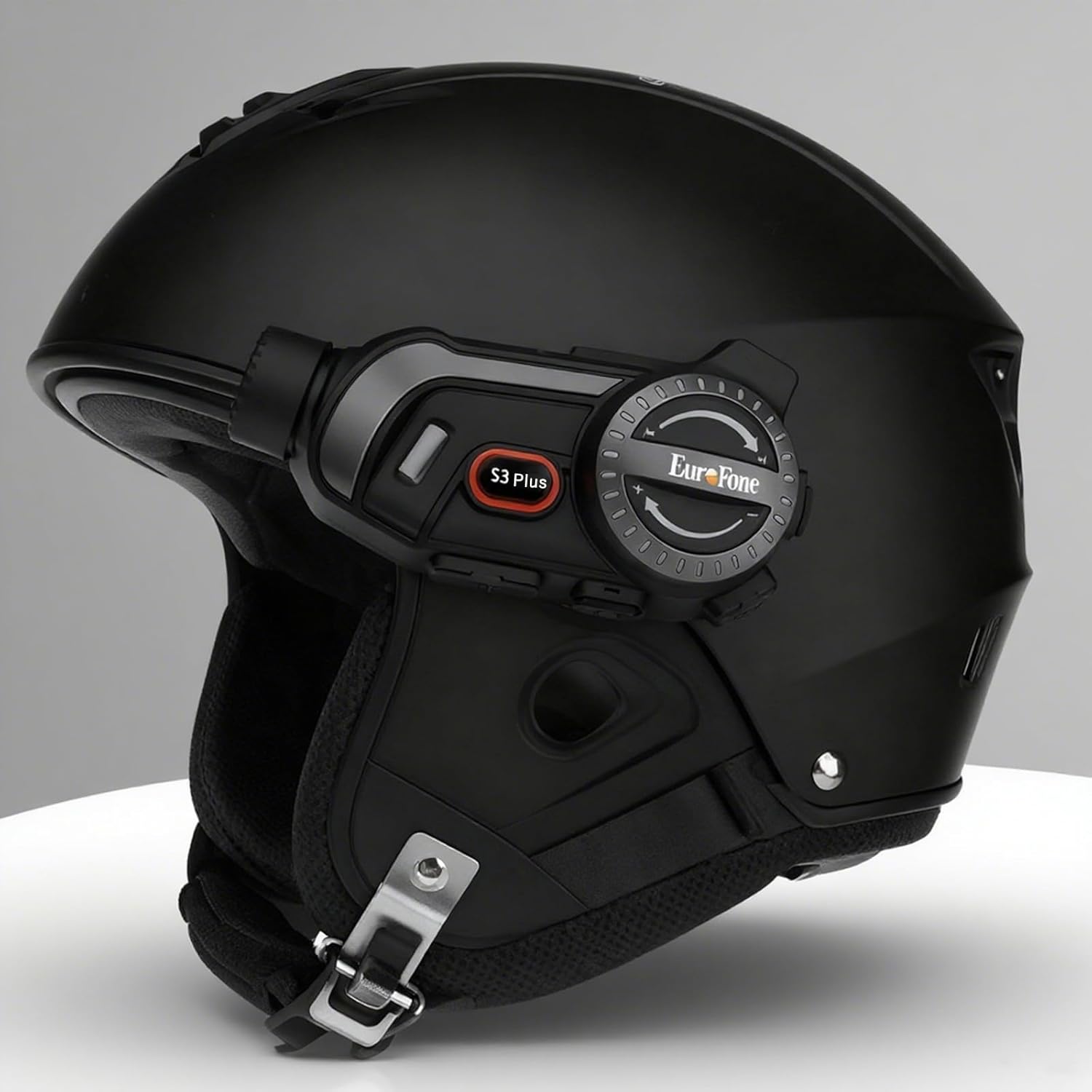
Image 4.1: The S3 Plus intercom unit securely attached to the side of a helmet.
4.2. Headset and Microphone Connection
Connect the stereo headset and microphone to the S3 Plus unit.
- Namestitev zvočnikov: Place the headset speakers inside the helmet's ear pockets, ensuring they are aligned with your ears for optimal sound.
- Izberite mikrofon: Choose the hard mic for open-face helmets or the soft mic for full-face helmets. Attach the microphone to the inside of the helmet near your mouth.
- Poveži se z enoto: Plug the headset and microphone cable into the Earphone Mic Jack (9) on the S3 Plus unit.
4.3. Polnjenje naprave
Before first use, fully charge the S3 Plus unit.
- Priključni kabel: Insert the Type-C charging cable into the Charging Port (10) on the S3 Plus unit.
- vir energije: Drugi konec kabla priključite na napajalnik USB (ni priložen) ali na vrata USB računalnika.
- Indikator polnjenja: LED indikator bo prikazoval stanje polnjenja. Popolno polnjenje traja približno 1.5 uri.
4.4. Vklop/izklop
- Vklop: Press and hold the Power Button (7) for approximately 3 seconds until the LED indicator lights up and you hear a voice prompt.
- Ugasniti: Press and hold the Power Button (7) for approximately 3 seconds until the LED indicator turns off and you hear a voice prompt.
5. Navodila za uporabo
5.1. Bluetooth seznanjanje
Pair your S3 Plus with your smartphone or other Bluetooth devices.
- Vstopite v način seznanjanja: With the S3 Plus powered off, press and hold the Power Button (7) for about 5-7 seconds until the LED indicator flashes red and blue alternately, indicating pairing mode.
- Omogoči Bluetooth: V pametnem telefonu ali napravi omogočite Bluetooth in poiščite razpoložljive naprave.
- Izberite napravo: Select "EuroFone S3 Plus" from the list of found devices. If prompted, enter "0000" as the PIN.
- Potrditev: Once paired, the LED indicator will flash blue slowly, and you will hear a voice confirmation.

Image 5.1: Illustration of Bluetooth 5.1 connectivity and extended battery performance.
5.2. Interkom funkcija
The S3 Plus supports both two-way and multi-person group intercom communication.
- Dvosmerni domofon: To initiate a direct intercom call with another S3 Plus unit, ensure both units are powered on and within range (up to 2000m in open terrain). Briefly press the Intercom Button (2) on one unit. The units will connect automatically.
- Group Intercom (Up to 6 Riders): The S3 Plus supports simultaneous communication for up to 6 riders. Follow the pairing instructions in the manual for multi-unit connection. The system features automatic reconnection, so if a rider goes out of range, they will automatically rejoin the conversation when back in range.

Image 5.2: Visual representation of up to 6 riders engaged in group intercom communication.
5.3. Delovanje kamere
Record your rides in 2K HD quality.
- Vstavite TF kartico: Ensure a microSD (TF) card (Class 10 or higher, up to 128GB) is inserted into the TF Card slot (8) before recording.
- Začetek/ustavitev snemanja: Briefly press the Record Button (3) to start recording. The LED indicator will change to confirm recording is active. Press again to stop recording.
- Snemanje v zanki: The S3 Plus supports loop recording, automatically overwriting the oldest files ko je pomnilniška kartica polna.
- Povezava z aplikacijo Wi-Fi: Press the Wi-Fi Button (4) to activate the unit's Wi-Fi. Connect your smartphone to the S3 Plus Wi-Fi network (details in the dedicated app manual). Use the companion app to view v živo footage, playback recordings, and download files.

Image 5.3: Details on 2K video resolution (2560*1440) and the 135° wide-angle lens for comprehensive capture.
5.4. Predvajanje in deljenje glasbe
Enjoy music from your paired smartphone and share it with another rider.
- Predvajanje/pavza: Briefly press the Multi-function Button (6) to play or pause music.
- Prilagoditev glasnosti: Rotate the Rotary Dial (5) clockwise to increase volume, counter-clockwise to decrease volume.
- Naslednja / prejšnja skladba: Press the Rotary Dial (5) forward or backward to skip tracks.
- Deljenje glasbe: While music is playing, activate the music sharing function (refer to the full manual for specific button combinations) to share your audio with a connected intercom unit.

Image 5.4: Two riders enjoying shared music during their journey, illustrating the music sharing feature.
5.5. FM radio
Tune into FM radio stations for news, weather, and entertainment.
- Aktiviraj FM radio: Press and hold the Intercom Button (2) for approximately 2 seconds to turn on the FM radio.
- Skenirne postaje: Briefly press the Rotary Dial (5) forward or backward to scan for the next or previous available station.
- Izklopi FM radio: Press and hold the Intercom Button (2) for approximately 2 seconds again to turn off the FM radio.

Image 5.5: A rider listening to FM radio, highlighting the integrated FM radio functionality.
5.6. Glasovni pomočnik
Access your smartphone's voice assistant (e.g., Siri) hands-free.
- Aktiviranje glasovnega pomočnika: Briefly press the Multi-function Button (6) twice to activate your paired smartphone's voice assistant.
- Glasovni pozivi: The S3 Plus supports voice prompts in Japanese, English, and Chinese, which can be switched as needed.

Image 5.6: Visualizing the voice assistant feature, HIFI audio quality, and key device statistics like weight and battery life.
5.7. Telefonski klici
Manage incoming and outgoing phone calls safely while riding.
- Sprejmi klic: When a call comes in, the S3 Plus will automatically answer after approximately 10 seconds, allowing for hands-free communication.
- Končaj klic: Briefly press the Multi-function Button (6) to end an active call.
- Zavrni klic: Press and hold the Multi-function Button (6) for 2 seconds to reject an incoming call.
- Ponovno klicanje zadnje številke: Briefly press the Multi-function Button (6) twice to redial the last number.
6. Vzdrževanje
Proper maintenance ensures the longevity and performance of your S3 Plus intercom.
- Čiščenje: Uporabite mehko, damp Za čiščenje zunanjosti enote uporabite krpo. Ne uporabljajte agresivnih kemikalij ali abrazivnih čistil.
- Izpostavljenost vodi: The S3 Plus is IP67 waterproof. While it can withstand rain, avoid prolonged submersion in water or exposure to heavy downpours. If wet, wipe dry immediately with a towel.
- Shranjevanje: Napravo shranjujte na hladnem in suhem mestu, stran od neposredne sončne svetlobe in ekstremnih temperatur, ko je ne uporabljate.
- Vzdrževanje baterije: Za optimalno življenjsko dobo baterije se izogibajte pogostemu popolnemu praznjenju baterije. Napravo redno polnite, tudi če je dalj časa ne uporabljate.
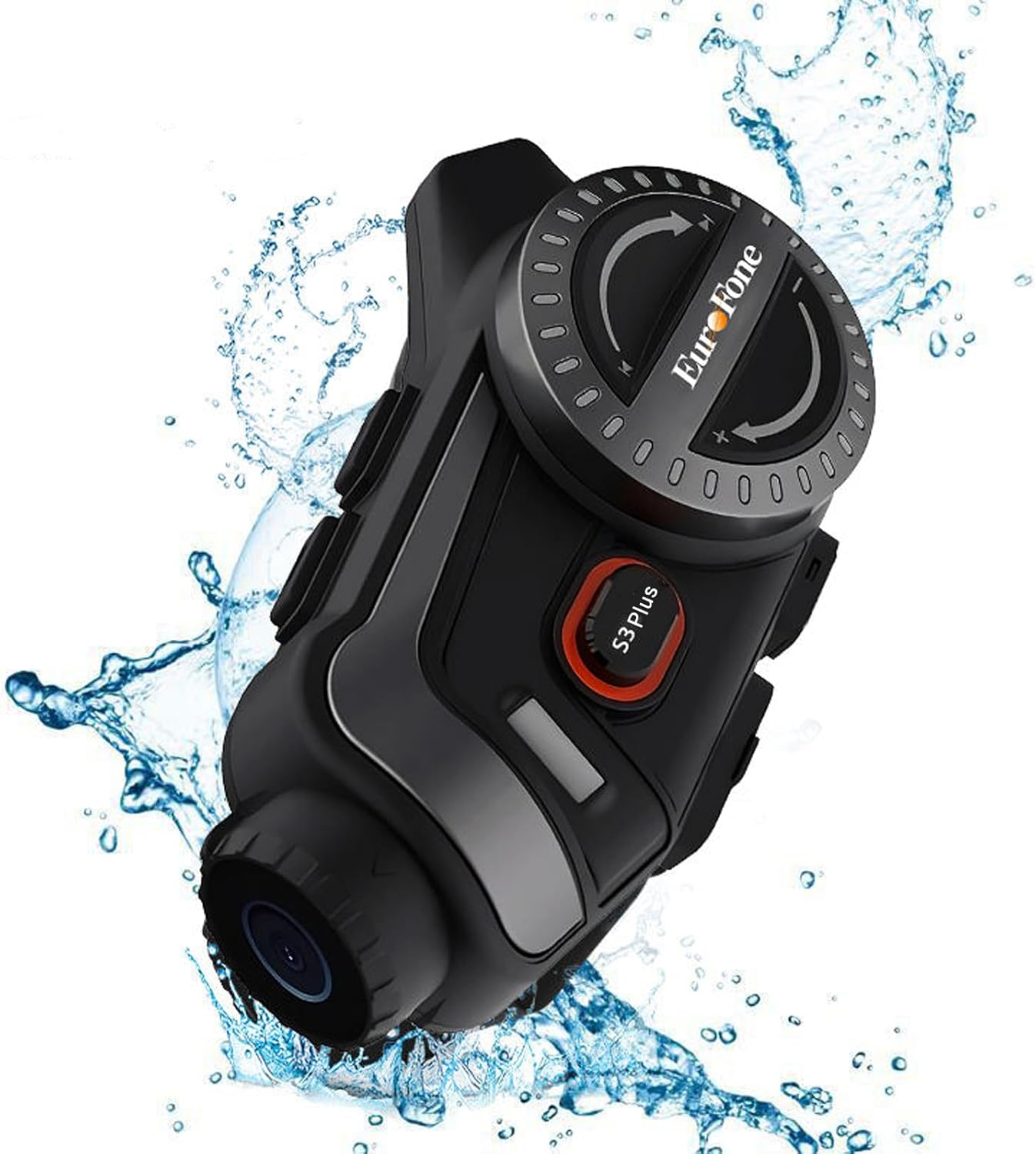
Image 6.1: The S3 Plus unit demonstrating its IP67 waterproof and dustproof capabilities.
7. Odpravljanje težav
If you encounter issues with your S3 Plus, refer to the following common problems and solutions:
- Naprava se ne vklopi: Ensure the battery is charged. Connect to a charger and try again. If unresponsive, try a factory reset by pressing the Reset Button (8) with a small pin.
- Seznanjanje s pametnim telefonom ni mogoče: Ensure the S3 Plus is in pairing mode (flashing red and blue). Turn off and on your phone's Bluetooth. Clear previous Bluetooth connections on both devices and try again.
- Težave s povezavo domofona: Ensure both intercom units are within range and fully charged. Re-initiate the intercom connection. Obstacles can reduce range.
- Poor Audio Quality (Intercom/Music): Check headset and microphone connections. Ensure speakers are correctly positioned in the helmet. The device features CVC8.0 and DSP dual noise cancellation for clear audio, but extreme wind noise can still affect quality.
- Snemanje ne deluje: Ensure a compatible microSD (TF) card is inserted and has sufficient free space. Format the card if necessary (refer to app instructions or connect to PC).
- Wi-Fi App Connection Failure: Ensure the S3 Plus Wi-Fi is activated. Check your smartphone's Wi-Fi settings to confirm connection to the device's network. Ensure the app is up-to-date.
8. Specifikacije
Key technical specifications of the EuroFone S3 Plus intercom:
| Funkcija | Specifikacija |
|---|---|
| Ime modela | S3 Plus |
| Znamka | EuroFone |
| barva | Črna |
| Tehnologija povezljivosti | Brezžično (Bluetooth 5.1) |
| Različica Bluetooth | 5.1 |
| Domofon | Up to 2000 meters (1500-2000m between 2 units) |
| Skupinski domofon | Up to 6 riders simultaneous talk |
| Video ločljivost | 2K HD (1440p) |
| Objektiv kamere | 135° Wide Angle, 14mm Sony HD F2.0 |
| Neprekinjeno snemanje videa | Do 8 ur |
| Kapaciteta baterije | 2000 mAh |
| Neprekinjen čas pogovora | Do 45 ur |
| Čas predvajanja glasbe | Do 80 ur |
| Čas pripravljenosti | Do 1000 ur |
| Čas polnjenja | Približno 1.5 uri (tip C) |
| Ocena vodotesnosti | IP67 |
| Odpravljanje hrupa | CVC8.0 & DSP Dual Noise Cancellation |
| Posebne lastnosti | FM Radio, Music Sharing, Voice Assistant (Siri compatible), Auto-Answer Calls, Loop Recording, WiFi App Support, GPS Guidance Compatibility |
| Dimenzije izdelka | 5.7 x 10.5 x 3.5 cm |
| Teža izdelka | 0.45 kg |
9. Garancija in podpora
The EuroFone S3 Plus Motorcycle Intercom comes with a 1-year warranty, affirming its quality and reliability. If you have any questions, concerns, or require technical assistance, please do not hesitate to contact our support team. We aim to respond within 24 hours.
For support, please refer to the contact information provided with your purchase or visit the official EuroFone webmesto.