
1. Uvod
Thank you for choosing the KOORUI N07 27-inch 4K UHD Monitor. This monitor is designed to provide a superior visual experience with its 3840x2160 resolution, IPS panel, 60Hz refresh rate, HDR10 support, and Adaptive Sync technology. This manual provides essential information for setting up, operating, and maintaining your monitor to ensure optimal performance and longevity. Please read this manual thoroughly before using the product.
2. Varnostne informacije
- Monitor vedno postavite na stabilno, ravno površino.
- Ne blokirajte prezračevalnih odprtin.
- Uporabljajte samo napajalnik, ki ga je priložil proizvajalec.
- Monitorja ne izpostavljajte vodi in prekomerni vlagi.
- Izogibajte se izpostavljanju monitorja neposredni sončni svetlobi ali visokim temperaturam.
- Med nevihtami ali če naprave dalj časa ne uporabljate, izključite napajalni kabel.
3. Vsebina paketa
Po odprtju preverite vsebino paketa. Če kateri koli predmet manjka ali je poškodovan, se obrnite na prodajalca.
- KOORUI N07 27-inch 4K UHD Monitor
- Stojalo za monitor (podstavek in vrat)
- Napajalnik in napajalni kabel
- HDMI kabel
- Kabel DisplayPort
- Uporabniški priročnik
4. Monitor Assembly and Setup
4.1 Pritrditev stojala
- Monitor previdno položite z zaslonom navzdol na mehko, čisto krpo, da preprečite praske.
- Attach the stand neck to the back of the monitor, aligning the mounting points.
- Secure the stand neck with the provided screws.
- Pritrdite podstavek stojala na vrat stojala in privijte palčni vijak.

Slika 4.1: Zadaj view of the monitor showing VESA mount and tilt adjustment.
4.2 Povezovalni kabli
The KOORUI N07 monitor offers versatile connectivity options. Ensure your computer is turned off before making any connections.
- Napajalni priključek: Connect the power adapter to the monitor's DC input port, then plug the power cable into a power outlet.
- Video povezava: Connect one end of the HDMI or DisplayPort cable to the corresponding port on your computer's graphics card and the other end to an HDMI (HDMI1 or HDMI2) or DisplayPort (DP) input on the monitor.
- Avdio izhod: If desired, connect external speakers or headphones to the 3.5mm audio output port on the monitor.

Figure 4.2: Connectivity options for the KOORUI N07 monitor.
4.3 Vklop
After connecting all necessary cables, press the power button on the monitor to turn it on. The monitor will automatically detect the active input source.
5. Navodila za uporabo
5.1 Zaslonski meni (OSD)
The OSD menu allows you to adjust various monitor settings. Use the buttons located on the bottom right of the monitor to navigate and select options.
- Gumb za vklop: Vklopi/izklopi monitor.
- Gumb menija: Odpre OSD meni.
- Gumbi za krmarjenje: Uporablja se za premikanje po možnostih menija in prilagajanje vrednosti.
- Gumb za izhod: Zapre meni OSD.
5.2 Ključne nastavitve zaslonskega menija
- Nastavitve slike: Prilagodite svetlost, kontrast, ostrino in barvno temperaturo.
- Barvni načini: Select from various preset modes like Standard, Movie, Game, and Eye Care.
- Vir vhoda: Manually select between HDMI1, HDMI2, or DisplayPort inputs.
- Prilagodljiva sinhronizacija: Omogočite ali onemogočite prilagodljivo sinhronizacijo za bolj gladko igranje.
- HDR10: Activate HDR10 for enhanced dynamic range with compatible content.
6. Funkcije nadview
6.1 4K UHD Resolution (3840x2160)
Experience incredible detail and clarity with a resolution four times higher than Full HD. This monitor provides 8.3 million pixels for a sharper and more colorful image.

Slika 6.1: Primerjava podrobnosti ločljivosti 4K UHD.
6.2 IPS Panel Technology
The IPS panel offers a wide 178° viewing angle and vibrant color reproduction (90% DCI-P3, 99% sRGB), ensuring consistent image quality from almost any perspective. This is ideal for graphic designers, gamers, and movie enthusiasts.

Figure 6.2: IPS panel with 99% sRGB color accuracy.
6.3 Podpora za HDR10
Enjoy content with enhanced dynamic range. HDR10 provides brighter whites, deeper blacks, and more vivid colors, bringing your favorite movies and games to life with greater realism.

Figure 6.3: HDR10 technology for improved image quality.
6.4 Adaptive Sync Technology
Adaptive Sync eliminates screen tearing and stuttering, providing a smoother and more fluid visual experience, especially during fast-paced gaming or video playback.

Figure 6.4: Adaptive Sync in action, preventing screen tearing.
6.5 Tehnologija za nego oči
The monitor features a Blue Light Filter and Flicker-Free technology to reduce eye strain during prolonged use. The Eye Care mode optimizes settings to minimize blue light emission, promoting visual comfort.
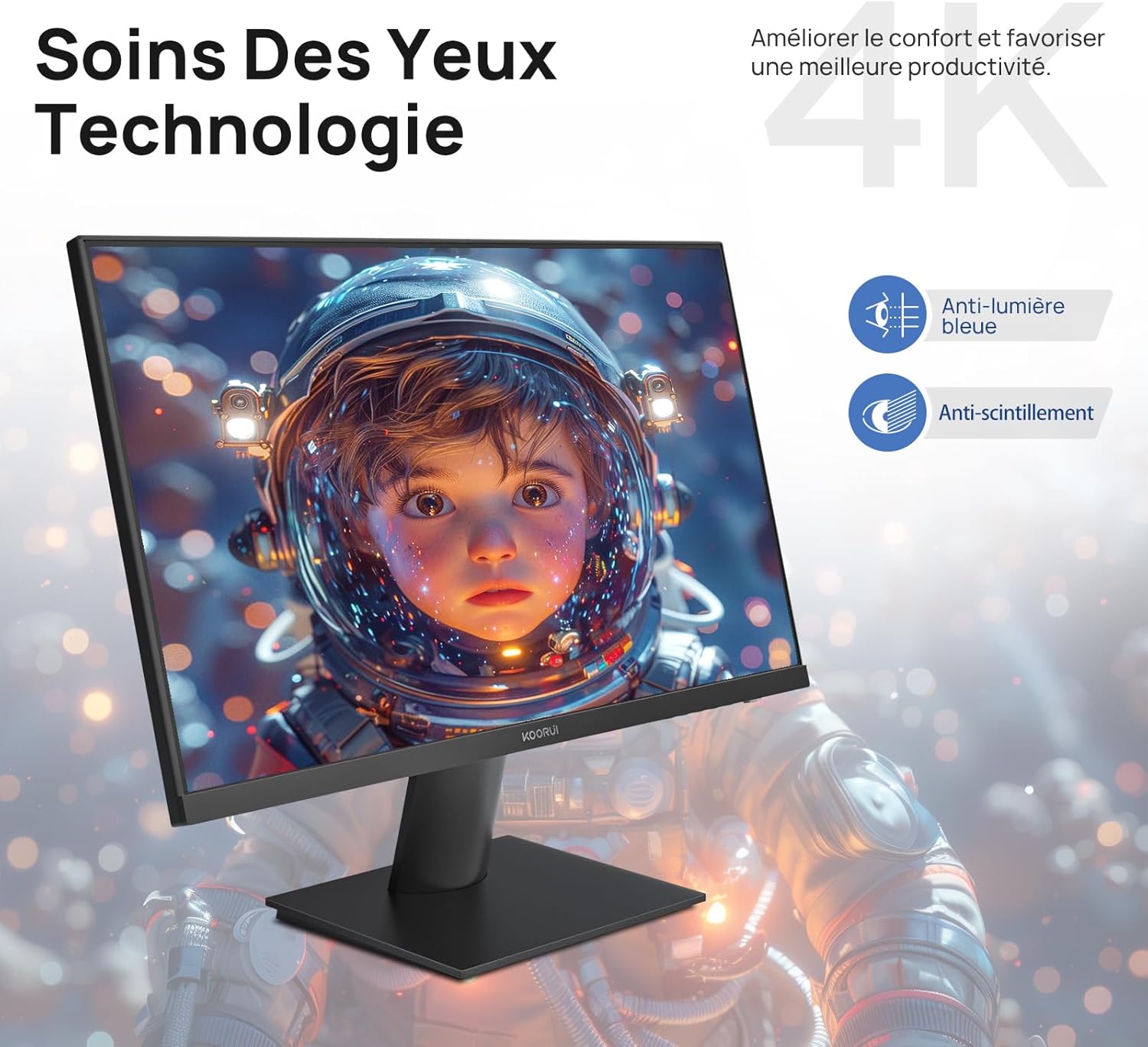
Figure 6.5: Eye Care technology for reduced eye strain.
6.6 Ergonomska zasnova
The monitor stand allows for tilt adjustment from -5° to 20°, enabling you to find the most comfortable viewing angle for your posture.
6.7 Združljivost z nosilcem VESA
The KOORUI N07 supports 100x100mm VESA mounting, allowing you to easily attach it to a wall mount or an articulated monitor arm for a flexible and clutter-free workspace.

Figure 6.6: VESA mount compatibility for flexible setup.
7. Videoposnetek izdelkaview
Video 7.1: Overview of the KOORUI N07 27-inch 4K UHD monitor, highlighting its key features such as 4K resolution, DCI-P3 color gamut, HDR10 support, versatile usage for creation, viewing, and gaming, adjustable tilt, and VESA mounting capabilities.
8. Odpravljanje težav
Če imate težave z monitorjem, si oglejte naslednje pogoste težave in rešitve:
| Težava | Možna rešitev |
|---|---|
| Na zaslonu ni slike | Ensure power cable is securely connected. Check video cable connection (HDMI/DP) to both monitor and computer. Verify correct input source is selected in OSD. |
| Slika je zamegljena ali popačena | Check display resolution settings on your computer. Ensure it is set to 3840x2160. Adjust sharpness in the OSD menu. |
| Barve so videti napačne | Adjust color temperature and color settings in the OSD menu. Try resetting picture settings to factory defaults. |
| Utripanje zaslona | Ensure the video cable is securely connected. Disable Adaptive Sync if enabled, or update your graphics card drivers. |
9. Specifikacije
| Funkcija | Podrobnost |
|---|---|
| Znamka | KOORUI |
| Številka modela | N07 |
| Velikost zaslona | 27 palcev |
| Resolucija | 4K UHD (3840 x 2160 slikovnih pik) |
| Vrsta plošče | IPS |
| Hitrost osveževanja | 60 Hz |
| Odzivni čas | 4 milisekund |
| Razmerje stranic | 16:9 |
| Kontrastno razmerje | 1000:1 |
| Svetlost | 300 cd/m² |
| Viewkota | 178 stopinj |
| Povezljivost | 2x HDMI 2.0, 1x DisplayPort 1.4, 1x avdio izhod |
| Združljivost VESA | 100x100 mm |
| Posebne lastnosti | Blue Light Filter, Tilt Adjustment, Frameless, Flicker-Free, Adaptive Sync, HDR10 |
| Mere (D x Š x V) | 20.5P x 61lx 45V centimetrov |
| Teža | 3 kilogramov |
10. Vzdrževanje
To ensure the longevity and optimal performance of your KOORUI N07 monitor, follow these maintenance guidelines:
- Čiščenje zaslona: Zaslon nežno obrišite z mehko krpo, ki ne pušča vlaken. Za trdovratne madeže dampKrpo rahlo navlažite z vodo ali specializiranim čistilom za zaslone. Tekočine nikoli ne pršite neposredno na zaslon.
- Čiščenje C-jaasing: Za čiščenje monitorja uporabite mehko, suho krpo casing. Izogibajte se abrazivnim čistilom ali topilom.
- Prezračevanje: Prepričajte se, da prezračevalne odprtine na monitorju niso blokirane, da preprečite pregrevanje.
- Ugasniti: Izklopite monitor, ko ga dalj časa ne uporabljate.
11. Garancija in podpora
The KOORUI N07 monitor comes with a 2-letna garancija proizvajalca. This warranty covers defects in materials and workmanship under normal use. For warranty claims or technical support, please contact KOORUI customer service or your retailer with your proof of purchase.
For additional support, troubleshooting guides, and driver downloads, please visit the official KOORUI webmesto.