
Uvod
This manual provides detailed instructions for the setup, operation, maintenance, and troubleshooting of your KOORUI S2721XO 27-inch QD-OLED Gaming Monitor. Please read this manual thoroughly before using the product to ensure proper functionality and to prevent damage.

Image: KOORUI S2721XO 27-inch QD-OLED Gaming Monitor showcasing its main features like 240Hz refresh rate, 0.03ms response time, QHD resolution, QD-OLED panel, VESA compatibility, 99% DCI-P3 color gamut, Eye Care, and Adaptive Sync.
Vsebina paketa
Preverite, ali so v paketu prisotne vse komponente:
- KOORUI S2721XO 27-inch QD-OLED Gaming Monitor
- Stojalo za monitor (podstavek in vrat)
- Napajalni kabel
- HDMI kabel
- Kabel DisplayPort
- Uporabniški priročnik (ta dokument)
- Garancijska kartica (če obstaja)
Navodila za namestitev
1. Sestavljanje stojala
- Previdno vzemite komponente monitorja in stojala iz embalaže.
- Pritrdite vrat stojala na ploščo monitorja. Prepričajte se, da se varno zaskoči ali da je pritrjen z vijaki, kot je navedeno v priročniku za hitri začetek.
- Pritrdite podstavek stojala na vrat stojala in ga pritrdite s priloženim vijakom.
- Sestavljeni monitor postavite na stabilno, ravno površino.
Alternatively, the monitor supports VESA 75mm x 75mm mounting for wall mounts or monitor arms. Ensure the VESA mount is rated for the monitor's weight (3 kg).

Image: Illustrations showing the monitor's ergonomic adjustments including height adjustment (110mm), tilt (-20° to 20°), 90° pivot for vertical viewing, and swivel (-5° to 20°).
2. Priključni kabli
Identify the ports on the back of your monitor and connect the necessary cables.

Slika: Zadaj view of the KOORUI S2721XO monitor showing the connectivity ports: 1. Power cable input, 2. HDMI 2.1, 3. HDMI 2.1, 4. DisplayPort 1.4, 5. Audio output interface. Also shows VESA 100x100mm mounting points.
- Napajalni kabel: En konec napajalnega kabla priključite na vtičnico monitorja, drugega pa v električno vtičnico.
- Video vhod:
- For HDMI connection, use the provided HDMI cable to connect your computer's HDMI output to one of the monitor's HDMI 2.1 ports.
- For DisplayPort connection, use the provided DisplayPort cable to connect your computer's DisplayPort output to the monitor's DisplayPort 1.4 port.
- Avdio izhod: If desired, connect external speakers or headphones to the audio output jack.
3. Začetni vklop
- Pritisnite gumb za vklop na monitorju.
- Turn on your computer. The monitor should automatically detect the input signal. If not, you may need to manually select the input source using the OSD menu.
Navodila za uporabo
Zaslonski meni (OSD).
The OSD menu allows you to adjust various monitor settings. Typically, a joystick or a set of buttons located on the back or bottom of the monitor is used to navigate the OSD.
- Press the OSD button/joystick to open the menu.
- Use the navigation controls to move through options.
- Pritisnite gumb za izbiro, da potrdite izbiro.
- Pritisnite gumb za izhod, da zaprete zaslonski meni.
Nastavitve slike
- Svetlost/kontrast: Prilagodite te nastavitve svojim viewokolje.
- Barvna temperatura: Select from preset modes (e.g., Warm, Cool, User) or customize RGB values.
- HDR (visok dinamični razpon): The monitor supports HDR 400. Enable HDR in your operating system and monitor settings for enhanced contrast and color detail.
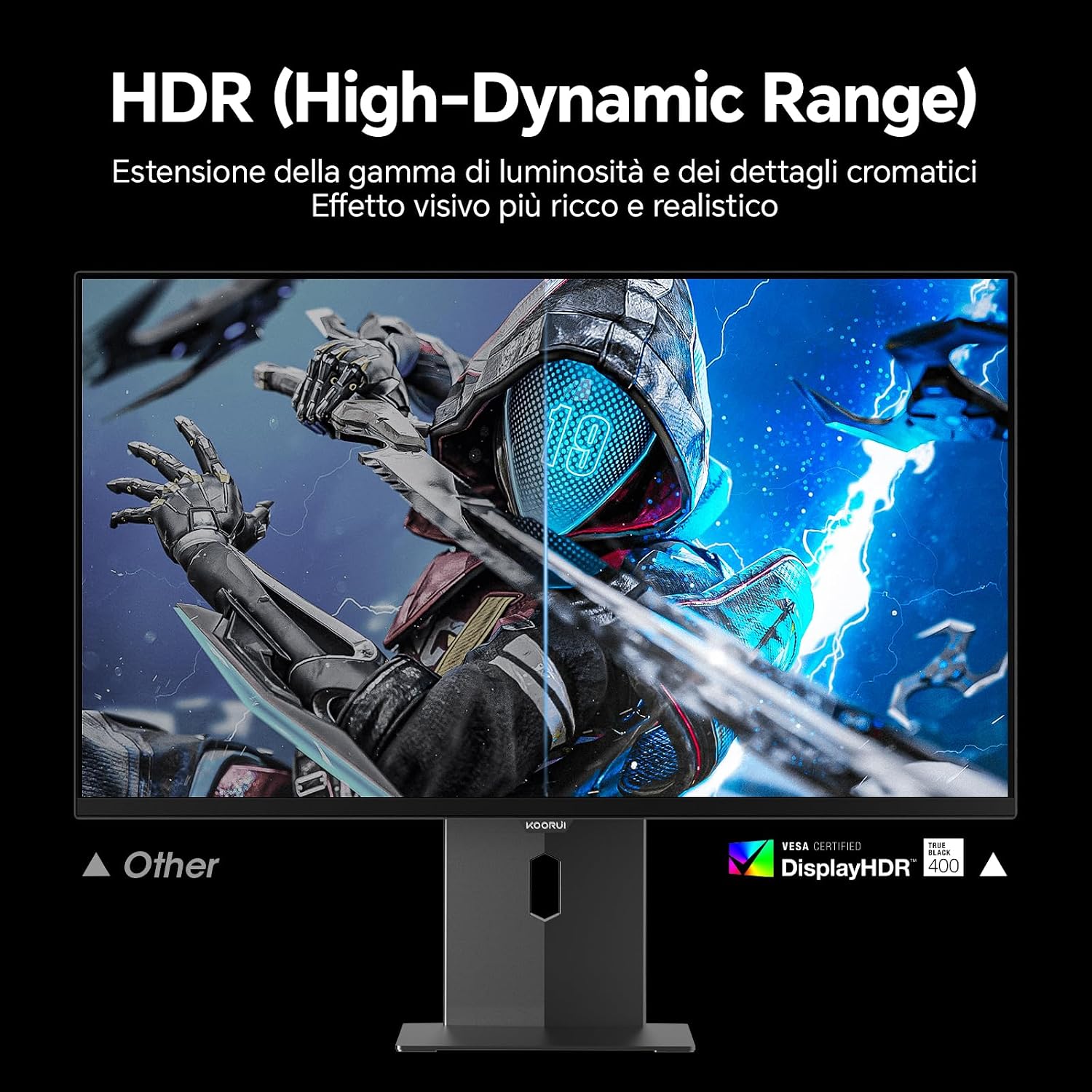
Image: Comparison of a standard display versus the KOORUI S2721XO monitor with HDR (High-Dynamic Range) enabled, showing richer visual effects and realistic details.
Funkcije iger
- Hitrost osveževanja: The monitor supports up to 240Hz. Ensure your graphics card and system settings are configured to utilize this refresh rate for smooth gameplay.
- Odzivni čas: With a 0.03ms response time, motion blur is significantly reduced.
- Prilagodljiva sinhronizacija: This technology synchronizes the monitor's refresh rate with your GPU's frame rate, eliminating screen tearing and stuttering. Enable Adaptive Sync in the OSD menu and your graphics card control panel.
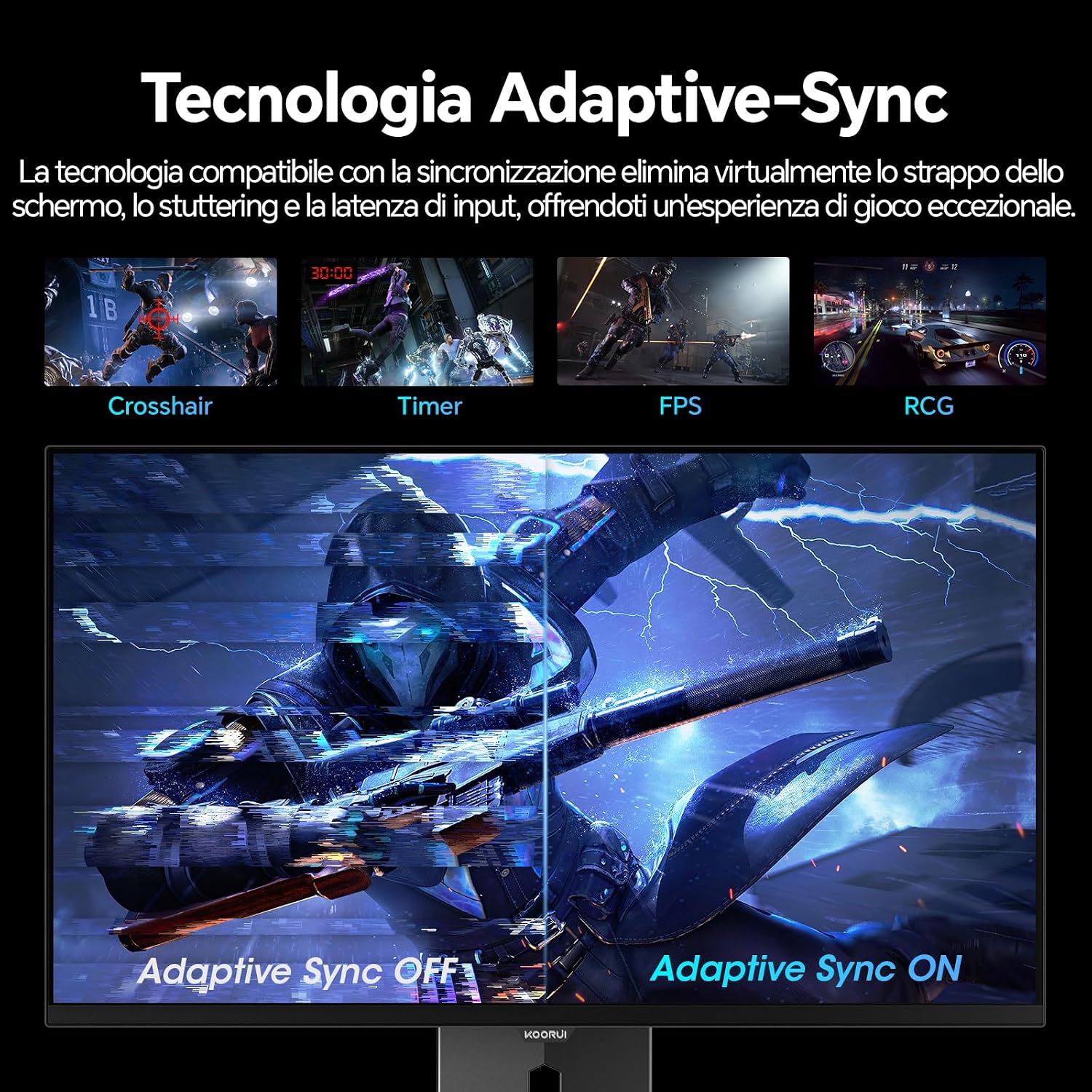
Image: A visual demonstration of Adaptive Sync technology, showing the difference between Adaptive Sync OFF (with screen tearing and stuttering) and Adaptive Sync ON (with smooth, tear-free visuals).

Image: A visual comparison illustrating the ultra-high refresh rate of 240Hz and 0.03ms response time, contrasting it with a 100Hz 5ms display to show the improved fluidity and reduced ghosting.
Način za nego oči
The monitor includes features designed to reduce eye strain during extended use. Access the Eye Care settings in the OSD menu to enable modes that reduce blue light emission or adjust flicker-free settings.
Vzdrževanje
Čiščenje monitorja
- Pred čiščenjem vedno izklopite monitor in izvlecite napajalni kabel.
- Uporabite mehko krpo, ki ne pušča vlaken, dampz vodo ali specializiranim čistilom za zaslone.
- Čistila ne pršite neposredno na zaslon.
- Avoid using abrasive cleaners, waxes, or solvents as they can damage the screen surface.
- Obrišite monitor casinz mehko, suho krpo.
Shranjevanje
When storing the monitor for an extended period, ensure it is powered off, unplugged, and stored in a cool, dry place away from direct sunlight and extreme temperatures. Use original packaging if available for best protection.
Odpravljanje težav
| Težava | Možen vzrok | rešitev |
|---|---|---|
| Brez moči | Power cable not connected; Power outlet not working; Monitor power button off. | Prepričajte se, da je napajalni kabel varno priključen. Preizkusite vtičnico z drugo napravo. Pritisnite gumb za vklop na monitorju. |
| Ni signala | Video kabel ni priključen; Izbran je napačen vhodni vir; Računalnik ni vklopljen. | Check video cable connections (HDMI/DisplayPort). Select the correct input source via the OSD menu. Ensure your computer is powered on and outputting a signal. |
| Utripajoči zaslon | Incorrect refresh rate; Faulty cable; Graphics card driver issues. | Adjust refresh rate in display settings. Try a different video cable. Update graphics card drivers. |
| Slaba kakovost slike | Incorrect resolution; Picture settings misconfigured; Dirty screen. | Set display resolution to 2560x1440. Adjust brightness, contrast, and color settings in the OSD. Clean the screen as per maintenance instructions. |
Specifikacije
| Znamka | KOORUI |
| Številka modela | S2721XO |
| Velikost zaslona | 27 palcev |
| Vrsta plošče | QD-OLED |
| Resolucija | QHD Wide 1440p (2560 x 1440) |
| Razmerje stranic | 16:9 |
| Hitrost osveževanja | 240 Hz |
| Odzivni čas | 0.03 ms |
| Kontrastno razmerje | 1,500,000:1 |
| Svetlost | 280 cd/m² |
| Viewkota | 178 stopinj |
| Vrednost barvnega razpona | 99 % DCI-P3 (100 % sRGB) |
| Povezljivost | 2x HDMI 2.1, 1x DisplayPort 1.4, avdio izhod |
| Prilagodljiva sinhronizacija | FreeSync compatible |
| Posebne lastnosti | HDR 400, Eye Care, Height Adjustment, Tilt Adjustment, Swivel Adjustment, Pivot Adjustment |
| Združljivost VESA | 75 mm x 75 mm |
| Dimenzije (Š x V x G) | 610.11 mm x 521.84 mm x 215.82 mm (24.02 x 20.54 x 8.50 palca) |
| Teža | 3 kilogramov |
Informacije o garanciji
The KOORUI S2721XO monitor comes with a 2-letna garancija from the date of purchase. This warranty covers manufacturing defects and malfunctions under normal use. Please retain your proof of purchase for warranty claims. For detailed terms and conditions, refer to the warranty card included in your package or visit the official KOORUI webmesto.
Podpora in kontakt
For further assistance, technical support, or customer service inquiries, please visit the official KOORUI website or contact their customer support team. You can also refer to the official PDF instructions for use: