
Jonsbo ZA-240B
Navodila za uporabo ventilatorja za ohišje računalnika JONSBO ZA-240B
Model: ZA-240B
1. Uvod
This manual provides detailed instructions for the installation, operation, and maintenance of your JONSBO ZA-240B PC Case Fan. Please read this manual thoroughly before installation and use to ensure proper function and longevity of the product. The JONSBO ZA-240B is an all-in-one unit featuring two 120mm ARGB fans, designed for efficient cooling and customizable lighting within a PC chassis.
2. Varnostne informacije
- Ensure your computer system is powered off and unplugged from the wall outlet before installation or maintenance.
- Med delovanjem ventilatorja se izogibajte dotikanju lopatic ventilatorja.
- Handle the fan unit carefully to prevent damage to components or wiring.
- Izdelka ne izpostavljajte vlagi ali ekstremnim temperaturam.
- Use only compatible power and ARGB connectors as specified. Incorrect connections may cause damage.
- Hraniti izven dosega otrok.
3. Vsebina paketa
Preverite, ali so v paketu prisotni vsi elementi:
- JONSBO ZA-240B PC Case Fan Unit (with 2x120mm ARGB Fans)
- Montažni vijaki
- Dokumentacija (ta priročnik)

Image: JONSBO ZA-240B fan unit with its integrated cables for power and ARGB connection.
4. Značilnosti izdelka
- Oblikovanje vse v enem: Single frame unit integrating two 120mm ARGB fans, simplifying installation and cable management.
- ARGB Infinity Mirror: Features 4-sides thousand-layer mirror illusion with 52 lamp beads around the circumference and 18 in the axis for dynamic lighting effects.
- Addressable RGB Sync: Direct 3-pin ARGB connection to compatible motherboards for synchronized lighting control and over 16 million color effects.
- Nadzor PWM: Quiet and low-noise PWM fan operation with an integrated male/female head for speed regulation.
- Aluminum Nameplate: Includes an aluminum CD pattern nameplate for enhanced aesthetics.
- Simplified Cabling: One-line connection to the motherboard for both fan power and ARGB lighting.

Slika: spredaj view of the JONSBO ZA-240B PC Case Fan showcasing its ARGB lighting and infinity mirror effect.
5. Nastavitev in namestitev
Follow these steps to install the JONSBO ZA-240B PC Case Fan into your computer chassis:
- Pripravite svoj sistem: Power off your computer and unplug it from the power outlet. Open your PC case to access the interior.
- Določite mesto montaže: Determine the desired mounting location for the fan unit (e.g., top, front, bottom, or side of the case). Ensure there is sufficient clearance.
- Secure the Fan Unit: Align the fan unit with the screw holes in your PC case. Use the provided mounting screws to firmly attach the fan unit to the chassis. Do not overtighten.
- Connect PWM Cable: Locate an available 4-pin PWM fan header on your motherboard. Connect the 4-pin PWM connector from the fan unit to this header. This allows the motherboard to control fan speed.
- Connect ARGB Cable: Locate an available 3-pin 5V Addressable RGB header on your motherboard. Connect the 3-pin ARGB connector from the fan unit to this header. Ensure the arrow on the connector aligns with the +5V pin on the motherboard header to prevent damage. Ne priključujte na 12V RGB konektor.
- Upravljanje kablov: Route the cables neatly to avoid interference with other components and to improve airflow.
- Zaprite ohišje in vklopite napravo: Once all connections are secure, close your PC case, plug in the power cable, and power on your system.

Image: JONSBO ZA-240B fan unit installed at the top of a PC case, demonstrating typical mounting.
6. Delovanje
Fan Speed Control (PWM)
The JONSBO ZA-240B fan unit utilizes Pulse Width Modulation (PWM) technology, allowing your motherboard to dynamically adjust fan speeds based on system temperature. This ensures optimal cooling performance while minimizing noise levels. You can configure fan curves through your motherboard's BIOS/UEFI settings or using compatible software provided by your motherboard manufacturer.
Nadzor osvetlitve ARGB
The Addressable RGB (ARGB) lighting of the ZA-240B can be controlled via your motherboard's ARGB software (e.g., ASUS Aura Sync, MSI Mystic Light Sync, GIGABYTE RGB Fusion, ASRock Polychrome Sync). Ensure your motherboard supports 3-pin 5V ARGB headers. This software allows you to customize lighting effects, colors, and synchronization with other ARGB components in your system.
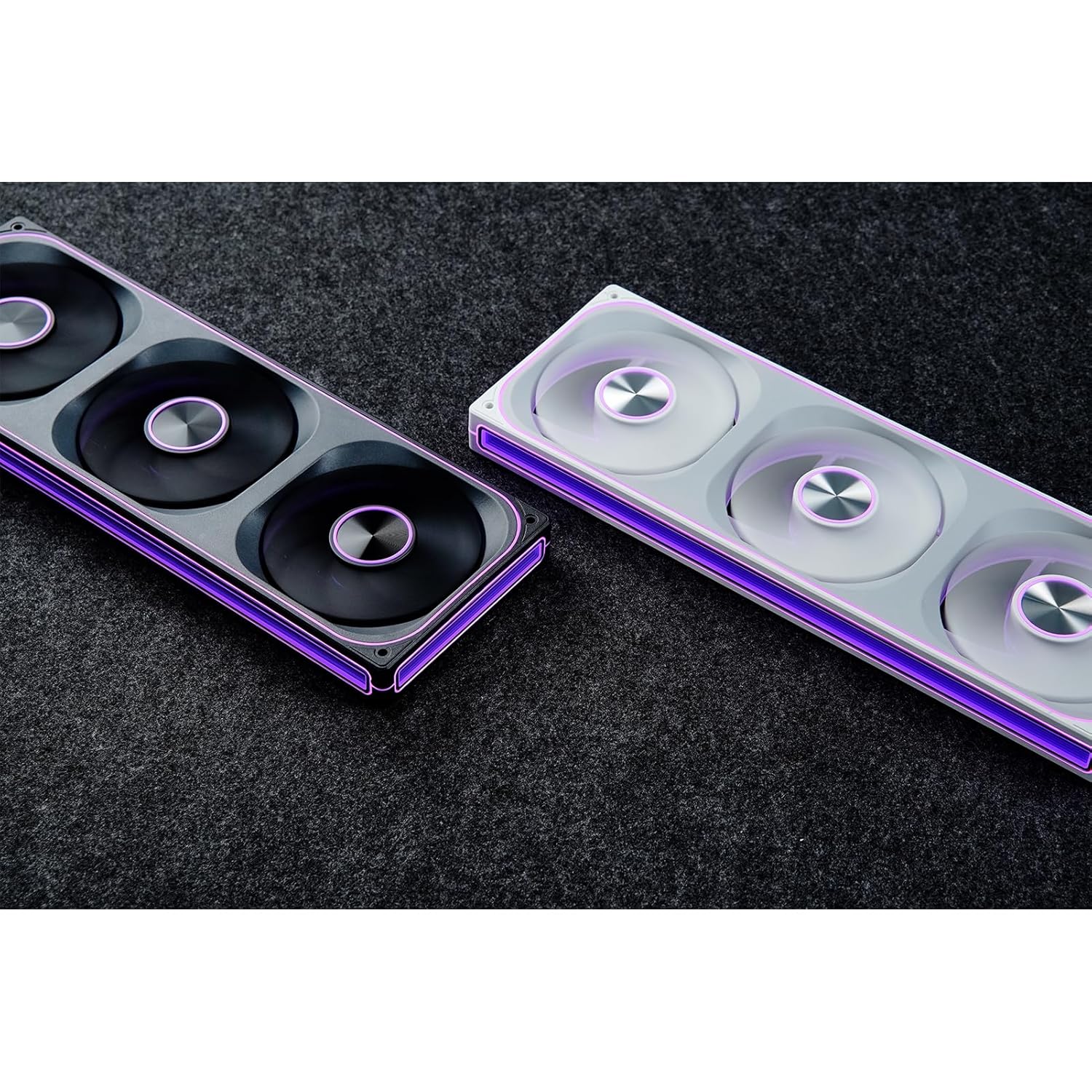
Image: The JONSBO ZA-240B fan unit displaying its customizable ARGB lighting within a computer system.
7. Vzdrževanje
Regular maintenance helps ensure optimal performance and extends the lifespan of your fan unit.
- Odstranjevanje prahu: Periodically clean dust from the fan blades and frame using compressed air or a soft brush. Ensure the system is powered off and unplugged before cleaning.
- Pregled: Occasionally inspect the fan and its cables for any signs of wear, damage, or loose connections.
8. Odpravljanje težav
| Izdaja | Možen vzrok | rešitev |
|---|---|---|
| Ventilator se ne vrti | Loose or incorrect PWM cable connection. Insufficient power. | Check the 4-pin PWM cable connection to the motherboard. Ensure the motherboard is supplying power to the fan header. |
| ARGB osvetlitev ne deluje | Loose or incorrect ARGB cable connection. Connected to 12V RGB header. Motherboard ARGB software not configured. | Verify the 3-pin ARGB cable is securely connected to a 5V ARGB header. Ensure it is not connected to a 12V RGB header. Check motherboard ARGB software settings. |
| Ventilator je preglasen | Fan speed set too high. Obstruction. | Adjust fan speed settings in your motherboard's BIOS/UEFI or software. Ensure no cables or objects are obstructing the fan blades. |
| Slaba učinkovitost hlajenja | Insufficient airflow. Dust buildup. Incorrect fan orientation. | Ensure proper airflow within the case. Clean dust from fans. Verify fan is oriented to push or pull air in the desired direction. |
9. Specifikacije
| Funkcija | Podrobnost |
|---|---|
| Številka modela | ZA-240B |
| Velikost ventilatorja | 2 x 120mm (integrated unit) |
| Fan Thickness | 28 mm |
| Hitrost vrtenja | 700–2400 vrt/min (±10 %) |
| Nivo hrupa | 21.3-37.3 dB(A) |
| Napajalni priključek | 4-Pin PWM |
| ARGB priključek | 3-pinski 5V ARGB |
| voltage | DC 12 Volts (Fan), 5 Volts (LED) |
| Wattage | 5.16 watts (Fan), 5.80 watts (LED) |
| Združljive naprave | PC ohišje |
| Dimenzije (paket) | 29.97 x 15.75 x 4.19 cm |
| Teža (paket) | 707.6 g |
10. Garancija in podpora
Za informacije o garanciji in tehnično podporo se obrnite na uradno spletno stran JONSBO. webspletno mesto ali se obrnite na prodajalca. Shranite dokazilo o nakupu za uveljavljanje garancije.
Ask a question about this manual
Ask about setup, troubleshooting, compatibility, parts, safety, or missing instructions. Manuals+ will review the question and use this page’s manual context to help answer it.