
Jonsbo ZA-360B
Navodila za uporabo ventilatorja za ohišje računalnika JONSBO ZA-360B
Model: ZA-360B | Znamka: Jonsbø
1. Uvod
This manual provides comprehensive instructions for the installation, operation, maintenance, and troubleshooting of your JONSBO ZA-360B PC Case Fan. The ZA-360B is an all-in-one single frame unit featuring three 120mm ARGB fans, designed for efficient cooling and stunning visual effects with its 4-sides infinity mirror design.

Figure 1: JONSBO ZA-360B PC Case Fan, showcasing its integrated design with three fans and ARGB lighting.
2. Varnostne informacije
Please read and understand all safety instructions before installing or operating the fan. Failure to do so may result in damage to the product, other components, or personal injury.
- Always disconnect power from your PC before installing or removing any components.
- Handle the fan by its frame to avoid damaging the blades or wiring.
- Ensure proper grounding to prevent electrostatic discharge (ESD) when handling PC components.
- Do not attempt to modify the fan or its cables. Unauthorized modifications may void your warranty and pose safety risks.
- Keep the fan away from liquids and excessive moisture.
- Ensure cables are routed safely and do not obstruct fan blades or other moving parts.
3. Vsebina paketa
Preverite, ali so v paketu prisotni vsi elementi:
- 1 x JONSBO ZA-360B PC Case Fan Unit (integrated 3x120mm fans)
- Montažni vijaki
- Connection Cables (4-Pin PWM, 3-Pin ARGB)
4. Nastavitev in namestitev
Follow these steps to properly install your JONSBO ZA-360B PC Case Fan:
4.1 Predhodna namestitev
- Izklopite računalnik in ga izključite iz električne vtičnice.
- Open your PC case to access the fan mounting locations.
- Identify a suitable mounting location for a 360mm radiator or three 120mm fans (e.g., top, front, or bottom of the case).
4.2 Montaža ventilatorske enote
The ZA-360B is a single frame unit, simplifying installation. It can be fixed with 4 screws, regardless of its orientation, thanks to its 360-degree four-sided mirror design.
- Position the fan unit in your desired mounting location, ensuring proper airflow direction (intake or exhaust).
- Align the screw holes on the fan frame with the corresponding holes on your PC case.
- Secure the fan unit using the provided mounting screws. Tighten them evenly to prevent warping.

Figure 2: The JONSBO ZA-360B fan unit installed within a PC case, demonstrating its fit and aesthetic integration.
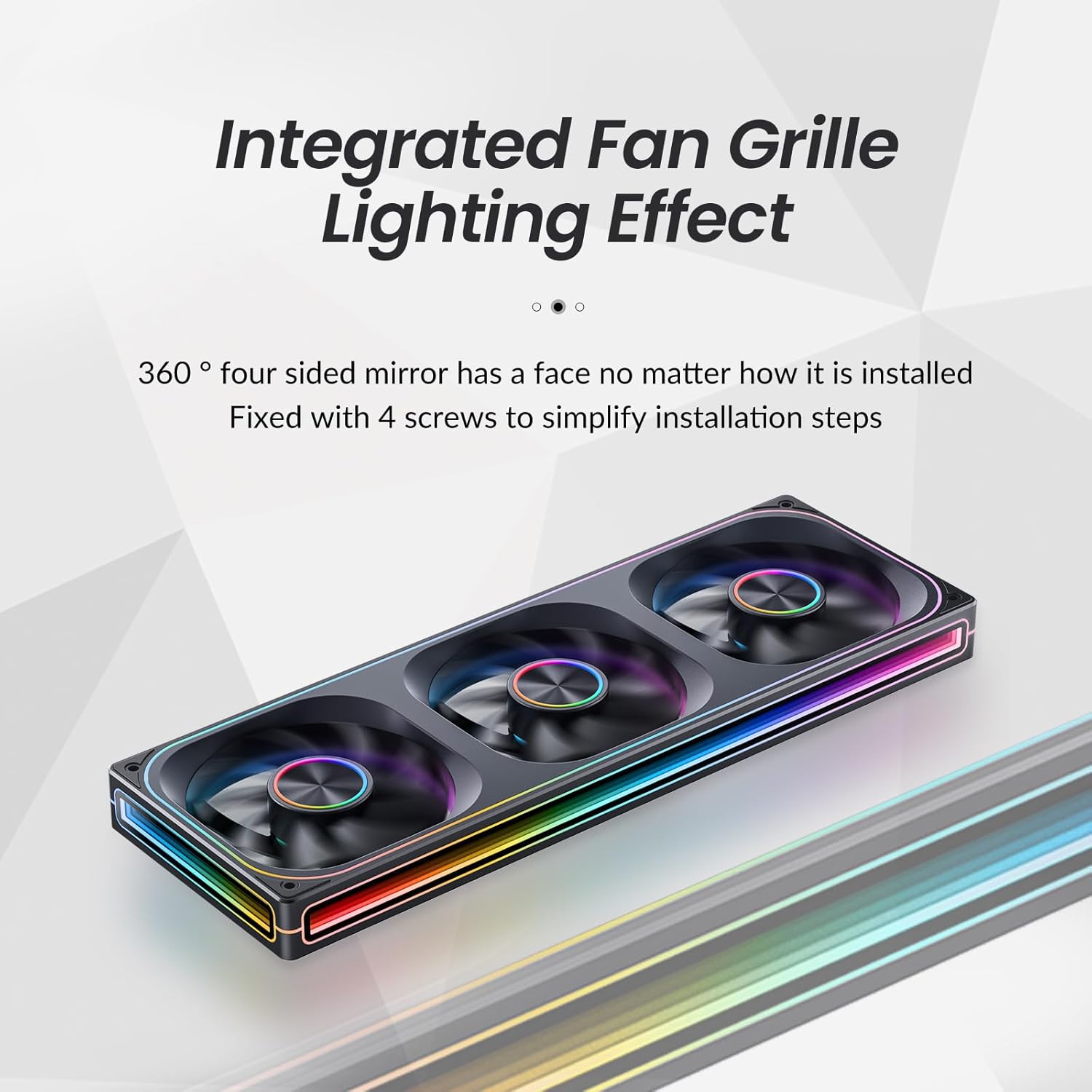
Slika 3: Bližnji posnetek view of the integrated fan grille and lighting effect, highlighting the ease of installation with 4 screws.
4.3 Povezovalni kabli
The ZA-360B features simplified wiring with a single line connection to the motherboard for both power and ARGB control.
- PWM povezava: Connect the 4-Pin PWM cable from the fan unit to an available 4-Pin fan header on your motherboard (e.g., "CPU_FAN", "SYS_FAN"). This allows for automatic fan speed control based on system temperature.
- Povezava ARGB: Connect the 3-Pin ARGB cable from the fan unit to a compatible 3-Pin 5V Addressable RGB header on your motherboard (e.g., "D_LED", "ARGB_HEADER"). Ensure the arrow on the connector aligns with the +5V pin on the motherboard header to prevent damage.

Figure 4: Illustration of the simplified wiring, showing a single cable connecting the fan unit to the motherboard for power and ARGB control.
Important Note on ARGB Control: The ZA-360B model has a large number of LED beads (68 LEDs around + 27 LEDs in parallel). If your motherboard has a low-end ARGB controller that cannot support this quantity of LEDs, the fan border lights may not illuminate fully. In such cases, it is recommended to add an external ARGB light controller that supports the required number of LEDs. For ASUS motherboard users, try adjusting the controllable number of LED chips through the latest version of Aura Sync software. Regular motherboards typically do not require an additional controller.
5. Navodila za uporabo
5.1 Nadzor hitrosti ventilatorja (PWM)
The JONSBO ZA-360B fan supports Pulse Width Modulation (PWM), allowing your motherboard to dynamically adjust fan speed based on CPU or system temperatures. This ensures optimal cooling performance while minimizing noise when not under heavy load.
- Access your motherboard's BIOS/UEFI settings or a compatible software utility (e.g., ASUS AI Suite, MSI Dragon Center, Gigabyte SIV) to configure fan curves and monitor fan speeds.
- The fan operates within a rotational speed range of 700-2400 RPM (±10%).
5.2 Nadzor osvetlitve ARGB
The Addressable RGB (ARGB) lighting allows for over 16 million color effects and various dynamic lighting modes, synchronized directly with your motherboard's ARGB software.
- Once the 3-Pin ARGB cable is connected to your motherboard, use the motherboard's RGB synchronization software (e.g., ASUS Aura Sync, MSI Mystic Light Sync, Gigabyte RGB Fusion, ASRock Polychrome Sync) to customize the lighting effects.
- Explore different static colors, breathing effects, wave patterns, and other dynamic modes to personalize your PC's aesthetics.
- The unique light strip layout and 4-sides infinity mirror design create a "Thousand-layer Mirror Illusion," providing a distinctive and elegant lighting experience.

Figure 5: Detail of the front aluminum CD pattern nameplate, contributing to the fan's minimalist aesthetic and light effect integration.
6. Vzdrževanje
Regular maintenance helps ensure optimal performance and longevity of your JONSBO ZA-360B PC Case Fan.
- Čiščenje prahu: Periodically (e.g., every 3-6 months), power off your PC and use compressed air or a soft brush to gently remove dust accumulation from the fan blades and frame. Dust can impede airflow and increase noise levels.
- Pregled: Preverite kable za morebitne znake obrabe ali poškodb. Prepričajte se, da so vse povezave trdne.
- Do not use liquid cleaners directly on the fan or its electrical components.
7. Odpravljanje težav
If you encounter issues with your JONSBO ZA-360B PC Case Fan, refer to the following common problems and solutions:
| Težava | Možen vzrok | rešitev |
|---|---|---|
| Ventilator se ne vrti. |
|
|
| ARGB lights are not illuminating or are incomplete. |
|
|
| Ventilator povzroča prekomeren hrup. |
|
|
8. Specifikacije
Technical specifications for the JONSBO ZA-360B PC Case Fan:
| Številka modela | ZA-360B |
| Dimenzije izdelka | 42 x 15.5 x 4.2 cm |
| Teža | 998 g |
| Vrsta ventilatorja | PC Case Fan (Integrated 3x120mm ARGB Fans) |
| Metoda hlajenja | Air Cooling (FAN) |
| Vrsta napajalnega konektorja | Fan: 4-Pin PWM / LED: 3-Pin ARGB |
| voltage | DC 12 Volts (Fan) / 5 Volts (LED) |
| Wattage | Fan: 5.16W / LED: 5.80W (Total: 10W as per general specifications) |
| Nivo hrupa | 21.3-37.3 dB(A) (Max: 37 dB) |
| Največja vrtilna hitrost | 700–2400 vrt/min (±10 %) |
| Združljive naprave | PC ohišje |
| Vrsta LED | Naslovljiv RGB (ARGB) |
| LED štetje | 68 LEDs (around frame) + 27 LEDs (in parallel) |
9. Garancija in podpora
For warranty information and technical support, please refer to the official Jonsbo webspletno mesto ali se obrnite na prodajalca. Shranite dokazilo o nakupu za uveljavljanje garancije.
For further assistance, you may also consult online PC building communities and forums for tips and shared experiences related to Jonsbo products.
Ask a question about this manual
Ask about setup, troubleshooting, compatibility, parts, safety, or missing instructions. Manuals+ will review the question and use this page’s manual context to help answer it.