
1. Uvod
The ORICO IG740-PRO is a high-performance M.2 NVMe Solid State Drive designed for demanding applications. Utilizing the PCIe 4.0 interface and NVMe 2.0 protocol, it offers exceptional data transfer speeds and robust reliability for both personal and industrial use. This manual provides essential information for the proper installation, operation, and maintenance of your SSD.

Image 1.1: The ORICO IG740-PRO SSD showcasing its high sequential read/write speeds of up to 7450MB/s and 6500MB/s respectively, and random read/write IOPS of 1000K and 900K.
Glavne lastnosti vključujejo:
- Blazing-Fast Transfer Performance: Up to 7450 MB/s read and 6500 MB/s write speeds with 1000K IOPS.
- Industrial-Grade Reliability: Engineered with multi-level testing, exceeding 1.5 million hours MTBF.
- Advanced Data Security: Features power-loss protection, LDPC ECC error correction, flash management, and AES encryption.
- Učinkovito odvajanje toplote: Includes a copper cooling vest, silicone thermal pads, and a graphene heat spreader.
- Široka združljivost: Suitable for laptops, desktops, game consoles (PS5), POS terminals, and automotive systems.
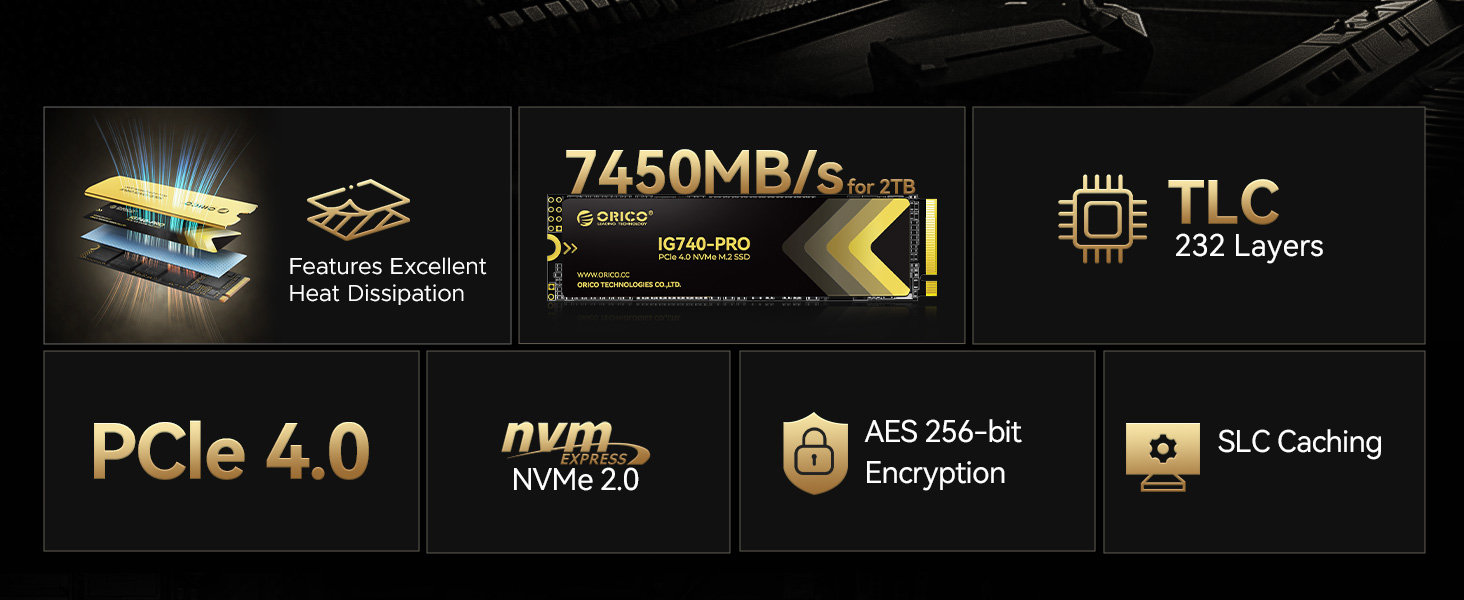
Image 1.2: The ORICO IG740-PRO SSD depicted in an industrial setting, emphasizing its rigorous testing including vibration, full load, 48-hour aging, and constant temperature/humidity tests for industrial-grade reliability.
2. Nastavitev in namestitev
Before installation, ensure your system is powered off and disconnected from the power source. It is recommended to wear an anti-static wrist strap to prevent electrostatic discharge (ESD) damage to components.
2.1 Vsebina paketa
Preverite, ali so v paketu prisotni vsi elementi:
- ORICO IG740-PRO SSD
- Silikonska termalna podloga
- Bakreni hladilnik
- Montažni vijak
- Izvijač
- Škatla za pakiranje

Image 2.1: Contents of the ORICO IG740-PRO package, including the SSD, thermal pad, copper heatsink, screw, and screwdriver.
2.2 koraki namestitve
- Pripravite svoj sistem: Open your computer case or laptop to access the M.2 slot. Consult your system's manual for specific instructions on accessing the M.2 slot.
- Install Thermal Components: Apply the silicone thermal pad to the SSD, then attach the copper heatsink. Ensure proper contact for optimal heat dissipation.
- Vstavite SSD: Gently insert the ORICO IG740-PRO SSD into the M.2 slot at a 30-degree angle. Push it in until it is fully seated.
- Varni SSD: Push the SSD down until it is parallel with the motherboard. Use the provided screw and screwdriver to secure the SSD in place.
- Zapri sistem: Ponovno sestavite računalnik ali prenosnik.
- Vklop in inicializacija: Power on your system. The SSD may need to be initialized and formatted through your operating system's Disk Management utility (Windows) or Disk Utility (macOS) before it can be used. Refer to your operating system's documentation for detailed instructions.
3. Navodila za uporabo
Once installed and formatted, the ORICO IG740-PRO SSD functions as a standard storage device. Its high-speed capabilities are particularly beneficial for:
- Pogon operacijskega sistema: Install your operating system for faster boot times and overall system responsiveness.
- Igranje iger: Reduce game loading times and improve in-game asset streaming.
- Profesionalne aplikacije: Accelerate data-intensive tasks such as video editing, 3D rendering, and large file prenosi.
- Industrijska uporaba: Reliable performance for edge computing, AI, big data, and POS terminals.

Image 3.1: The ORICO IG740-PRO SSD shown in diverse applications, including an enterprise data center, industrial PC, and a personal gaming setup, illustrating its wide compatibility and utility.
To maximize performance, ensure your system's motherboard supports PCIe 4.0 and that the SSD is installed in a compatible slot. Regularly check for driver and firmware updates for your motherboard and SSD.
4. Vzdrževanje
Solid State Drives generally require less maintenance than traditional Hard Disk Drives. However, certain practices can help ensure optimal performance and longevity.
4.1 Upravljanje toplote
The ORICO IG740-PRO includes a copper cooling vest, silicone thermal pads, and a graphene heat spreader to manage heat. Ensure proper airflow within your system to prevent thermal throttling, which can reduce performance.

Image 4.1: Diagram illustrating the efficient heat dissipation system of the ORICO IG740-PRO SSD, featuring a copper cooling vest, silicone thermal pad, and graphene heat spreader, alongside power efficiency management and adaptive thermal control.
4.2 Data Integrity and Security
The SSD incorporates advanced features to protect your data:
- LDPC ECC: Low-Density Parity-Check Error Correction Code helps detect and correct data errors.
- Šifriranje AES: Advanced Encryption Standard provides hardware-level data security.
- Power-Loss Protection: Safeguards data during unexpected power outages.
- Ukaz TRIM: Ensure your operating system's TRIM command is enabled to maintain write performance over time.
- Posodobitve vdelane programske opreme: Periodically check the ORICO website for firmware updates to improve performance and stability.

Image 4.2: Visual representation of the ORICO IG740-PRO SSD's enhanced data integrity and security features, including Dynamic Cache, Secure Erase, Power Loss Protection, AES Encryption, and LDPC ECC.
4.3 Varnostno kopiranje podatkov
While the ORICO IG740-PRO is highly reliable, regular data backups are crucial to prevent data loss from unforeseen circumstances such as system failures or accidental deletion.
5. Odpravljanje težav
If you encounter issues with your ORICO IG740-PRO SSD, refer to the following common troubleshooting steps:
- SSD ni zaznan:
- Prepričajte se, da je SSD pravilno nameščen v režo M.2.
- Check your system's BIOS/UEFI settings to confirm the M.2 slot is enabled and configured correctly (e.g., NVMe mode).
- Verify that your motherboard drivers are up to date.
- If using an adapter card, ensure it is properly installed and compatible.
- Počasno delovanje:
- Confirm the SSD is installed in a PCIe 4.0 compatible M.2 slot (if your system supports it). Using a PCIe 3.0 slot will limit speeds.
- Check for thermal throttling. Ensure the heatsink is properly installed and your system has adequate cooling.
- Verify that the TRIM command is enabled in your operating system.
- Ensure your system's power management settings are not limiting performance.
- Poškodbe podatkov ali napake:
- Run a disk check utility (e.g., `chkdsk` on Windows) to identify and repair file sistemske napake.
- Update SSD firmware to the latest version.
- If issues persist, consider backing up data and performing a secure erase or reformatting the drive.
If these steps do not resolve the issue, please contact ORICO customer support.
6. Specifikacije
The following table outlines the key specifications of the ORICO IG740-PRO M.2 NVMe SSD:

Image 6.1: Detailed specifications for the ORICO IG740-PRO SSD, including capacity, read speed, write speed, and TBW (Total Bytes Written) for different capacities, along with a 5-year warranty.
| Funkcija | Podrobnost |
|---|---|
| Številka modela | IG740PRO |
| Zmogljivost digitalnega shranjevanja | 2 TB |
| Vmesnik trdega diska | NVMe |
| Tehnologija povezljivosti | PCIe 4.0 x4 |
| Faktor oblike | M.2 2280 |
| Hitrost branja (največja) | 7450 MB/s |
| Hitrost pisanja (največja) | 6500 MB/s |
| IOPS (Random Read) | 1000K |
| IOPS (Random Write) | 900K |
| MTBF | 1.5 milijona ur |
| Posebne lastnosti | LDPC ECC, AES Encryption, Power-Loss Protection, Copper Heatsink |
| Združljive naprave | Game Console (PS5), Laptop, Desktop, Industrial PC |
| Dimenzije | 12.8 x 8.7 x 1.9 cm (Parcel) |
| Teža predmeta | 0.06 kilogramov |
7. Garancija in podpora
7.1 Informacije o garanciji
The ORICO IG740-PRO SSD comes with a 5-letna omejena garancija or up to the specified Total Bytes Written (TBW), whichever comes first. This warranty covers defects in materials and workmanship under normal use. Please retain your proof of purchase for warranty claims.
7.2 Podpora strankam
For technical assistance, troubleshooting, or warranty inquiries, please contact ORICO customer support through their official website or the retailer where the product was purchased. You may need to provide your product model number (IG740PRO) and purchase details.
For more information, visit the official ORICO webspletno mesto: www.orico.cc