
Uvod
This manual provides essential information for the safe and efficient operation of your Promethean PRM-30 LCD Projector. Please read these instructions thoroughly before using the projector and retain them for future reference.
Varnostne informacije
- Ne blokirajte prezračevalnih odprtin. Zagotovite zadosten pretok zraka okoli projektorja.
- Izogibajte se neposredni izpostavljenosti oči leči projektorja, ko je lamp je vklopljen.
- Projektorja ne postavljajte na nestabilen voziček, stojalo ali mizo.
- Unplug the projector from the power outlet before cleaning.
- Za vse servise se obrnite na usposobljeno servisno osebje.
Vsebina paketa
Preverite, ali so v paketu prisotni vsi elementi:
- Promethean PRM-30 LCD Projector
- Daljinski upravljalnik
- Napajalni kabel
- HDMI kabel
- Uporabniški priročnik (ta dokument)
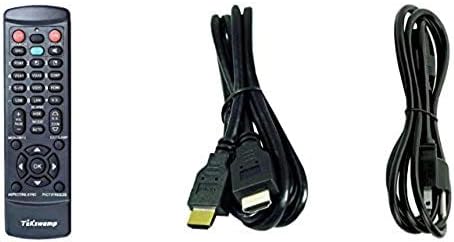
Image: Included accessories, showing the remote control, HDMI cable, and power cable.
Projektor je končanview
Spredaj in stransko View
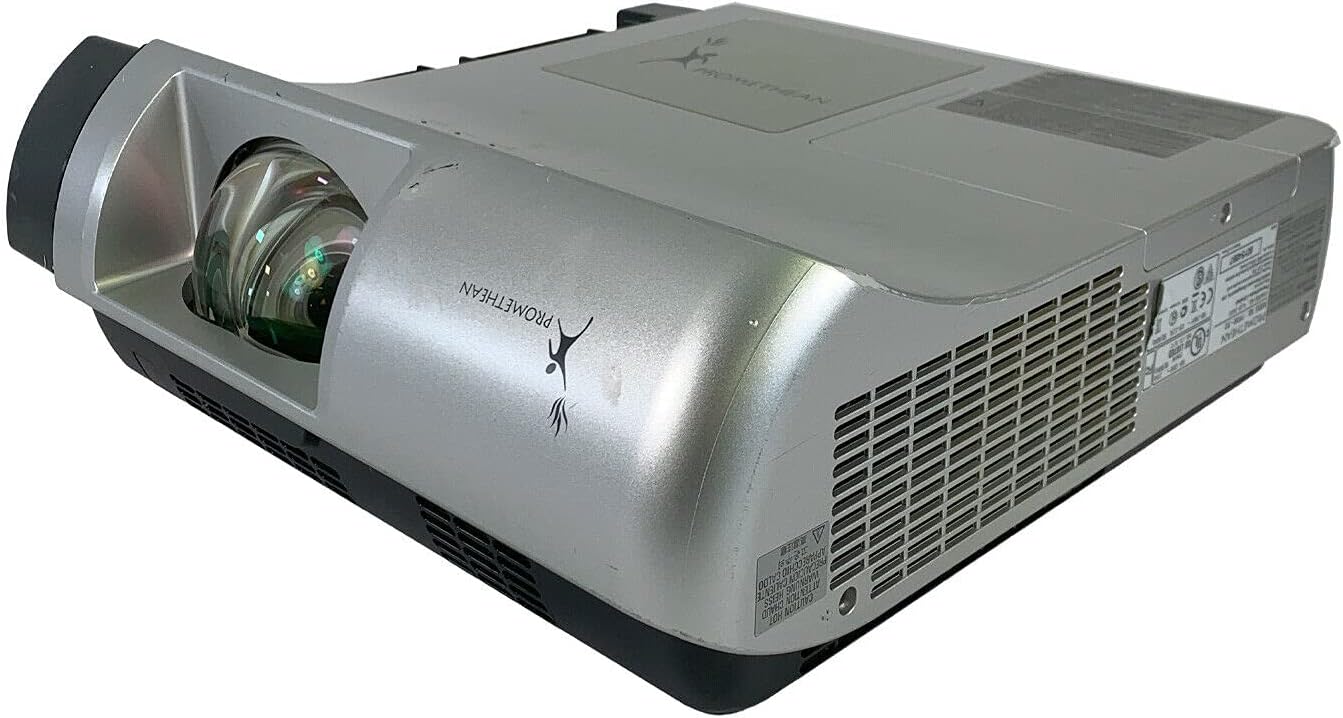
Slika: Spredaj in ob strani view of the Promethean PRM-30 projector, highlighting the lens and ventilation.
Priključki na zadnji plošči
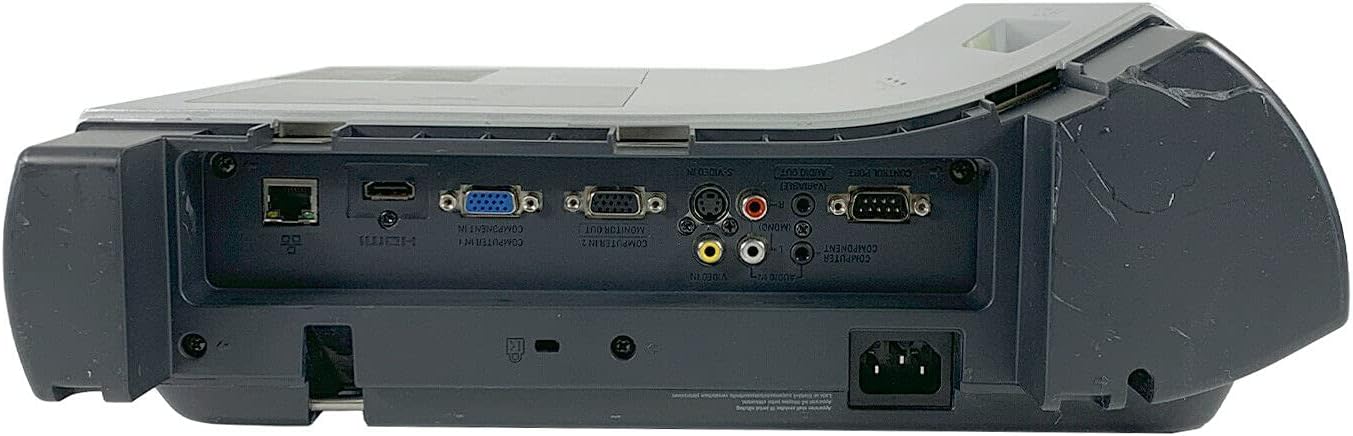
Image: Rear panel of the projector, showing various input and output ports including HDMI, VGA, Composite, LAN, and RS232.
The rear panel provides various connectivity options for your audio and video sources. Refer to the "Connecting Devices" section for detailed instructions.
Top Panel Controls and Indicators

Slika: Zgoraj view of the projector, displaying the control panel buttons and indicator lights for power, lamp, and warning.
The top panel features buttons for power, menu navigation, input selection, and focus/zoom adjustment. Indicator lights provide status information for power, lamp life, and warnings.
Nastavitev
1. Postavitev projektorja
Position the projector on a stable, flat surface or mount it securely for ceiling projection. Ensure the projector is within the optimal throw distance for your screen size. The PRM-30 supports front, rear, ceiling, and table-top projection.
- Table Top Projection: Place the projector on a flat surface in front of the screen.
- Projekcija stropa: Mount the projector inverted from the ceiling. Adjust settings in the menu for correct image orientation.
- Zadnja projekcija: Place the projector behind a translucent screen. Adjust settings in the menu for correct image orientation.
2. Povezovanje naprav
Connect your video and audio sources to the appropriate ports on the projector's rear panel.
- HDMI: For high-definition digital video and audio. Use an HDMI cable to connect to your source device.
- VGA/SVGA D-Sub (Computer In): For analog computer signals. Connect using a VGA cable.
- Composite (RCA): For standard definition video. Connect using RCA cables (yellow for video, red/white for audio).
- S-Video: For enhanced standard definition video.
- Lokalno omrežje (RJ-45): Za nadzor in spremljanje omrežja.
- RS232 (DB-9-pinski): Za serijski nadzor.
- Priključek za slušalke: Za avdio izhod na zunanje slušalke ali zvočnike.
3. Napajalni priključek
Connect the power cable to the projector's power inlet and then to a suitable electrical outlet.
Navodila za uporabo
Vklop/izklop
- Za vklop: Press the Power button on the projector's control panel or the remote control. The power indicator light will turn on.
- Za izklop: Press the Power button again. The projector will enter a cooling down cycle before completely shutting off. Do not unplug the projector during the cooling cycle.
Izbira vhodnega vira
Press the "Input" or "Source" button on the projector or remote control to cycle through available input sources (HDMI, VGA, Composite, S-Video, etc.) until your desired source is displayed.
Prilagoditev slike
- Fokus: Rotate the focus ring on the projector lens until the image is sharp and clear.
- Zoom: Adjust the zoom ring on the projector lens to change the image size without moving the projector.
- Trapezni popravek: If the image appears trapezoidal, use the keystone correction function (usually via menu or dedicated buttons) to square the image.
- Barvni popravek: Access the projector's on-screen display (OSD) menu to adjust color settings, brightness, and contrast for optimal image quality.
Avdio izhod
The projector has built-in speakers. For external audio, connect speakers or headphones to the Headphone Jack or use the audio output from your source device.
Vzdrževanje
Lamp Zamenjava
When the "LAMP REPLACE" indicator illuminates, it is time to replace the projector lampGlejte posebne pogojeamp navodila za zamenjavo, ki so priložena nadomestnemu lamp or consult a qualified technician. Always allow the projector to cool down completely before attempting lamp zamenjava.
Čiščenje zračnega filtra
Regularly clean the air filter to maintain optimal performance and prevent overheating. While this specific unit is noted as having "No Filter Cover", general projector maintenance often involves cleaning air intake areas. Use a soft brush or vacuum cleaner to remove dust from the ventilation grilles.

Slika: Stran view of the projector showing the ventilation grille, which should be kept clear of dust.
Generalno čiščenje
Obrišite projektor casing z mehkim, damp cloth. Do not use abrasive cleaners or solvents. For the lens, use a specialized lens cleaning cloth and solution to avoid scratching.
Odpravljanje težav
| Težava | Možen vzrok | rešitev |
|---|---|---|
| Na zaslonu ni slike |
|
|
| Image is dim or poor quality |
|
|
| Brez zvoka |
|
|
| Daljinski upravljalnik ne deluje |
|
|
Specifikacije
| Znamka | PROMETEJ |
| Model | PRM-30 |
| Vrsta zaslona | LCD |
| Svetlost | 2500 ANSI lumeni |
| Kontrastno razmerje | 500:1 |
| Izvorna ločljivost | 1280x800 |
| HD video način | 1080i |
| Teža projektorja | 12.57 lbs. |
| Povezljivost | LAN, Composite: RCA, Network: RJ-45, RS232: DB-9pin, S-Video, Headphone Jack, HDMI Standard, VGA/SVGA D-Sub, Wired |
| Posebne lastnosti | Built-in Speakers, Ceiling Projection, Color Correction, HD Ready, Projection Tilt, Rear Projection, Short Throw Projection, Table Top Projection, Portable |
| Dimenzije paketa | 16 x 16 x 8 palcev |
Garancija in podpora
This Promethean PRM-30 projector is offered as a renewed product. Please refer to the seller's (PR Renewed) specific return and warranty policies for details. Typically, renewed products come with a limited warranty or return period.
- Politika vračila: This product typically includes a 90-day refund or replacement policy.
- Tehnična podpora: For technical assistance or warranty claims, please contact the seller, PR Renewed, directly.
- Načrti zaščite: Optional extended protection plans may be available for purchase separately.