
1. Uvod
The TELE System TS4020 PRO is an advanced and versatile digital decoder designed for receiving both terrestrial and satellite television broadcasts. It features dual DVB-T/T2 and DVB-S/S2 tuners, supporting HEVC HD, HDR10, and HLG for high-quality video. This device allows access to a wide range of free-to-air TV and radio channels without a subscription. Additionally, its USB port enables media playback of music, photos, and videos, transforming the decoder into a home entertainment hub.
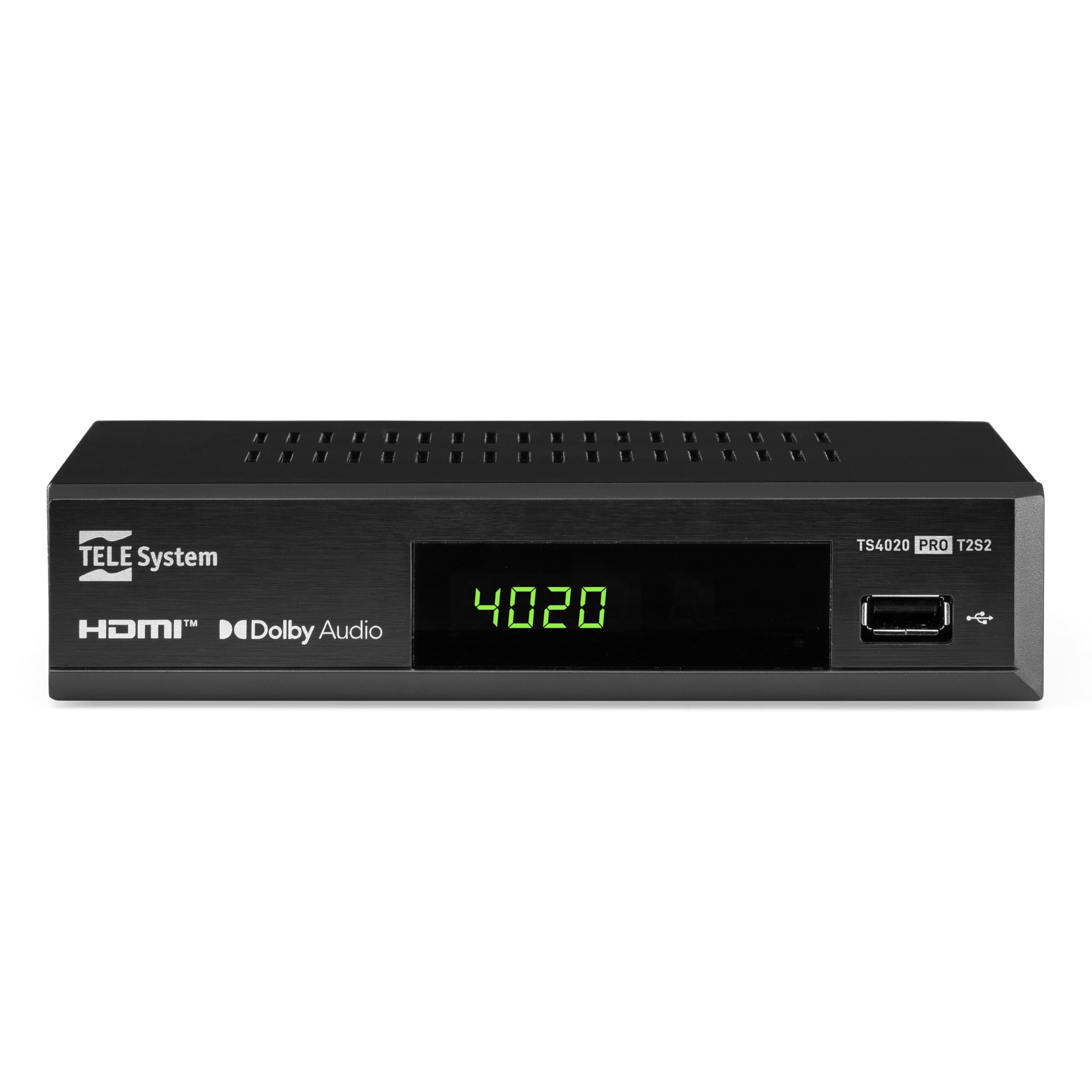
Figure 1: Tele System TS4020 PRO Decoder and included remote control.
2. Nastavitev
2.1 Razpakiranje in komponente
Previdno razpakirajte vse predmete iz škatle. Prepričajte se, da so prisotni naslednji deli:
- Tele System TS4020 PRO Decoder
- Daljinski upravljalnik
- Zunanji napajalnik
- Uporabniški priročnik (ta dokument)
2.2 Priključitev dekoderja
Follow these steps to connect your decoder to your television and antenna/satellite dish.
- Napajalni priključek: Connect the external power adapter to the DC 12V input on the back of the decoder, then plug it into a power outlet.
- HDMI povezava: Use an HDMI cable to connect the HDMI OUT port on the decoder to an available HDMI input on your television.
- Antenna Connection (for DVB-T/T2): Priključite kabel zemeljske antene na RF IN port on the back of the decoder.
- Satellite Connection (for DVB-S/S2): Connect your satellite dish cable to the SEDIL port on the back of the decoder.
- Izbirne povezave:
- SCART: For older televisions, connect a SCART cable from the TV SCART port on the decoder to your TV. Note that 4K resolution is not supported via SCART.
- Koaksialni zvok: For digital audio output, connect a coaxial audio cable from the COAXIAL port to your audio receiver.
- USB: For media playback, insert a USB drive into the USB port on the front or back of the decoder.

Figure 2: Rear panel connections of the TS4020 PRO decoder, including SAT IN, RF IN, Coaxial, HDMI, and TV SCART ports.
2.3 Začetna nastavitev in iskanje kanalov
After connecting the decoder, turn on your television and select the correct HDMI input. The decoder should power on automatically or can be turned on using the remote control.
- Sledite navodilom na zaslonu za začetno nastavitev.
- Izberite želeni jezik in regijo.
- The decoder features an AVTOSKAN function for quick and easy automatic channel searching and sorting for both terrestrial and satellite channels. Initiate the scan when prompted.
- Once the scan is complete, your decoder is ready for use.
3. Navodila za uporabo
3.1 Funkcije daljinskega upravljalnika
The TELE System TS4020 PRO comes with a unique remote control designed to manage both the decoder and your television. It features programmable keys for added convenience.

Figure 3: Layout of the TS4020 PRO remote control.
- Gumb za vklop: Vklopi/izklopi dekoder.
- AV/TV: Preklopi vhodni vir televizorja.
- GLASNOST+/GLASNOST-: Prilagodi glasnost.
- PROG+/PROG-: Spreminja kanale.
- DTT/SAT: Switches between terrestrial and satellite modes.
- MENI: Dostop do glavnega menija.
- V REDU: Potrjuje izbire.
- Smerne tipke: Navigates menus and EPG.
- INFO: Prikaže informacije o programu.
- EPG: Elektronski programski vodnik.
- Upravljanje predvajalnika medijev: Predvajanje, premor, ustavitev, hitro previjanje naprej, previjanje nazaj.
- Programmable TV Control Keys: These keys (usually at the top) can be programmed to control basic TV functions like power, volume, and input. Refer to the remote control section in the full manual for programming instructions.
3.2 kanal Viewing and Selection
Uporabite PROG+ in PROG- buttons to navigate through channels. Press OK do view the channel list and select a channel directly. Use the DTT/SAT button to switch between terrestrial (DVB-T/T2) and satellite (DVB-S/S2) channel lists.
3.3 Predvajanje medijev prek USB-ja
The decoder supports media playback from a USB storage device.
- Insert a USB flash drive or external hard drive into the USB port.
- Access the Media Player function from the main menu.
- Krmarite po svojem files to play music, view photos, or watch videos.
3.4 HDR Quality
The TS4020 PRO is compatible with HDR10 and HLG standards, providing enhanced image quality with improved color rendering and visual depth, especially for content with high dynamic range. Ensure your television also supports HDR10 or HLG for the best viewizkušnje.
4. Vzdrževanje
- Čiščenje: Use a soft, dry cloth to clean the decoder's exterior. Do not use liquid cleaners or abrasive materials.
- Prezračevanje: Ensure the decoder has adequate ventilation. Do not block the ventilation openings.
- Posodobitve programske opreme: Periodically check for available software updates through the decoder's menu (if supported). Software updates can improve performance and add new features. Information regarding guaranteed software updates is not available.
- Shranjevanje: Če napravo shranjujete dalj časa, jo izključite iz električnega omrežja in jo shranite na hladnem in suhem mestu.
5. Odpravljanje težav
If you encounter issues with your Tele System TS4020 PRO, refer to the following common problems and solutions:
| Težava | Možen vzrok | rešitev |
|---|---|---|
| Brez moči | Napajalnik ni priključen ali pa je vtičnica pokvarjena. | Ensure the power adapter is securely connected to the decoder and a working power outlet. |
| No picture/sound on TV | Incorrect TV input selected, loose HDMI/SCART cable. | Select the correct HDMI/AV input on your TV. Check that the HDMI or SCART cable is securely connected at both ends. |
| No channels found or poor signal | Antenna/satellite dish not connected, misaligned, or damaged. | Check antenna/satellite cable connections. Ensure your antenna/dish is properly aligned. Perform an AUTOSCAN again. |
| Daljinski upravljalnik ne deluje | Prazne baterije, ovire ali daljinski upravljalnik izven dosega. | Replace batteries. Ensure no obstructions between the remote and the decoder. Point the remote directly at the decoder. |
| HDMI output not compatible with TV | Specific TV model incompatibility. | If available, try using the SCART connection for video output. Note that 4K resolution is not supported via SCART. |
| Date resets to 1970 after reset | Internal clock issue or software bug. | Check for available software updates. If the issue persists, contact customer support. |
6. Specifikacije
| Številka modela | 21005355 |
| Znamka | TELE sistem |
| Tehnologija povezljivosti | USB, Power, HDMI, SCART, RF IN, SAT IN, Coaxial |
| Način avdio izhoda | Surround |
| Skupno število vrat HDMI | 1 |
| Združljive naprave | televizija |
| Podprti zvočni formati | Dolby Digital, DTS, AAC, MP3, PCM |
| voltage | 12 voltov (DC) |
| Ločljivost videa | 1080p |
| Podprti standardi | DVB-T2, DVB-S2, H.265, HDR10, HLG, MP3, AAC |
| Razmerje stranic | 16:9 |
| barva | Črna |
| Država izvora | Kitajska |
7. Informacije o garanciji
The Tele System TS4020 PRO decoder comes with a 2-letna garancija proizvajalca. Please retain your proof of purchase for warranty claims. For specific terms and conditions, refer to the warranty card included with your product or contact Tele System customer support.
8. Podpora strankam
For further assistance, technical support, or inquiries regarding your Tele System TS4020 PRO decoder, please visit the official Tele System webali se obrnite na njihov oddelek za pomoč uporabnikom.
Note: Information regarding the availability of spare parts for this product is currently unavailable.