
Uvod
Hvala za nakupasing the Andoer Digital Camera H12. This manual provides detailed instructions for the proper use and maintenance of your camera. Please read this manual thoroughly before using the camera to ensure optimal performance and longevity.
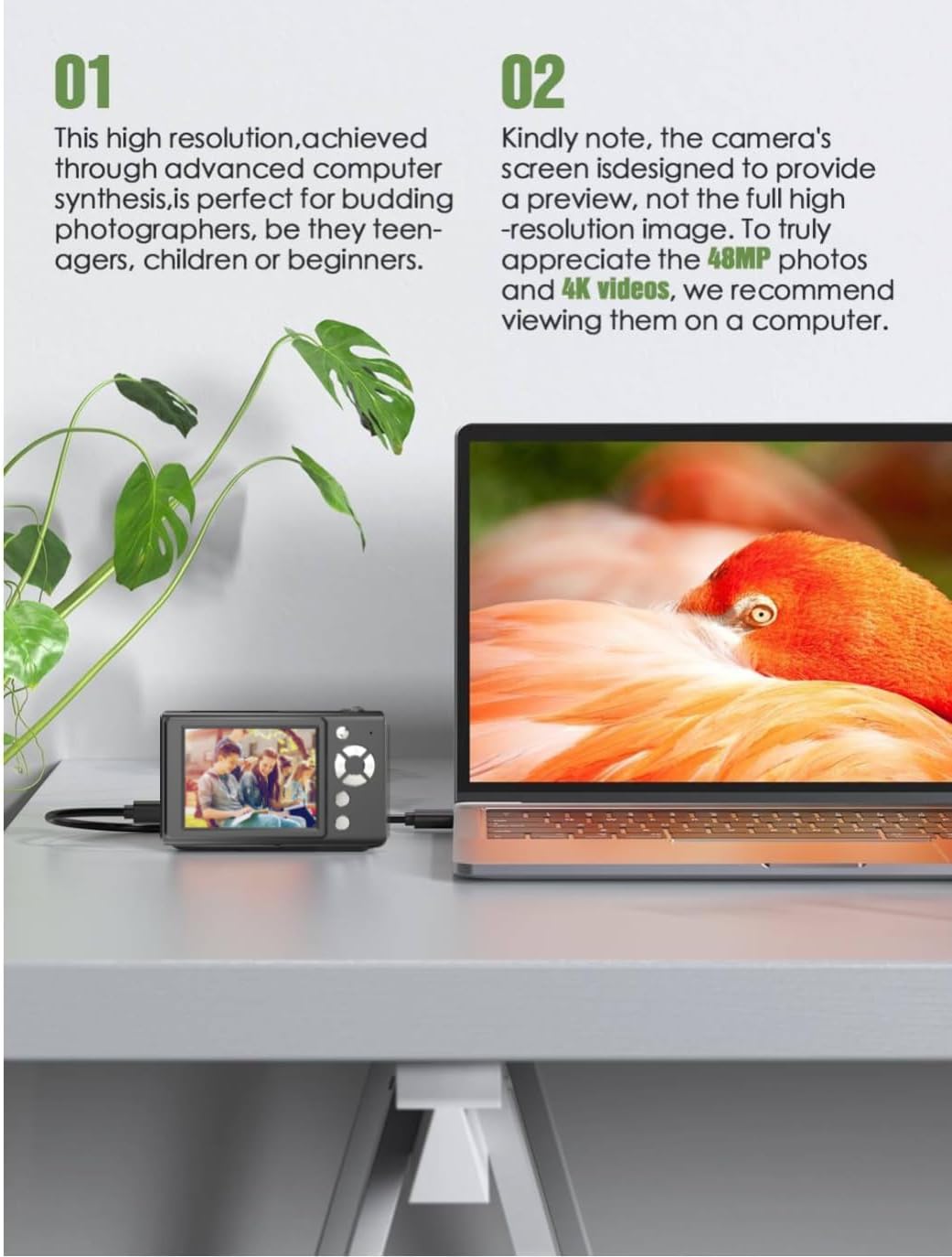
The Andoer H12 is a compact digital point-and-shoot camera featuring 1080P video recording, 48MP photo resolution, 16x digital zoom, autofocus, and an anti-shake function. It is designed for ease of use, making it suitable for various users.
Vsebina paketa
Po razpakiranju preverite vsebino paketa, da se prepričate, da so prisotni vsi elementi:
- 1 x Andoer Digital Camera H12
- 1 x USB kabel (tip C)
- 1 x zapestni trak
- 1 x 32GB spominska kartica
- Reader 1 x Card
- 1 x uporabniški priročnik
Nastavitev
1. Polnjenje baterije
The camera is equipped with a built-in 3.7V 700mAh lithium battery. Before first use, fully charge the battery.
- Connect the included Type-C USB cable to the camera's USB port.
- Drugi konec kabla USB priključite na napajalnik USB (ni priložen) ali na vrata USB računalnika.
- The charging indicator light will illuminate. Once charging is complete, the indicator light will change or turn off.
Opomba: A full charge typically takes approximately 2-3 hours. Do not use the camera while it is charging.
2. Vstavljanje pomnilniške kartice
The camera supports TF (MicroSD) cards up to 128GB. A 32GB memory card is included in the package.
- Poiščite režo za pomnilniško kartico ob strani fotoaparata.
- Gently insert the TF card into the slot with the metal contacts facing the front of the camera until it clicks into place.
- To remove the card, gently push it in again until it springs out.

3. Pritrjevanje zapestnega traku
Attach the included wrist strap to the camera for added security and to prevent accidental drops.
- Thread the thin loop of the wrist strap through the strap eyelet on the camera body.
- Pass the larger end of the strap through the thin loop and pull tight to secure it.
Navodila za uporabo
1. Vklop/izklop
- Za vklop pritisnite in držite gumb za vklop, dokler se zaslon ne prižge.
- Za izklop znova pritisnite in držite gumb za vklop, dokler se zaslon ne izklopi.
- The camera features an auto power-off function (off/3 mins/5 mins) which can be configured in the settings.
2. Fotografiranje
- Turn on the camera. The camera will typically start in photo mode.
- Kadrirajte posnetek z 2.8-palčnim IPS zaslonom.
- Press the shutter button halfway down to activate autofocus. The camera will recognize and track subjects.
- Once focus is achieved (indicated by a green frame), press the shutter button fully to take the picture.

3. Snemanje videoposnetkov
- Switch to video mode (refer to the camera's on-screen interface for the mode switch button).
- Press the shutter button to start recording. A red indicator or timer will appear on the screen.
- Ponovno pritisnite sprožilec, da ustavite snemanje.
The camera supports 1080P and 720P video resolutions in AVI format. Loop recording can be set for 3, 5, or 10 minutes.
4. Funkcija povečave
Use the zoom buttons (usually marked 'W' for Wide and 'T' for Telephoto) to adjust the 16x digital zoom. This allows you to magnify distant subjects.

5. LED Fill Light
The camera features a built-in ring LED fill light with three lighting modes to assist in low-light conditions.
- Bela svetloba: Bright, even, and soft illumination.
- Topla bela svetloba: Pure natural light, soft and comfortable.
- Rumena luč: Warm color adjustment for a warm atmosphere.
Access and cycle through these modes via the camera's menu or a dedicated button (refer to the on-screen interface).

6. Druge funkcije
- Časovnik za selfije: Options for off, 2s, 5s, or 10s delay before taking a photo.
- Neprekinjeno fotografiranje: Hitro posnemite serijo fotografij.
- Anti-Shake: Helps reduce blur caused by camera movement.
- Učinki filtra: Various built-in filters to enhance your photos.
- igre: Includes 4 simple games for entertainment.
- Predvajanje MP3: Download MP3 music to the memory card and play it through the camera.

Vzdrževanje
- Čiščenje ohišja fotoaparata: Za brisanje ohišja fotoaparata uporabite mehko, suho krpo. Za trdovratno umazanijo rahlo obrišiteampen the cloth with water and then wipe dry. Avoid using chemical cleaners.
- Čiščenje leče in zaslona: Use a specialized lens cleaning cloth or brush to gently remove dust and smudges. Do not use abrasive materials or excessive force.
- Shranjevanje: When not in use for extended periods, store the camera in a cool, dry place away from direct sunlight and extreme temperatures. Remove the memory card if not in use.
- Vzdrževanje baterije: Izogibajte se pogostemu popolnemu praznjenju baterije. Redno polnite baterijo, tudi če fotoaparata ne uporabljate, da ohranite njeno zdravje.
- Vodoodpornost: Ta kamera je ni vodoodporenIzogibajte se izpostavljanju vodi, dežju ali visoki vlažnosti.
Odpravljanje težav
| Težava | Možen vzrok | rešitev |
|---|---|---|
| Kamera se ne vklopi. | Baterija je izpraznjena ali ni napolnjena. | Charge the camera battery fully using the provided USB cable. |
| Fotografiranje/snemanje videoposnetkov ni mogoče. | Memory card is full, not inserted correctly, or corrupted. | Check if the memory card is inserted correctly. Delete unnecessary files or replace the memory card. Format the card if necessary (this will erase all data). |
| Slike so zamegljene. | Samodejno ostrenje ni uspelo, tresenje fotoaparata ali umazan objektiv. | Ensure autofocus is engaged. Hold the camera steady or use the anti-shake function. Clean the lens with a soft cloth. |
| Zaslon je prazen ali zamrznjen. | Sistemska napaka ali začasna okvara. | Press and hold the power button for 10 seconds to force a shutdown, then restart the camera. If the issue persists, contact customer support. |
| Prenos ni mogoč filena računalnik. | Incorrect cable connection or driver issue. | Ensure the USB cable is securely connected. Try a different USB port or computer. Use the included card reader to transfer fileneposredno s pomnilniške kartice. |
Specifikacije
| Funkcija | Podrobnost |
|---|---|
| Ime modela | H12 |
| Zaslon | 2.8-palčni IPS LCD |
| Ločljivost fotografij | Up to 48MP (48M, 40M, 24M, 20M, 18M, 16M, 12M, 10M, 8M, 5M, 3M, 2M, 1M) |
| Format fotografije | JPG |
| Video ločljivost | 1080P, 720P |
| Video format | AVI |
| Digitalni zoom | 16X |
| Samodejno ostrenje | Yes (Contrast Detection, 9 points) |
| Stabilizacija slike | Optični |
| Vrsta senzorja | CMOS (1/4-palčni) |
| Shranjevanje | TF card, max. 128GB (32GB included) |
| Baterija | Vgrajena litijeva baterija (3.7 V 700 mAh) |
| Vmesnik za polnjenje | USB Type-C |
| Selfie Timer | Off/ 2s/ 5s/ 10s |
| Samodejni izklop | Off/ 3 mins/ 5 mins |
| Snemanje v zanki | 3 mins/ 5 mins/ 10 mins |
| Vgrajene funkcije | LED Fill Light (3 modes), Filter Effects, 4 Games, MP3 Playback |
| Velikost izdelka | 103 x 31 x 65 mm |
| Teža izdelka | 149g (camera body) / 260g (item weight including packaging/accessories) |
| Stopnja vodoodpornosti | Ni vodoodporen |
Informacije o garanciji
The Andoer Digital Camera H12 comes with a 1-letna garancija od datuma nakupa. Ta garancija krije proizvodne napake in okvare pri normalni uporabi. Ne krije škode, ki jo povzroči napačna uporaba, nesreče, nepooblaščena popravila ali naravne nesreče.
Za garancijske zahtevke shranite dokazilo o nakupu.
Podpora uporabnikom
If you encounter any issues or have questions not covered in this manual, please contact Andoer customer support. You can typically find support contact information on the official Andoer webspletnem mestu ali prek vašega prodajalca.
Za dodatno pomoč obiščite Andoer Store on Amazon.