
1. Uvod
Thank you for choosing the MEETION BTM011 Ergonomic Wireless Bluetooth Vertical Mouse. This device is designed to provide a comfortable and efficient computing experience by promoting a natural hand position, reducing wrist strain. It offers versatile connectivity options for multiple devices and adjustable precision to suit various tasks.

The ergonomic design of the MEETION vertical mouse helps maintain a natural hand and wrist posture, reducing discomfort compared to traditional mice.
2. Vsebina paketa
- MEETION BTM011 Ergonomic Wireless Bluetooth Vertical Mouse
- USB 2.4G Receiver (stored in the mouse battery compartment)
- USB-A v USB-C adapter
- Uporabniški priročnik
3. Izdelek je končanview
Familiarize yourself with the various components and buttons of your MEETION BTM011 mouse.

Podrobno view of the mouse components, including the Mode Switching Button, Power Switch (ON/OFF), Low Battery Indicator, Charging Indicator, DPI Speed Switch Button, 2.4G Connection Indicator, Bluetooth 1 Connection Indicator, and Bluetooth 2 Connection Indicator.
- Levi gumb: Standardna funkcija levega klika.
- Desni gumb: Standardna funkcija klika z desno miškino tipko.
- Kolesce za pomikanje: For scrolling up and down.
- Gumb za naprej: Navigacija naprej v web brskalniki oz file raziskovalci.
- Gumb za nazaj: Navigacija nazaj v web brskalniki oz file raziskovalci.
- Gumb za preklop DPI: Prilagodi občutljivost kurzorja.
- Gumb za preklop načina: Switches between 2.4G, Bluetooth 1, and Bluetooth 2 modes.
- Stikalo za vklop (VKLOP/IZKLOP): Vklopi ali izklopi miško.
- Predal za baterije: Located at the bottom, for 1x AA battery and USB receiver storage.
4. Navodila za nastavitev
4.1 Namestitev baterije
Miška potrebuje eno baterijo AA (ni priložena).
- Poiščite pokrov predalčka za baterije na spodnji strani miške.
- Odprite pokrov.
- Vstavite eno baterijo AA in pazite na pravilno polarnost (+/-).
- Trdno zaprite pokrov prostora za baterije.

Insert one AA battery into the compartment. The USB receiver is also stored here.
4.2 Vklop/izklop
Slide the power switch located on the bottom of the mouse to the "ON" position to turn it on. Slide to "OFF" to conserve battery when not in use.
4.3 Načini povezljivosti
The MEETION BTM011 mouse supports three connection modes: 2.4GHz wireless (via USB receiver) and two independent Bluetooth 5.3 channels (BT1 and BT2). You can connect to up to three devices simultaneously and switch between them.

The mouse supports 2.4G wireless and two Bluetooth 5.3 connections for seamless switching between devices.
4.4 2.4GHz USB Connection
- Take out the USB receiver from the battery compartment of the mouse.
- Insert the USB receiver into an available USB-A port on your computer. If your computer only has USB-C ports, use the provided USB-A to USB-C adapter.
- Vklopite miško s stikalom za vklop.
- Press the Mode Switching Button until the 2.4G Connection Indicator (green light) lights up. The mouse should now be connected.
4.5 Povezava Bluetooth (BT1 / BT2)
- Vklopite miško s stikalom za vklop.
- Press the Mode Switching Button to select either Bluetooth 1 (BT1) or Bluetooth 2 (BT2). The corresponding blue indicator light will blink, indicating pairing mode.
- On your device (computer, laptop, tablet, smartphone), go to Bluetooth settings.
- Iskanje new devices. You should find "Meetion_MS_BT1" or "Meetion_MS_BT2".
- Select the device to pair. Once paired, the blue indicator light will stop blinking and remain solid for a few seconds.

Visual guide for connecting the mouse via 2.4G USB receiver and Bluetooth modes.
5. Navodila za uporabo
5.1 Prilagoditev DPI
The mouse features 4 adjustable DPI levels: 1200, 1600, 2400, and 3200. Press the DPI Switch Button (located behind the scroll wheel) to cycle through these settings. Each press changes the cursor speed, allowing you to select the precision suitable for your task.
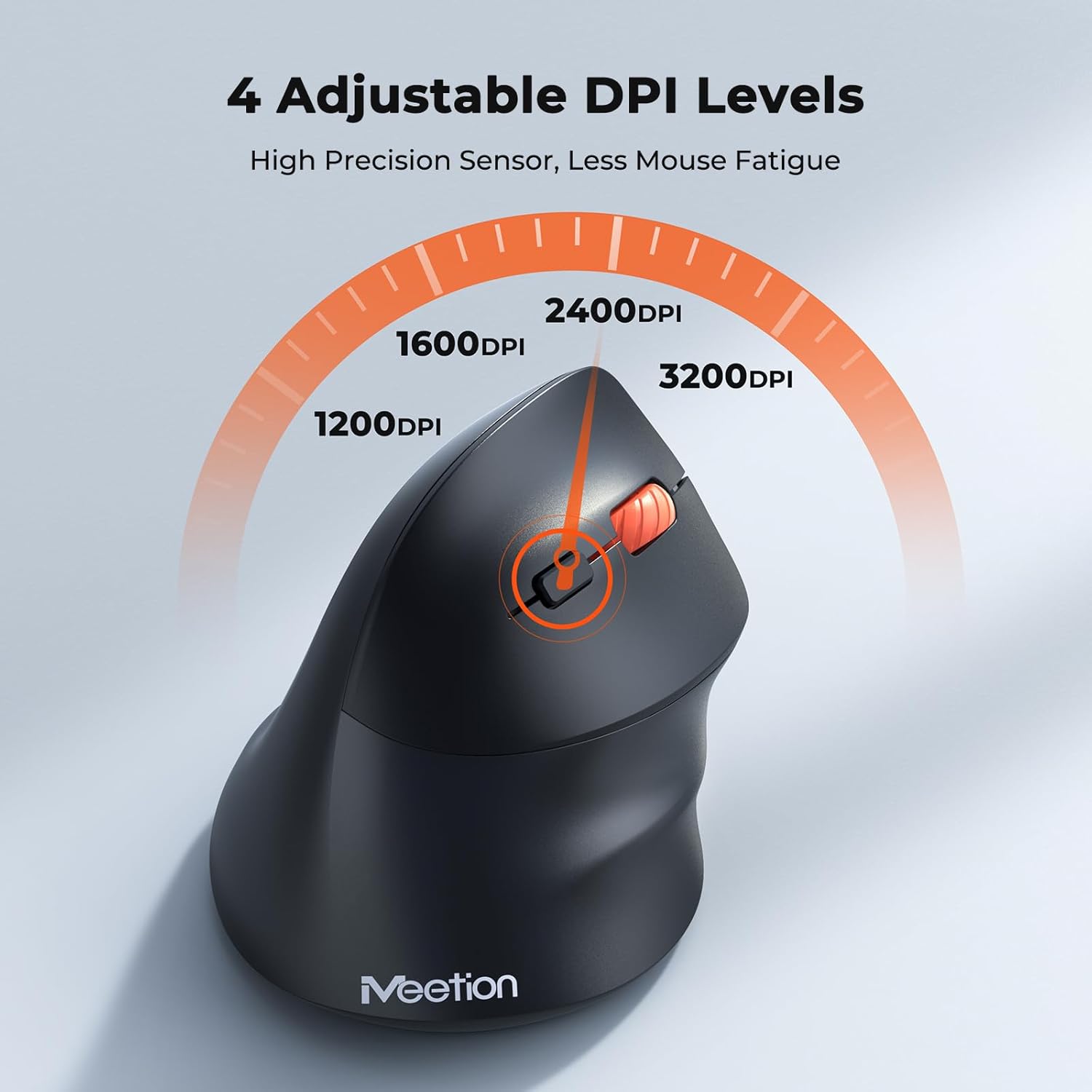
Adjust the DPI to match your preference for cursor speed and precision.
5.2 Preklapljanje med več napravami
To switch between connected devices, simply press the Mode Switching Button located on the bottom of the mouse. The corresponding indicator light (green for 2.4G, blue for BT1/BT2) will illuminate to show the active connection.
5.3 Forward/Back Buttons
Use the Forward and Back buttons, conveniently located on the side of the mouse, for quick navigation in web brskalniki, file raziskovalce in druge aplikacije, ki podpirajo te funkcije.
6. Upravljanje porabe
6.1 Samodejni način mirovanja
To conserve battery life, the mouse will automatically enter sleep mode after 20 minutes of inactivity. This intelligent feature helps extend the battery's operational time.
6.2 Waking the Mouse
To wake the mouse from sleep mode, simply press any button. It will instantly reconnect to the last active device.
6.3 Življenjska doba baterije
With typical usage, a single AA battery can power the mouse for up to 3 months. Actual battery life may vary based on usage patterns and battery quality.
7. Vzdrževanje
To ensure optimal performance and longevity of your mouse, follow these maintenance guidelines:
- Čiščenje: Za brisanje površine miške uporabite mehko, suho krpo. Za trdovratno umazanijo rahlo obrišiteamp Uporabite lahko krpo, vendar pazite, da v napravo ne vdre vlaga. Izogibajte se agresivnim kemikalijam ali abrazivnim čistilom.
- Zamenjava baterije: Replace the AA battery when the low battery indicator lights up or when mouse performance degrades. Always dispose of used batteries responsibly.
- Shranjevanje: When not in use for extended periods, turn off the mouse and store it in a dry, cool place.
8. Odpravljanje težav
If you encounter issues with your MEETION BTM011 mouse, refer to the following solutions:
| Težava | rešitev |
|---|---|
| Miška se ne odziva |
|
| Premikanje kurzorja je neenakomerno ali počasno |
|
| Ni mogoče vzpostaviti povezave prek Bluetooth |
|
| Forward/Back buttons not working |
|
9. Specifikacije
| Funkcija | Podrobnost |
|---|---|
| Model | BTM011 |
| Povezljivost | 2.4GHz Wireless, Bluetooth 5.3 (BT1, BT2) |
| DPI ravni | 1200 / 1600 / 2400 / 3200 |
| Gumbi | 7 (Left, Right, Scroll Wheel, Forward, Back, DPI Switch, Mode Switch) |
| Vir napajanja | 1x AA baterija (ni priložena) |
| Samodejno spanje | Po 20 minutah nedejavnosti |
| Združljivost | Windows, Mac OS, Linux, Android, iOS (for iPad/iPhone) |
| Material | Plastika |
| Mere (pribl.) | 4.4 x 3.29 x 2.74 palcev (11.18 x 8.36 x 6.96 cm) |
10. Garancija in podpora
10.1 Informacije o garanciji
MEETION products are designed and manufactured to the highest quality standards. This product is covered by a limited warranty against defects in materials and workmanship. Please retain your proof of purchase for warranty claims. Specific warranty terms may vary by region; refer to your local retailer or the official MEETION webspletno mesto za podrobnosti.
10.2 Podpora strankam
For technical assistance, troubleshooting, or general inquiries, please contact MEETION customer support:
- E-pošta: service@meetion.com
- Webspletno mesto: Visit the official MEETION webspletno mesto za pogosta vprašanja in dodatne vire.