
Uvod
Thank you for choosing the FLEXISPOT EC5 Plus Electric Sit-Stand Desk Frame. This manual provides essential information for the safe and efficient assembly, operation, and maintenance of your new desk frame. Designed with ergonomics in mind, this dual-motor frame offers smooth and quiet height adjustment, allowing you to effortlessly switch between sitting and standing positions for a healthier work environment.
Pomembna varnostna navodila
Pred sestavljanjem in uporabo natančno preberite vsa navodila. Neupoštevanje teh navodil lahko povzroči telesne poškodbe ali škodo na izdelku.
- Pred sestavljanjem se prepričajte, da so vse komponente prisotne in nepoškodovane. Ne uporabljajte, če kateri koli deli manjkajo ali so poškodovani.
- Med delovanjem držite otroke in hišne ljubljenčke stran od mize, da preprečite poškodbe zaradi premikajočih se delov.
- Do not place hands or other body parts near the lifting columns or crossbar during height adjustment to avoid pinching.
- Ensure the desk is placed on a level surface to prevent tipping.
- Do not overload the desk. The maximum load capacity is 120 kg (265 lbs).
- Uporabljajte samo priloženi napajalnik in kable.
- Pred čiščenjem ali vzdrževanjem izključite napajanje.
- The anti-collision system is designed to prevent damage, but always exercise caution during operation.
Vsebina paketa
Preverite, ali so v paketu priložene vse naslednje komponente:
- Noge za mizo (2)
- Prečka (1)
- Stranski nosilci (2)
- Nadzorna škatla (1)
- Handset/Control Panel (1)
- napajalnik (1)
- Napajalni kabel (1)
- Pladenj za napeljavo kablov (1)
- Komplet strojne opreme (vijaki, orodje itd.)
- Uporabniški priročnik (ta dokument)

Vodnik za namestitev
Navodila za montažo
Assembly typically requires two people. Follow the steps below for a successful setup. Refer to the detailed diagrams in the included printed manual for visual guidance.
- Razpakirajte komponente: Vse dele previdno vzemite iz embalaže in jih položite na čisto, mehko površino, da preprečite praske.
- Pritrdite stranske nosilce na noge: Secure the side brackets to the top of each lifting column (leg) using the provided screws.
- Assemble Crossbar: Connect the two halves of the crossbar, ensuring the motor cables are properly routed.
- Connect Legs to Crossbar: Attach the assembled legs to the crossbar. Ensure all connections are secure.
- Install Control Box: Mount the control box to the designated area on the crossbar using the provided screws.
- Connect Motors and Handset: Plug the motor cables from each leg into the control box. Connect the handset/control panel cable to the control box.
- Priključite napajalnik: Connect the power adapter to the control box and then to the power cable.
- Montaža namizne plošče: Carefully place your chosen tabletop (not included) onto the assembled frame. Ensure it is centered and aligned. Secure the tabletop to the frame using appropriate screws (ensure screw length is suitable for your tabletop thickness to avoid piercing through). The frame is compatible with tabletops from 120 to 180 cm in length and 60 to 80 cm in width.
- Upravljanje kablov: Use the included cable management tray and ties to organize all cables neatly.
- Začetni vklop: Plug the power cable into a wall outlet. The desk should be ready for initial calibration or operation.

Navodila za uporabo
Nadzorna plošča je končanaview
The EC5 Plus features an intuitive control panel with an LED display and memory functions.
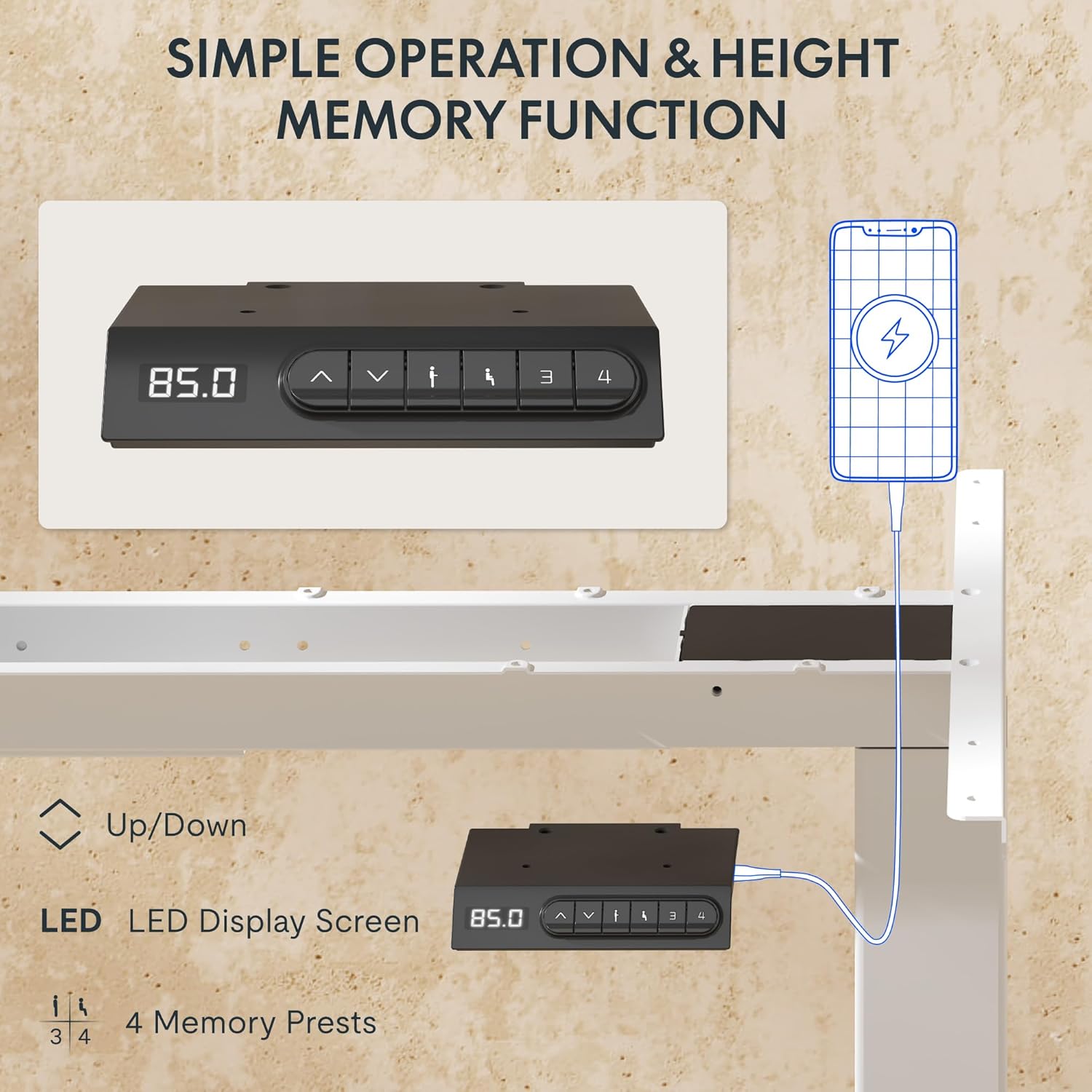
- LED zaslon: Shows the current height of the desk in centimeters.
- Puščici gor/dol (▲ / ▼): Press and hold to manually adjust the desk height.
- Prednastavitve pomnilnika (1, 2, 3, 4): Store and recall preferred height settings.
- Vrata USB-A in USB-C: Integrated charging ports for your devices.
Nastavitev višine
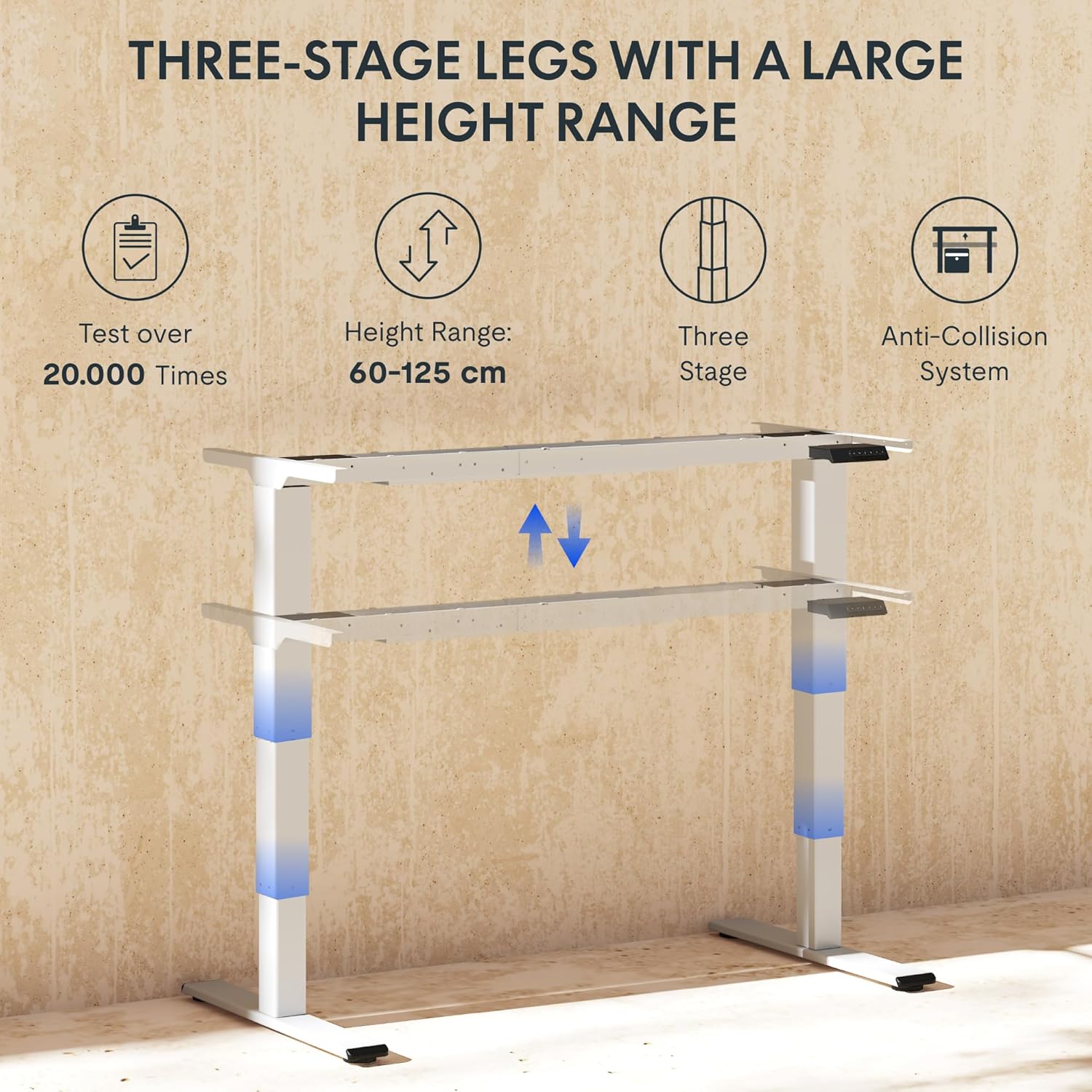
To adjust the desk height, press and hold the ▲ (Gor) oz ▼ (Down) arrow button until the desk reaches your desired height. The LED display will show the current height in real-time. The desk frame supports a height range of 60 cm to 125 cm.
Prednastavitve pomnilnika
The desk allows you to save up to four preferred height settings for quick recall:
- S puščicami gor/dol prilagodite mizo želeni višini.
- Press the "M" or "SET" button (if available, otherwise proceed to step 3).
- Press one of the numbered memory preset buttons (1, 2, 3, or 4) within 3 seconds. The LED display will show "S-" followed by the number, indicating the height has been saved.
- To recall a saved height, simply press the corresponding numbered memory preset button. The desk will automatically move to the saved position.
Sistem proti trčenju
The EC5 Plus is equipped with an intelligent anti-collision system. If the desk encounters an obstacle during height adjustment, it will automatically stop and reverse slightly to prevent damage or injury. This system has adjustable sensitivity levels. Refer to the detailed manual for instructions on adjusting sensitivity.
Vrata za polnjenje USB
The control panel includes integrated USB-A and USB-C charging ports. Simply connect your smartphone, tablet, or other compatible devices to these ports for convenient charging directly from your desk.
Vzdrževanje
Regular maintenance ensures the longevity and optimal performance of your FLEXISPOT EC5 Plus desk frame.
- Čiščenje: Okvir mize obrišite z mehko krpoamp cloth. Avoid using abrasive cleaners or solvents that may damage the finish. Ensure the desk is unplugged before cleaning.
- Pregled: Občasno preverite vse vijake in povezave, da se prepričate, da so trdno priviti. Po potrebi jih ponovno privijte.
- Upravljanje kablov: Ensure cables are not pinched or tangled, which could affect desk operation or cause damage.
- Mazanje: The lifting columns are designed to be maintenance-free and do not require lubrication.
Odpravljanje težav
If you encounter any issues with your desk frame, refer to the table below for common problems and solutions.
| Težava | Možen vzrok | rešitev |
|---|---|---|
| Pisalna miza se ne premakne. | Power cable disconnected; control box not connected; motor cables loose. | Check all power and motor connections. Ensure the power outlet is functional. |
| Miza se premika neenakomerno ali oddaja nenavaden hrup. | Preobremenitev; ohlapne povezave; oviranje. | Reduce weight on the desk. Check all screws and connections. Ensure no obstructions are present. Perform a reset (refer to manual for specific reset procedure). |
| Anti-collision system triggers too often or not at all. | Sensitivity setting incorrect. | Adjust the anti-collision sensitivity via the control panel (refer to manual for specific steps). |
| LED-zaslon prikazuje kodo napake. | Specifična okvara. | Za seznam kod napak in njihovih rešitev glejte celoten uporabniški priročnik. Če težava ne izgine, se obrnite na podporo strankam. |
Specifikacije
Detailed technical specifications for the FLEXISPOT EC5 Plus Desk Frame:
| Funkcija | Podrobnost |
|---|---|
| Znamka | FLEXISPOT |
| Številka modela | EC5W-PL-IE |
| barva | Bela |
| Mere izdelka (D x Š x V) | 80 x 180 x 125 cm (frame dimensions, adaptable to tabletop) |
| Teža predmeta | 22.6 kilogramov |
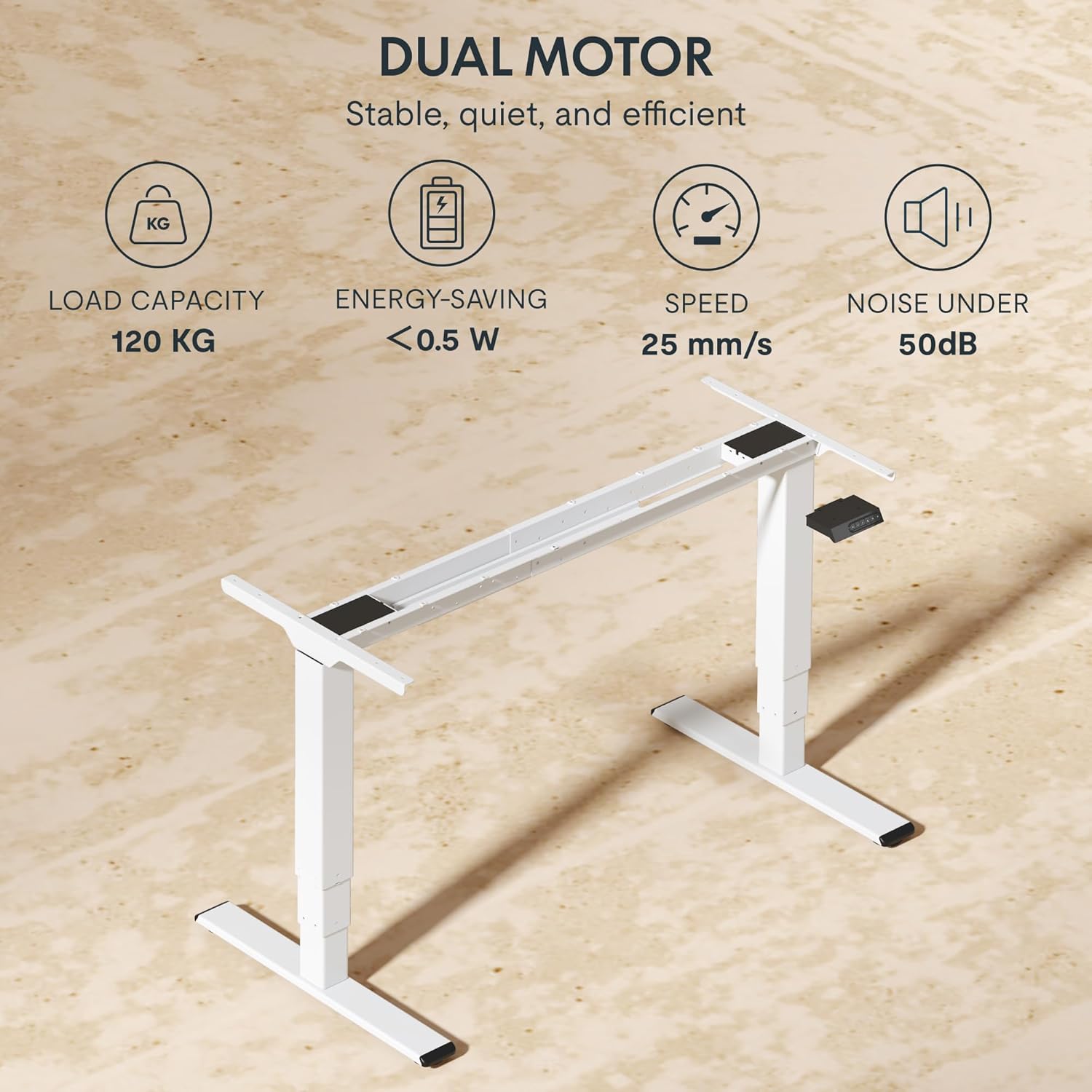
| Nosilnost | 120 kg (265 lbs) |
| Vrsta motorja | Dvojni motorni sistem |
| Območje nastavitve višine | 60 cm - 125 cm (23.6 palca - 49.2 palca) |
| Hitrost dviga | 25 mm/s |
| Nivo hrupa | Pod 50 dB |
| Noga Stages | Tri-stage telescopic legs |
| Nadzorna plošča | LED display, 4 memory presets, Up/Down buttons |
| Vrata za polnjenje | Integrated USB-A and USB-C ports |
| Posebne lastnosti | Ergonomic design, Anti-Collision System, Energy-saving (<0.5W standby) |
| Compatible Tabletop Sizes | Length: 120-180 cm; Width: 60-80 cm |
| Osnovni material | Kovina |
Garancija in podpora
FLEXISPOT stands behind the quality of its products. Your EC5 Plus Desk Frame comes with the following warranty:
- Garancija okvirja: 5 leti
- Garancija za motor: 3 leti
This warranty covers defects in materials and workmanship under normal use. For warranty claims or technical assistance, please contact FLEXISPOT customer support. Lifetime free technical support is provided.
For the most up-to-date contact information, please visit the official FLEXISPOT webspletno mesto ali glejte dokumentacijo o nakupu.
Webspletno mesto: www.flexispot.com