
Ergear EGESD7W-CA
Uporabniški priročnik za električno stoječo mizo ErGear
Model: EGESD7W-CA | Brand: ErGear
Uvod
Thank you for choosing the ErGear Electric Standing Desk. This manual provides detailed instructions for assembly, operation, maintenance, and troubleshooting to ensure optimal performance and longevity of your desk. Please read this manual thoroughly before installation and use, and retain it for future reference.
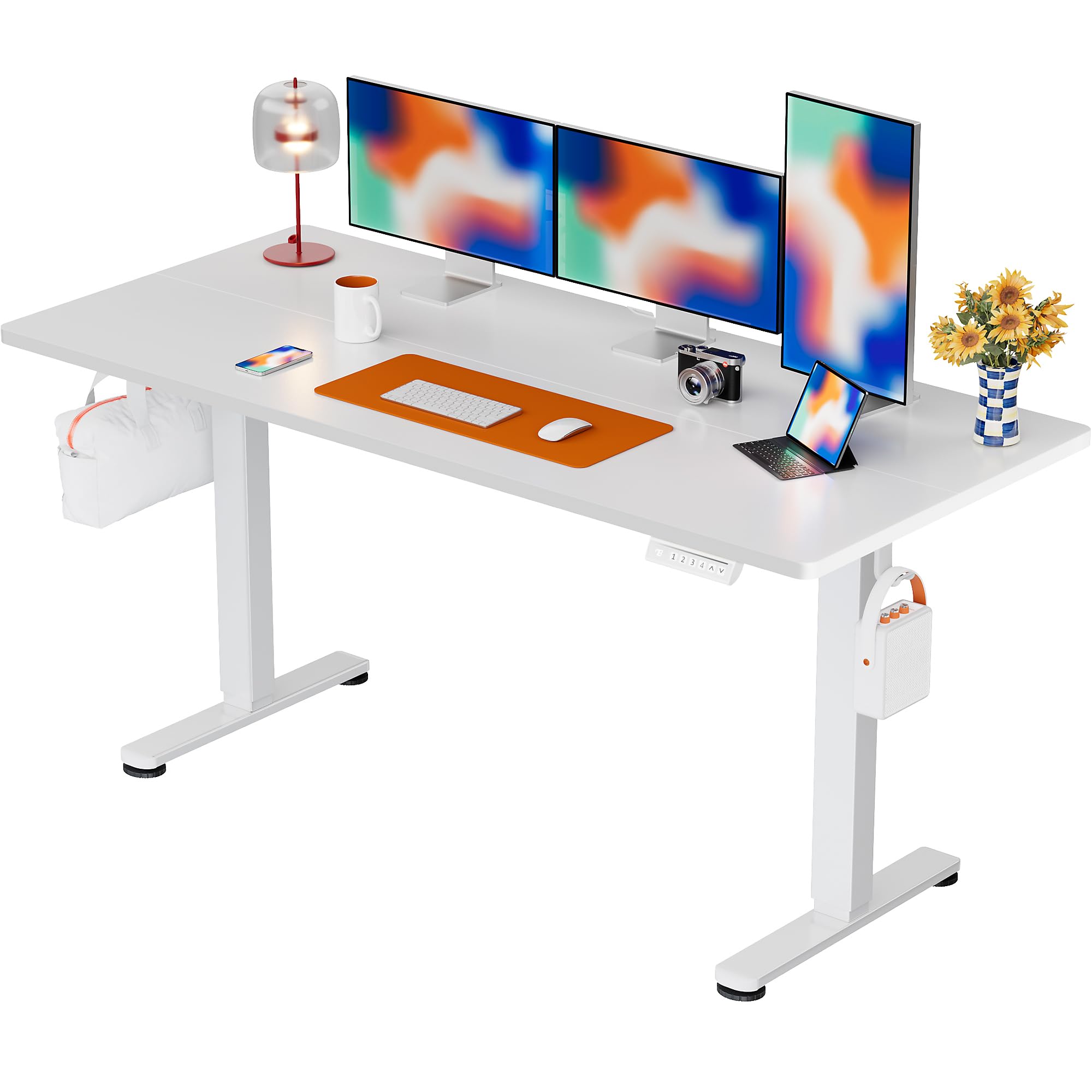
The ErGear Electric Standing Desk, 63x28 inch, in a white finish, featuring a spacious desktop and electric height adjustment capabilities.
Varnostne informacije
- Pred sestavljanjem se prepričajte, da so vse komponente prisotne in nepoškodovane. Ne uporabljajte, če kateri koli deli manjkajo ali so okvarjeni.
- Med delom naj se otroci in hišni ljubljenčki ne približujejo mizi, da preprečite poškodbe.
- Do not overload the desk. The maximum weight recommendation is 176 pounds (80 kg).
- Ensure the power cord is not pinched or damaged. Connect to a grounded outlet.
- Izogibajte se nanašanju tekočin neposredno na nadzorno ploščo ali v bližino električnih komponent.
- Redno preverjajte vse vijake in povezave, da se prepričate, da so trdno priviti in varno pritrjeni.
- Ta miza je zasnovana samo za uporabo v zaprtih prostorih.
Vsebina paketa
Before beginning assembly, please verify that all the following components are included in your package:
- Desktop Boards ×2
- Leg with Motor ×1
- Noga ×1
- Leg Bases ×2
- Crossbar & Transmission Rod
- Controller & Power Cable
- Vsa potrebna montažna orodja in strojna oprema
Navodila za montažo
Follow these steps carefully to assemble your ErGear Electric Standing Desk. An assembly video is also provided for visual guidance.
Official ErGear Electric Standing Desk Assembly Video. This video demonstrates the step-by-step process for setting up your desk.
Step 1: Assemble the Desk Legs
Attach the leg bases to the desk legs using the provided screws. Ensure they are securely fastened.

The stable T-shaped desk legs provide a sturdy foundation for the electric standing desk.
Step 2: Attach Side Plates and Transmission Rod
Connect the side plates to the desk legs. Insert the transmission rod fully into the left leg and secure it. If the two desk legs are not at the same height, insert the rod into the left leg and turn to adjust.
3. korak: Sestavite in pritrdite namizje
Place the two desktop boards together, aligning the dowels. Secure the desktop to the assembled frame using the provided screws and brackets. Ensure all connections are tight.
4. korak: Priključite kable
Connect the motor and control panel cables to the main control box. Ensure all connections are firm and correctly oriented.
Step 5: Install Cable Hole Covers
Place the cable hole covers into the designated openings on the desktop to manage wires neatly.

Ergonomic guidelines for using the standing desk, showing optimal monitor and arm positions for both sitting and standing.
Navodila za uporabo
Nadzorna plošča je končanaview
The desk features an intuitive control panel with height adjustment buttons and memory presets.
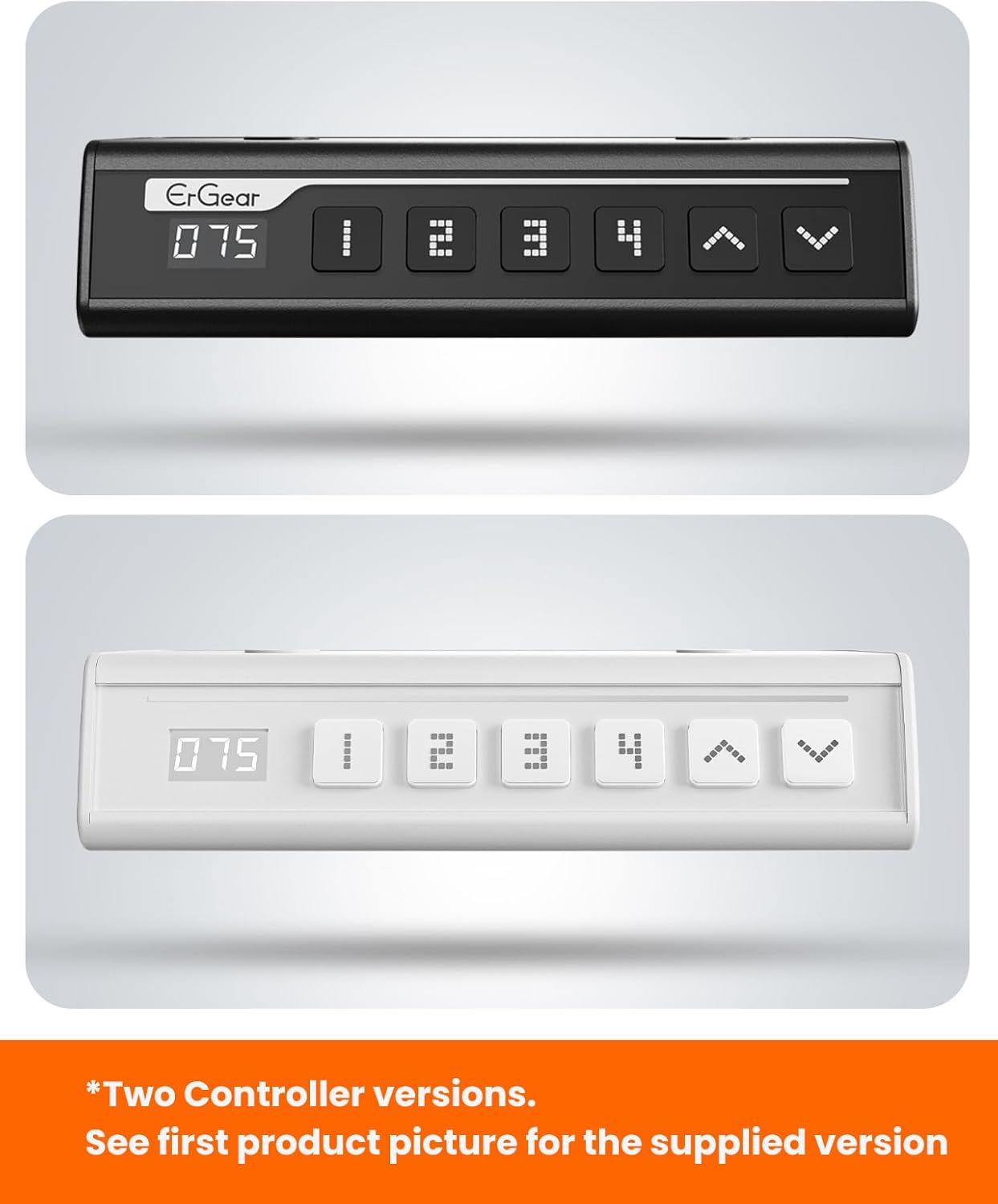
The ErGear control panel, available in two versions, features a digital height display and four programmable memory settings.
Nastavitev višine
- Uporabite Gor (^) in Navpično (v) arrows to smoothly adjust the desk height between 28.35 inches and 46.46 inches.
- Release the button at your desired height.
Prednastavitve pomnilnika
The desk allows you to save up to 4 preferred height settings.
- S puščicami gor/dol prilagodite mizo želeni višini.
- Pritisnite M button (or equivalent memory set button). The display will flash.
- Press one of the numbered preset buttons (1, 2, 3 ali 4) within 3 seconds to save the current height to that preset.
- Za priklic shranjene višine preprosto pritisnite ustrezno oštevilčeno tipko za prednastavitev. Miza se bo samodejno premaknila na shranjeni položaj.
This video demonstrates the smooth and quiet operation of the ErGear Electric Standing Desk, showcasing its height adjustment and memory preset features.
Vzdrževanje
- Čiščenje: Obrišite namizje in okvir z mehko krpoamp krpo. Izogibajte se agresivnim kemikalijam ali abrazivnim čistilom.
- Pregled: Periodically check all screws and connections for tightness. Re-tighten if necessary.
- Upravljanje kablov: Ensure cables are neatly organized and not tangled or pinched to prevent damage.
Odpravljanje težav
Če imate kakršne koli težave z električno stoječo mizo ErGear, si oglejte naslednje pogoste težave in rešitve:
| Težava | Možen vzrok | rešitev |
|---|---|---|
| Pisalna miza se ne premika | Power cable disconnected, motor error, overloaded desk. | Check power connections. Unplug for 30 seconds and plug back in. Reduce weight on the desk. |
| Neenakomerna višina | Transmission rod not fully inserted or adjusted. | Refer to Step 2 of assembly to ensure the transmission rod is correctly installed and adjusted. |
| Hrup med delovanjem | Normal operation sound, loose screws. | A slight motor sound is normal. Check and tighten any loose screws on the frame. |
| Prednastavitve pomnilnika ne delujejo | Napačen postopek shranjevanja. | Follow the memory preset instructions carefully (press M, then the number within 3 seconds). |
Specifikacije
| Funkcija | Podrobnost |
|---|---|
| Znamka | ErGear |
| Številka modela | EGESD7W-CA |
| Oblikovanje pisalne mize | Stojna miza |
| oblika | Pravokotna |
| Mere izdelka (D x Š x V) | 71.1 G x 160 Š x 118 V centimetrov |
| Velikost | 63*28 palca |
| barva | Bela |
| Najmanjša višina | 28.35 palcev |
| Največja višina | 46.46 palcev |
| Debelina mizne plošče | 1.5 centimetrov |
| Osnovni material | Legirano jeklo |
| Vrsta zgornjega materiala | Engineered Wood (Walnut Wood finish) |
| Posebne lastnosti | Adjustable Height, Electric, Ergonomic |
| Največja priporočena teža | 176 funtov (80 kg) |
| Zahtevana montaža | Da (vključuje vsa orodja za montažo) |
Garancija in podpora
ErGear is committed to providing high-quality products and customer satisfaction. This product comes with:
- 5-letna zaščita on the desktop and desk frame.
- 2-letna zaščita on motors and electrical components.
For any questions, concerns, or warranty claims, please contact ErGear customer support. You can typically find contact information on the product packaging or the official ErGear website. Please have your model number (EGESD7W-CA) and purchase details ready when contacting support.

The ErGear Electric Standing Desk seamlessly integrates into various home office environments.
Ask a question about this manual
Ask about setup, troubleshooting, compatibility, parts, safety, or missing instructions. Manuals+ will review the question and use this page’s manual context to help answer it.