
1. Uvod
Thank you for choosing the Tatybo WT5 Wireless Gaming Headset. This manual provides essential information for setting up, operating, and maintaining your headset to ensure optimal performance and longevity. Please read this manual thoroughly before use.
2. Vsebina paketa
- Tatybo WT5 Wireless Gaming Headset
- Detachable ENC Noise-Canceling Microphone
- 2.4GHz USB-A Wireless Dongle
- USB-C Adapter for Dongle
- 3.5 mm avdio kabel
- USB polnilni kabel tipa C
- Uporabniški priročnik (ta dokument)
- Shranjevalna/potovalna torba
3. Izdelek je končanview
3.1 Ključne lastnosti
- 2.4GHz Low Latency Wireless: Experience ultra-low latency gaming with a stable 2.4GHz connection.
- 7.1 prostorski zvok: Enhanced audio for immersive gaming and precise positional awareness.
- ENC Noise-Canceling Microphone: Ensures clear voice communication by reducing environmental noise.
- Udoben dizajn: Thick, noise-isolating ear cushions and an adjustable headband for extended wear.
- Dolga življenjska doba baterije: Up to 40+ hours of use with RGB lighting.
- Združljivost z več platformami: Connects to PC, PS4, PS5, Switch, Laptops, Mobile devices, and Mac via various methods.
3.2 Headset Controls and Ports
Familiarize yourself with the headset's controls and ports for easy operation.

Slika: Headset controls and ports. This image displays the various buttons and interfaces on the headset, including the ON/OFF button (long press), Volume Control slider, Microphone Mute Button, 7.1 Channel button, and the 3.5mm interface.
- Gumb za VKLOP/IZKLOP: Long press to power the headset on or off.
- Nadzor glasnosti: Slider to adjust the audio volume.
- Gumb za izklop mikrofona: Pritisnite za izklop ali vklop mikrofona.
- 7.1 Channel Button: Press to activate or deactivate 7.1 surround sound.
- RGB nadzor svetlobe: Double-click the 7.1 Channel button to turn RGB lighting on/off.
- 3.5 mm vmesnik: Za žično povezavo z uporabo priloženega 3.5 mm avdio kabla.
- Vrata za polnjenje USB-C: For charging the headset battery.
- Vrata za mikrofon: Za pritrditev snemljivega mikrofona.
4. Navodila za nastavitev
4.1 Polnjenje slušalk
Before first use, fully charge the headset. Connect the USB Type-C charging cable to the headset's charging port and the other end to a USB power source (e.g., computer USB port, USB wall adapter). The LED indicator will show charging status and turn off when fully charged.
4.2 Pritrditev mikrofona
Insert the detachable microphone into the microphone port on the headset until it clicks into place. The microphone is flexible and can be adjusted to your preferred position. When not in use, it can be folded away or detached.
4.3 Povezovanje z napravami
The Tatybo WT5 offers multiple connectivity options:

Slika: Multi-platform wireless support. This image illustrates how to connect the headset using the USB-A dongle for PS5/PS4 and Laptops, and the Type-C dongle for Nintendo Switch and mobile phones/tablets. It also notes that the headset is not compatible with Xbox.
4.3.1 2.4GHz Wireless Connection (Recommended for Gaming)
This method provides ultra-low latency for an optimal gaming experience.
- Power on your Tatybo WT5 headset by long-pressing the ON/OFF button.
- Insert the 2.4GHz USB-A wireless dongle into an available USB port on your PC, PS4, PS5, or Laptop.
- For devices with a USB-C port (e.g., Nintendo Switch, some Laptops/Mobile devices), attach the USB-C adapter to the USB-A dongle before inserting it.
- The headset and dongle should automatically pair. A solid LED indicator on the headset confirms a successful connection.
- On your device, ensure the Tatybo WT5 headset is selected as the audio input and output device in your sound settings.

Slika: Low latency wireless connection. This image highlights the headset's 2.4GHz wireless connection, boasting an ultra-low latency of less than 25ms, ideal for competitive gaming.
4.3.2 Povezava Bluetooth
Use Bluetooth for general audio listening with compatible devices.
- Prepričajte se, da so slušalke vklopljene.
- Activate Bluetooth pairing mode on the headset (refer to device-specific instructions if needed, usually a long press on the power button or a dedicated Bluetooth button). The LED indicator will flash rapidly.
- On your mobile device, laptop, or Switch, go to Bluetooth settings and search for available devices.
- Select "Tatybo WT5" from the list to pair. The LED indicator will become solid once connected.
4.3.3 Žična povezava 3.5 mm
Za naprave brez brezžičnih zmogljivosti ali ko je baterija skoraj prazna.
- Connect one end of the 3.5mm audio cable to the headset's 3.5mm interface.
- Connect the other end to the 3.5mm audio port on your device.
- Note: Some headset functions (e.g., RGB lighting, 7.1 surround sound button) may not be available in wired mode, depending on the device.
5. Navodila za uporabo
5.1 Vklop/izklop
Long press the ON/OFF button for approximately 3 seconds to power the headset on or off.
5.2 Prilagoditev glasnosti
Use the volume control slider on the headset to increase or decrease the audio volume.
5.3 Uporaba mikrofona
To use the microphone, ensure it is attached and positioned correctly near your mouth. Press the Microphone Mute Button to toggle between muted and unmuted states. The LED on the microphone tip may indicate its status (e.g., red for muted).
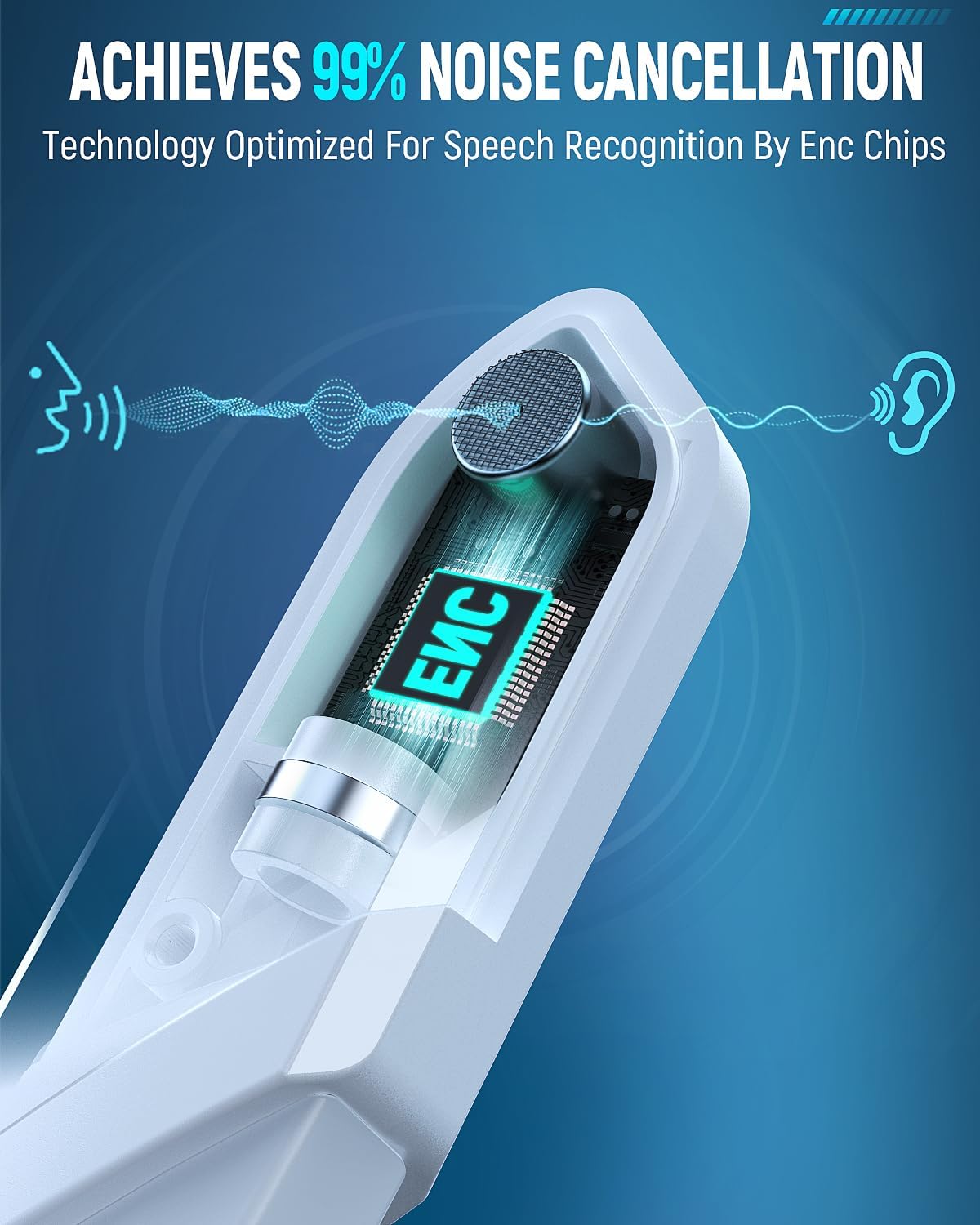
Slika: ENC Noise-Canceling Microphone. This image illustrates the Environmental Noise-Canceling (ENC) technology integrated into the microphone, designed for clear voice transmission.
5.4 7.1 Prostorski zvok
Press the 7.1 Channel button to activate or deactivate the 7.1 surround sound feature. This enhances spatial audio for a more immersive experience, particularly in gaming.

Slika: 7.1 Surround Sound for superior positional audio. This image emphasizes the benefit of 7.1 surround sound for gamers, allowing them to hear and react to in-game sounds with greater accuracy.
5.5 RGB osvetlitev
Double-click the 7.1 Channel button to toggle the RGB lighting on the earcups on or off. This feature adds a visual flair to your gaming setup.
5.6 Comfort Adjustment
The headset features an adjustable headband and thick, comfortable ear cushions. Adjust the headband to fit your head size for optimal comfort during long gaming sessions.

Slika: Game all-day in comfort. This image details the comfort-focused design of the headset, featuring weight reduction, optimized ear cup shape, 3D breathable structure, skin-friendly protein leather, and 90% physical noise isolation.
6. Vzdrževanje
- Čiščenje: Za čiščenje slušalk uporabite mehko, suho krpo. Ne uporabljajte agresivnih kemikalij ali abrazivnih materialov.
- Shranjevanje: Store the headset in a cool, dry place, away from direct sunlight and extreme temperatures. Use the provided storage bag to protect it from dust and scratches.
- Vzdrževanje baterije: Da podaljšate življenjsko dobo baterije, se izogibajte pogostemu popolnemu praznjenju slušalk. Redno jih polnite, tudi če jih dalj časa ne uporabljate.
- Izogibajte se vodi: This headset is not waterproof. Keep it away from liquids.
7. Odpravljanje težav
- Ni zvoka/nizka glasnost:
- Prepričajte se, da so slušalke vklopljene in popolnoma napolnjene.
- Check the volume control on the headset and your connected device.
- Preverite, ali je v nastavitvah zvoka vaše naprave izbrana pravilna izhodna zvočna naprava.
- If using 2.4GHz wireless, ensure the dongle is properly inserted and paired. Try re-pairing.
- If using Bluetooth, ensure it's paired and connected. Try re-pairing.
- If using 3.5mm wired, ensure the cable is securely connected at both ends.
- Mikrofon ne deluje:
- Prepričajte se, da je mikrofon varno pritrjen na slušalke.
- Preverite, ali je mikrofon izklopljen, tako da pritisnete gumb za izklop zvoka na slušalkah.
- Preverite, ali je v nastavitvah zvoka vaše naprave izbrana pravilna vhodna zvočna naprava.
- Preizkusite mikrofon z drugo aplikacijo ali napravo.
- Connection Issues (Wireless):
- Ensure the headset is within the specified Bluetooth or 2.4GHz range (30 meters for Bluetooth).
- Izogibajte se močnim elektromagnetnim motnjam zaradi drugih naprav.
- Poskusite znova zagnati slušalke in povezano napravo.
- If using the 2.4GHz dongle, try a different USB port.
- RGB luči ne delujejo:
- Prepričajte se, da so slušalke vklopljene.
- Double-click the 7.1 Channel button to toggle the RGB lights.
- Prepričajte se, da je baterija slušalk dovolj napolnjena.
8. Specifikacije
| Ime modela | WT5 |
| Znamka | Tatybo |
| Tehnologija povezljivosti | Wireless (2.4GHz RF, Bluetooth), Wired (3.5mm Jack) |
| Brezžična komunikacijska tehnologija | Bluetooth, RF |
| Različica Bluetooth | 4.2 |
| Bluetooth obseg | 30 metrov |
| Življenjska doba baterije | 30 Hours (40+ hours with RGB lighting off) |
| Funkcije za nadzor hrupa | ENC Noise-Canceling Microphone, Sound Isolation |
| Posebne lastnosti | Noise Cancellation, Noise Isolation, Surround Sound, RGB Lighting |
| Združljive naprave | Gaming Consoles (PS4, PS5, Switch), Computers (PC, Laptop, Mac), Mobile Devices |
| Material | Umetno usnje, Plastika |
| Teža predmeta | 1.23 funtov |
| Oblika slušalke | Nad ušesi |
9. Garancija in podpora
Tatybo products are designed for quality and reliability. For specific warranty information, please refer to the warranty card included in your product packaging or visit the official Tatybo website. If you encounter any issues or require technical assistance, please contact Tatybo customer support through their official channels.