
Uvod
Thank you for choosing the TIQLAB Electric Standing Desk. This manual provides essential information for the safe assembly, operation, and maintenance of your new desk. Please read all instructions carefully before use and retain this manual for future reference.
Varnostne informacije
OPOZORILO:
Always follow the assembly instructions carefully. Do not attempt to lift or move the desk when it is in motion. Keep the work area clear of obstructions. Do not exceed the weight limit of 220 lbs. Always ensure the desk is properly anchored to the floor to prevent tipping.
Vsebina paketa
Before beginning assembly, verify that all parts listed below are present. If any parts are missing or damaged, please contact customer support.
- Desk tabletop (55x24 inch, Black)
- Desk frame components (legs, crossbar)
- Two drawers with storage shelf
- Electric motor and control panel
- Napajalnik
- Assembly hardware (screws, bolts, specialized L-shaped allen wrench)
- Adjustable foot pads (x4)
- Desk hooks (x2)
- Navodila za uporabo

Image: All components of the TIQLAB Standing Desk laid out before assembly, including the tabletop, frame parts, drawers, and hardware.
Postavitev in montaža
Assembly is designed to be straightforward, typically taking approximately 45 minutes. A step-by-step instruction manual and all necessary tools are included.
- Razpakirajte komponente: Carefully remove all parts from the packaging. Place them on a clean, flat surface to ensure easy access and prevent damage.
- Sestavite okvir mize: Follow the detailed diagrams in the included instruction manual to connect the desk legs and crossbar using the provided hardware. Ensure all connections are secure.
- Pritrdite mizno ploščo: Pritrdite mizno ploščo na sestavljeni okvir.
- Namestitev predalov in polic: Mount the two drawers and the integrated storage shelf according to the instructions.
- Priključite električne komponente: Attach the electric motor and control panel. Connect the power adapter.
- Pritrdite dodatke: Install the adjustable foot pads and desk hooks as desired.

Image: An exploded diagram illustrating the quick installation process of the desk components.
Navodila za uporabo
Your TIQLAB Electric Standing Desk features an intuitive control panel for height adjustment and memory settings.
Nastavitev višine
- Dvignite mizo: Press the "Up" arrow button on the control panel to raise the desk.
- Spodnja miza: Press the "Down" arrow button to lower the desk.
- The desk adjusts smoothly and quickly between 28.3 inches and 47.2 inches.
Prednastavitve pomnilnika
The multifunctional controller allows you to save preferred sitting and standing heights.
- Nastavite prednastavitev: Adjust the desk to your desired height. Press the "M" button, then press one of the numbered preset buttons (e.g., "1", "2", "3") to save the current height.
- Priklic prednastavitve: Simply press the corresponding numbered preset button to automatically move the desk to your saved height.
Tehnologija proti trčenju
The desk is equipped with anti-collision technology to prevent damage. If the desk encounters an obstruction during adjustment, it will automatically stop and reverse slightly.

Image: Close-up of the desk's control panel, highlighting buttons for up/down movement, memory presets, and anti-collision technology.
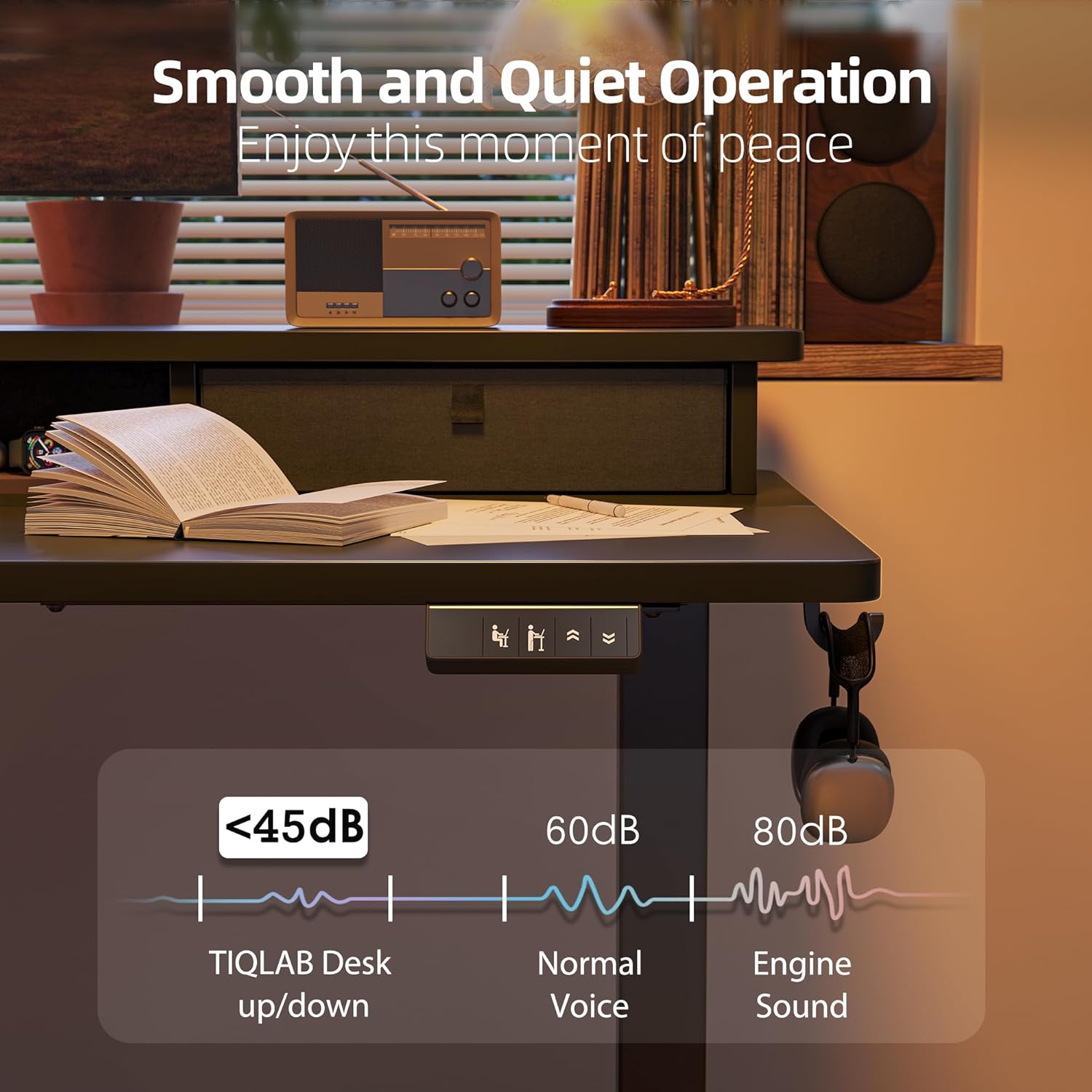
Image: The desk operating smoothly and quietly, demonstrating its low noise level during height adjustments.
Vzdrževanje
To ensure the longevity and optimal performance of your TIQLAB Standing Desk, follow these maintenance guidelines:
- Redno čiščenje: Površino mize in okvir obrišite z mehko krpoamp krpo. Izogibajte se abrazivnim čistilom ali močnim kemikalijam.
- Preverite povezave: Občasno preverite vse vijake in matico, da se prepričate, da so trdno priviti. Po potrebi jih ponovno privijte.
- Upravljanje kablov: Keep cables organized and free from entanglement to prevent damage to the motor or power supply.
- Omejitev teže: Ne prekoračite največje nosilnosti 220 kg, da preprečite obremenitev motorja in okvirja.
Odpravljanje težav
Če imate kakršne koli težave z mizo, si oglejte naslednje pogoste rešitve:
| Težava | Možen vzrok | rešitev |
|---|---|---|
| Pisalna miza se ne premika | Napajalni kabel odklopljen; preobremenitev; napaka motorja | Check power connections; Reduce weight on desk; Reset the system (refer to manual for specific steps). |
| Uneven movement | Uneven load; Loose connections | Distribute weight evenly; Tighten all assembly screws. |
| Hrup med delovanjem | Normal operation; Loose components | A slight motor sound is normal (below 50dB). Check for any loose parts and tighten them. |
| Anti-collision activated frequently | Obstructions in path | Ensure clear path for desk movement. |
If the problem persists, please contact TIQLAB customer support.
Specifikacije
- Znamka: TIQLAB
- Model: B0F1N1P7KX
- Oblikovanje mize: Pisalna miza Credenza
- Dimenzije izdelka: 24"D x 55"W x 29"H (adjustable height)
- Nastavljiv razpon višine: 28.3" do 47.2"
- barva: Črna
- slog: Moderno
- Vrsta zgornjega materiala: Konstruiran les
- Osnovni material: Konstruiran les
- Tip zaključka: Kovina
- Posebna lastnost: Electric height adjustment
- Priporočena uporaba: Pisarna, igre na srečo
- Največja nosilnost: 220 lbs
- Lift Speed: 25 mm/s
- Raven hrupa: Manj kot 50 dB
- Možnosti shranjevanja: Dva predala
- Zahtevana montaža: ja

Image: Diagram showing the dimensions and maximum static load capacity of the TIQLAB Standing Desk.

Image: Illustration highlighting the rock-solid stability and multi-layer steel construction of the desk frame.
Garancija in podpora
Your TIQLAB Electric Standing Desk comes with a limited warranty. For specific details regarding warranty coverage, please refer to the product documentation or contact customer support.
Podpora uporabnikom
For any questions, assistance, or to report missing/damaged parts, please contact TIQLAB customer support. You can typically find contact information on the product packaging or the official TIQLAB webmesto.
- Načrti zaščite: Optional 2-Year and 3-Year protection plans are available for purchase.
- Vrne: Ta izdelek je upravičen do 30-dnevnega enostavnega vračila.