
groov e Cuties Sleep Trainer Alarm Clock
groov e Cuties Budilka za spanje z LED nočno lučko - Mavrični samorog Uporabniški priročnik
Uvod
This manual provides comprehensive instructions for the setup, operation, and maintenance of your groov e Cuties Sleep Trainer Alarm Clock with LED Night Light. Please read this manual thoroughly before using the product to ensure proper function and longevity.

Slika 1: Spredaj view of the groov e Cuties Sleep Trainer Alarm Clock, illuminated, displaying the time and sleep/wake indicators.
Lastnosti izdelka
The groov e Cuties Sleep Trainer Alarm Clock is designed to assist children with sleep routines and provide a comforting night light. Key features include:
- LED nočna lučka: Offers 9 vibrant color options and 5 light modes. Tap the device to change colors.
- Budilka: Features 6 preset alarm sounds for wake-up.
- Beli šum in pomirjujoči zvoki: Includes 6 soothing sounds, such as white noise, to aid sleep.
- Trener spanja: Visual cues (sun/moon icons) help children understand when it's time to sleep and wake up.
- Varen material: Constructed from safe silicone material.
- Funkcija dremeža: Allows for temporary delay of the alarm.
- Prikaz časa: 12/24 hour clock format.
- Nastavitve časovnika: Includes 30 and 60-minute timer options.
- Nastavljiva svetlost: 5 levels of display brightness.
- Nastavljiva glasnost: 5 stopenj glasnosti zvoka.
- Akumulatorska baterija: Built-in 1800mAH rechargeable battery with USB-C charging.
Nastavitev
1. Začetno polnjenje
Before first use, fully charge the device. Connect the included USB-C charging cable to the charging port on the back of the unit and plug the other end into a compatible USB power adapter (not included).
- A charging indicator light will typically show the charging status.
- The device can also be operated while connected to a USB power source.

Slika 2: Zadaj view of the alarm clock, highlighting control buttons and the USB-C charging port.
2. Vklop/izklop
Press and hold the Power button (usually located on the back) to turn the device on or off.
Navodila za uporabo
1. Nastavitev časa
- Pritisnite ČAS button (refer to Image 2 for button location).
- Uporabite Up in Dol puščične gumbe za nastavitev ure. Pritisnite ČAS ponovno za potrditev.
- Uporabite Up in Dol arrow buttons to adjust the minute. Press ČAS ponovno za potrditev.
- To switch between 12-hour and 24-hour format, typically this is done during the time setting process or via a dedicated button/menu option. Consult the quick start guide if available for specific button combinations.
2. Nastavitev alarma
- Pritisnite ALARM button (refer to Image 2).
- Uporabite Up in Dol arrow buttons to set the desired alarm hour. Press ALARM znova.
- Uporabite Up in Dol arrow buttons to set the desired alarm minute. Press ALARM znova.
- To select an alarm sound (from 6 preset options), use the Glasbena nota button or arrow buttons during the alarm setting process. Press ALARM za potrditev.
- To activate/deactivate the alarm, there is usually a dedicated switch or a long press on the ALARM gumb.
3. Sleep Trainer Function
The sleep trainer uses visual cues to indicate sleep and wake times. The display will show a moon icon during sleep time and a sun icon during wake time.
- Access the sleep trainer settings (specific button combination may vary, often involves holding the ČAS or ALARM gumb).
- Set the desired "sleep time" (when the moon icon appears).
- Set the desired "wake time" (when the sun icon appears).
- Confirm settings. The device will then visually guide your child.
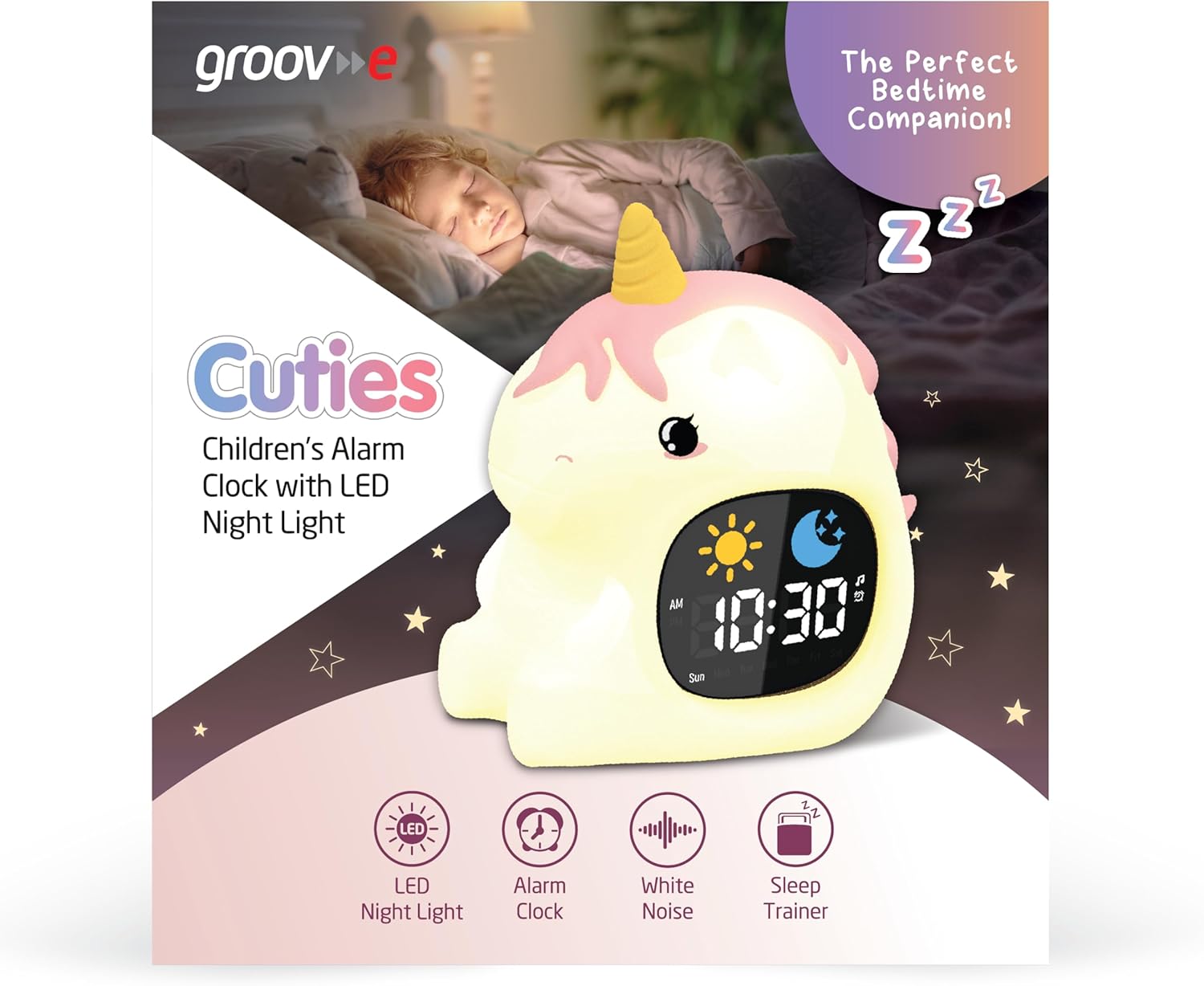
Image 3: The alarm clock functioning as a sleep trainer, displaying the sun icon for wake-up.
4. LED Night Light
The device features an integrated LED night light with multiple color and brightness options.
- Spreminjanje barv: Tap the silicone body of the device to cycle through 9 vibrant colors and 5 light modes.
- Prilagoditev svetlosti: Use dedicated brightness buttons (if available) or a combination with the ČAS button to adjust between 5 brightness levels.
5. White Noise and Soothing Sounds
To activate soothing sounds:
- Pritisnite Glasbena nota button (refer to Image 2) to cycle through the 6 available soothing sounds, including white noise.
- Glasnost prilagodite s tipko Up in Dol arrow buttons (5 volume levels available).
6. Funkcija dremeža
When the alarm sounds, press any button (other than the power button) or tap the device to activate the snooze function. The alarm will temporarily pause and sound again after a set interval (e.g., 9 minutes).
7. Nastavitve časovnika
The device includes 30 and 60-minute timer settings, useful for short sleep cycles or quiet time.
- Consult the quick start guide for specific button presses to activate and select timer durations.
Vzdrževanje
- Čiščenje: Napravo obrišite z mehko damp krpo. Ne uporabljajte abrazivnih čistil in naprave ne potapljajte v vodo.
- Shranjevanje: Napravo shranjujte na hladnem in suhem mestu, ko je dalj časa ne uporabljate.
- Vzdrževanje baterije: To prolong battery life, avoid fully discharging the battery frequently. Recharge when the low battery indicator appears.
Odpravljanje težav
| Težava | Možen vzrok | rešitev |
|---|---|---|
| Naprava se ne vklopi. | Baterija je prazna. | Connect the device to a USB power source using the provided USB-C cable and allow it to charge for at least 30 minutes before attempting to power on. |
| Alarm se ne oglasi. | Alarm ni aktiviran ali pa je glasnost prenizka. | Ensure the alarm is set and activated. Check the volume level and adjust if necessary. |
| Night light is not changing colors. | Incorrect tapping or mode selection. | Ensure you are tapping the silicone body firmly. Check if the device is in a specific light mode that prevents color changes. |
| Device is not charging properly. | Okvarjen kabel, adapter ali polnilna vrata. | Try using a different USB-C cable and/or a different USB power adapter. Ensure the cable is securely connected to both the device and the power source. If the issue persists, contact customer support. |
Specifikacije
| Znamka | groov e |
| Model | Cuties Sleep Trainer Alarm Clock |
| Teža predmeta | 0.34 kilogramov |
| Baterija | 1800mAH Rechargeable Battery (USB-C charging) |
| Vrsta zaslona | Digitalno |
| Posebna funkcija | Sleep Trainer, LED Night Light, White Noise |
Garancija in podpora
For warranty information or technical support, please refer to the documentation included with your purchase or visit the official groov e webspletnega mesta. Shranite dokazilo o nakupu za uveljavljanje garancije.
Manufacturer: Rashmian Ltd.
Ask a question about this manual
Ask about setup, troubleshooting, compatibility, parts, safety, or missing instructions. Manuals+ will review the question and use this page’s manual context to help answer it.