
Uvod
This manual provides detailed instructions for the setup, operation, and maintenance of your SCS Enterprises WF-113 WiFi Camera Hidden in Power Outlet Extender. Please read this manual thoroughly before using the device to ensure proper functionality and safety.
Vsebina paketa
Preverite, ali so v vašem paketu priloženi vsi spodaj navedeni elementi:
- SCS Enterprises WF-113 WiFi Camera Outlet Extender
- Power adapter (for 12VDC models)
- Uporabniški priročnik (ta dokument)
Lastnosti izdelka
The SCS Enterprises WF-113 offers the following key features:
- Senzor visoke ločljivosti: 1/2.8”, 2.0MP Ultra low light sensor for enhanced visibility in dim conditions.
- Infrardeča občutljivost: 940nM IR sensitive with superior glass optics.
- Neprekinjeno delovanje: Direct power for 24/7 operation (not battery powered).
- Univerzalna združljivost: Universal video interface compliant, compatible with NVR and third-party software like iSpyConnect, AnyCam, Blue Iris.
- Notranji pomnilnik: 32GB internal memory, providing over 200 hours of motion detection recording.
- Podpora za mobilne naprave: Works with iPhone, iOS, and Android devices.
- Varna povezava: Signal secured by User ID, password, and WPA Encryption.
- Brez naročnin: No monthly fees or subscription/registration requirements.
- Takojšnja opozorila: Push notification functionality.
Vodnik za namestitev
1. Naprava je končanaview
Familiarize yourself with the physical components of your WF-113 device.
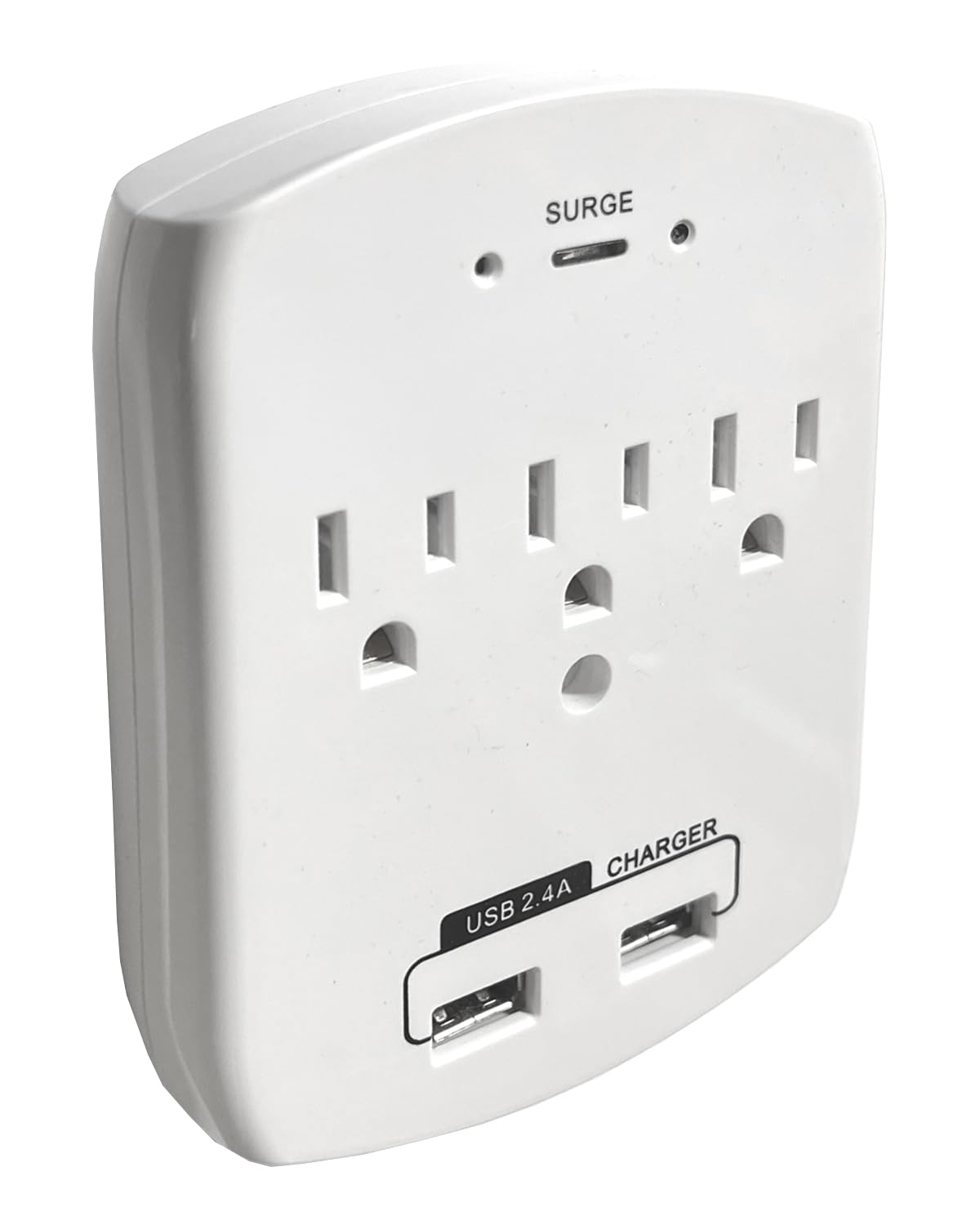
Slika 1: Spredaj view of the WF-113, displaying the AC outlets and USB charging ports.
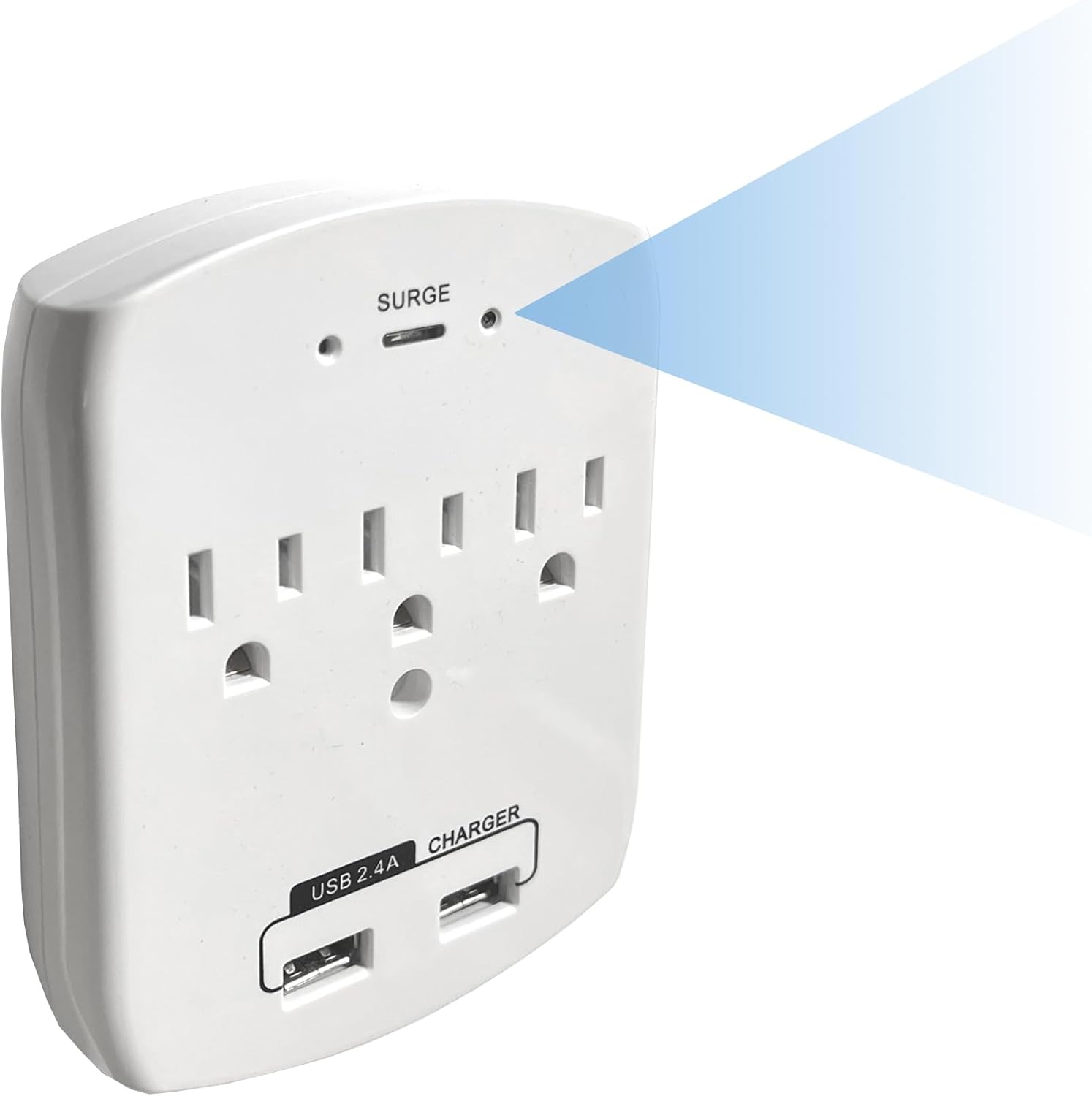
Slika 2: Pod kotom view indicating the discreetly placed camera lens and confirming the full functionality of the power outlets.
2. Začetni vklop
- Plug the WF-113 into a standard wall outlet. Ensure it is securely seated.
- The device will power on automatically. Allow a few moments for it to initialize.
3. Namestitev aplikacije
- Download the official SCS Enterprises application from your mobile device's app store (available for iOS and Android).
- Namestite aplikacijo in po potrebi ustvarite račun.
4. Povezovanje z Wi-Fi
- Open the SCS Enterprises app on your smartphone or tablet.
- Follow the in-app instructions to add a new device. This typically involves scanning a QR code on the device or manually entering its ID.
- Select your home or office Wi-Fi network and enter the password when prompted. Ensure your device is connected to a 2.4GHz Wi-Fi network, as 5GHz networks may not be supported.
- Once connected, the device status indicator in the app should confirm a successful connection.
Navodila za uporabo
1. Daljinec Viewing
Access live video feed from your WF-113 camera from anywhere using the mobile application.
- Open the SCS Enterprises app.
- Select your WF-113 device from the list of connected cameras.
- The live 1080p video stream will appear on your screen.

Slika 3: Daljinski upravljalnik viewing of the 1080p live feed via the mobile application.
2. Snemanje in shranjevanje
The WF-113 features 32GB of internal memory for recording.
- Recordings are primarily triggered by motion detection.
- Za view posnet footage, navigate to the 'Playback' or 'Recordings' section within the app.
- You can import recorded videos directly to your phone's storage.

Figure 4: Mobile app interface showing a list of recorded events for playback.
3. Zaznavanje gibanja in obvestila
Configure motion detection settings and receive instant alerts.
- In the app settings, locate 'Motion Detection Settings'.
- Adjust sensitivity levels (Low, Medium, High, Max) to suit your environment.
- Define specific 'Motion Zones' to monitor particular areas within the camera's field of view.
- Enable 'Push Notifications' to receive alerts on your mobile device when motion is detected.

Figure 5: Motion detection settings and push notification configuration within the app.
Vzdrževanje
To ensure optimal performance and longevity of your WF-113 camera:
- Čiščenje: Gently wipe the device and camera lens with a soft, dry cloth. Avoid using liquid cleaners or abrasive materials.
- Umestitev: Ensure the device is plugged into a stable wall outlet and not subjected to excessive heat, moisture, or direct sunlight.
- Posodobitve vdelane programske opreme: Periodically check the mobile application for available firmware updates to ensure your device has the latest features and security enhancements.
Odpravljanje težav
If you encounter issues with your WF-113, refer to the following common problems and solutions:
| Težava | Možen vzrok/rešitev |
|---|---|
| Naprava se ne vklopi | Ensure the device is securely plugged into a functional wall outlet. Check if the outlet has power. |
| Ni mogoče vzpostaviti povezave z Wi-Fi | Verify your Wi-Fi network is 2.4GHz. Ensure the Wi-Fi password is correct. Move the device closer to the Wi-Fi router. Restart the device and your router. |
| Ni video prenosa v živo | Check Wi-Fi connection status in the app. Ensure your mobile device has a stable internet connection. Restart the app. |
| Zaznavanje gibanja ne deluje | Verify motion detection is enabled in the app settings. Adjust sensitivity levels. Ensure motion zones are correctly configured. |
| Slaba kakovost videa | Ensure adequate lighting in the monitored area. Clean the camera lens. Check your internet connection speed. |
Specifikacije
| Funkcija | Podrobnost |
|---|---|
| Ime modela | WF-113 |
| Znamka | Podjetja SCS |
| Tehnologija povezljivosti | Brezžično (Wi-Fi) |
| Ločljivost zajema videa | 1080p |
| Viewkota | 85 stopinj |
| Posebna funkcija | 940nM IR občutljiv |
| Notranja/zunanja uporaba | Notranja |
| Združljive naprave | Namizni računalnik, prenosni računalnik, pametni telefon, tablični računalnik |
| Vrsta krmilnika | Android, iPhone |
| Vrsta pritrditve | Stenski nosilec |
| Vir napajanja | Either 12VDC or 110VAC (Never apply 110VAC directly to a 12VDC Model) |
| Potrebne baterije | št |
| Format za zajem videa | MJPEG |
| Mere predmeta | 1 x 3.75 x 4.75 palcev |
| Teža predmeta | 0.37 funta |
| Velikost nameščenega bliskovnega pomnilnika | 32 GB |
| Največja podprta velikost bliskovnega pomnilnika | 32 GB |
Informacije o garanciji
For specific warranty details regarding your SCS Enterprises WF-113 device, please refer to the warranty card included with your product or contact SCS Enterprises customer support directly. General warranty terms typically cover manufacturing defects for a specified period from the date of purchase.
Podpora uporabnikom
For any questions, technical assistance, or support, please contact SCS Enterprises customer service. Our 24/7 USA Customer Service team is available by calling or texting the number provided in your product packaging.
Please have your product model (WF-113) and purchase information ready when contacting support.