
Kisnt KN300BT
Uporabniški priročnik za številsko tipkovnico Kisnt KN300BT Bluetooth
Model: KN300BT
1. Uvod
The Kisnt KN300BT is a wireless numeric keypad designed to enhance your productivity by providing quick access to numeric input. It features dual Bluetooth connectivity, allowing seamless switching between two paired devices. This manual provides instructions for setting up, operating, and maintaining your number pad.

Slika 1.1: Konecview of the Kisnt KN300BT Bluetooth Number Pad highlighting its key features.
2. Kaj je v škatli
Prosimo, preverite vsebino paketa in se prepričajte, da so prisotni vsi elementi:
- 1 x 34 Keys Bluetooth Number Pad
- 1 x uporabniški priročnik
- 1 x polnilni kabel USB-C v USB-A
3. Setup: Bluetooth Pairing
The Kisnt KN300BT supports dual Bluetooth connectivity, allowing you to pair with two devices simultaneously and switch between them.
3.1 Začetno seznanjanje
- Vklop: Locate the operating system switch on the top edge of the number keypad. Slide it to either the 'WIN' or 'MAC' position, corresponding to your computer's operating system.
- Izberite kanal Bluetooth: Set the power switch to 'BT1' or 'BT2' to select your desired Bluetooth channel.
- Vstopite v način seznanjanja: Press and hold the 'connect' key for 5 seconds. The NumLock light will quickly flash blue, indicating the keypad is in pairing mode.
- Poveži se v napravi: On your computer or device, open Bluetooth settings and search for 'Numeric Keypad'. Select it to complete the pairing process.

Slika 3.1: Podrobno view of the keypad's side, showing the power switch, charging port, and operating system switch.
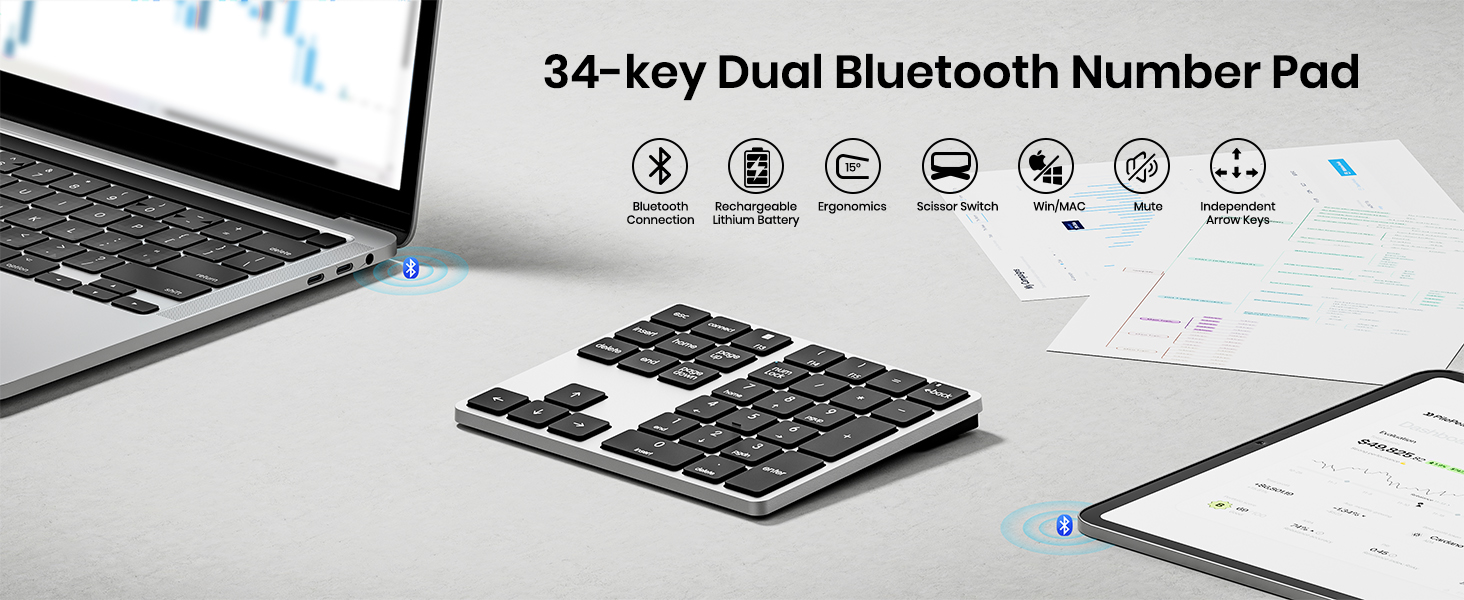
Image 3.2: Visual guide for the Bluetooth pairing process.
3.2 Preklapljanje med seznanjenimi napravami
To switch between two paired devices, simply press the 'BT1' or 'BT2' button on the keypad to select the corresponding channel.
4. Navodila za uporabo
The KN300BT features a 34-key extended layout, including number keys, function keys, and navigation keys.
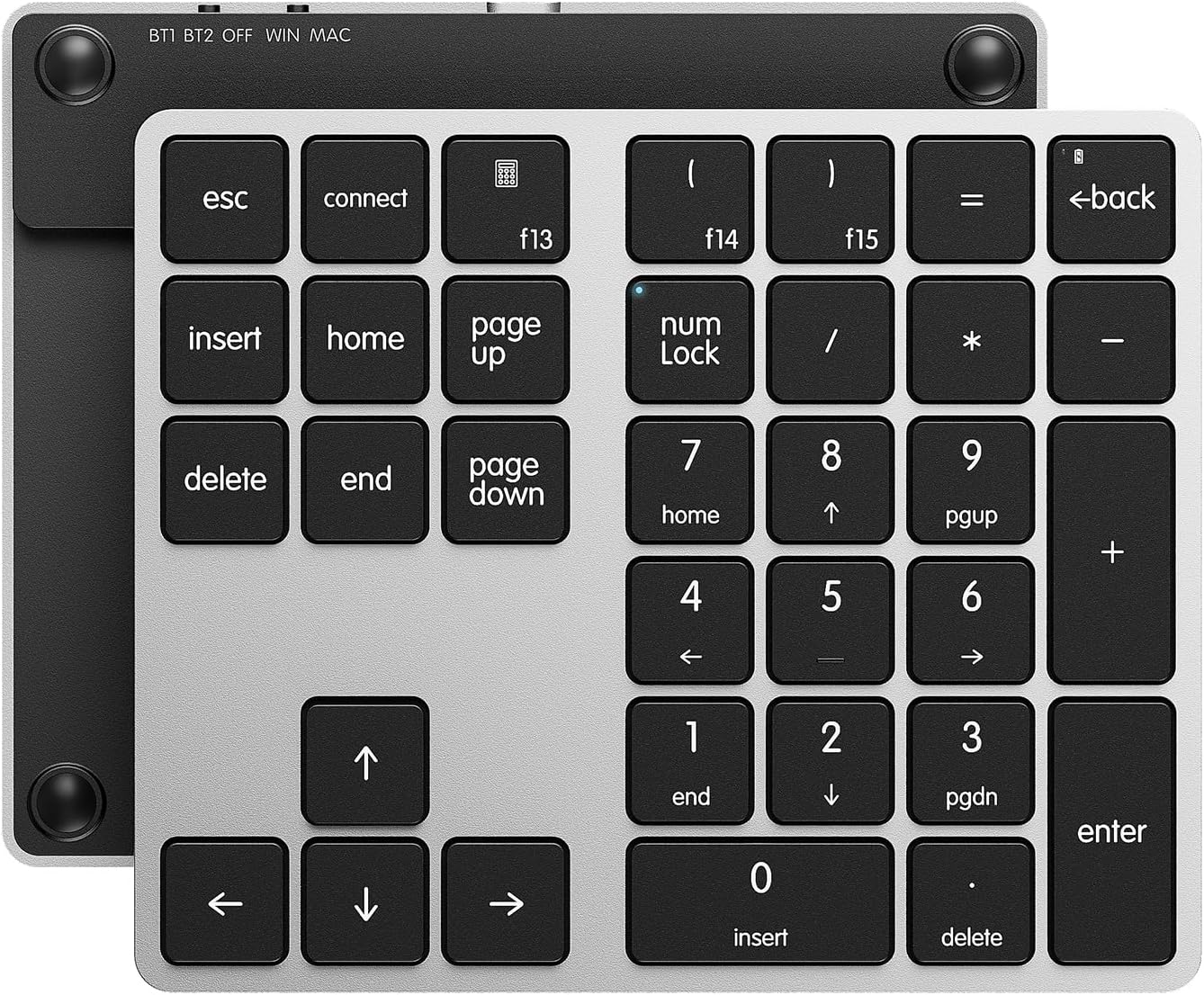
Image 4.1: The 34-key layout of the Kisnt KN300BT Number Pad.
4.1 Ključne funkcije
- Številske tipke (0-9): Standard number input.
- Aritmetični operatorji (+, -, *, /): Za izračune.
- Vnesi ključ: Confirms input.
- Tipka Esc: Funkcija pobega.
- Back Space Key: Izbriše znake.
- Vstavi ključ: Toggles insert mode.
- Izbriši ključ: Deletes selected items or characters.
- Tipki Home/End: Navigates to the beginning/end of a line or document.
- Tipki Page Up/Page Down: Pomika se po straneh.
- Puščične tipke (gor, dol, levo, desno): Za navigacijo.
- Num Lock: Toggles the numeric keypad function.
4.2 Mac and Windows Compatibility
The keypad includes an operating system switch to optimize key functions for either Mac or Windows environments.
- Uporabniki Mac: The F13-F15 keys are customizable as preferred shortcuts via system settings in macOS.
- Uporabniki sistema Windows: The Calculator, left parenthesis, and right parenthesis functions are applicable only in Windows systems.
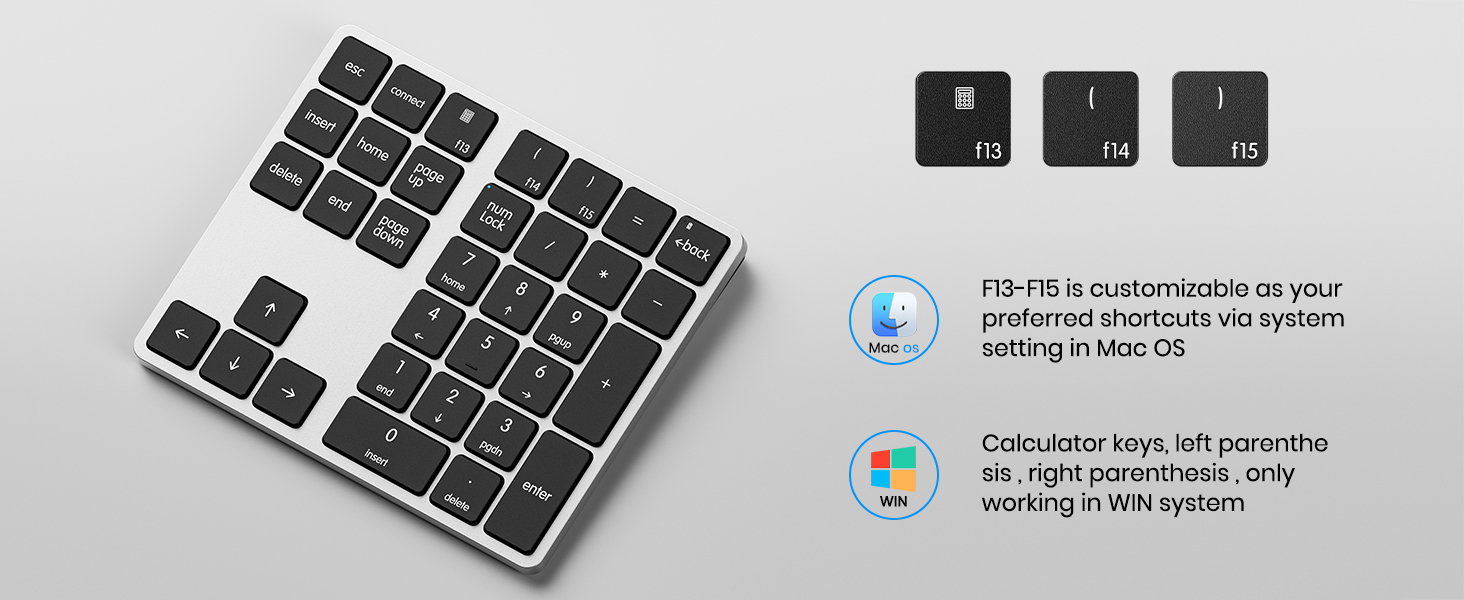
Image 4.2: Mac and Windows specific key functions.
5. Polnjenje in baterija
The Kisnt KN300BT is equipped with a built-in 300mAh lithium rechargeable battery.
5.1 Polnjenje tipkovnice
- Connect the provided USB-C to USB-A charging cable to the charging interface on the keypad and a USB power source.
- Indikatorska lučka polnjenja bo med polnjenjem sveti.
- Opomba: The USB-C cable is for charging only and cannot be used to operate the device.
5.2 Funkcija samodejnega preklopa v stanje mirovanja
To conserve battery life, the keypad features an auto-sleep function. It will automatically enter sleep mode when no operation is performed for a period of time. To wake up the keypad, simply press any key.

Image 5.1: Battery features including fast charging and auto-sleep.
6. Specifikacije
| Funkcija | Specifikacija |
|---|---|
| Številka modela | KN300BT |
| Tehnologija povezljivosti | Bluetooth |
| Število ključev | 34 |
| Baterija | 300 mAh litij-ionska (polnilna) |
| Dimenzije izdelka | 14 x 11.7 x 1.5 cm (D x Š x V) |
| Teža predmeta | 5.6 unče (158.7 gramov) |
| Material | Plastika |
| Opis tipkovnice | X Scissor Number Pad |
| Združljive naprave | Prenosnik, Mac, računalnik, pametni telefon, tablica |
7. Odpravljanje težav
7.1 Težave s povezavo
- Keypad not connecting: Ensure the keypad is charged and powered on. Verify the operating system switch is set correctly (WIN/MAC). Make sure the correct Bluetooth channel (BT1/BT2) is selected. Re-enter pairing mode by holding the 'connect' key for 5 seconds and try pairing again from your device's Bluetooth settings.
- Povezava se pogosto prekine: Ensure the keypad is within the effective Bluetooth range (approximately 33 feet or 10 meters) of your device. Minimize potential interference from other wireless devices. Try re-pairing the keypad.
7.2 Tipke se ne odzivajo
- Določene tipke ne delujejo: Check if the Num Lock indicator is on or off, depending on your intended use of the numeric keys. Ensure the keypad is properly connected via Bluetooth.
- All keys unresponsive: Recharge the keypad. If the issue persists, try resetting the Bluetooth connection on both the keypad and your device.
8. Garancija in podpora
8.1 Informacije o garanciji
Kisnt offers a 2-year after-sales service for quality issues. If you encounter any quality-related problems within this period, please contact us for a replacement.
8.2 Podpora strankam
For any issues or inquiries regarding your Kisnt product, please contact us:
- E-pošta: kisnt_vip@163.com
- Uradno Webspletno mesto: http://www.kisnt.cn/

Image 8.1: Kisnt customer support contact details.
Ask a question about this manual
Ask about setup, troubleshooting, compatibility, parts, safety, or missing instructions. Manuals+ will review the question and use this page’s manual context to help answer it.