
Uvod
Thank you for choosing the SUNITEC BH880 Wireless Headset. This manual provides detailed instructions for setting up, operating, and maintaining your headset to ensure optimal performance and longevity. The BH880 headset is designed for clear communication and comfortable use in various environments, featuring advanced noise-cancelling technology and multiple connectivity options.

Image: SUNITEC BH880 Wireless Headset, showcasing its design with an adjustable microphone boom.
Kaj je v škatli
Preverite, ali so v paketu prisotni vsi elementi:
- 1 x SUNITEC BH880 Bluetooth Computer Headset with Microphone
- 1 x polnilni kabel Type-C
- 1 x Bluetooth Audio USB-A Dongle Adapter
- 1 x 3.5 mm avdio kabel
- 1 x Uporabniški priročnik (ta dokument)

Image: The SUNITEC BH880 headset, USB-C charging cable, USB-A dongle, and 3.5mm audio cable, illustrating the package contents.
Konec izdelkaview
Familiarize yourself with the components and controls of your SUNITEC BH880 headset.
Ključne značilnosti:
- Mikrofon z umetno inteligenco za odpravljanje šumov: Blocks 99% of ambient noise for clear voice transmission.
- Čipset Qualcomm QCC3034: Provides stable and fast Bluetooth transmission with aptX HD and aptX LL support.
- Udoben dizajn: Soft dual ear pads and an adjustable headband for extended wear.
- 270° Rotatable Boom Microphone: Can be positioned on either the left or right side.
- Dolga življenjska doba baterije: Do 45 ure pogovorov z enim polnjenjem.
- Večkratna povezljivost: Bluetooth, USB Dongle, and 3.5mm wired connection.

Image: Close-up of the memory foam earpads, highlighting the comfort feature of the headset.

Image: Detail of the individual mute button located on the microphone boom.

Slika: Notranji view highlighting the Qualcomm QCC3034 chipset, responsible for stable and fast connections.
Nastavitev
1. Polnjenje slušalk
Before first use, fully charge the headset. Connect the Type-C charging cable to the headset's charging port and the other end to a USB power source (e.g., computer USB port, wall adapter). The LED indicator will show charging status. A full charge takes approximately 2 hours and provides up to 45 hours of talk time or 400 hours of standby time.
2. Vklop/izklop
- Vklop: Pritisnite in držite gumb za vklop nekaj sekund, dokler se ne prižge LED indikator.
- Ugasniti: Pritisnite in držite gumb za vklop nekaj sekund, dokler se LED indikator ne izklopi.
3. Možnosti povezovanja
The SUNITEC BH880 offers three ways to connect to your devices:
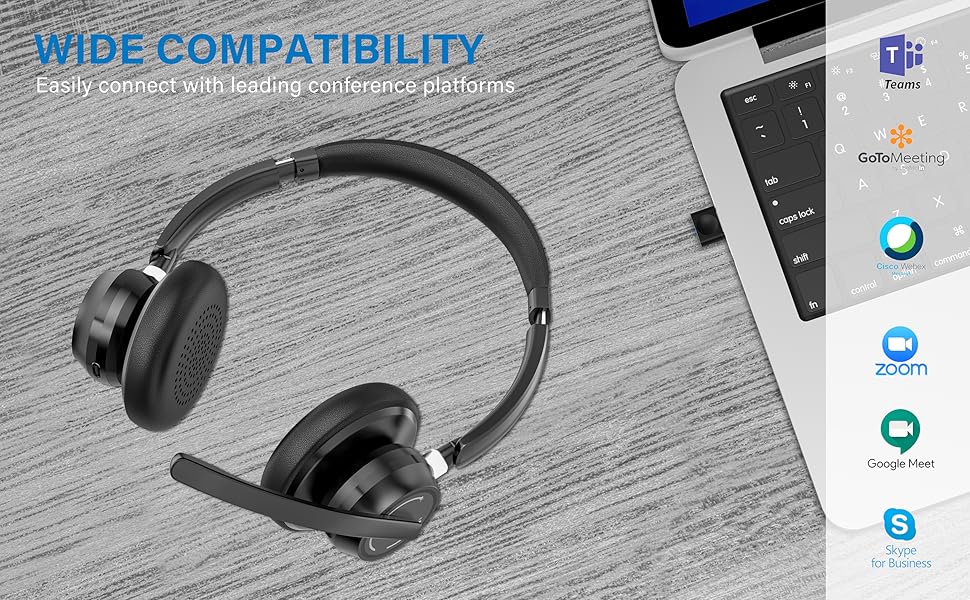
Image: Visual representation of Bluetooth, USB Dongle, and Wired connection methods for the headset.
Povezava Bluetooth:
- Prepričajte se, da so slušalke izključene.
- Pritisnite in držite gumb za vklop, dokler LED indikator ne utripa izmenično modro in rdeče, kar označuje način seznanjanja.
- V napravi (pametnem telefonu, tablici, računalniku) omogočite Bluetooth in poiščite nove naprave.
- Select "SUNITEC BH880" from the list of available devices.
- Ko je priključen, LED indikator počasi utripa modro.
Povezava USB ključka:
This method is ideal for computers without built-in Bluetooth or for a more stable connection.
- Plug the USB-A Dongle Adapter into an available USB port on your computer.
- Power on the SUNITEC BH880 headset. It will automatically attempt to connect to the dongle.
- The LED indicator on the dongle and headset will show a solid blue light once connected.
- You may need to select the "SUNITEC BH880" as the audio input/output device in your computer's sound settings.

Image: A USB dongle being inserted into a laptop's USB port, demonstrating the dongle connection method.
Žična povezava:
Use the included 3.5mm audio cable to connect the headset directly to devices with a 3.5mm audio jack. Note that the microphone function is not available when using the 3.5mm wired connection; the headset will function as headphones only.

Image: The headset shown with logos of popular communication platforms like Teams, Zoom, Google Meet, and Skype, indicating wide compatibility.
Navodila za uporabo
Osnovne funkcije:
- Povečanje/zmanjšanje glasnosti: Use the dedicated volume buttons on the earcup.
- Predvajanje/pavza: Enkrat pritisnite večfunkcijski gumb.
- Naslednja skladba: Pritisnite in držite gumb za povečanje glasnosti.
- Prejšnja skladba: Pritisnite in držite gumb za zmanjšanje glasnosti.
Klicne funkcije:
- Sprejmi/končaj klic: Enkrat pritisnite večfunkcijski gumb.
- Zavrni klic: Pritisnite in držite večfunkcijski gumb 2 sekundi.
- Ponovno klicanje zadnje številke: Dvakrat pritisnite večfunkcijski gumb.
Funkcija izklopa mikrofona:
The headset features an individual mute button on the microphone boom for quick privacy control.
- Izklop/vklop zvoka: Press the mute button on the microphone boom. The LED indicator on the microphone will show red when muted.
- Opomba: For PC platforms, microphone mute functionality may also be controlled via the software application (e.g., Zoom, Teams).
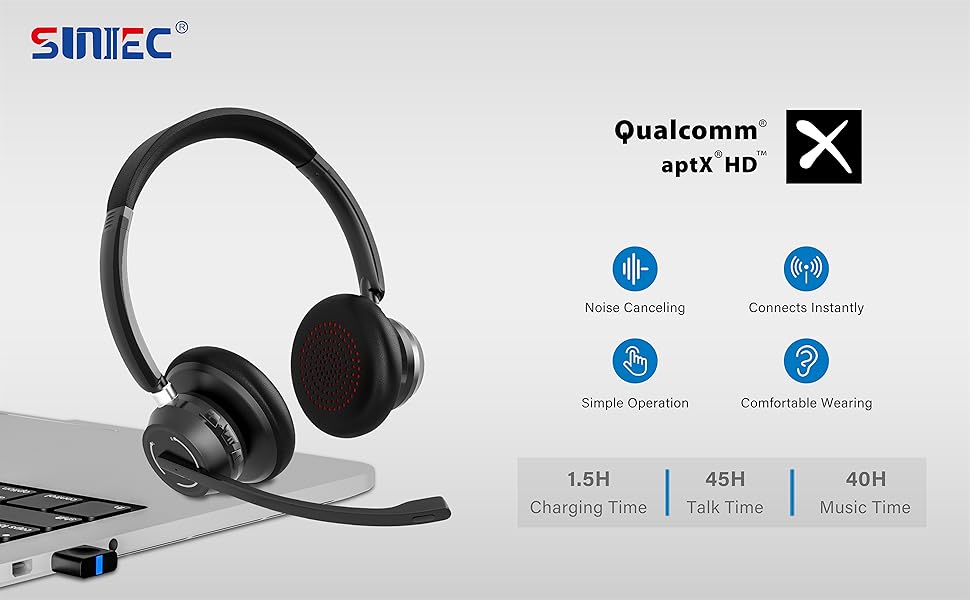
Image: A graphic demonstrating how the noise-cancelling microphone filters out background noise for clearer audio output.
Vzdrževanje
Proper care ensures the longevity of your SUNITEC BH880 headset.
- Čiščenje: Za čiščenje slušalk uporabite mehko, suho krpo. Ne uporabljajte abrazivnih čistil ali topil.
- Shranjevanje: Slušalke shranjujte na hladnem in suhem mestu, stran od neposredne sončne svetlobe in ekstremnih temperatur.
- Vzdrževanje baterije: Da bi podaljšali življenjsko dobo baterije, se izogibajte pogostemu popolnemu praznjenju slušalk. Redno jih polnite, tudi če jih dalj časa ne uporabljate.
- Izogibajte se vlagi: Slušalke niso vodoodporne. Hranite jih stran od tekočin in visoke vlažnosti.
Odpravljanje težav
If you encounter issues with your SUNITEC BH880 headset, refer to the following common solutions:
| Težava | rešitev |
|---|---|
| Slušalke se ne vklopijo. | Ensure the headset is charged. Connect it to a power source using the Type-C cable. |
| Seznanitev prek Bluetootha ni mogoča. |
|
| Ni zvoka ali slaba kakovost zvoka. |
|
| Mikrofon ne deluje. |
|
| USB Dongle not connecting. |
|
Specifikacije
| Funkcija | Podrobnost |
|---|---|
| Ime modela | BH880 |
| Tehnologija povezljivosti | Wireless (Bluetooth), Wired (3.5mm), USB Dongle |
| Brezžična komunikacijska tehnologija | Bluetooth 5.1 |
| Bluetooth obseg | Do 15 metrov (49 čevljev) |
| Nadzor hrupa | Prilagodljivo odpravljanje šumov (mikrofon) |
| Velikost zvočnega gonilnika | 40 milimetrov |
| Vrsta zvočnega gonilnika | Dinamični gonilnik |
| Impedanca | 32 Ohmov |
| Oblika slušalke | Nad ušesi |
| Življenjska doba baterije (čas pogovora) | Do 45 uri |
| Čas polnjenja | Approximately 2 Hours (Type-C) |
| Teža predmeta | 280 gramov (9.9 unč) |
| Dimenzije izdelka | 5.91 x 3.94 x 1.96 palcev |
| Material | Plastika |
| Združljive naprave | Computers, Communication Software (Skype, Zoom, MS Teams, Google Meet) |
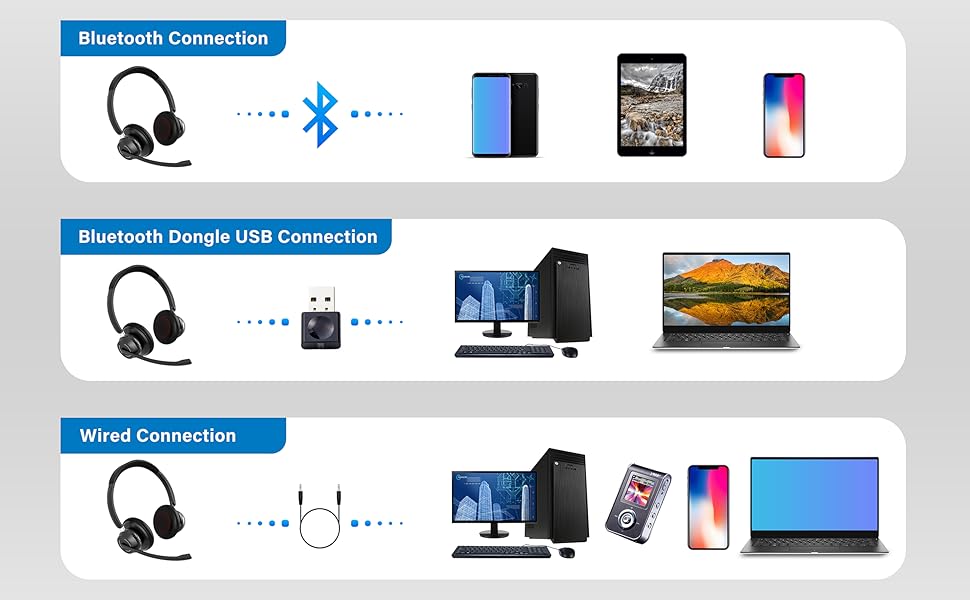
Image: An illustration highlighting the headset's battery performance, indicating up to 45 hours of wireless talk time.
Garancija in podpora
SUNITEC products are designed for reliability and performance. For warranty information or technical support, please refer to the contact details provided with your purchase or visit the official SUNITEC webspletnega mesta. Račun shranite kot dokazilo o nakupu za uveljavljanje garancije.
For further assistance, you may contact SUNITEC customer service through their official channels.