
Uvod
The OnePlus Buds Pro 3 are advanced wireless Bluetooth earbuds designed to deliver a high-quality audio experience with features such as adaptive noise cancellation, dual-driver audio, and extended battery life. This manual provides essential information for setting up, operating, and maintaining your earbuds.

Image: OnePlus Buds Pro 3 earbuds and their charging case in Midnight Opus.
Kaj je v škatli
Vaš paket OnePlus Buds Pro 3 vsebuje naslednje predmete:
- OnePlus Buds 3 Pro x 1 par
- Polnilna torbica za OnePlus Buds 3 Pro x 1
- Uporabniški priročnik x 1
- Silikonski ušesni nastavki x 3 (S, M, L)
- Polnilni kabel USB Type-C x 1

Image: All items included in the OnePlus Buds Pro 3 retail packaging.
Konec izdelkaview
The OnePlus Buds Pro 3 feature a sleek design with a metallic finish on the earbud stems and a textured charging case. Each earbud is equipped with dual drivers for enhanced audio quality.

Spredaj view of earbuds and case.

Stran view of earbuds and case.
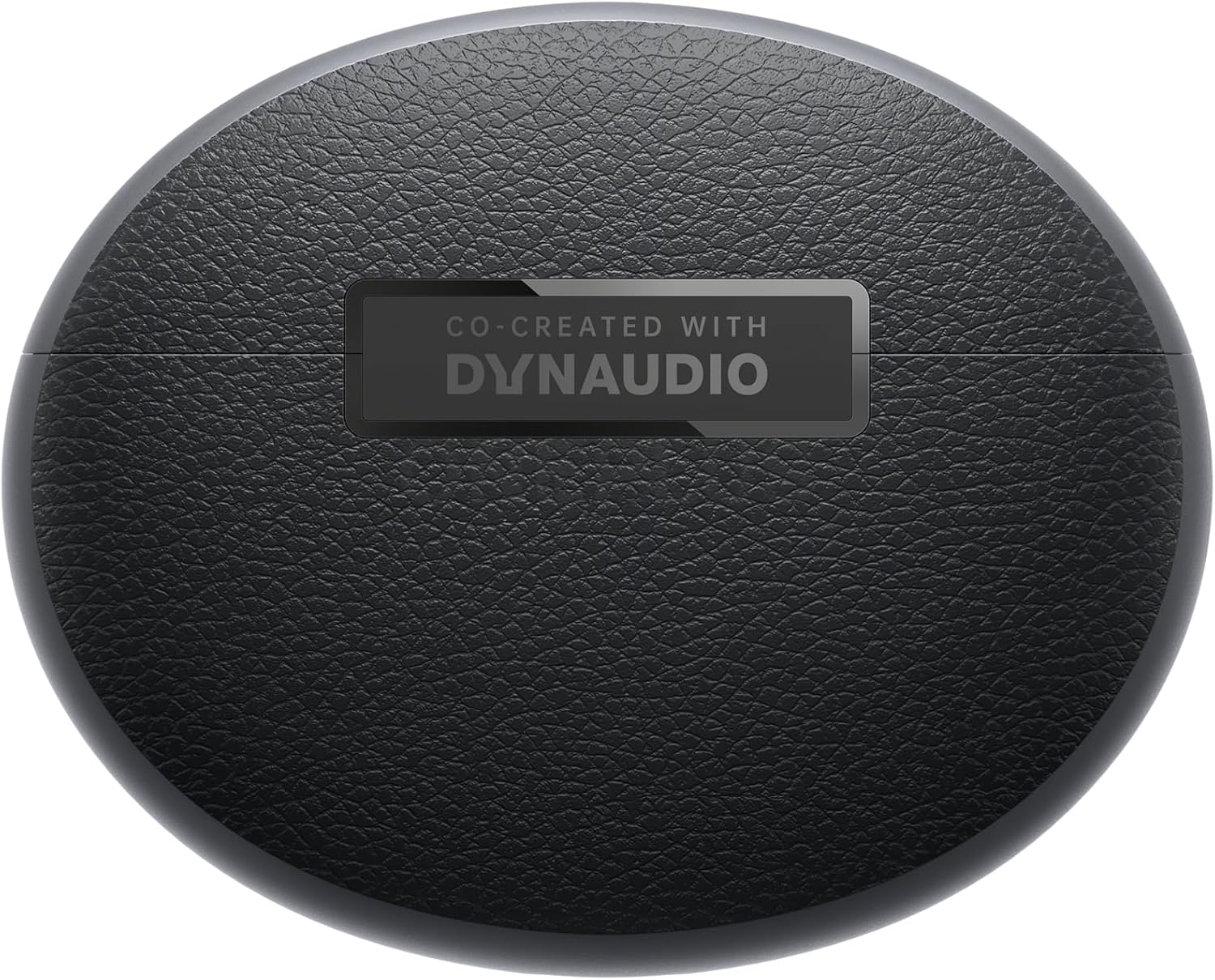
Nazaj view of earbuds and case.
Nastavitev
Seznanjanje
- Ensure your OnePlus Buds Pro 3 are charged.
- Odprite polnilno ohišje. Slušalke bodo samodejno prešle v način seznanjanja.
- V napravi (pametnem telefonu, tabličnem računalniku itd.) omogočite Bluetooth.
- Iskanje "OnePlus Buds Pro 3" in the list of available Bluetooth devices and select it to pair.
- For quick pairing with compatible Android devices, Google Fast Pair is supported.
HeyMelody App Installation
For full functionality and customization of your OnePlus Buds Pro 3, download the HeyMelody app from your device's app store (Google Play Store for Android, Apple App Store for iOS). The app allows you to manage settings, update firmware, and access advanced features.
Earbud Fit Test
Use the HeyMelody app to perform an earbud fit test. This ensures you have the optimal seal for the best audio quality and effective noise cancellation. Experiment with the included silicone eartips (S, M, L) to find the size that provides the best fit for your ears.
Navodila za uporabo
Dotaknite se kontrolnikov
The OnePlus Buds Pro 3 feature intuitive touch and squeeze controls on the earbud stems. These controls can be customized via the HeyMelody app.
- Quick Squeeze: Play/Pause audio.
- Dvojni stis: Naslednja skladba.
- Trojni stisk: Prejšnja skladba.
- Slide on Earbud Stem: Nadzor glasnosti.
- Stisnite in držite: Switch between Noise Cancellation and Transparency modes.
Načini nadzora hrupa
The earbuds offer various noise control modes to adapt to your environment:
- Aktivno odpravljanje hrupa (ANC): Zmanjša hrup iz okolice za do 50 dB za poglobljeno poslušalsko izkušnjo.
- Prilagodljivo odpravljanje hrupa: Automatically adjusts the noise cancellation level based on your surroundings.
- Način preglednosti: Omogoča vam, da slišite okolico, medtem ko še vedno uživate v zvoku, kar je uporabno za ozaveščanje v prometnih okoljih.
Spatial Audio with Head Tracking
Experience immersive 3D sound with dynamic head tracking. This feature creates a sound environment that adapts to your head movements, providing a more realistic audio experience for supported music, video, and game apps.

Image: Spatial Audio with head tracking provides an immersive sound experience.
Igralni način z nizko zakasnitvijo
Activate Gaming Mode via the HeyMelody app to reduce audio lag, ensuring seamless sound synchronization for an enhanced gaming experience.
Smart Dual Connection
The earbuds support dual connection, allowing you to seamlessly switch between two paired devices (e.g., a smartphone and a laptop) without manually disconnecting and reconnecting.
Sound Master EQ
The HeyMelody app provides access to various Sound Master EQ presets, including Dynaudio-featured tuning, to customize your audio experience. You can also adjust the BassWave™ feature for deeper bass with clarity and fidelity.
Polnjenje
Podaljšana življenjska doba baterije
The earbuds offer up to 9 hours of playback on a single charge. With the charging case, the total battery life extends up to 44 hours.
Tehnologija hitrega polnjenja
A quick 10-minute charge provides up to 5 hours of playback, ensuring your music is always ready when you are.
Brezžično polnjenje
The charging case supports wireless charging for convenient power replenishment.

Image: Battery life details for various usage scenarios.
Vzdrževanje in nega
IP55 Water and Sweat Resistance
The earbuds are rated IP55 for water and sweat resistance, making them suitable for workouts and outdoor activities. This rating protects against splashes and sweat, but they are not designed for submersion in water.

Image: IP55 rating ensures protection against water splashes and sweat.
Čiščenje
Regularly clean the earbuds and charging case with a soft, dry cloth. Remove any earwax or debris from the eartips and speaker grilles to maintain optimal sound quality and hygiene.
Odpravljanje težav
- No Sound/Connectivity Issues: Ensure earbuds are charged, Bluetooth is enabled on your device, and the earbuds are paired correctly. Try unpairing and re-pairing.
- Slaba kakovost zvoka: Check earbud fit using the HeyMelody app's fit test. Ensure eartips are clean and free of debris.
- Odpravljanje šumov ni učinkovito: Verify ANC mode is active and that earbuds have a good seal.
- Slušalke se ne polnijo: Ensure the charging case is charged and that the earbuds are properly seated in the case. Clean charging contacts if necessary.
Specifikacije
| Funkcija | Specifikacija |
|---|---|
| Ime modela | OnePlus Buds Pro 3 (E512A) |
| Nadzor hrupa | Prilagodljivo odpravljanje šumov (do 50 dB) |
| Vrsta zvočnega gonilnika | Hybrid Driver (11mm woofer, 6mm tweeter) |
| Tehnologija povezljivosti | Bluetooth 5.2 |
| Življenjska doba baterije (slušalke) | Do 9 ur |
| Življenjska doba baterije (z ohišjem) | Do 44 ur |
| Hitro polnjenje | 10 minut polnjenja za 5 ure predvajanja |
| Vodoodpornost | IP55 (ušesni čepki) |
| Vrsta nadzora | Nadzor na dotik |
| Impedanca | 18 Ohmov |
| Občutljivost | 100 dB |
| Frekvenčni odziv | 40 Hz |
| Teža | 7.4 unč (0.21 kilograma) |
Uradni videoposnetek izdelka
Video: An official short preview razstavaasing the design and features of the OnePlus Buds Pro 3.
Garancija in podpora
For detailed warranty information and support, please refer to the official OnePlus website or contact OnePlus customer service. Keep your proof of purchase for warranty claims.