
1. Uvod
This manual provides instructions for the proper setup, operation, and maintenance of your Califone On-Ear Headset with Gooseneck Microphone, Model CAFKH08GTBK. This headset is designed for clear verbal communication and audio listening, featuring a unidirectional gooseneck microphone and in-line volume control. Please read this manual thoroughly before using the product to ensure optimal performance and longevity.
2. Izdelek je končanview
2.1 Ključne lastnosti
- Inline volume control for easy audio adjustment.
- Durable 6-foot CaliTuff cord, designed to be cut and chew-resistant.
- Comfortable leatherette ear cushions for extended wear.
- Nastavljiv naglavni trak za varno in udobno prileganje.
- Unidirectional gooseneck microphone that swings up when not in use.
2.2 Vsebina paketa
Paket izdelkov vključuje:
- 1 x Califone On-Ear Headset with Gooseneck Microphone (Model CAFKH08GTBK)
2.3 Komponente izdelka

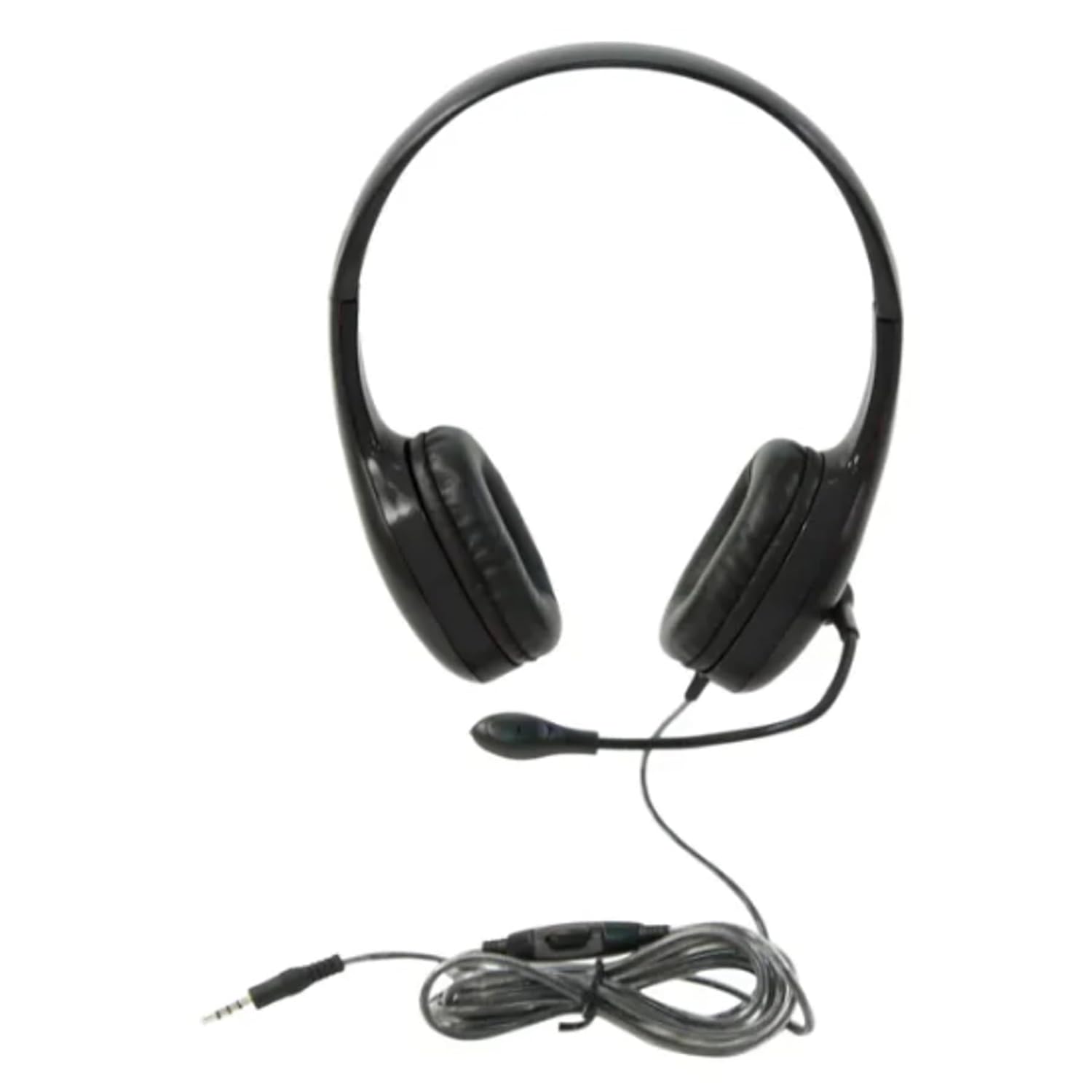
Slika 1: Califone On-Ear Headset. This image shows the complete headset with the adjustable headband, on-ear earcups, and the flexible gooseneck microphone extended. The attached cord with the 3.5mm jack and inline volume control is also visible.
Slika 2: 3.5mm Jack and Inline Volume Control. This image focuses on the 3.5mm audio jack and the inline control unit located on the headset's cord. The control unit features a rotary dial for adjusting volume.
3. Nastavitev
- Priključite slušalke: Locate the 3.5mm audio jack on your computer, tablet, smartphone, or other compatible audio device. Insert the 3.5mm plug from the headset firmly into the audio jack.
- Prilagodite naglavni trak: Place the headset on your head. Adjust the headband by sliding the earcups up or down until they rest comfortably over your ears and the headband fits securely.
- Postavite mikrofon: Gently bend the flexible gooseneck microphone to position it approximately 1-2 inches (2.5-5 cm) from your mouth for optimal voice pickup. Ensure it is not directly in front of your mouth to avoid breath noises.
- Initial Volume Check: Before playing audio or speaking, ensure the inline volume control is set to a low level to prevent sudden loud sounds.
4. Navodila za uporabo
4.1 Predvajanje zvoka
Once connected, your device should automatically recognize the headset. Play audio from your device. Adjust the volume using the inline volume control on the headset cord or through your device's system volume settings.
4.2 Uporaba mikrofona
For voice communication (e.g., video calls, online gaming, voice recording):
- Ensure the microphone is positioned correctly (refer to Section 3.3).
- In your device's audio settings, select the Califone headset as the input (microphone) device.
- If not in use, the gooseneck microphone can be swung upwards and away from your face.
5. Vzdrževanje
5.1 Čiščenje
- Disconnect the headset from your device before cleaning.
- Wipe the ear cushions and exterior surfaces with a soft, damp krpo. Ne uporabljajte močnih kemikalij ali abrazivnih čistil.
- Avoid getting moisture into the earcup speakers or microphone.
5.2 Storage and Cord Care
- Store the headset in a clean, dry place away from extreme temperatures.
- Avoid tightly wrapping the cord around the headset or pulling on it excessively, despite its durable CaliTuff design.
- Do not expose the cord to sharp objects or excessive bending.
6. Odpravljanje težav
| Težava | Možna rešitev |
|---|---|
| Ni zvoka iz slušalk. |
|
| Mikrofon ne deluje. |
|
| Zvok je popačen ali nejasen. |
|
7. Specifikacije
| Funkcija | Podrobnost |
|---|---|
| Številka modela | CAFKH08GTBK |
| Tehnologija povezljivosti | Žično (3.5 mm vtičnica) |
| Namestitev ušesa | Na uho |
| Vrsta mikrofona | Gooseneck, Unidirectional |
| Dolžina kabla | 6 feet (CaliTuff) |
| Posebne lastnosti | Adjustable Headband, Inline Volume Control |
| Dimenzije izdelka | 26.67 x 24.13 x 21.59 cm |
| Teža predmeta | 159 g |
| barva | Črna |
| Proizvajalec | Caliphone International |
| Država izvora | ZDA |
8. Informacije o garanciji
This Califone On-Ear Headset (Model CAFKH08GTBK) is covered by a 3-letna garancija from the date of purchase. This warranty covers manufacturing defects and workmanship under normal use. For warranty claims or detailed terms and conditions, please refer to the official Califone webali se obrnite na njihovo podporo strankam.
9. Podpora strankam
If you encounter any issues not covered in the troubleshooting section or require further assistance, please contact Califone customer support. You can typically find contact information, FAQs, and additional resources on the official Califone webmesto.
Please have your product model number (CAFKH08GTBK) and proof of purchase ready when contacting support.