
1. Uvod
This manual provides comprehensive instructions for the installation, operation, and maintenance of your eXtremeRate RISE V3 Remap Kit. This kit is designed to enhance your PlayStation 5 controller by adding two programmable back buttons, transforming it into a professional eSport elite controller. Please read these instructions carefully before proceeding with installation.
2. Združljivost
The RISE V3 Remap Kit is compatible only with PlayStation 5 controllers with board models BDM-030, BDM-040, and BDM-050. It is NE compatible with BDM-010 or BDM-020 models. Verifying your controller's BDM model is crucial before installation.

Slika 2.1: Združljivost nadview for BDM-030, BDM-040, and BDM-050 PS5 controller models.
2.1 How to Check Your Controller's BDM Model
To determine your controller's BDM model, you can use the official eXtremeRate tool or visually inspect the controller. Refer to the video below for a detailed guide.
Video 2.1: Guide on how to check your PS5 controller's BDM model using the eXtremeRate tool.
3. Vsebina paketa
Before beginning installation, please ensure all components listed below are present in your package.
- RISE V3 Remap Board
- FPC kabel
- Redesigned Back Shell
- 2 Back Buttons (Paddles)
- Izvijač in vijaki
- Prying Tool
- Other necessary small components

Figure 3.1: Contents of the RISE V3 Remap Kit.
4. Vodič za namestitev
Installation of the RISE V3 Remap Kit requires high hands-on skills. Soldering is optional depending on the desired functionality. Please follow the instructions carefully. It is recommended to watch the installation video before starting.
4.1 Splošna namestitevview
The process involves disassembling your PS5 controller, installing the remap board and FPC cable, attaching the new back shell with paddles, and reassembling the controller. Ensure all connections are secure.
Video 4.1: Konecview of the eXtremeRate RISE Remap Kit installation process.
4.2 Key Installation Steps (Visual Aid)
- Disassemble the controller carefully using the provided tools.
- Install the RISE V3 remap board and connect the FPC cable to the controller's mainboard.
- Secure the back paddles into the redesigned bottom shell.
- Reassemble the controller, ensuring all wires are properly routed and not pinched.

Slika 4.1: Notranji view of the remap board installation.
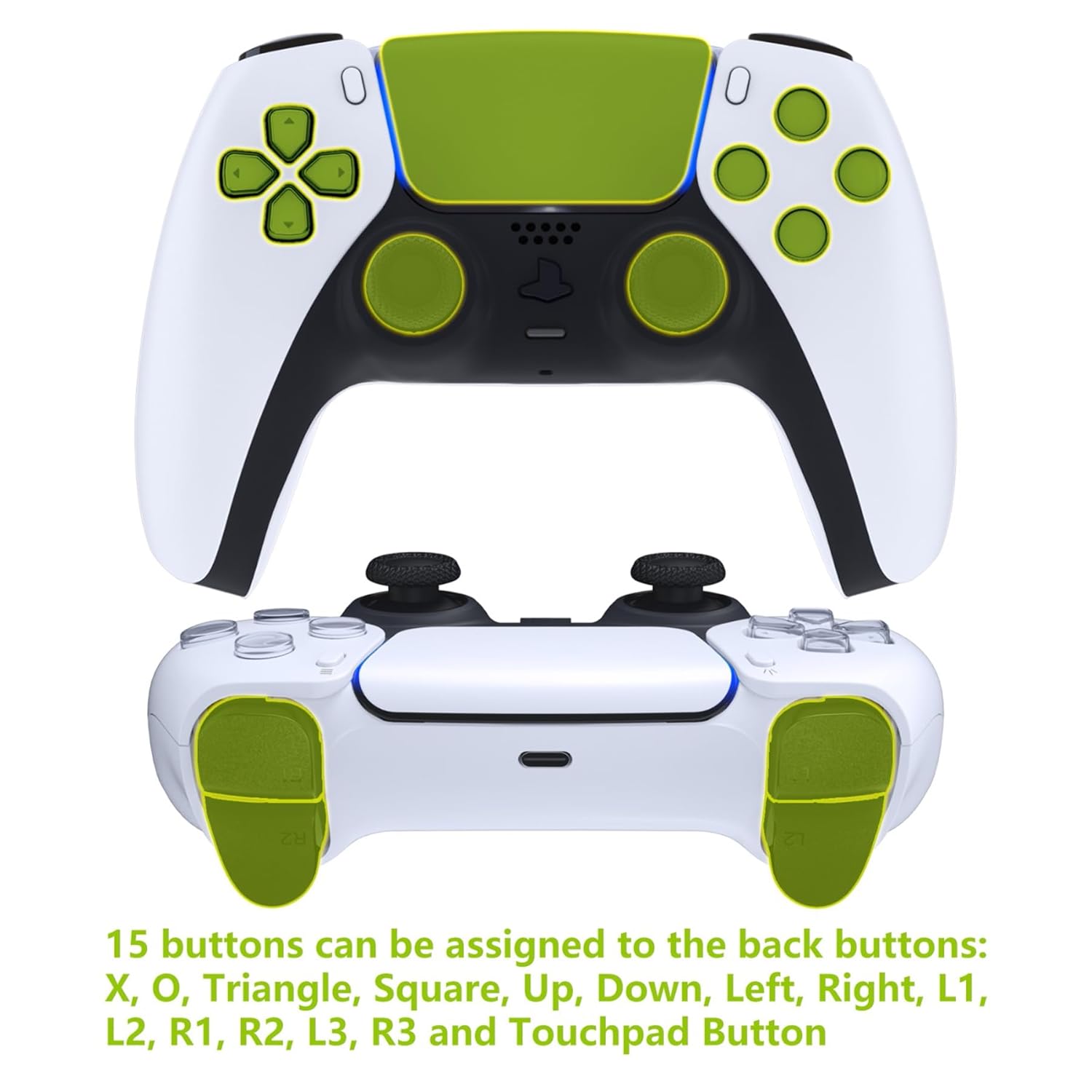
Slika 4.2: Zunanji view of the installed back paddles.
5. Operating Instructions: Programming Back Buttons
The RISE V3 Remap Kit allows you to assign up to 15 different controller buttons to the two ergonomic back paddles. These buttons include X, O, Triangle, Square, Up, Down, Left, Right, L1, L2, R1, R2, L3, R3, and the Touchpad Button.
5.1 Način programiranja
- Pritisnite in držite Gumb za nastavitev (located on the back of the kit, usually a small button in the center) for 3 seconds to enter programming mode. The LED indicator will light up.
- Press the back paddle (K1 or K2) you wish to program, then press the desired button on the front of the controller (e.g., X, O, Triangle).
- Pritisnite Gumb za nastavitev again to save the assignment and exit programming mode. The LED indicator will turn off.
- Repeat for the other back paddle if desired.

Figure 5.1: Location of LED indicator, setting button, and back buttons.
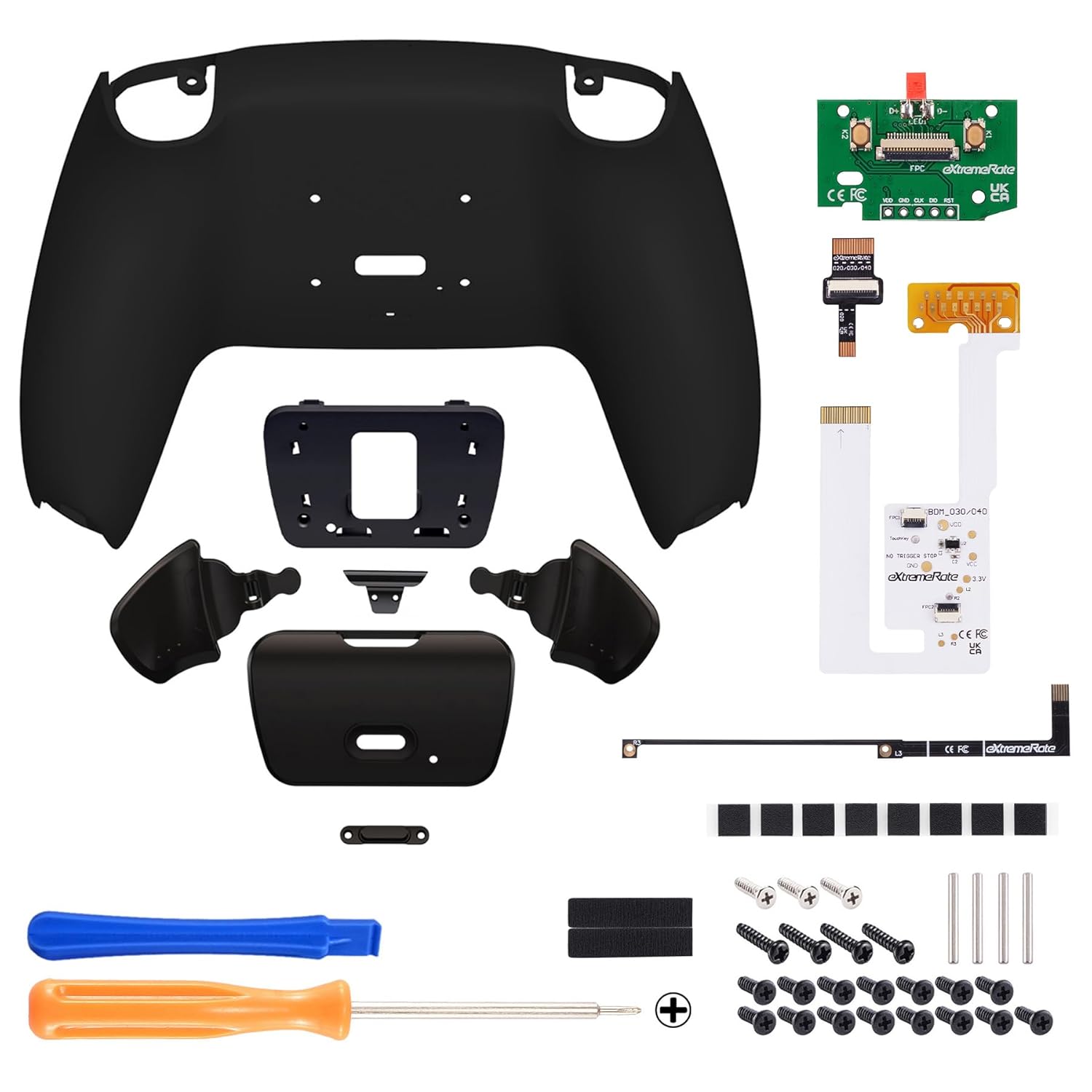
Figure 5.2: Assignable buttons for the back paddles.
6. Vzdrževanje
Proper maintenance ensures the longevity and optimal performance of your remap kit.
6.1 Navodila za čiščenje
- It is recommended to clean the plastic components with a wipe dampnamočeno z vodo.
- If alcohol is used, ensure it is less than 70% concentration.
- Place the cleaned components in a well-ventilated area to dry completely.
- NE spray water or alcohol directly onto the product surface.
- NE use any other organic solvents for cleaning.

Figure 6.1: Cleaning guidelines for plastic components.
7. Odpravljanje težav
If you encounter issues with your RISE V3 Remap Kit, refer to the following common problems and solutions.
| Težava | Možen vzrok | rešitev |
|---|---|---|
| Back paddles not responding or working intermittently. | Loose FPC cable connection, incorrect button mapping, or faulty paddle. |
|
| Controller not closing properly or buttons sticking. | Incorrect component placement, wires pinched, or incompatible controller model. |
|
| Controller does not power on after installation. | Battery connection issue, short circuit, or damaged component. |
|
8. Specifikacije
- Znamka: eXtremeRate
- Model: XPFP3009G4 (RISE V3 Remap Kit)
- Združljivost: PS5 Controller BDM-030, BDM-040, BDM-050
- Programabilni gumbi: 2 back paddles, assignable to 15 different controller buttons
- Material: Metal (for certain components, kit includes plastic shell)
- Teža artikla: 50 Grams (approximate for the kit)
9. Garancija in podpora
For warranty information or technical support, please contact the seller directly through your purchase platform. Ensure you retain your proof of purchase for any warranty claims.
Prodajalec: EXR Gaming Store
For additional resources and video guides, you may visit the official eXtremeRate website or their YouTube channel.