
1. Uvod
Thank you for choosing the Edifier X1 Lite True Wireless Earbuds. This manual provides detailed instructions for setting up, operating, and maintaining your new earbuds to ensure optimal performance and longevity. Please read this manual thoroughly before use.

Image: Edifier X1 Lite True Wireless Earbuds in their open charging case.
2. Kaj je v škatli
The Edifier X1 Lite package includes the following components:
- Edifier X1 Lite True Wireless Earbuds (Left and Right)
- etui za polnjenje
- USB polnilni kabel
- Uporabniški priročnik (ta dokument)
3. Nastavitev
3.1 Začetno polnjenje
Pred prvo uporabo popolnoma napolnite slušalke in polnilno ohišje.
- Obe slušalki vstavite v ohišje za polnjenje.
- Polnilni kabel USB priključite na polnilno vtičnico na ohišju in na vir napajanja (npr. stenski adapter USB, vrata USB računalnika).
- Indikatorska lučka na polnilnem ohišju bo prikazovala stanje polnjenja. Za podrobnosti glejte razdelek o LED indikatorjih.
- Polnjenje ohišja in slušalk običajno traja približno 1.5 ure.
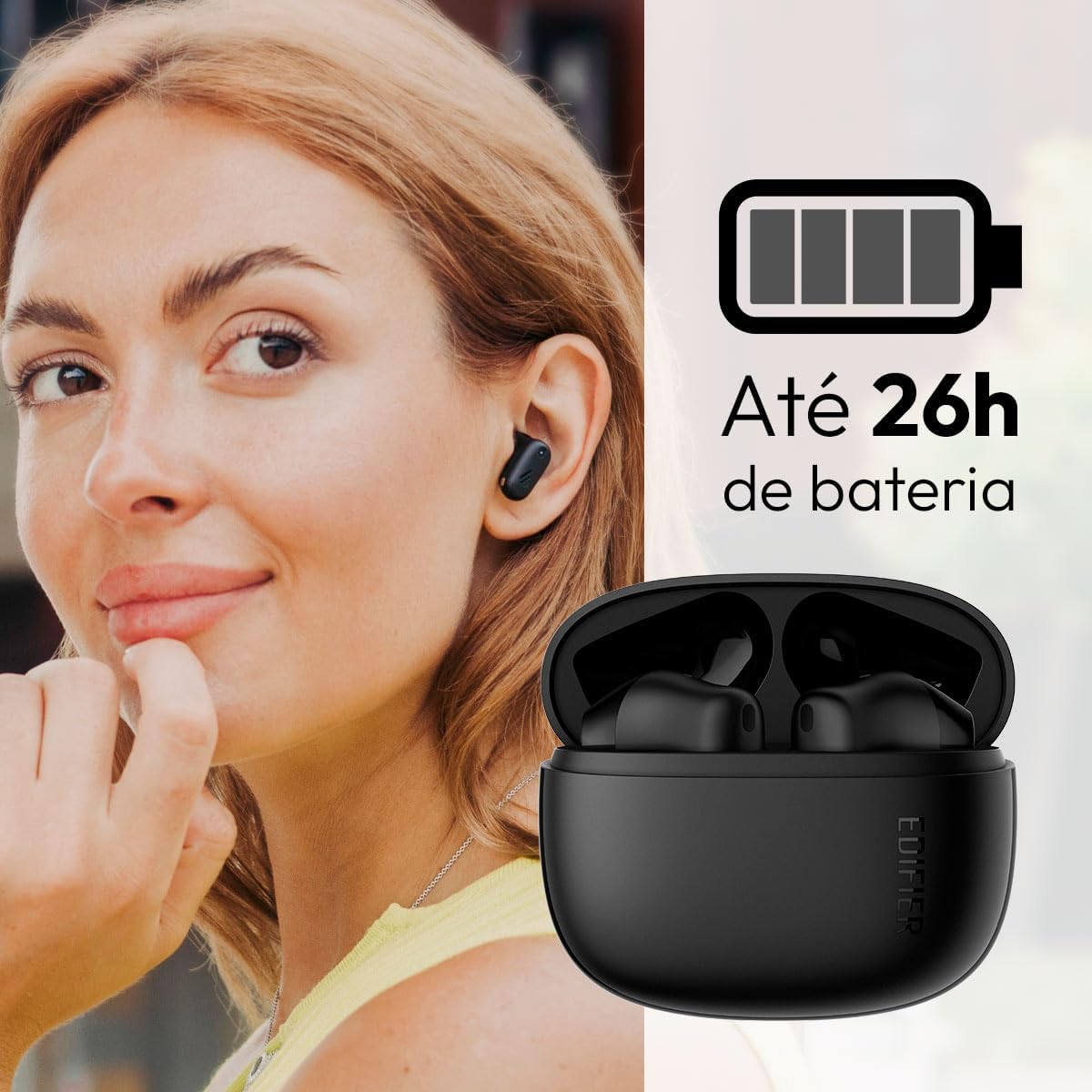
Image: Woman wearing an earbud, with the charging case and a battery icon indicating charging.
Fast Charging Feature:
A 15-minute quick charge can provide approximately 1.5 hours of playtime for the earbuds.

Image: Visual representation of battery life and fast charging capabilities.
3.2 Bluetooth seznanjanje
Follow these steps to pair your Edifier X1 Lite earbuds with your device:
- Prvo združevanje: Open the charging case. The earbuds will automatically power on and enter pairing mode. The indicator light on the earbuds will flash rapidly.
- Na svoji napravi (pametnem telefonu, tablici, prenosniku) omogočite Bluetooth.
- Iskanje »EDIFIER X1 Lite« na seznamu razpoložljivih naprav Bluetooth.
- Select "EDIFIER X1 Lite" to connect. Once connected, the indicator lights on the earbuds will turn off, and you will hear a confirmation tone.
- Re-pairing/Connecting to a New Device: If the earbuds are already connected to another device, disconnect them first. Alternatively, with the earbuds in the case and the lid open, press and hold the button on the charging case for 3 seconds to enter pairing mode.

Image: Man using earbuds, highlighting Bluetooth 5.4 connectivity.
3.3 Namestitev aplikacije Edifier ConneX
For enhanced features and customization, download the EDIFIER ConneX app:
- Scan the QR code provided in the image below or visit the official Edifier app download page.
- Namestite aplikacijo na pametni telefon ali tablični računalnik.
- Open the app and follow the on-screen instructions to connect your X1 Lite earbuds.
- The app allows for sound effect customization, game mode activation, and touch control settings.

Image: EDIFIER ConneX app interface with QR code. Download the Edifier ConneX App
4. Navodila za uporabo
4.1 Nošenje slušalk
Proper fit ensures optimal sound quality and comfort:
- Prepoznajte levi (L) in desni (R) ušesni čep.
- Vsako ušesno slušalko nežno vstavite v ustrezen sluhovod.
- Slušalko rahlo zavrtite, dokler ni trdno in udobno nameščena.

Image: Man demonstrating proper earbud placement.
4.2 Vklop/izklop
- Vklop: Slušalke se samodejno vklopijo, ko jih vzamete iz polnilnega ohišja.
- Ugasniti: Slušalke se samodejno izklopijo in začnejo polniti, ko jih vstavite nazaj v polnilno ohišje in je pokrov zaprt.
4.3 Kontrole na dotik
The Edifier X1 Lite earbuds feature touch-sensitive controls on each earbud. These controls can be customized via the EDIFIER ConneX app.
| Akcija | Levi ušesni čep (L) | Desni ušesni čep (R) |
|---|---|---|
| Sprejmi/končaj klic | Dvakrat tapnite | Dvakrat tapnite |
| Zavrni klic | Triple Tap | Triple Tap |
| Predvajanje/začasno ustavitev glasbe | Dvakrat tapnite | Dvakrat tapnite |
| Naslednja skladba | N/A (Customize via App) | Triple Tap |
| Prejšnja skladba | Triple Tap | N/A (Customize via App) |
| Vklop/izklop načina igre | Štirikratni dotik | Štirikratni dotik |
Note: These are default settings. Functions can be reconfigured using the EDIFIER ConneX app.

Slika: Vizualni vodnik po dotičnih upravljalnikih slušalk.
5. Vzdrževanje
5.1 Čiščenje
- Slušalke in polnilno ohišje redno čistite z mehko, suho krpo, ki ne pušča vlaken.
- Ne uporabljajte abrazivnih čistil, alkohola ali kemičnih topil.
- Za pravilno polnjenje se prepričajte, da so polnilni kontakti na slušalkah in ohišju čisti in brez umazanije.
5.2 Vodoodpornost (IP54)
The Edifier X1 Lite earbuds are IP54 rated, meaning they are protected against dust ingress and splashing water from any direction. This makes them suitable for workouts and light rain.
- Slušalk ne potapljajte v vodo.
- Polnilna torbica ni vodoodporna. Hranite jo suho.
- If earbuds get wet, wipe them dry completely before placing them back in the charging case to prevent damage.

Image: Demonstrating IP54 sweat resistance during exercise.
5.3 Skrb za baterije
- Slušalk in ohišja ne izpostavljajte ekstremnim temperaturam (vročini ali mrazu).
- Ko naprave ne uporabljate, jo hranite na hladnem in suhem mestu.
- Napravo redno polnite, tudi če je ne uporabljate pogosto, da ohranite zdravje baterije.
6. Odpravljanje težav
If you encounter issues with your Edifier X1 Lite earbuds, refer to the following common problems and solutions:
6.1 Ni zvoka ali občasna povezava
- Preverite baterijo: Prepričajte se, da so tako slušalke kot polnilna škatlica dovolj napolnjene.
- Ponovno seznani: Disconnect the earbuds from your device's Bluetooth settings and then re-pair them.
- Razdalja: Ensure the earbuds are within the Bluetooth range (typically 10 meters) of your device.
- Motnje: Move away from strong Wi-Fi signals or other Bluetooth devices that might cause interference.
- Ponastaviti: Place both earbuds in the charging case, close the lid, wait a few seconds, then open the lid and try pairing again.
6.2 Slušalke se ne polnijo
- Preverite kabel: Ensure the USB charging cable is securely connected to both the case and the power source.
- vir energije: Poskusite z drugim USB-vhodom ali stenskim adapterjem.
- Čisti stiki: Clean the charging contacts on the earbuds and inside the charging case with a dry cotton swab.
- Pravilna postavitev: Prepričajte se, da so slušalke pravilno nameščene v polnilnem ohišju.
6.3 Slaba kakovost klica
- Oviranje mikrofona: Ensure the microphone on the earbuds is not covered.
- Okolje: Move to a quieter environment if possible. The AI algorithm helps, but extreme noise can still affect clarity.
- Stabilnost povezave: Poskrbite za stabilno povezavo Bluetooth.

Image: Man using earbuds for a clear call, highlighting AI voice pick-up technology.
6.4 Težave s povezavo aplikacije
- Bluetooth vklopljen: Ensure Bluetooth is enabled on your device and the earbuds are connected.
- Dovoljenja aplikacije: Check if the EDIFIER ConneX app has necessary Bluetooth and location permissions.
- Restart App/Device: Zaprite in znova odprite aplikacijo ali znova zaženite pametni telefon.
- Posodobitev aplikacije: Zagotovite, da je aplikacija posodobljena na najnovejšo različico.
7. Specifikacije
| Funkcija | Podrobnost |
|---|---|
| Ime modela | X1 Lite |
| Tehnologija povezljivosti | Brezžično (Bluetooth) |
| Različica Bluetooth | 5.4 |
| Vrsta zvočnega gonilnika | Dynamic Driver (Φ13mm) |
| Frekvenčno območje | 20Hz-20kHz |
| Življenjska doba baterije | Do 7 ur (ušesni čepki), do 26 ur (s polnilno torbico) |
| Hitro polnjenje | 15 minut polnjenja za 1.5 uri predvajanja |
| Nizka latenca | 60ms |
| Vodoodpornost | IP54 (samo slušalke) |
| Mikrofon | Single Mic AI algorithm voice pick-up |
| Nadzorna metoda | Touch Control, App (EDIFIER ConneX) |
| Material | Plastika |
| Teža ušesne slušalke | Približno 4 g na slušalko |
| barva | Črna |
8. Garancija in podpora
Edifier products are designed with quality and reliability in mind. For warranty information and customer support, please refer to the official Edifier webspletno mesto ali se obrnite neposredno na njihovo službo za stranke.
- Uradno Webspletno mesto: Obisk www.edifier.com za registracijo izdelka, pogosta vprašanja in vire za podporo.
- Storitev za stranke: Contact Edifier customer support for technical assistance or warranty claims. Contact details can typically be found on the official webmestu ali v embalaži izdelka.
Prosimo, shranite dokazilo o nakupu za namene garancije.