
Uvod
Thank you for choosing the Vieta Pro Silence 3 Bluetooth 5.4 Active Noise Cancelling Headphones. These headphones are designed to provide a superior audio experience with advanced features for comfort and convenience. Please read this manual carefully before using your headphones to ensure proper operation and to maximize their lifespan.
Vsebina paketa
- Slušalke Vieta Pro Silence 3
- Polnilni kabel USB-C
- 3.5 mm avdio kabel
- Uporabniški priročnik
Konec izdelkaview
Familiarize yourself with the various parts and controls of your Vieta Pro Silence 3 headphones.
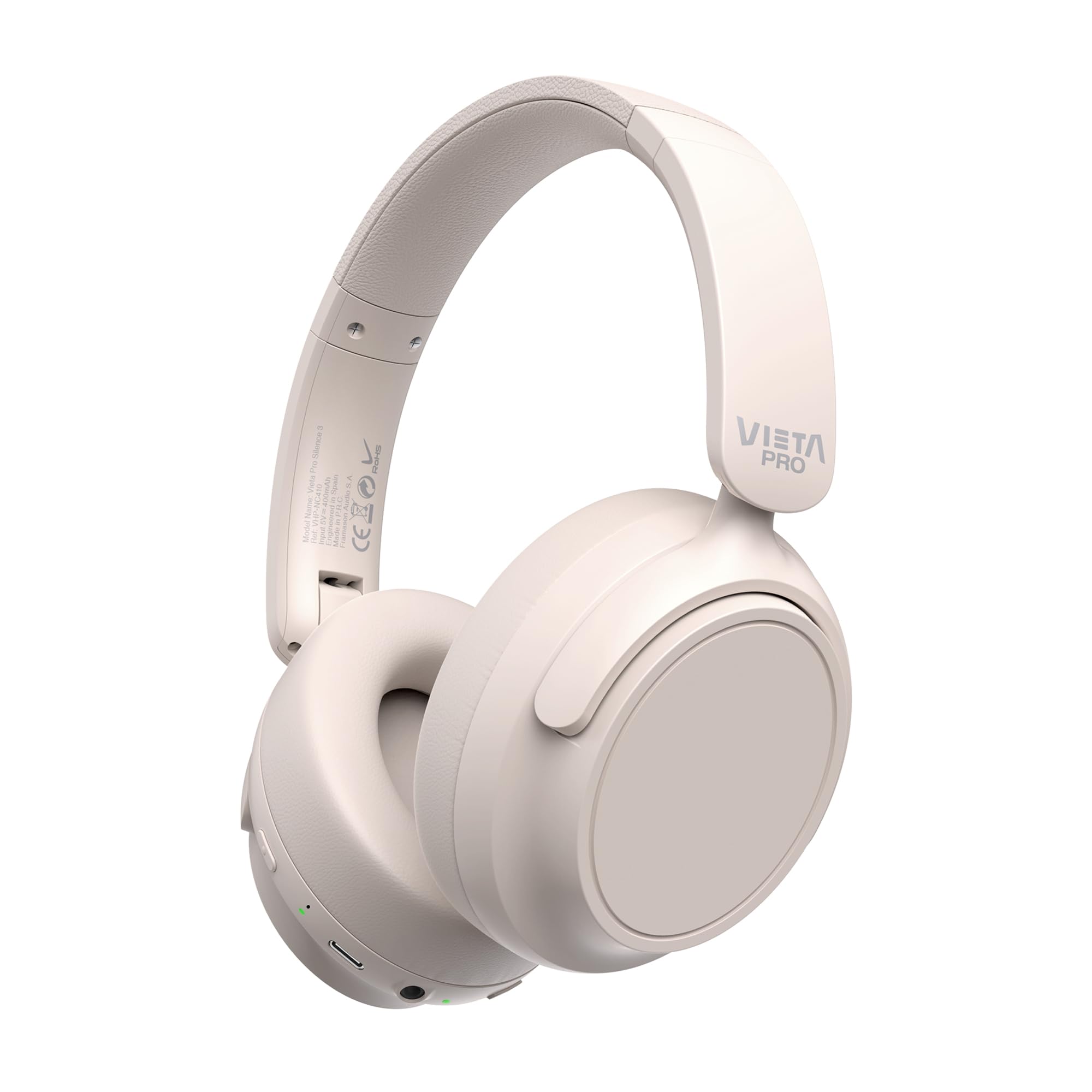
Slika: spredaj view of the Vieta Pro Silence 3 headphones, showcasinnjihovo celotno zasnovo.

Slika: Stran view of the Vieta Pro Silence 3 headphones, highlighting the earcups and adjustable headband.

Image: Close-up of a Vieta Pro Silence 3 earcup, illustrating the control buttons, charging port, and 3.5mm audio jack.
The headphones feature a foldable design for easy portability.

Image: Vieta Pro Silence 3 headphones in their folded state, demonstrating their compact design for travel and storage.
Nastavitev
1. Polnjenje slušalk
Before first use, fully charge your headphones. Connect the supplied USB-C cable to the charging port on the headphones and the other end to a USB power source (e.g., wall adapter, computer USB port).
- The LED indicator will show charging status (e.g., red for charging, blue/off for fully charged).
- Popolno napolnjenost omogoča do 50 ur predvajanja.
- Fast charging via USB-C allows for quick power-ups.
2. Vklop/izklop
- Za vklop: Pritisnite in držite gumb za vklop približno 3 sekunde, dokler se ne prižge LED indikator in ne zaslišite zvočnega opozorila.
- Za izklop: Pritisnite in držite gumb za vklop približno 3 sekund, dokler se LED indikator ne izklopi in ne zaslišite zvočnega opozorila.
3. Bluetooth seznanjanje
- Prepričajte se, da so slušalke izklopljene.
- Press and hold the Power button for 5-7 seconds until the LED indicator flashes blue and red alternately, indicating pairing mode.
- V napravi (pametnem telefonu, tablici, računalniku) omogočite Bluetooth in poiščite razpoložljive naprave.
- Select "Vieta Pro Silence 3" from the list of found devices.
- Once paired, the LED indicator will flash blue slowly, and you will hear a confirmation tone.
Slušalke se bodo ob vklopu samodejno poskušale ponovno povezati z zadnjo seznanjeno napravo.
4. Žična povezava (pomožni vhod)
You can use the headphones with a wired connection when Bluetooth is not available or preferred. Connect one end of the 3.5mm audio cable to the auxiliary input port on the headphones and the other end to your audio source's 3.5mm jack.
- When using the wired connection, Bluetooth functionality is disabled.
- Active Noise Cancellation (ANC) can still be used in wired mode.
Navodila za uporabo
1. Predvajanje glasbe
- Predvajanje/pavza: Enkrat pritisnite večfunkcijski gumb.
- Naslednja skladba: Pritisnite in držite gumb za povečanje glasnosti.
- Prejšnja skladba: Pritisnite in držite gumb za zmanjšanje glasnosti.
- Povečaj glasnost: Na kratko pritisnite gumb za povečanje glasnosti.
- Znižaj glasnost: Na kratko pritisnite gumb za zmanjšanje glasnosti.
2. Upravljanje klicev
- Sprejmi/končaj klic: Enkrat pritisnite večfunkcijski gumb.
- Zavrni klic: Pritisnite in držite večfunkcijski gumb 2 sekundi.
- Glasovni asistent: Dvakrat pritisnite večfunkcijski gumb, da aktivirate glasovnega pomočnika naprave (Siri, Google Assistant itd.).
3. Aktivno odpravljanje šumov (ANC)
Funkcija ANC zmanjšuje hrup iz okolice in omogoča bolj poglobljeno poslušalsko izkušnjo.
- Vklop/izklop ANC: Press the dedicated ANC button once. The LED indicator for ANC will light up (e.g., green) when active.
- ANC can be used independently or with Bluetooth/wired audio.
4. Funkcija dvojnega združevanja
The Dual Pairing feature allows you to connect your headphones to two Bluetooth devices simultaneously.
- Slušalke seznanite s prvo napravo, kot je opisano v razdelku »Seznanitev prek Bluetootha«.
- Onemogočite Bluetooth na prvi napravi.
- Put the headphones back into pairing mode and pair them with the second device.
- Enable Bluetooth on the first device. The headphones should now be connected to both devices.
- Audio will play from the device that is actively transmitting.
Vzdrževanje
- Slušalke očistite z mehko, suho krpo. Ne uporabljajte abrazivnih čistil ali topil.
- Slušalk ne izpostavljajte ekstremnim temperaturam, vlagi ali neposredni sončni svetlobi.
- Store the headphones in a cool, dry place when not in use, preferably in their folded state to protect them.
- Slušalk ne poskušajte razstavljati ali spreminjati, saj boste s tem razveljavili garancijo.
Odpravljanje težav
| Težava | Možna rešitev |
|---|---|
| Slušalke se ne vklopijo. | Prepričajte se, da so slušalke napolnjene. Priključite jih na vir napajanja s kablom USB-C. |
| Seznanitev prek Bluetootha ni mogoča. |
|
| Ni zvoka ali nizka glasnost. |
|
| ANC ne deluje učinkovito. |
|
Specifikacije
| Funkcija | Podrobnost |
|---|---|
| Ime modela | Tišina 3 |
| Številka modela | RM |
| Tehnologija povezljivosti | Bluetooth 5.4, žično (3.5 mm vtičnica) |
| Odpravljanje hrupa | Prekinitev aktivnega hrupa (ANC) |
| Življenjska doba baterije | Do 50 ur |
| Vrata za polnjenje | USB-C (hitro polnjenje) |
| Mikrofon | Integrirano za prostoročne klice |
| Faktor oblike | Circum-Auricular (Over-Ear) |
| Impedanca | 32 Ohmov |
| Posebne lastnosti | Dual Pairing, Foldable Design, Low Latency Mode |
Varnostne informacije
- Slušalk ne uporabljajte pri visoki glasnosti dlje časa, da preprečite poškodbe sluha.
- Slušalk ne uporabljajte v situacijah, kjer bi lahko bila nezmožnost slišanja zvokov iz okolice nevarna (npr. vožnja, kolesarjenje, hoja v prometu).
- Hraniti izven dosega otrok.
- Izdelek zavrzite odgovorno v skladu z lokalnimi predpisi.
Garancija in podpora
For warranty information and technical support, please refer to the documentation provided with your purchase or visit the official Vieta Pro webspletnega mesta. Prosimo, shranite dokazilo o nakupu za uveljavljanje garancije.
Note: Information regarding specific warranty duration or direct support contacts was not available in the provided product data.