
Uvod
Thank you for choosing the ZEALOT S49 Pro Portable Bluetooth Speaker. This manual provides essential information for the safe and efficient use of your speaker. Please read it thoroughly before operation and retain it for future reference.
The ZEALOT S49 Pro is a compact and lightweight portable speaker designed to deliver clear, high-quality audio with powerful bass. It features multiple connectivity options, including Bluetooth, USB, TF card, and AUX input, and supports TWS (True Wireless Stereo) pairing for an enhanced 40W 360-degree stereo experience. With IPX5 water resistance and a long-lasting 3000mAh battery, it is suitable for various indoor and outdoor environments.

Figure 1: HiFi Sound Quality with 360° Omnidirectional Sound
Vsebina paketa
- ZEALOT S49 Pro Portable Bluetooth Speaker
- Power Cable (USB-C charging cable)
- Uporabniški priročnik
Konec izdelkaview
Familiarize yourself with the various parts and controls of your ZEALOT S49 Pro speaker.
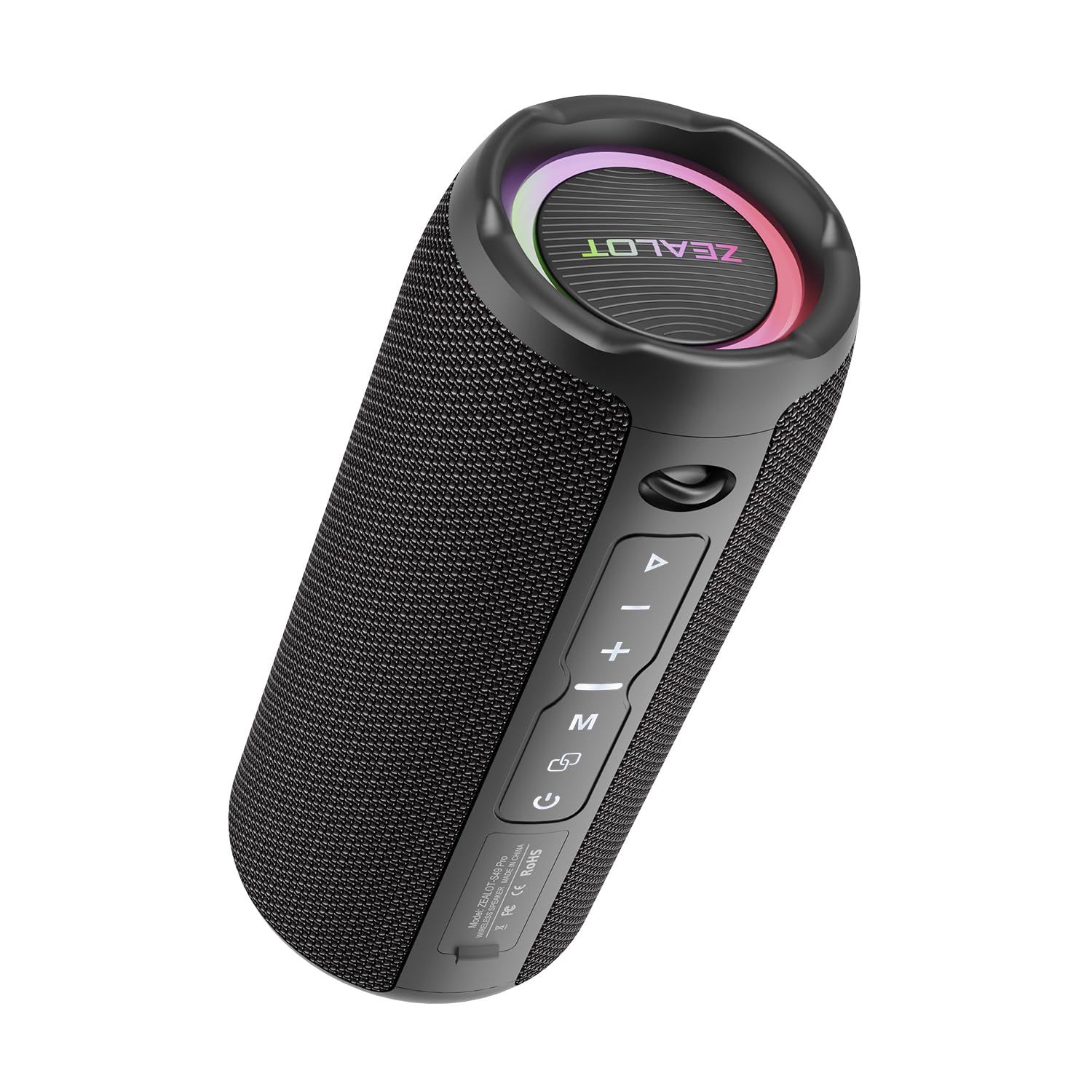
Figure 2: ZEALOT S49 Pro Speaker Front View
Kontrole in vrata:
- Gumb za vklop: Pritisnite in držite, da vklopite ali izklopite zvočnik.
- Gumb za predvajanje/pavzo: Press to play or pause music. Press to answer or end calls.
- Gumb za povečanje glasnosti / naslednja skladba (+): Kratek pritisk za povečanje glasnosti. Dolg pritisk za preskok na naslednjo skladbo.
- Gumb za zmanjšanje glasnosti / prejšnjo skladbo (-): Kratek pritisk za zmanjšanje glasnosti. Dolg pritisk za premik na prejšnjo skladbo.
- Gumb za način (M): Press to switch between Bluetooth, USB, TF Card, and AUX input modes.
- TWS Button (∞): Press to initiate True Wireless Stereo pairing with another S49 Pro speaker.
- Vrata DC5V: Vrata USB-C za polnjenje zvočnika.
- Reža za TF kartice: Za predvajanje glasbe vstavite kartico TF (MicroSD).
- Vrata USB: Za predvajanje glasbe vstavite USB-ključ.
- Vrata AUX: Zunanje zvočne naprave priključite prek 3.5 mm avdio kabla.

Slika 3: Vrata za povezljivost
Nastavitev
1. Polnjenje zvočnika
Before first use, fully charge the speaker. Connect the provided power cable to the DC5V port on the speaker and the other end to a USB power adapter (not included) or a computer's USB port. The charging indicator light will show the charging status.

Slika 4: Polnjenje zvočnika
2. Vklop/izklop
Pritisnite in držite Gumb za vklop for approximately 3 seconds to turn the speaker on or off. A sound prompt will indicate the power status.
3. Bluetooth seznanjanje
- Vklopite zvočnik. Samodejno bo preklopil v način seznanjanja Bluetooth, kar bo označila utripajoča LED lučka.
- Omogočite Bluetooth na svoji napravi (pametnem telefonu, tablici itd.).
- Iskanje "ZEALOT S49 Pro" in your device's Bluetooth list and select it to connect.
- Ko je povezava vzpostavljena, bo LED lučka prenehala utripati in zaslišali boste potrditveni zvok.
4. Združevanje s pravim brezžičnim stereo sistemom (TWS)
To achieve a 40W 360-degree stereo sound experience, you can pair two ZEALOT S49 Pro speakers together:
- Prepričajte se, da sta oba zvočnika S49 Pro vklopljena in nista povezana z nobeno drugo napravo Bluetooth.
- Na enem od zvočnikov (to bo glavni zvočnik) na kratko pritisnite TWS Button (∞)Zvočnik bo preklopil v način seznanjanja TWS.
- Zvočnika se bosta samodejno povezala. Ko bosta združena, boste zaslišali potrditveni zvok.
- Now, connect your device to the primary speaker via Bluetooth as described in "3. Bluetooth Pairing". Both speakers will play audio in stereo.

Figure 5: TWS Pairing for Stereo Sound
Navodila za uporabo
1. Predvajanje glasbe
- Način Bluetooth: After successful Bluetooth pairing, open your music player app and start playing audio.
- Način kartice USB/TF: Insert a USB flash drive or TF card into the respective port. The speaker will automatically switch to the corresponding mode and begin playing music. Press the Gumb za način (M) to switch if it doesn't.
- Način AUX: Connect your audio device to the speaker's AUX port using a 3.5mm audio cable. Press the Gumb za način (M) za preklop v način AUX.

Figure 6: Speaker Internal Components for Enhanced Bass
2. Nadzor glasnosti
Kratek pritisk na Gumb + to increase volume. Short press the - Gumb za zmanjšanje glasnosti.
3. Track Control
Dolgo pritisnite Gumb + to skip to the next track. Long press the - Gumb za prehod na prejšnjo skladbo.
4. Upravljanje klicev
Ko ste povezani prek Bluetootha in prejmete klic, pritisnite Gumb za predvajanje/pavzo to answer the call. Press it again to end the call. Long press to reject an incoming call.
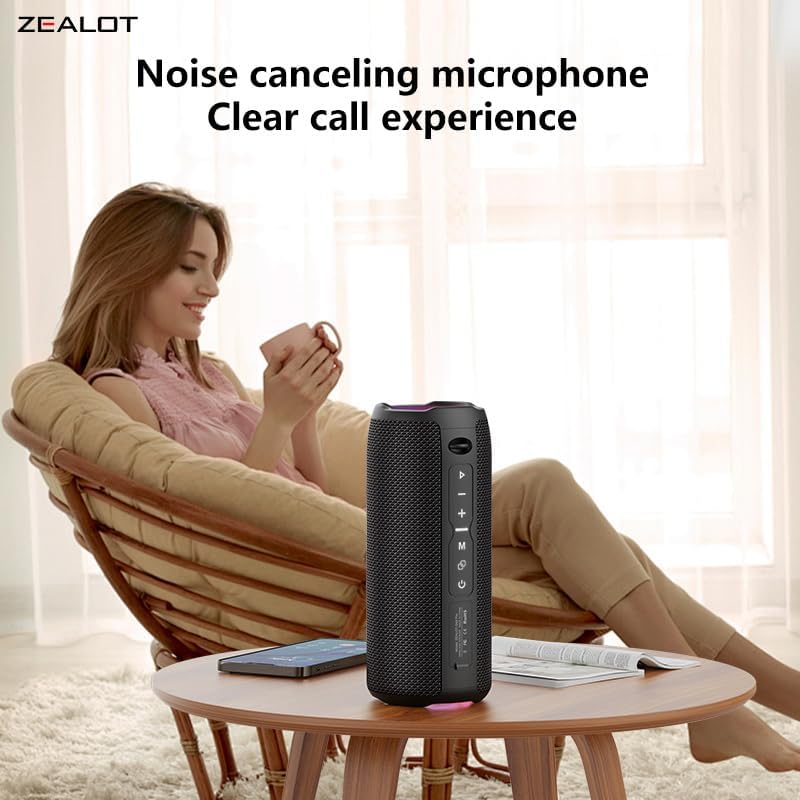
Figure 7: Clear Call Experience with Built-in Microphone
5. Preklop načina
Pritisnite Gumb za način (M) to cycle through available input modes: Bluetooth, USB, TF Card, and AUX.
6. RGB osvetlitev
The speaker features RGB colorful lights. These lights typically synchronize with the music rhythm. Specific controls for the lights are not detailed in the provided information, but they are an aesthetic feature.

Slika 8: Barvna svetlobna predstava RGB
Vzdrževanje
- Čiščenje: Za čiščenje zvočnika uporabite mehko, suho krpo. Ne uporabljajte abrazivnih čistil ali topil.
- Vodoodpornost: The speaker is IPX5 water-resistant, meaning it can withstand splashes and light rain. Do not submerge the speaker in water or expose it to strong jets of water. Ensure all port covers are securely closed before exposure to water.
- Shranjevanje: Zvočnik shranjujte na hladnem in suhem mestu, stran od neposredne sončne svetlobe in ekstremnih temperatur.
- Vzdrževanje baterije: Za podaljšanje življenjske dobe baterije zvočnika redno polnite, tudi če ga dlje časa ne uporabljate. Izogibajte se pogostemu popolnemu praznjenju baterije.

Slika 9: Vodoodpornost IPX5
Odpravljanje težav
| Težava | Možen vzrok | rešitev |
|---|---|---|
| Zvočnik se ne vklopi. | Nizka baterija. | Zvočnik popolnoma napolnite. |
| Seznanitev prek Bluetootha ni mogoča. | Zvočnik ni v načinu seznanjanja ali pa ni že povezan z drugo napravo. Bluetooth naprave je izklopljen. | Ensure speaker is in pairing mode (flashing LED). Disconnect from other devices. Turn on Bluetooth on your device and search again. |
| Brez zvoka. | Glasnost je prenizka. Napačen način vnosa. Naprava ne predvaja. | Increase speaker and device volume. Press 'M' button to switch modes. Ensure music is playing on your connected device. |
| Seznanjanje s TWS ni uspelo. | Zvočniki so preveč oddaljeni. En zvočnik je že priključen na napravo. | Prepričajte se, da sta zvočnika blizu drug drugemu. Preden začnete seznanjanje s TWS, odklopite oba zvočnika iz vseh naprav Bluetooth. |
| Slaba kakovost zvoka. | Low battery. Device too far from speaker. Obstructions. | Charge the speaker. Move device closer to the speaker. Remove any obstacles between the speaker and device. |
Specifikacije
| Funkcija | Podrobnost |
|---|---|
| Znamka | Zelot |
| Ime modela | ZEALOT S49 Pro |
| Vrsta zvočnika | Nizkotonec |
| Tehnologija povezljivosti | Bluetooth, USB, TF kartica, AUX (3.5 mm) |
| Brezžični komunikacijski protokol | Bluetooth |
| Največja izhodna moč zvočnika | 20 vatov |
| Frekvenčni odziv | Do 20 KHz |
| Način avdio izhoda | Stereo (2.0-kanalni) |
| TWS seznanjanje | Yes, for 40W 360-degree stereo sound |
| Material | Akrilonitril butadien stiren (ABS) |
| barva | Črna |
| Stopnja vodoodpornosti | IPX5 (Waterproof/Splash-proof) |
| Posebne lastnosti | Portable, Water Resistant, USB Port, Built-in Microphone, RGB Lighting |
| Nadzorna metoda | Pritisni gumb |
| Vrsta baterije | 2 Lithium Ion batteries (Included) |
| Kapaciteta baterije | 3000 mAh |
| Življenjska doba baterije | Up to 12 hours (Varies with volume and content) |
| Vir napajanja | Napajanje z baterijo (polnilna preko USB-C) |
| Dimenzije izdelka (DxŠxV) | 8.6 x 8.6 x 20.4 cm (3.38 x 3.38 x 8.03 palca) |
| Teža predmeta | 762 gramov |
| Vključene komponente | Napajalni kabel |

Slika 10: Dimenzije izdelka
Garancija in podpora
Informacije o garanciji
The ZEALOT S49 Pro Portable Bluetooth Speaker comes with a one-year manufacturer's warranty from the date of purchase. This warranty covers manufacturing defects and workmanship under normal use. It does not cover damage caused by misuse, accidents, unauthorized modifications, or normal wear and tear.
Podpora uporabnikom
If you encounter any issues or have questions regarding your ZEALOT S49 Pro speaker, please contact our customer support team. For the fastest service, please have your product model number (S49 Pro) and proof of purchase ready.
Kontaktni podatki:
- Webspletno mesto: www.zealot.cc (Prosimo, preverite uradno webspletno mesto za najnovejše kontaktne podatke.)
- E-pošta: support@zealot.cc (Example email, please verify with actual product documentation)