
1. Izdelek je končanview
The wegear MW16 is a 2.4G wireless optical mouse designed for comfortable and efficient use across various devices. It features 6 buttons, adjustable DPI settings, and an ergonomic design for extended use.
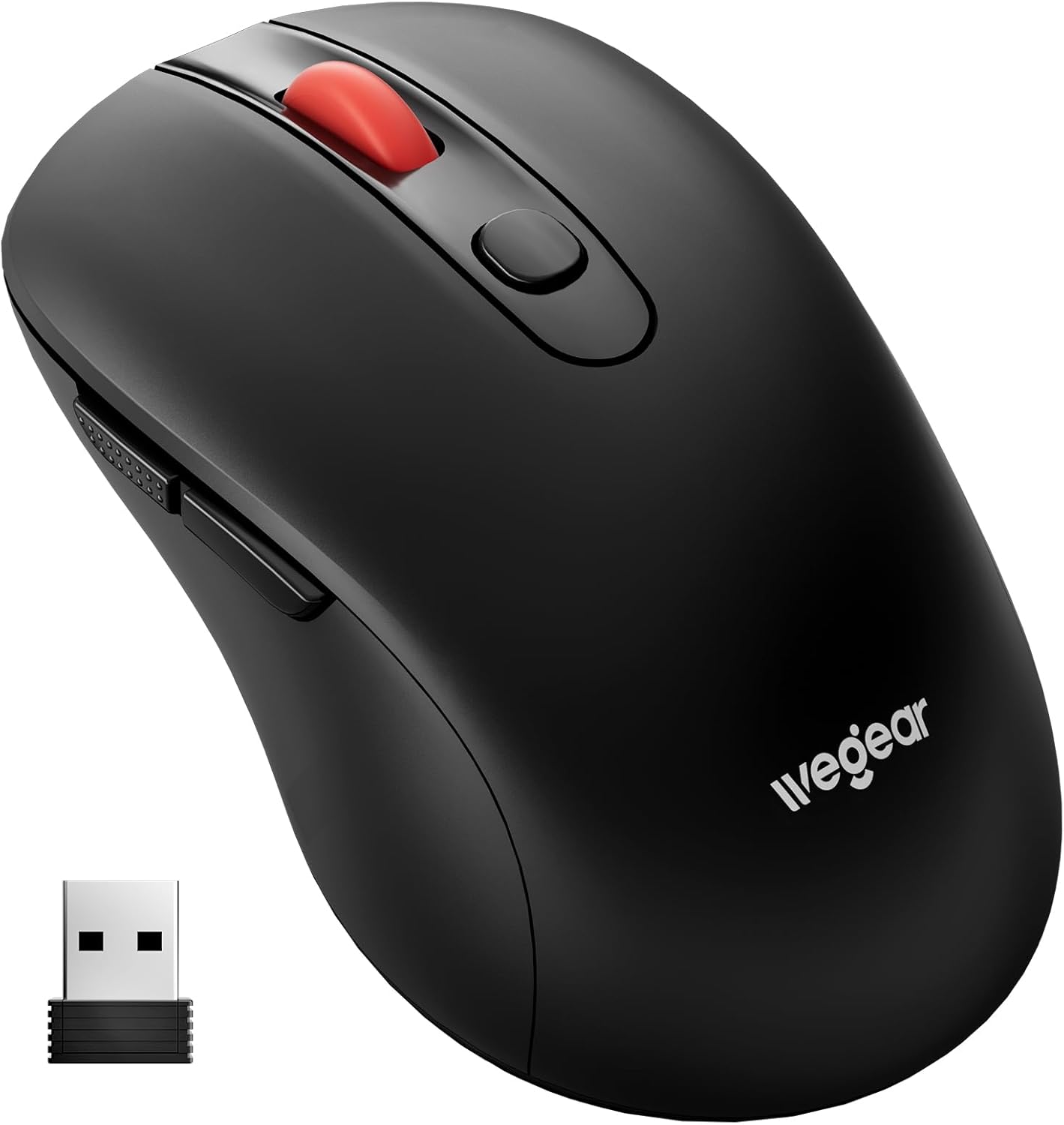
Image 1.1: wegear MW16 Wireless Mouse and USB Receiver.
Vsebina paketa:
- brezžična miška wegear MW16
- USB Receiver (stored at the bottom of the mouse)
- Navodila za uporabo
2. Navodila za namestitev
2.1 Namestitev baterije
- Poiščite predal za baterije na spodnji strani miške.
- Odprite pokrov prostora za baterije.
- Vstavite eno (1) baterijo AA (ni priložena) in pazite na pravilno polarnost (+/-).
- Trdno zaprite pokrov prostora za baterije.

Image 2.1: Battery compartment and installation.
2.2 Priključitev USB-sprejemnika
- Locate the USB receiver, which is stored in a slot on the bottom of the mouse.
- Odstranite USB-sprejemnik iz reže za shranjevanje.
- Plug the USB receiver into an available USB port on your computer, laptop, or compatible device.
- The mouse is plug-and-play; no additional drivers are required. It should connect automatically within a few seconds.
The 2.4GHz wireless technology provides a stable connection up to 33 feet (10 meters).

Image 2.2: USB receiver connection and wireless range.
3. Navodila za uporabo
3.1 Funkcije gumbov
The wegear MW16 mouse features 6 buttons for enhanced productivity:
- Levi gumb: Standardna funkcija klika.
- Desni gumb: Standardna funkcija klika z desno miškino tipko.
- Kolesce za pomikanje: Pomikanje gor/dol, klik na srednjo tipko miške.
- Gumb DPI: Prilagodi občutljivost kurzorja (DPI).
- Gumb za naprej: Navigacija naprej v web brskalniki oz file raziskovalci.
- Gumb za nazaj: Navigacija nazaj v web brskalniki oz file raziskovalci.
Opomba: The Forward and Back buttons may not be recognized or function on Mac operating systems.

Image 3.1: Mouse button layout and functions.
3.2 Adjusting DPI (Cursor Sensitivity)
The mouse offers 5 adjustable DPI levels (800/1200/1600/2400/4000) to customize cursor speed and precision.
- Pritisnite Gumb DPI (located below the scroll wheel) to cycle through the sensitivity levels.
- Each press will change the DPI setting. The red LED below the scroll wheel will flash to indicate the current DPI level:
- 1 flash: 800 DPI
- 2 flashes: 1200 DPI
- 3 flashes: 1600 DPI
- 4 flashes: 2400 DPI
- 5 flashes: 4000 DPI
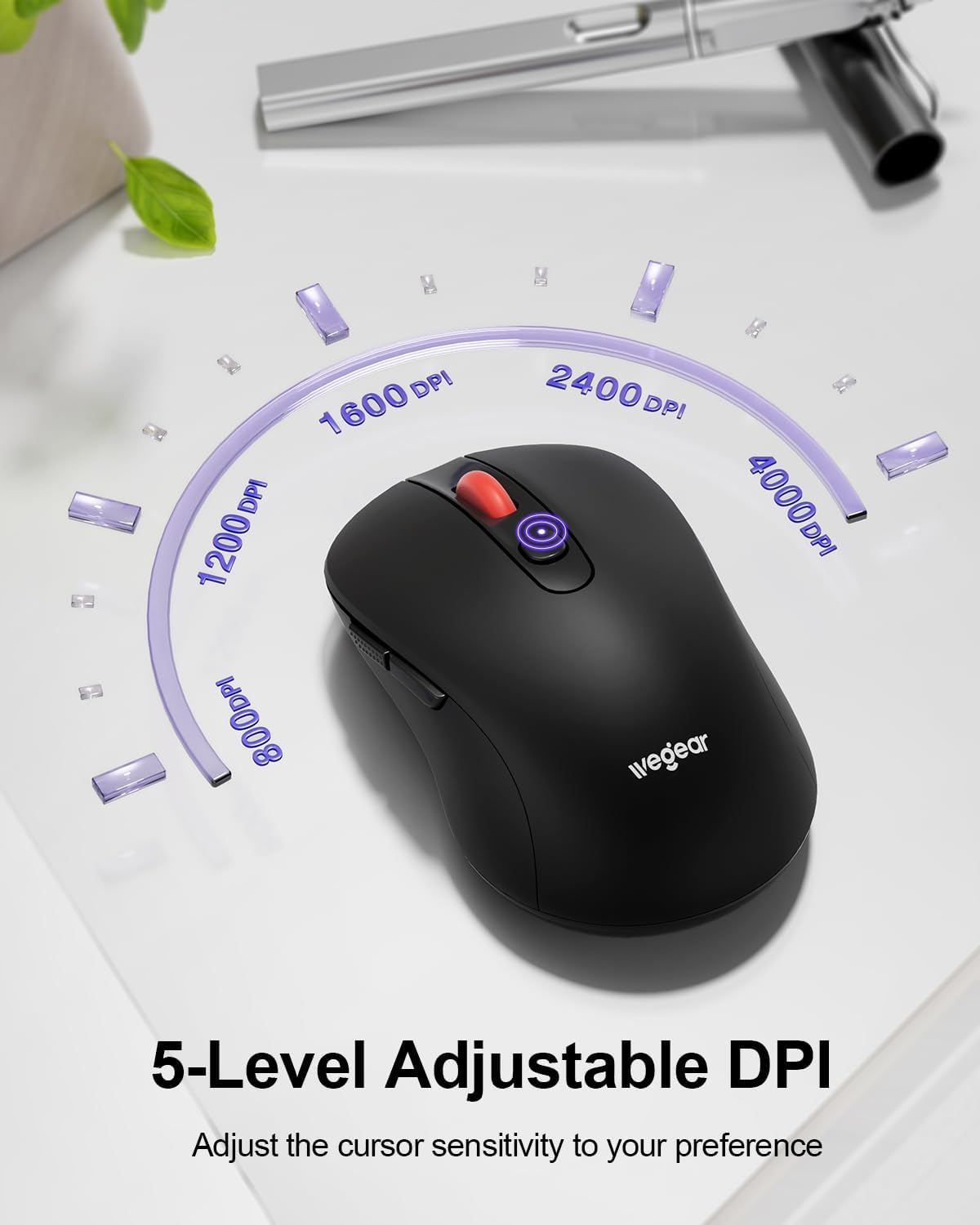
Image 3.2: DPI adjustment and indicator.
3.3 Način varčevanja z energijo
To conserve battery life, the mouse automatically enters sleep mode after 8 minutes of inactivity. To reactivate the mouse, simply click any button.
4. Vzdrževanje
4.1 Zamenjava baterije
The mouse is designed for up to 24 months of battery life. When the battery is low, a red light will flash to warn you. Replace the AA battery as described in Section 2.1.
4.2 Čiščenje
To maintain optimal performance, periodically clean the mouse:
- Za brisanje zunanjosti miške uporabite mehko, suho krpo.
- Za trdovratno umazanijo rahlo dampkrpo obrišite z vodo ali blago čistilno raztopino. Izogibajte se prekomerni vlagi.
- Ne uporabljajte ostrih kemikalij ali abrazivnih čistil.
5. Odpravljanje težav
- Miška se ne odziva:
- Prepričajte se, da je USB-sprejemnik varno priključen v delujoča USB-vrata.
- Preverite napolnjenost baterije in po potrebi zamenjajte baterijo AA.
- Move the mouse closer to the USB receiver to ensure it is within the 33ft (10m) range.
- Poskusite vključiti sprejemnik USB v druga vrata USB.
- Cursor lag or erratic movement:
- Prepričajte se, da med miško in USB-sprejemnikom ni ovir.
- Izogibajte se uporabi miške na močno odsevnih ali prozornih površinah.
- Če je kazalec preobčutljiv, prilagodite nastavitev DPI na nižjo raven.
- Preverite morebitne brezžične motnje zaradi drugih naprav, ki delujejo na 2.4 GHz.
- Forward/Back buttons not working on Mac:
- This is a known compatibility limitation. These buttons are generally not recognized by macOS without third-party software.
- Indikator prazne baterije:
- A red light flashing indicates low battery. Replace the AA battery promptly.
6. Specifikacije
| Funkcija | Podrobnost |
|---|---|
| Številka modela | MW16 |
| Povezljivost | 2.4G brezžično (USB sprejemnik) |
| Brezžično Domet | Do 33 m (10 čevljev) |
| DPI ravni | 800, 1200, 1600, 2400, 4000 (Adjustable) |
| Gumbi | 6 (levo, desno, kolesce za pomikanje, DPI, naprej, nazaj) |
| Zaznavanje gibanja | Optični (laserski) |
| Vrsta baterije | 1 x AA baterija (ni priložena) |
| Življenjska doba baterije | Do 24 mesecev |
| Samodejno spanje | Po 8 minutah nedejavnosti |
| Vzdržljivost tipk | 60,000,000-krat |
| Združljivost | Windows 98SE/ME/2000/XP/Vista/Win7/Win 10/Win11/Mac10.x |
| Dimenzije | 4.65 x 2.91 x 2.05 palcev |
| Teža | 3.52 unč |
7. Garancija in podpora
Specific warranty details are not provided in this manual. For warranty information, technical support, or further assistance, please refer to the official wegear webspletno mesto ali se obrnite neposredno na njihovo službo za stranke.
You can often find support information on the product packaging or by visiting the manufacturer's official webspletno mesto: