
1. Uvod
Thank you for choosing the WARRKY AE04 USB A/C to Ethernet Adapter. This manual provides detailed instructions for the proper installation, operation, and maintenance of your new adapter. Please read this manual thoroughly before use to ensure optimal performance and longevity of the product.
The WARRKY AE04 adapter allows you to connect your USB-A or USB-C enabled device to a wired Ethernet network, providing a stable and high-speed internet connection up to 1 Gigabit per second (1000 Mbps).
2. Izdelek je končanview
The WARRKY AE04 is a versatile 2-in-1 adapter designed for seamless wired network connectivity. It features both USB-A and USB-C connectors, allowing compatibility with a wide range of devices. The adapter is compact, portable, and built with quality materials for durability.

Slika 2.1: Two WARRKY AE04 USB A/C to Ethernet Adapters, showcasing their compact design and dual connectivity options.
Ključne značilnosti:
- Dvojna povezljivost: Equipped with both USB-A and USB-C connectors for broad device compatibility.
- Gigabitni Ethernet: Supports network speeds up to 1000 Mbps for fast and stable internet.
- Plug & Play: Za večino operacijskih sistemov niso potrebni gonilniki.
- Trajna zasnova: Features a gold-plated connector, aluminum shell, and anti-loss protection.
- LED indikator: Provides visual status of network connection.
- Kompakten in prenosen: Slim design for easy transport.

Slika 2.2: The WARRKY AE04 adapter demonstrating its dual USB-A and USB-C connector design, allowing for versatile use with various devices.

Slika 2.3: An illustration of the WARRKY AE04 adapter's quality features, including gold plating, aluminum shell, anti-loss protection, and an LED indicator, along with a bend test graphic.
3. Navodila za nastavitev
The WARRKY AE04 adapter is designed for simple plug-and-play operation, requiring no driver installation for most compatible operating systems.
- Priključite adapter na svojo napravo:
- If your device has a USB-C port, connect the USB-C end of the adapter directly into the port.
- If your device has a USB-A port, attach the included USB-A converter to the USB-C end of the adapter, then plug the USB-A connector into your device's USB-A port.
- Priključite ethernetni kabel: Insert a standard RJ45 Ethernet cable (Cat 6 or higher recommended for optimal performance) into the RJ45 port on the WARRKY AE04 adapter. Connect the other end of the Ethernet cable to your router, modem, or network switch.
- Preverite povezavo: Once connected, the LED indicator on the adapter should illuminate, indicating an active network connection. Your device should automatically detect the wired network connection.
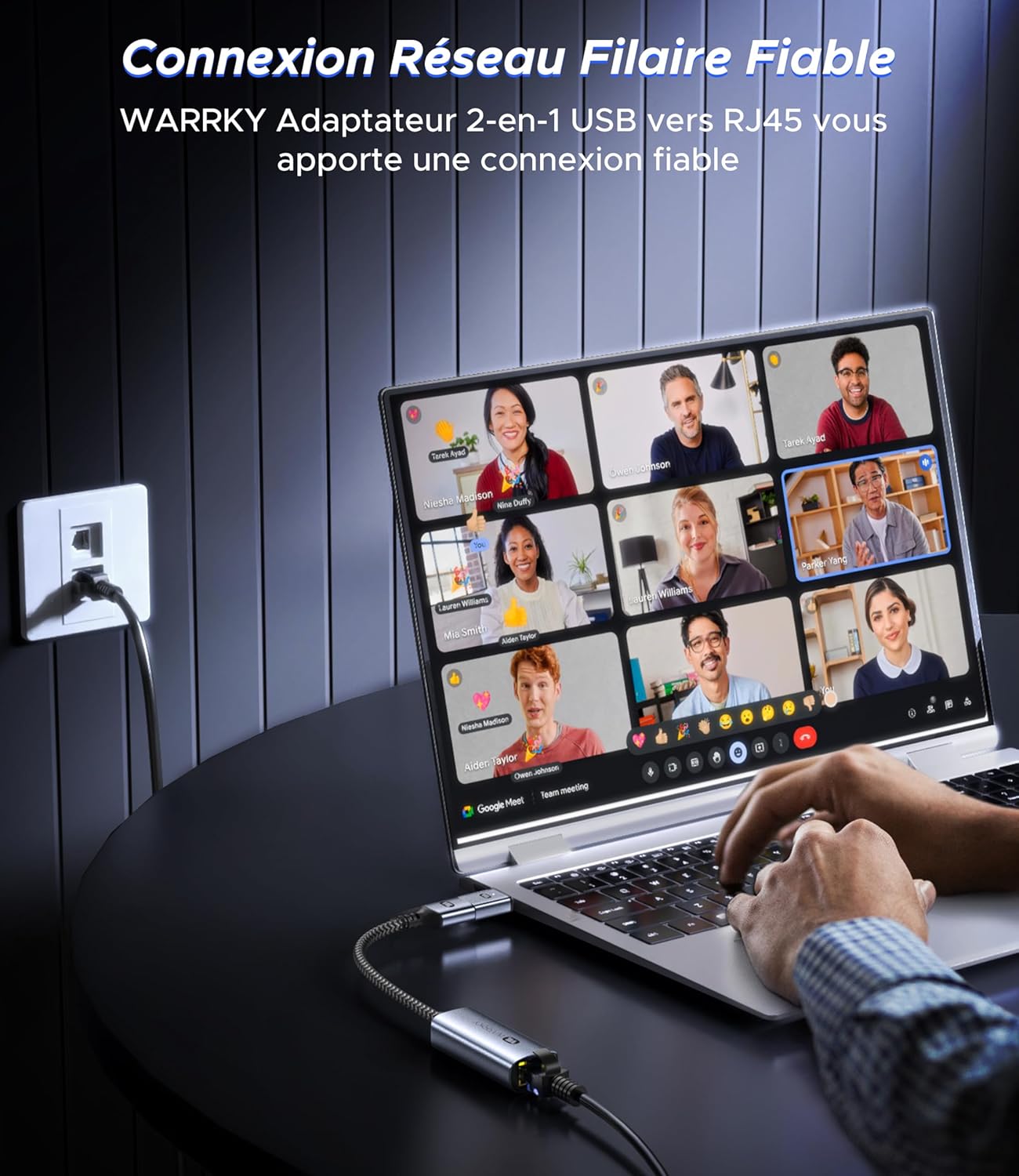
Slika 3.1: The WARRKY AE04 adapter providing a reliable wired network connection to a laptop, demonstrating the simple plug-and-play setup.
4. Navodila za uporabo
After successful setup, the WARRKY AE04 adapter operates automatically, providing a stable wired network connection.
- Omrežna hitrost: The adapter supports Gigabit Ethernet, capable of achieving speeds up to 1000 Mbps. For optimal performance, ensure your router, modem, and Ethernet cable (Cat 6 or higher) also support Gigabit speeds.
- LED indikator: The integrated LED light on the adapter indicates the status of your network connection. A solid light typically signifies an active link, while a blinking light indicates data transfer.
- Stabilnost: A wired connection generally offers greater stability and lower latency compared to Wi-Fi, making it ideal for online gaming, video conferencing, and large file prenosi.

Slika 4.1: Visual representation of the WARRKY AE04 adapter delivering 1000 Mbps wired network speed, significantly faster than typical 100 Mbps Wi-Fi connections. It is recommended to use CAT 6 or higher Ethernet cables for 1Gbps speed.
5. Združljivost
The WARRKY AE04 adapter offers broad compatibility with various devices and operating systems, thanks to its dual USB-A and USB-C design and driver-free operation.
Združljivi operacijski sistemi:
- Windows (XP/Vista/7/8/10/11)
- Mac OS
- Chrome OS
- Linux
- Android
- OS iPad

Slika 5.1: The WARRKY AE04 adapter featuring a Realtek chip, indicating wide compatibility with various operating systems including Windows, Mac OS, Chrome OS, Linux, Android, and iPad OS, without requiring additional drivers.
Združljive naprave:
- Naprave USB-A: Desktop Computers, Laptops, Nintendo Switch, TV Boxes.
- Naprave USB-C: Smartphones, MacBooks, Steam Deck, Tablets.
Note: This adapter is NOT compatible with Wii/Wii U consoles.
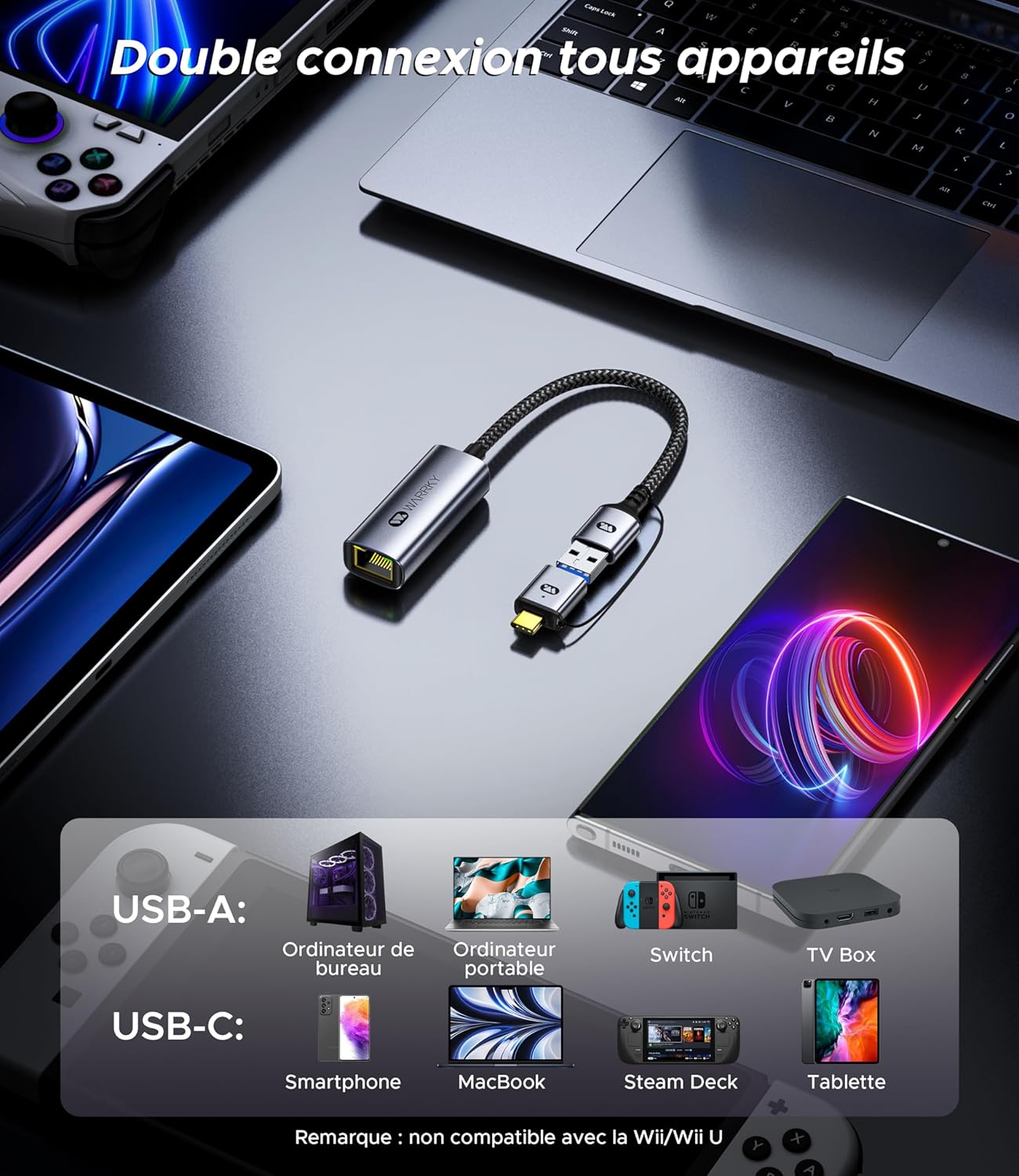
Slika 5.2: The WARRKY AE04 adapter demonstrating its dual connectivity with a range of devices, including desktop PCs, laptops, Nintendo Switch, TV boxes via USB-A, and smartphones, MacBooks, Steam Deck, and tablets via USB-C. It explicitly states incompatibility with Wii/Wii U.
6. Specifikacije
| Funkcija | Podrobnost |
|---|---|
| Številka modela | WARRKY-DT-AE04 |
| Povezljivost | USB-A 3.0, USB-C 3.0, RJ45 Ethernet |
| Ethernet hitrost | Do 1000 Mbps (gigabitni Ethernet) |
| Število vrat | 1x RJ45, 1x USB-A (via converter), 1x USB-C |
| Teža predmeta | 2.46 unč (približno 70 gramov) |
| Dimenzije paketa | 4.65 x 3.46 x 0.67 palcev |
| UPC | 721295573153 |
| Zahteva za voznika | Driver-free for most compatible OS |

Slika 6.1: The WARRKY AE04 adapter highlighting its compact and portable design, with dimensions of approximately 5.3 cm length and 2.2 cm width for the main body, and a 15 cm cable length.
7. Odpravljanje težav
If you encounter issues with your WARRKY AE04 adapter, please refer to the following common solutions:
- Ni omrežne povezave:
- Ensure the adapter is securely plugged into your device's USB-A or USB-C port.
- Verify that the Ethernet cable is firmly connected to both the adapter and your router/modem.
- Check if your router/modem is powered on and functioning correctly.
- Try connecting the adapter to a different USB port on your device.
- Test with a different Ethernet cable to rule out cable issues.
- Restart your computer and network equipment (router/modem).
- Počasna hitrost omrežja:
- Ensure your Ethernet cable is Cat 6 or higher, as older cables (e.g., Cat 5) may limit speeds.
- Verify that your internet service plan and network equipment (router/modem) support Gigabit speeds.
- Preverite, ali v vašem omrežju obstajajo druge naprave, ki porabljajo veliko pasovne širine.
- Prepričajte se, da je operacijski sistem vaše naprave posodobljen.
- Adapter ni prepoznan:
- Although driver-free, some operating systems might require a system update or specific settings. Consult your device's support documentation.
- Poskusite priključiti adapter na drugo združljivo napravo, da ugotovite, ali je težava v adapterju ali v originalni napravi.
8. Vzdrževanje
To ensure the longevity and optimal performance of your WARRKY AE04 adapter, follow these simple maintenance guidelines:
- Čiščenje: Use a soft, dry cloth to gently wipe the adapter. Avoid using liquid cleaners or abrasive materials, which can damage the device.
- Shranjevanje: Ko adapterja ne uporabljate, ga shranjujte na hladnem in suhem mestu, stran od neposredne sončne svetlobe in ekstremnih temperatur.
- Ravnanje: Izogibajte se pretiranemu upogibanju ali zvijanju kabla, saj lahko s tem poškodujete notranje žice. Adapterja ne izpostavljajte vodi ali visoki vlagi.
- Zaščita priključka: Utilize the anti-loss protection feature to keep the USB-A converter securely attached when not in use, preventing misplacement.
9. Garancija in podpora
Warrky is committed to providing high-quality products and excellent customer service.
Doživljenjska garancija:
Warrky offers a lifetime warranty for its products. You can upgrade to a lifetime warranty by registering your product on the official Warrky webspletno mesto: www.warrky.com.
Strokovna podpora:
For any technical issues or questions, Warrky provides professional technical support. You can expect a response within 18 hours.
- E-pošta tehnične podpore: support@warrky.com
- Suggestions or Critiques: official@warrky.com

Slika 9.1: The back panel of the WARRKY product packaging, outlining details for upgrading to a lifetime warranty, professional support contact information (support@warrky.com), and an email for suggestions or critiques (official@warrky.com).