
1. Uvod
Hvala za nakupasing the RUIZU X66 64GB MP3 Player. This portable digital audio player is designed for high-quality music playback, featuring Bluetooth 5.3 connectivity, a built-in voice recorder, FM radio, and a convenient clip design. This manual provides detailed instructions on how to set up, operate, and maintain your device.
Video: Konecview of RUIZU X66 MP3 Player features.
2. Vsebina paketa
Označite polje za naslednje elemente:
- RUIZU X66 MP3 Player
- Žične slušalke
- Adapterski kabel USB-C
- Darilna škatla
- Uporabniški priročnik

Image: Contents of the RUIZU X66 MP3 Player package.
3. Postavitev naprave
Familiarize yourself with the buttons and ports on your RUIZU X66 MP3 Player.

Slika: Konecview of the RUIZU X66 MP3 Player's multi-functional features and layout.
- Zaslon: Shows menus, track information, and settings.
- Gumbi za upravljanje: Navigation, play/pause, volume up/down.
- Vrata USB Type-C: For charging and data transfer. Features a magnetic cap.
- 3.5 mm priključek za slušalke: For wired headphone connection.
- Recording Slide Button: Quick access to voice recording.
- posnetek: For attaching the player to clothing or bags.
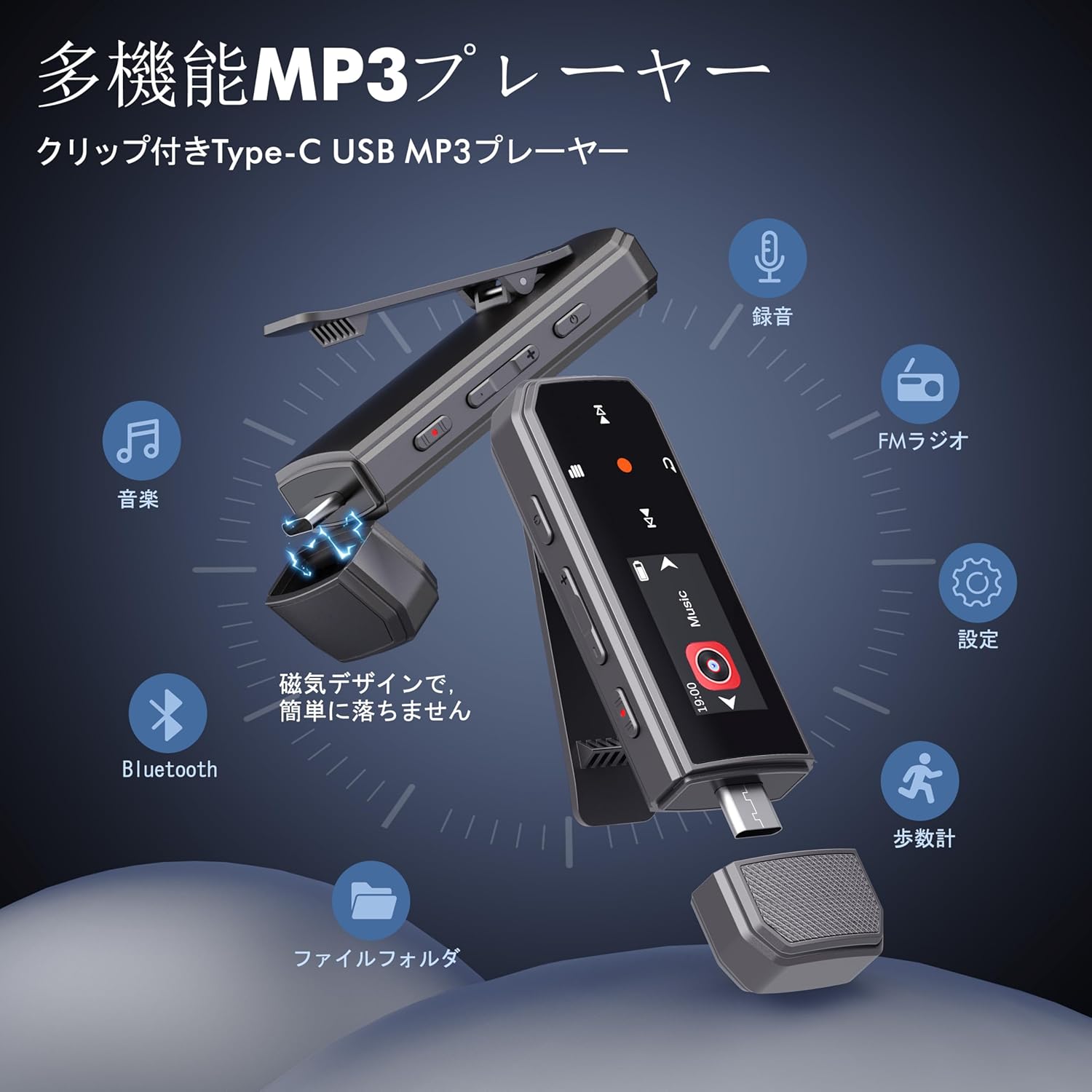
Image: RUIZU X66 MP3 Player highlighting its compact dimensions and clip.
4. Kako začeti
4.1. Polnjenje naprave
Before first use, fully charge your MP3 player. The device has a built-in rechargeable battery that provides up to 20 hours of playback time on a 2-hour charge.
- Remove the magnetic cap from the USB Type-C port.
- Connect the included USB-C adapter cable to the player.
- Drugi konec kabla priključite v vir napajanja USB (npr. računalnik, stenski adapter).
- Ikona baterije na zaslonu bo označevala stanje polnjenja.

Image: Magnetic cap of the RUIZU X66 MP3 Player.
4.2. Prenos glasbe Files
The RUIZU X66 has 64GB of internal storage. You can transfer music files from your computer or compatible smartphone.
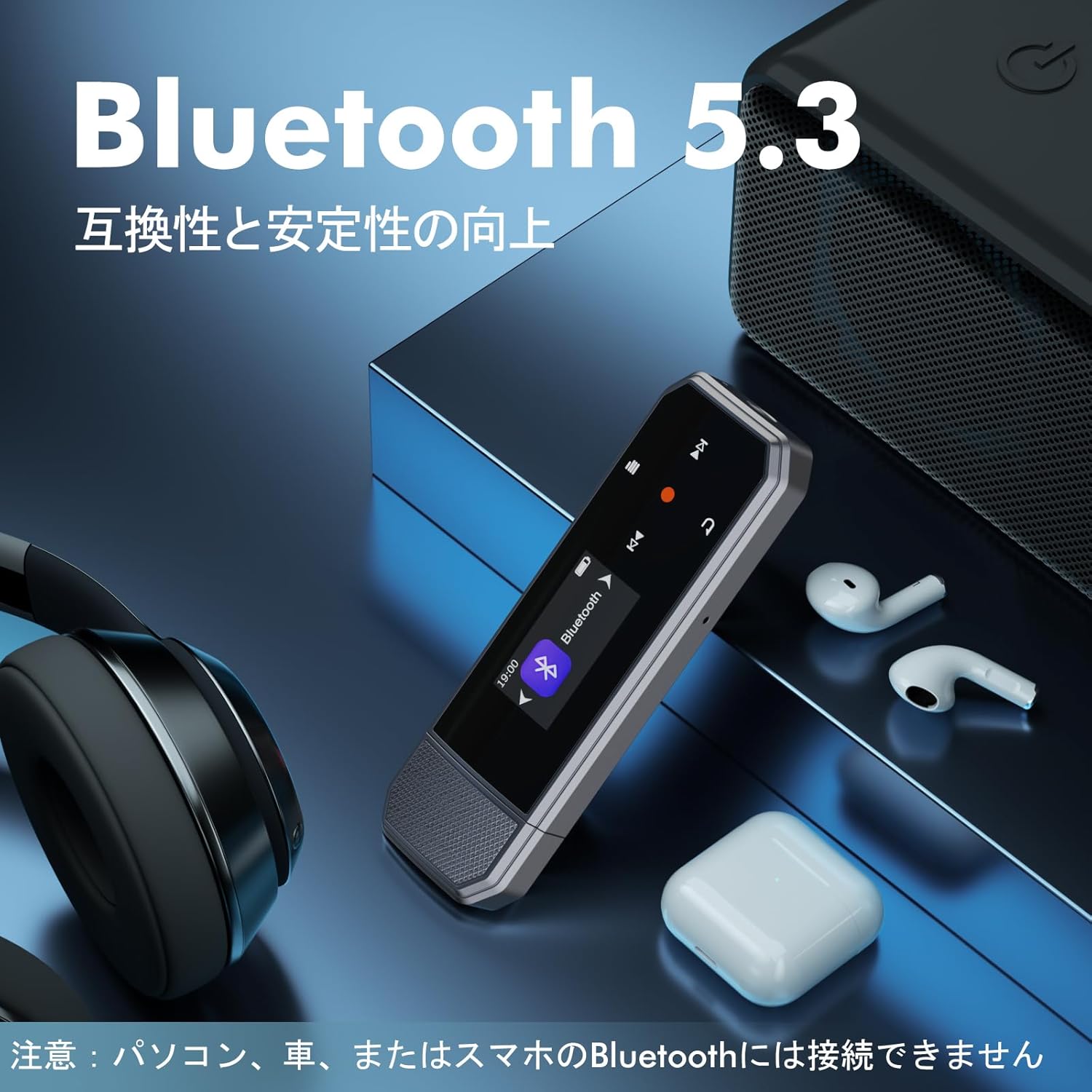
Image: Key specifications of the RUIZU X66 MP3 Player.
4.2.1. Via Computer (USB Connection)
- Connect the MP3 player to your computer using the USB-C adapter cable.
- The player will appear as a removable disk drive.
- Povlecite in spustite svojo glasbo files (MP3, WMA, APE, FLAC, WAV, M4A, OGG) into the player's storage.
- Safely eject the device from your computer before disconnecting.
4.2.2. Via Smartphone (OTG Function)
The player supports OTG (On-The-Go) for direct file transfer from compatible Android smartphones.
- Connect the MP3 player directly to your Android smartphone's Type-C port.
- Your phone will recognize the player as external storage.
- Use your phone's file manager to transfer music files.
Note: OTG file transfer is not supported on iOS devices. Batch transfer is limited to 1GB at a time.

Slika: File transfer options for the RUIZU X66 MP3 Player.
5. Osnovno delovanje
5.1. Vklop/izklop
- Za vklop: Pritisnite in držite gumb za vklop, dokler se zaslon ne prižge.
- Za izklop: Pritisnite in držite gumb za vklop, dokler se naprava ne izklopi.
5.2. Predvajanje glasbe
- Navigate to the 'Music' menu using the control buttons.
- Select a song or folder to play.
- Za začetek ali premor predvajanja uporabite gumb Predvajaj/Premor.
- Za preskakovanje skladb uporabite gumba Naprej/Nazaj.
5.2.1. Načini predvajanja
Predvajalnik podpira različne načine predvajanja:
- Sequential Playback: Predvaja pesmi po vrsti.
- Naključno predvajanje: Predvaja pesmi v naključnem vrstnem redu.
- Ponovi eno: Ponavlja trenutno skladbo.
- Ponovi vse: Repeats all songs in the current folder/playlist.
5.3. Nadzor glasnosti
Use the dedicated Volume Up and Volume Down buttons on the side of the device to adjust the audio level.
5.4. Bluetooth povezava
Connect your RUIZU X66 to Bluetooth headphones or speakers for wireless audio.

Image: RUIZU X66 MP3 Player demonstrating Bluetooth 5.3 connectivity.
- Vklopite slušalke ali zvočnik Bluetooth in jih nastavite v način seznanjanja.
- On the MP3 player, navigate to the 'Bluetooth' menu.
- Izberite 'Iskanje naprave« ali »Seznani novo napravo«.
- Na seznamu izberite napravo za povezavo.
Note: The RUIZU X66 cannot connect to car Bluetooth, computer Bluetooth, or smartphone Bluetooth for audio output.
6. Napredne funkcije
6.1. Snemanje glasu
The RUIZU X66 features a one-button recording function.

Image: Activating the voice recording function on the RUIZU X66 MP3 Player.
- To start recording: Slide the red recording button on the side of the device upwards.
- To save recording: Slide the red recording button downwards.
- Posneto files are saved in the 'Record' folder and can be played back from the device.
6.2. FM radio
Poslušajte svoje najljubše FM radijske postaje.

Image: Using the FM radio feature with wired headphones.
- Connect wired headphones to the 3.5mm jack (they act as the antenna).
- Navigate to the 'FM Radio' menu.
- Use the auto-tune function to scan for available stations or manually tune.
6.3. Števec korakov
Track your steps during exercise.
- Navigate to the 'Pedometer' menu to start tracking.
- The device records step count, distance, and time.
- Review your activity history within the pedometer menu.
6.4. Druge funkcije
- Izenačevalnik: Prilagodite zvok profesionalcafilepo vaši želji.
- Zaznamki: Mark specific points in audio files for quick return.
- Omejitev glasnosti: Set a maximum volume level to protect hearing.
- File Mape: Organize and browse your music by folders.
- USB ključek: The device can also function as a portable USB storage drive.
7. Vzdrževanje
- Čiščenje: Za čiščenje naprave uporabite mehko, suho krpo. Izogibajte se tekočim čistilom.
- Shranjevanje: Predvajalnik shranjujte na hladnem in suhem mestu, stran od neposredne sončne svetlobe in ekstremnih temperatur.
- Vzdrževanje baterije: Da podaljšate življenjsko dobo baterije, se izogibajte pogostemu popolnemu praznjenju baterije. Redno jo polnite.
- Zaščita zaslona: The screen is susceptible to scratches. Handle with care.
8. Odpravljanje težav
| Težava | Možna rešitev |
|---|---|
| Naprava se ne vklopi. | Prepričajte se, da je baterija napolnjena. Priključite na vir napajanja in poskusite znova. |
| Prenos ni mogoč files na napravo. | Check USB cable connection. Ensure the device is properly recognized by your computer/phone. For OTG, confirm your phone is Android and supports OTG. |
| Bluetooth connection unstable or not pairing. | Ensure your Bluetooth accessory is in pairing mode and within range. Restart both devices. Remember, the player cannot connect to car, PC, or phone Bluetooth for audio output. |
| Iz slušalk ni zvoka. | Check headphone connection. Ensure volume is not muted or too low. Test with different headphones. |
| FM radio ne deluje. | Wired headphones must be connected as they act as the antenna. Ensure you are in an area with good signal reception. |
9. Specifikacije
- Znamka: RUIZU
- Model: X66
- Kapaciteta pomnilnika: 64 GB
- Tehnologija povezljivosti: Bluetooth 5.3, USB Type-C, 3.5mm AUX
- Podprti zvočni formati: MP3, WMA, APE, FLAC, WAV, M4A, DRM, ACELP, OGG
- Življenjska doba baterije: Do 20 ur (predvajanje)
- Čas polnjenja: Približno 2 ur
- Teža: 26 g
- Dimenzije: 8.1 x 2.5 x 1.3 cm
- Lastnosti: FM Radio, Voice Recorder, Pedometer, Equalizer, Clip Design
10. Garancija in podpora
RUIZU offers a 1-year warranty for product defects or malfunctions from the date of purchase. For any product issues, please contact our customer support for free refunds or exchanges.
If you have any questions about the product, please feel free to contact us. Refer to the "Product Packaging" for detailed contact information.