
Sharp BNDL_4TC55FS1UR-WALTS-FM4390-SC
Uporabniški priročnik za televizor Sharp AQUOS OLED 4K UHD Roku
Model: 4T-C55FS1UR
Includes Walts TV Full Motion Mount and Screen Cleaner Kit
Uvod
This manual provides essential information for setting up, operating, maintaining, and troubleshooting your new Sharp 4T-C55FS1UR 55 Inch AQUOS OLED 4K Ultra HD Roku TV. It also covers the included Walts TV Large/Extra Large Full Motion Mount and Walts HDTV Screen Cleaner Kit. Please read this manual thoroughly before using your product to ensure optimal performance and safety.

The Sharp 55-inch AQUOS OLED 4K UHD Roku TV, bundled with a full motion mount and screen cleaner kit.
Vodnik za namestitev
1. Razpakiranje in namestitev
Carefully remove all components from the packaging. The TV weighs approximately 38.5 pounds and has product dimensions of 9.84"D x 48.27"W x 31.18"H. Ensure you have adequate space for placement.
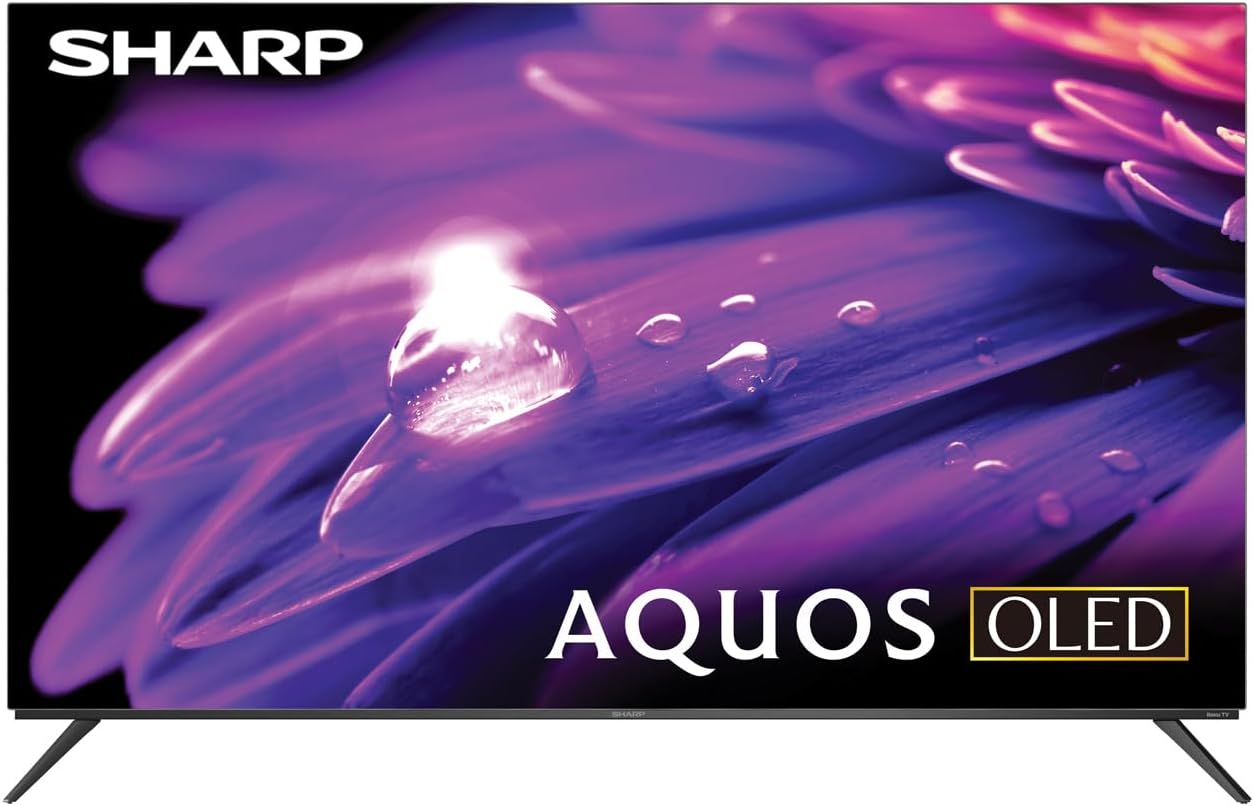
The Sharp AQUOS OLED TV, showcasinz elegantno obliko in živahnim zaslonom.
Namestitev stojala
The TV comes with two legs that attach to the outer edges of the TV. These stands provide approximately 3.5 inches of clearance, allowing space for a soundbar or other accessories beneath the TV. Ensure the stands are securely fastened before placing the TV on a flat, stable surface.
Full Motion Mount Installation
The Walts TV Large/Extra Large Full Motion Mount is designed for 43-90 inch compatible TVs and supports VESA compatibility up to 700mm x 500mm. This articulating mount allows for extensive movement, including tilting up or down, angling side to side, and extending away from the wall. Refer to the separate mount instruction manual for detailed installation steps and safety guidelines.

The Walts TV Full Motion Mount, shown in an extended position, offering flexible viewing kotov.
2. Povezave
The TV features side-angled inputs for easy access, whether wall-mounted or on a stand. Connect your devices to the appropriate ports:
- Vrata HDMI: 4 HDMI inputs, including one with eARC for enhanced audio return channel functionality.
- Vrata USB: 2 USB ports for media playback or connecting compatible devices.
- Ethernet: Za žično internetno povezavo.
- Vhod za anteno: Za priključitev antene za oddajanje signalov po zraku.
- Digitalni avdio izhod: Za povezavo z zunanjimi avdio sistemi.

Podrobno view of the conveniently located side-angled input ports on the Sharp TV.
3. Začetni vklop in nastavitev Rokuja
Once all connections are made, plug in the TV and press the power button on the remote. Follow the on-screen instructions to complete the initial Roku TV setup, including connecting to your Wi-Fi network and logging into your Roku account. The intuitive Roku interface provides access to a wide range of streaming services.

The Sharp Roku TV home screen, showing popular streaming applications and navigation options.
Upravljanje televizorja
Kakovost slike
The Sharp AQUOS OLED TV delivers stunning visuals with its 4K Ultra HD resolution, providing 8.3 million pixels for incredible detail. It supports HDR10, HLG, and Dolby Vision IQ, enhancing contrast and color accuracy for a more immersive viewing experience. The OLED technology ensures true blacks and vibrant colors.
For gamers, the TV features a 120Hz refresh rate and Variable Refresh Rate (VRR) with Low Latency, ensuring smooth gameplay and reduced input lag, especially with next-gen consoles.
Official product review video for the Sharp FS1UR Series TV, highlighting its features and performance.
Avdio funkcije
Experience rich and clear sound with Dolby Audio. The TV features built-in speakers designed to complement the visual experience. For enhanced audio, utilize the eARC HDMI port to connect a compatible soundbar or audio receiver.
Smart Features (Roku TV)
The integrated Roku TV platform provides access to a vast library of streaming content. Supported internet services include Netflix, Disney+, Apple TV, Roku Channel, Discovery+, HBO Max, Paramount+, and many more. The included voice remote control allows for convenient navigation and content search.
Viewing Angles and Reflection Handling
The Sharp AQUOS OLED TV offers excellent viewing angles, ensuring consistent picture quality even when viewed from the side. Its reflection handling is also exceptional, minimizing glare in most environments. However, in extremely bright rooms, some reflections may still be visible due to the nature of OLED panels.
Vzdrževanje
Čiščenje zaslona
Use the included Walts HDTV Screen Cleaner Kit to keep your screen pristine. This non-ammonia and alcohol-free solution cleans without dripping, streaking, or staining, leaving no film or residue. It effectively removes dust, dirt, and fingerprints. Apply the solution to a soft, lint-free cloth (not directly to the screen) and gently wipe the display.

The Walts HDTV Screen Cleaner Kit, designed for safe and effective cleaning of display screens.
Splošna nega
- Televizor hranite v dobro prezračevanem prostoru, da preprečite pregrevanje.
- Televizorja ne izpostavljajte neposredni sončni svetlobi ali ekstremnim temperaturam.
- Na televizor ne postavljajte težkih predmetov.
- Med nevihtami ali če televizorja dalj časa ne uporabljate, ga izključite iz električne vtičnice.
Odpravljanje težav
If you encounter issues with your Sharp AQUOS OLED TV, refer to the following common troubleshooting tips:
- Brez napajanja: Prepričajte se, da je napajalni kabel varno priključen tako v televizor kot v delujočo električno vtičnico. Poskusite z drugo vtičnico.
- Brez slike/zvoka: Verify that the correct input source is selected. Check all cable connections (HDMI, antenna, etc.) for looseness.
- Daljinski upravljalnik ne deluje: Zamenjajte baterije v daljinskem upravljalniku. Prepričajte se, da med daljinskim upravljalnikom in infrardečim senzorjem televizorja ni ovir.
- Težave z omrežno povezavo: Restart your Wi-Fi router. Go to the Roku TV settings to re-establish the network connection or try a wired Ethernet connection.
- Težave s kakovostjo slike: Adjust picture settings (brightness, contrast, color) in the TV's menu. Ensure your content source is high-quality (e.g., 4K content for 4K resolution).
Za podrobnejše odpravljanje težav ali vztrajne težave se obrnite na podporo strankam.
Specifikacije
| Funkcija | Opis |
|---|---|
| Blagovna znamka | Ostra |
| Ime modela | 4T-C55FS1UR |
| Velikost zaslona | 55 palcev |
| Tehnologija zaslona | OLED |
| Resolucija | 4K Ultra HD |
| Hitrost osveževanja | 120 Hz |
| Posebne lastnosti | HDR10, HLG, Dolby Vision IQ, Full Roku TV Experience, Dolby Digital Audio, Variable Refresh Rate (VRR) with Low Latency, Voice Remote Control |
| Povezljivost | 4 HDMI (1 eARC), 2 USB, Wi-Fi Compatible, Ethernet |
| Podprte internetne storitve | Netflix, Disney+, Apple TV, Roku Channel, Discovery+, HBO Max, Paramount+, and More |
| Dimenzije izdelka | 9.84"D x 48.27"Š x 31.18"V |
| Teža predmeta | 38.5 funta |
| barva | Črna |
Garancija in podpora
Za informacije o garanciji in podporo strankam glejte dokumentacijo, ki je priložena vašemu izdelku, ali obiščite uradno spletno stran Sharp webspletnem mestu. Dodatne vire za podporo in pogosta vprašanja najdete tudi na Trgovina Sharp na Amazonu.

Dedicated customer support is available for assistance.
Ask a question about this manual
Ask about setup, troubleshooting, compatibility, parts, safety, or missing instructions. Manuals+ will review the question and use this page’s manual context to help answer it.