
1. Uvod
Thank you for choosing the CZEview ZY-Q6 2K Outdoor Battery Surveillance Camera. This manual provides essential information for the proper installation, operation, and maintenance of your device. This robust security camera is designed for outdoor use, featuring a waterproof construction suitable for various weather conditions. It offers versatile installation options, including magnetic mounting, and provides clear surveillance with 2K resolution, 300° horizontal PTZ, motion detection, and night vision capabilities.
For optimal performance and safety, please read this manual thoroughly before using the camera and retain it for future reference.
2. Sestavni deli izdelka
Paket vključuje naslednje elemente:
- CZEview ZY-Q6 2K Outdoor Battery Surveillance Camera
- Polnilni kabel
- Montažni nosilec
- Navodila za uporabo
Unboxing Videos
Opis videoposnetka: This video demonstrates the unboxing process for a JSX Electronics camera, showing the contents typically found in the package, including the camera, mounting accessories, and cables.
Opis videoposnetka: This unboxing video for the ieGeek S2 camera (a similar model) showcases the camera and its accessories, providing a visual guide to what to expect in your package.
3. Nastavitev in namestitev
3.1 Fizična namestitev
Češkaview ZY-Q6 camera offers versatile installation options, including magnetic mounting for easy placement on metallic surfaces or screw mounting for more permanent fixtures.
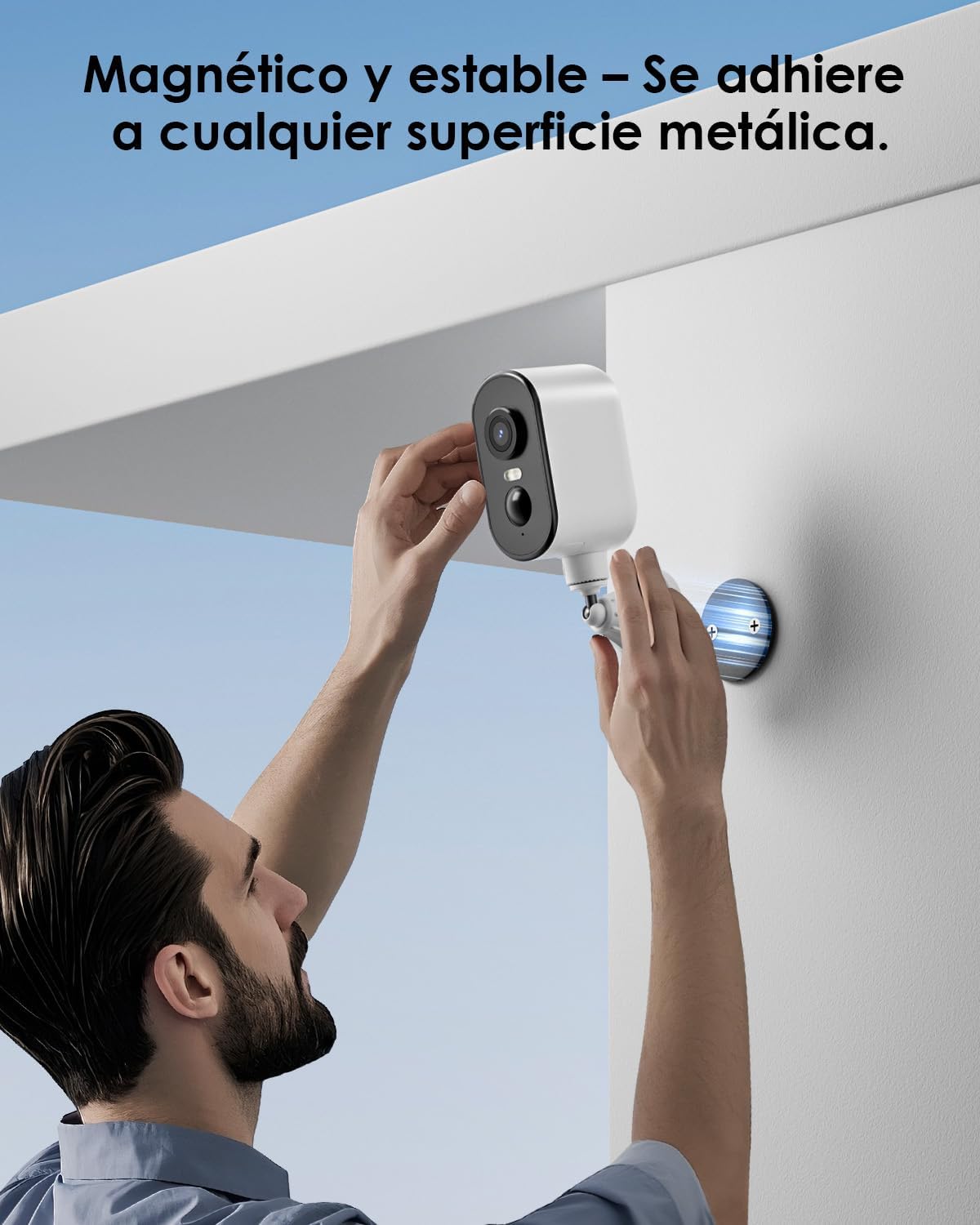
Opis slike: A man is shown easily attaching the CZEview ZY-Q6 camera to a metallic surface on a wall using its magnetic base, highlighting its stable and convenient mounting.
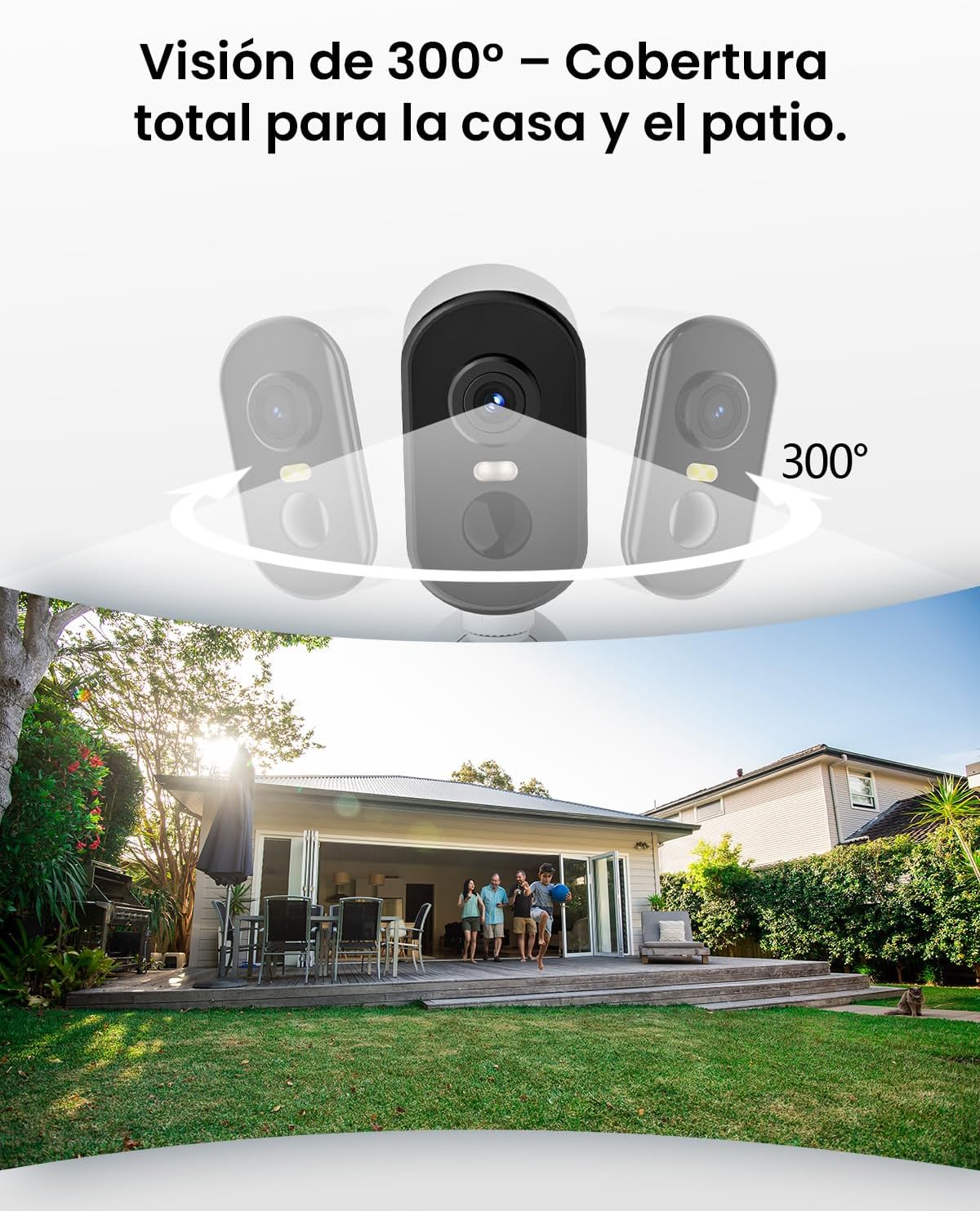
Opis slike: This image illustrates the camera's 300-degree horizontal PTZ (Pan-Tilt-Zoom) capability, showing how multiple cameras can provide total coverage for a house and patio area.
3.2 Povezava z aplikacijo
To connect your camera to your smartphone, follow the instructions in the app. Ensure your phone is connected to a 2.4G WiFi network.
Opis videoposnetka: This video provides a step-by-step guide on how to connect your outdoor WiFi battery surveillance camera to your smartphone application, covering initial setup and pairing.
Opis videoposnetka: This video demonstrates the setup process for an outdoor WiFi battery camera, including app configuration and initial connection steps for remote monitoring.
Opis videoposnetka: This video illustrates the installation process for a portable 4G camera. While this model is 2.4G WiFi, the physical mounting steps may offer general guidance.
4. Navodila za uporabo
4.1 Zaznavanje gibanja in opozorila
The camera features automatic activation upon detecting motion, recording important events. It can differentiate between people, animals, vehicles, and packages to reduce false alarms.

Opis slike: This image shows the camera's automatic activation feature, detecting and recording important events triggered by people, animals, vehicles, and packages.
4.2 Night Vision and Security Features
In night mode, upon detecting motion, the camera illuminates and emits an audible alarm, enhancing security during low-light conditions. The infrared illumination system provides clear and sharp surveillance even in total darkness.
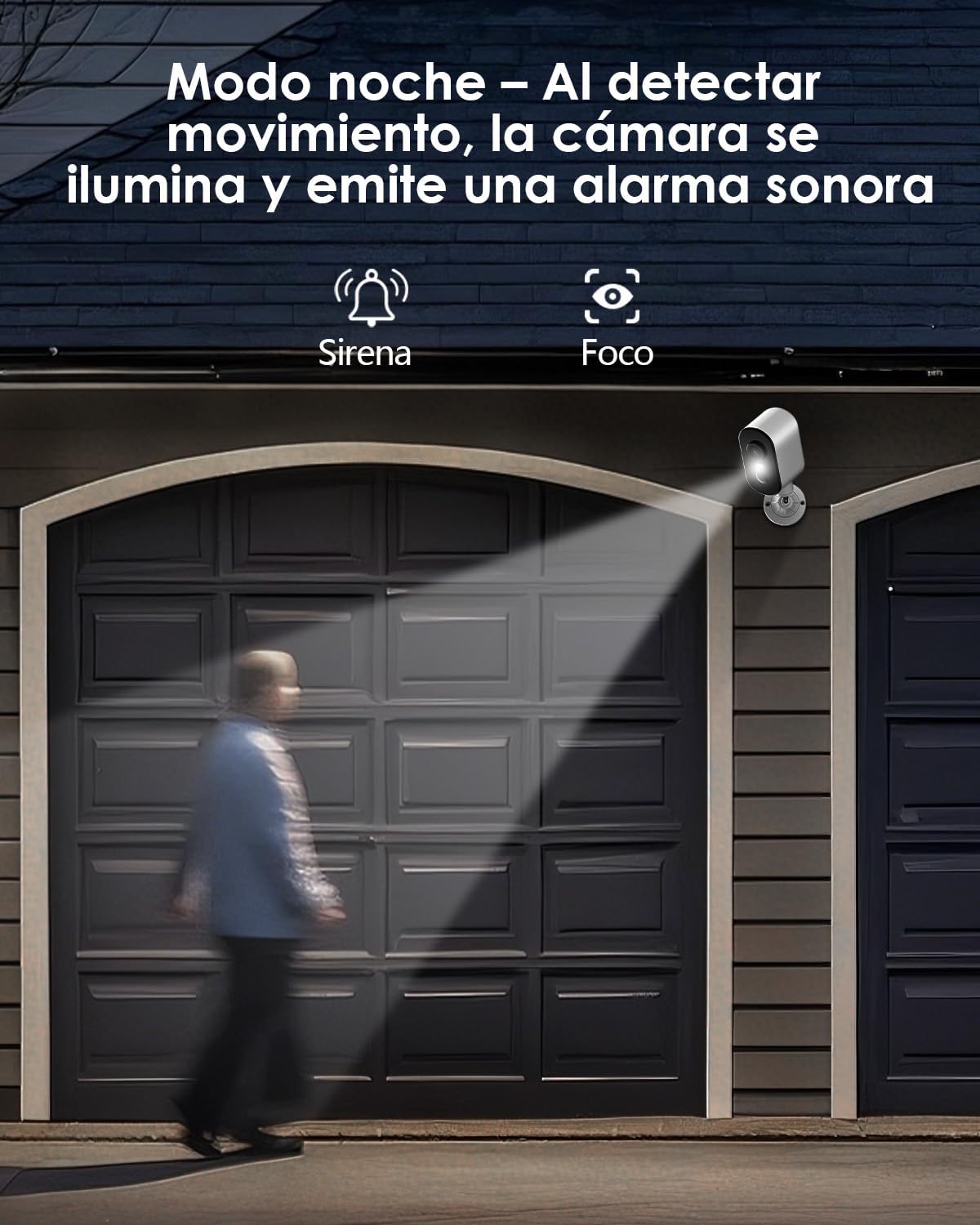
Opis slike: The camera is depicted in night mode, with its spotlight and siren activating upon motion detection to deter intruders and provide clear visibility.
4.3 Remote Monitoring and Multi-User Access
The camera supports remote monitoring, allowing real-time video streaming access from your smartphone. Multiple users can simultaneously access the camera feed.
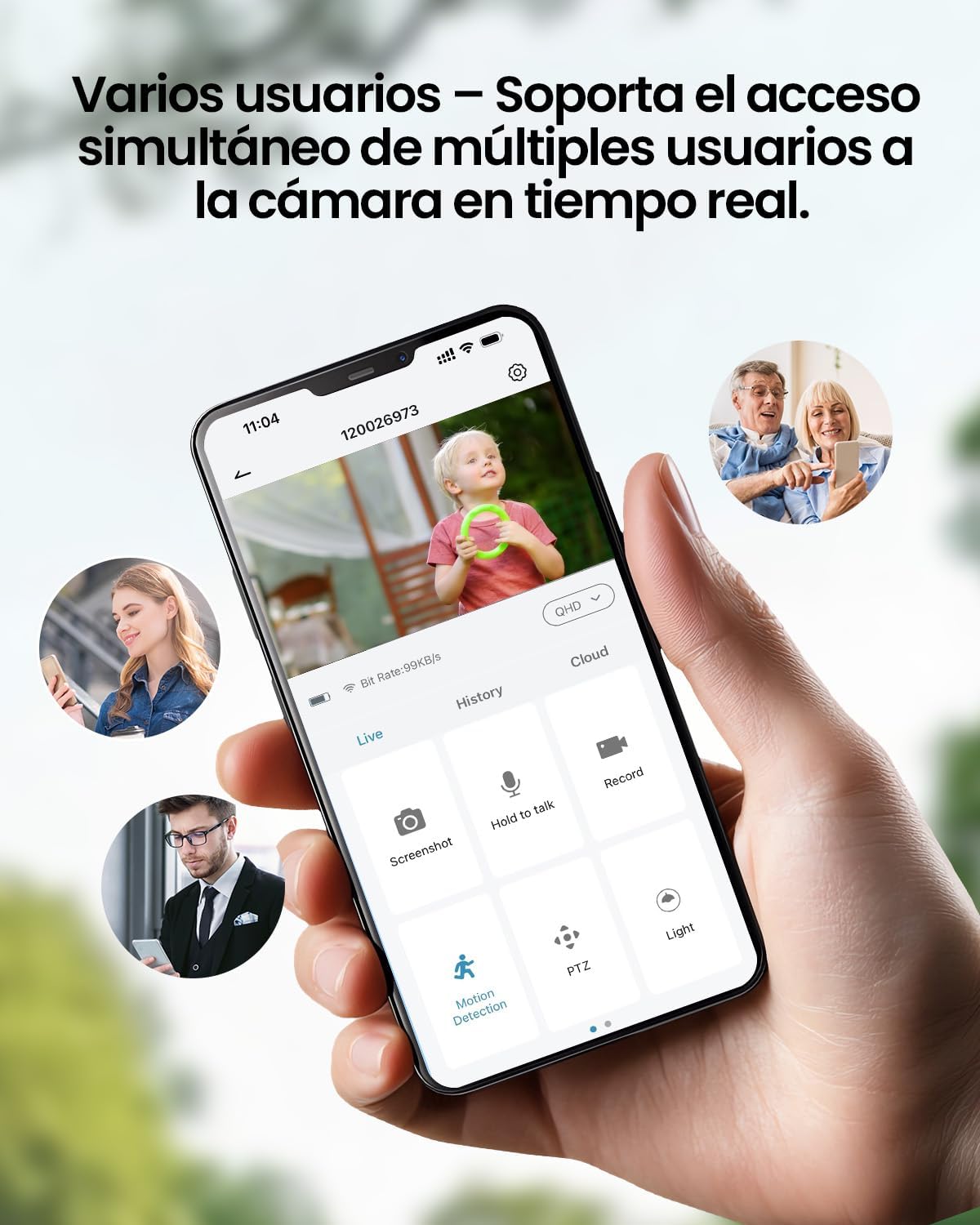
Opis slike: A smartphone displays the live feed from the camera, with icons indicating support for simultaneous access by multiple users, enabling shared monitoring.
5. Odpornost na vremenske vplive
Češkaview ZY-Q6 camera is designed to withstand various outdoor conditions. Its fully dustproof and waterproof construction ensures continuous surveillance in any climate, from heavy rain to direct sun exposure.

Opis slike: Češkaview ZY-Q6 camera is shown mounted outdoors during rainfall, demonstrating its fully dustproof and waterproof design, ideal for continuous outdoor use.
6. Specifikacije
| Funkcija | Podrobnost |
|---|---|
| Proizvajalec | CZEview |
| Dimenzije izdelka | 6 x 6.5 x 12 cm; 530 g |
| Baterije | 1 9V battery required, included |
| Številka modela | ZY-Q6 |
| barva | Bela |
| Material | ABS plastika |
| Vir napajanja | Baterija |
| voltage | 12 volta |
| Električna energija | 5 vatov |
| Način namestitve | Stenski nosilec |
| Vrsta žarnice | Infrardeča LED |
| Vrsta namestitve | Namizni nosilec |
| Posebne lastnosti | Zaznavanje gibanja, nočni vid |
| Priporočene uporabe | Property Monitoring, Home Security, Outdoor Surveillance |
| Teža izdelka | 530 g |
| Največji doseg | 20 metrov |
| Združljive naprave | Pametni telefon |
7. Vzdrževanje
- Čiščenje: Redno obrišite objektiv in ohišje fotoaparata z mehko krpoamp krpo za odstranjevanje prahu in umazanije. Izogibajte se uporabi močnih kemikalij, ki lahko poškodujejo površino.
- Upravljanje baterije: Monitor the battery level through the app. Recharge the camera promptly when the battery is low to ensure continuous operation.
- Posodobitve vdelane programske opreme: Check for and install any available firmware updates through the companion app to ensure optimal performance and security.
- Preverjanje montaže: Periodically inspect the mounting bracket and ensure the camera is securely attached, especially after severe weather conditions.
8. Odpravljanje težav
- Kamera se ne povezuje z omrežjem Wi-Fi:
- Ensure your router is broadcasting a 2.4GHz WiFi signal. The camera does not support 5GHz networks.
- Preverite, ali je geslo za WiFi, vneseno v aplikacijo, pravilno.
- Place the camera closer to the WiFi router during the initial setup process.
- Reset the camera by pressing the reset button for 5 seconds and attempt to reconnect.
- Slaba kakovost videa:
- Check your WiFi signal strength. A weak signal can affect video quality.
- Clean the camera lens to ensure it is free from dirt or smudges.
- Prepričajte se, da ni ovir, ki bi blokirale kamero view.
- Zaznavanje gibanja ne deluje:
- Verify that motion detection is enabled in the camera's app settings.
- Prilagodite nastavitve občutljivosti zaznavanja gibanja.
- Zagotovite, da je vidno polje kamere view covers the desired monitoring area.
- Baterija se hitro izprazni:
- Frequent motion detection events or live viewing can consume more battery power. Adjust sensitivity or reduce live viewing čas.
- Ensure the camera is installed in an area with optimal WiFi signal to avoid excessive power consumption from searching for a connection.
- Ekstremne temperature lahko vplivajo na delovanje baterije.
9. Varnostne informacije
- Do not attempt to disassemble or modify the camera. This may void the warranty and cause damage.
- Use only the provided charging cable or a compatible certified cable for charging.
- Keep the camera away from extreme heat sources, open flames, or corrosive substances.
- Ensure the camera is securely mounted to prevent it from falling and causing injury or damage.
- Baterije zavrzite v skladu z lokalnimi predpisi. Baterij ne odvrzite v ogenj.
10. Garancija in podpora
For warranty information, technical support, or any inquiries regarding your CZEview ZY-Q6 camera, please refer to the contact details provided in the product packaging or visit the official CZEview webmesto.
Prosimo, shranite račun kot dokazilo o nakupu za uveljavljanje garancije.