
1. Uvod
This manual provides essential information for the installation, operation, and maintenance of your ANTEC GSK750 ATX3.1 80PLUS GOLD Power Supply Unit (PSU). Please read this manual thoroughly before installing and using the product to ensure proper function and safety. The ANTEC GSK750 is a high-efficiency, durable power supply designed for modern PC systems.
2. Lastnosti
- 80PLUS GOLD certification for high efficiency.
- Full modular design for improved cable management.
- Compact design with a depth of 140 mm.
- Active PFC and universal AC input support.
3. Nastavitev in namestitev
3.1. Vsebina paketa
Preverite, ali so v paketu prisotne vse komponente:
- ANTEC GSK750 ATX3.1 80PLUS GOLD PSU
- Modularni kabelski set
- AC napajalni kabel
- Montažni vijaki
- Uporabniški priročnik (ta dokument)
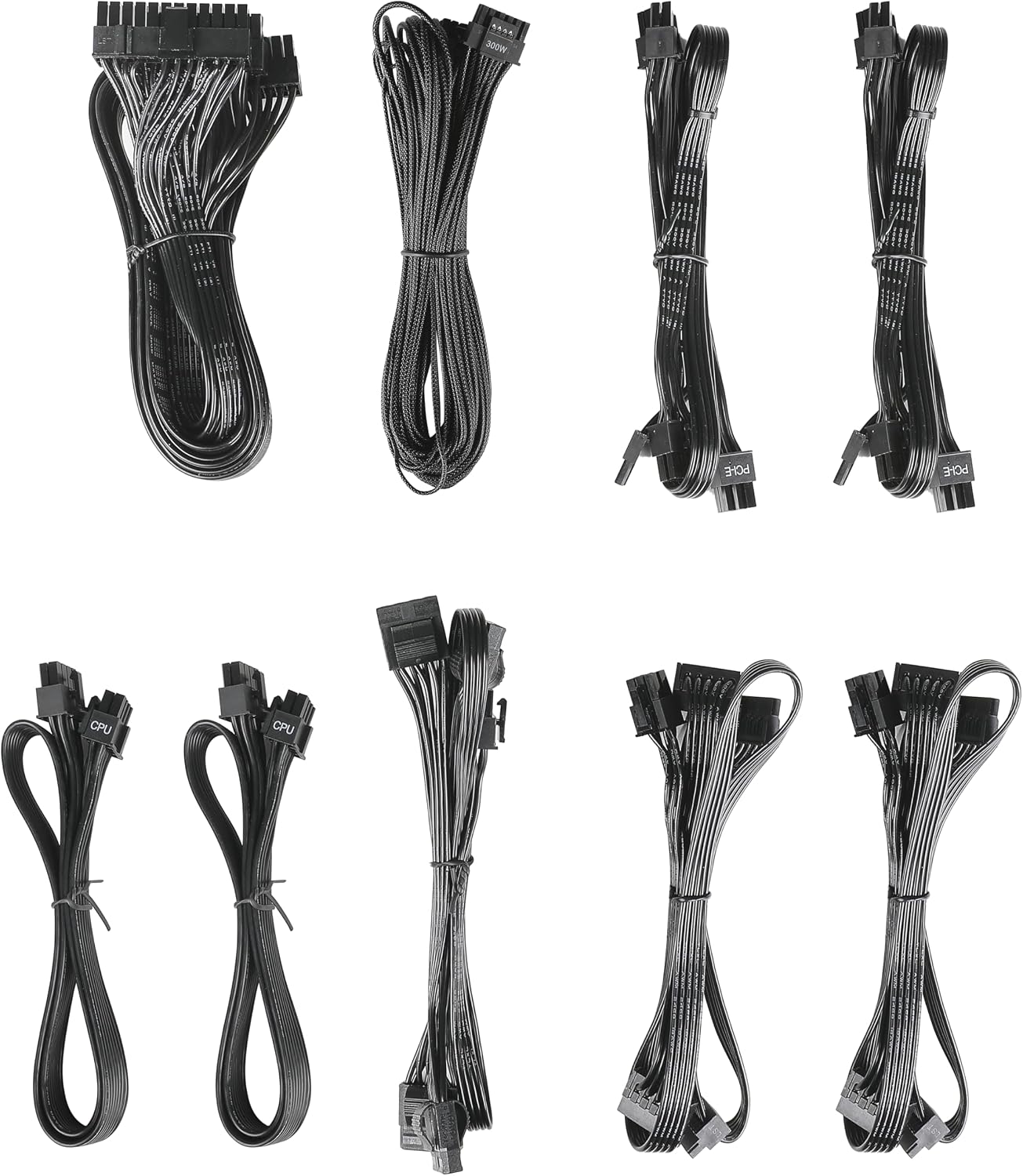
Image: The modular cable set included with the ANTEC GSK750 power supply unit. This includes various cables for motherboard, CPU, PCIe, SATA, and Molex connections.
3.2. Fizična namestitev
- Prepričajte se, da je računalnik izklopljen in izklopljen iz stenske vtičnice.
- Mount the PSU into the designated PSU bay in your computer case using the provided screws. Ensure the fan is oriented correctly for optimal airflow (typically facing downwards if there's a bottom vent, or upwards if not).

Slika: Pogled od zgoraj navzdol view of the ANTEC GSK750 power supply unit, showing the fan grille and overall compact form factor.
3.3. Kabelske povezave
Connect the necessary modular cables to the PSU and your system components. The full modular design allows you to connect only the cables you need, reducing clutter.
- 24-Pin Main Power: Connect to your motherboard.
- 8-Pin (4+4) CPU Power: Connect to your motherboard's CPU power connector.
- PCI-E (6+2 Pin): Connect to your graphics card(s).
- Napajanje SATA: Povežite se s SSD-ji, trdimi diski in optičnimi pogoni.
- Molex Power: Connect to older peripherals or case fans.

Image: The modular connector panel on the side of the ANTEC GSK750 power supply, clearly labeled for PCI-E, CPU, SATA/Molex, and M/B (motherboard) connections.
3.4. Začetni vklop
After all connections are secure, plug the AC power cord into the PSU and then into a wall outlet. Flip the main power switch on the back of the PSU to the 'ON' position. You can then power on your computer.
4. Navodila za uporabo
4.1. Hybrid Mode
The ANTEC GSK750 features a Hybrid Mode switch located on the rear of the unit. When Hybrid Mode is enabled, the PSU fan will remain off under low load conditions, providing silent operation. The fan will automatically activate when the load increases to maintain optimal temperatures. When Hybrid Mode is disabled, the fan will operate continuously.

Image: The rear panel of the ANTEC GSK750 power supply, featuring the main power switch, AC input, and the 'Hybrid Mode' toggle switch.
5. Vzdrževanje
Za zagotovitev dolge življenjske dobe in optimalne zmogljivosti napajalnika upoštevajte ta navodila za vzdrževanje:
- Čiščenje: Periodically clean the exterior of the PSU and the fan grille to prevent dust buildup. Use compressed air to gently clear dust from the fan and internal components. Ensure the PSU is unplugged before cleaning.
- Pretok zraka: Ensure that the PSU has adequate airflow within your computer case. Avoid blocking the intake or exhaust vents.
6. Odpravljanje težav
If you encounter issues with your ANTEC GSK750 PSU, consider the following:
- Brez napajanja: Check all cable connections, especially the 24-pin motherboard connector and the CPU power connector. Ensure the AC power cord is securely plugged into both the PSU and the wall outlet. Verify the main power switch on the PSU is in the 'ON' position.
- Nestabilnost/zrušitve sistema: Ensure your PSU wattage is sufficient for all your components. Overloading the PSU can lead to instability. Check for loose connections.
- Hrup ventilatorja: If the fan is excessively noisy and Hybrid Mode is off, ensure there is no obstruction. If Hybrid Mode is on, the fan will spin up under load, which is normal.
If problems persist, consult the ANTEC support webspletno mesto ali se obrnite na službo za stranke.
7. Specifikacije
Detailed specifications for the ANTEC GSK750 ATX3.1 80PLUS GOLD PSU:

Image: The specification label of the ANTEC GSK750 power supply, detailing output voltages, currents, and total wattage.
| Specifikacija | Vrednost |
|---|---|
| Znamka | ANTEC |
| Številka modela | GSK750 ATX3.1 |
| Izhodna vattage | 750 W |
| Faktor oblike | ATX |
| Certifikat učinkovitosti | 80PLUS GOLD |
| Dimenzije izdelka (DxŠxV) | 14 x 15 x 8.6 cm |
| Teža izdelka | 2.5 kg |
| Najmanjša vhodna glasnosttage | 100 voltov (AC) |
| System Bus Connector Type | 24 Pin |
| Število oboževalcev | 2 |
| UPC | 761345200547 |
| Država izvora | Kitajska |
8. Garancija in podpora
8.1. Informacije o garanciji
The ANTEC GSK750 ATX3.1 80PLUS GOLD Power Supply Unit comes with a 7-letna garancija od datuma nakupa. Ta garancija krije napake v materialu in izdelavi pri normalni uporabi. Prosimo, shranite dokazilo o nakupu za uveljavljanje garancije.
8.2. Podpora strankam
For technical assistance, troubleshooting, or warranty inquiries, please visit the official ANTEC website or contact their customer support department. Contact information can typically be found on the ANTEC webembalaža spletnega mesta ali izdelka.