
1. Uvod
Thank you for choosing the HOMVILLA Digital Alarm Clock. This device is designed to provide reliable timekeeping and alarm functions with user-friendly features such as a large LED display, adjustable brightness, dual alarms, and a convenient USB charging port. Please read this manual carefully to ensure proper use and to maximize the lifespan of your product.
2. Varnostne informacije
- Naprave ne izpostavljajte ekstremnim temperaturam, neposredni sončni svetlobi ali visoki vlažnosti.
- Izogibajte se padcem ali izpostavljanju naprave močnim udarcem.
- Uporabljajte samo priloženi napajalnik in kabel USB.
- Napravo hranite ločeno od vode ali drugih tekočin.
- Naprave ne poskušajte razstavljati ali popravljati sami. V primeru težav se obrnite na podporo strankam.
- Remove the protective film from the display before first use.
3. Vsebina paketa
Prosimo, preverite paket za naslednje artikle:
- HOMVILLA Digital Alarm Clock
- USB polnilni kabel
- Napajalni adapter
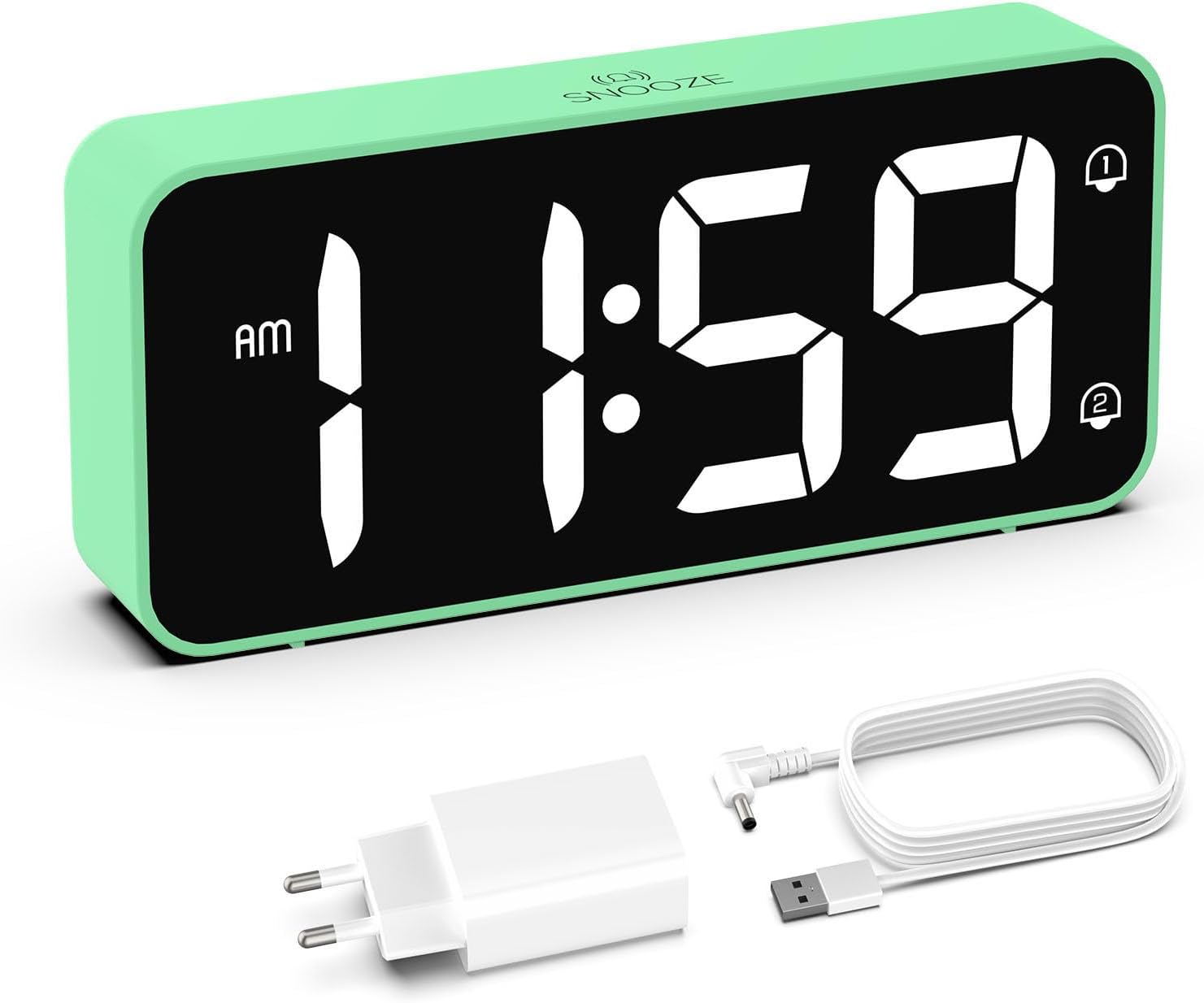
Image: The HOMVILLA Digital Alarm Clock, its USB charging cable, and the power adapter included in the package.
4. Izdelek je končanview
The HOMVILLA Digital Alarm Clock features a large LED display and intuitive controls. Familiarize yourself with the various components and buttons:

Image: A detailed diagram illustrating the front display and rear control panel of the alarm clock, with labels for each button, port, and dimension.
Sprednji zaslon:
- Prikaz časa: Large LED digits for current time.
- Indikator dopoldne/popoldne: For 12-hour format.
- Alarm 1 Indicator: Icon to show Alarm 1 is active.
- Alarm 2 Indicator: Icon to show Alarm 2 is active.
- Indikator poletnega časa: Icon to show Daylight Saving Time is active.
- Snooze Indicator: Icon to show snooze is active (top center).
Zadnja nadzorna plošča:

Image: The back of the alarm clock, highlighting the scroll wheels for volume and dimmer, and the central control buttons.
- Kolešček za glasnost: Adjusts alarm volume (left side).
- Gumb za nastavitev časa: Vstopi v način nastavitve časa.
- Gumb za gor: Med nastavljanjem poveča vrednosti.
- Gumb navzdol: Zmanjša vrednosti med nastavitvijo.
- Gumb za nastavitev alarma: Vstopi v način nastavitve alarma.
- Gumb za vklop/izklop: Turns alarms on or off.
- Dimmer Scroll Wheel: Adjusts display brightness (right side).
- Gumb za ponastavitev: Ponastavi uro na tovarniške nastavitve.
- Vrata USB: Za polnjenje zunanjih naprav.
- DC Port: Za vnos moči.
- DST Button: Activates/deactivates Daylight Saving Time.
- Predal za baterije: For backup batteries (2x AAA, not included).
5. Nastavitev
5.1 Napajalni priključek
- Connect the USB charging cable to the DC port on the back of the alarm clock.
- Priključite napajalnik v standardno električno vtičnico.
- The display will light up, indicating the clock is powered.

Image: The alarm clock connected to a wall outlet via its power adapter, placed on a bedside table.
5.2 Battery Installation (Memory Function)
Za ohranitev nastavitev časa in alarma med izpadom električne energijetage, install two AAA batteries (not included) in the battery compartment.
- Odprite pokrov predalčka za baterije na zadnji strani ure.
- Vstavite dve bateriji AAA in pazite na pravilno polarnost (+/-).
- Zaprite pokrov prostora za baterije.
Note: Batteries only support the memory function and do not power the display or alarm functions independently. The clock must be connected to mains power for full operation.

Image: A four-panel diagram illustrating the installation of AAA batteries into the alarm clock and demonstrating how the time setting is preserved even when the main power is disconnected and reconnected.
6. Navodila za uporabo
6.1 Setting the Time (12/24-Hour Format)
- Pritisnite in držite Nastavitev časa button on the back of the clock. The hour digits will flash.
- Uporabite Up or Dol gumbi za nastavitev ure.
- Pritisnite Nastavitev časa Ponovno pritisnite gumb , da potrdite uro in se premaknete na nastavitev minut. Številke minut bodo utripale.
- Uporabite Up or Dol gumbe za nastavitev minut.
- Pritisnite Nastavitev časa button a third time to confirm the minutes and exit time setting mode.
- To switch between 12-hour and 24-hour format, briefly press the Nastavitev časa button while the time is displayed (not in setting mode). The AM/PM indicator will appear for 12-hour format.
6.2 Setting Dual Alarms
Ura podpira dva neodvisna alarma (Alarm 1 in Alarm 2).
- Pritisnite Set alarmov button once to set Alarm 1. The Alarm 1 icon and hour digits will flash.
- Uporabite Up or Dol gumbe za nastavitev ure budilke.
- Pritisnite Set alarmov ponovno pritisnite, da potrdite uro in se premaknete na nastavitev minut. Številke minut bodo utripale.
- Uporabite Up or Dol gumbe za nastavitev minut alarma.
- Pritisnite Set alarmov a third time to confirm Alarm 1 settings.
- Če želite nastaviti Alarm 2, pritisnite Set alarmov button twice. Follow steps 1-5 for Alarm 2.
- To activate/deactivate an alarm, briefly press the Vklop/izklop button. The corresponding alarm icon (1 or 2) will appear/disappear on the display.

Image: Two separate scenarios illustrating the use of dual alarms, with one person waking at 8:20 and another at 14:30, highlighting the clock's ability to manage two distinct alarm times.
6.3 Funkcija dremeža
Ko se oglasi alarm, pritisnite veliko dremež button on the top of the clock to temporarily silence the alarm for 5 minutes. The alarm will sound again after 5 minutes. To turn off the alarm for the day, press any other button on the back of the clock.
Image: A person reaching to press the 'Snooze' button on the top of the alarm clock, which is placed on a bedside table.
6.4 Prilagajanje svetlosti zaslona
The display brightness can be adjusted from 5% to 100% to suit your preference, ensuring readability day and night without disturbance.
- Poiščite Dimmer Scroll Wheel on the right side of the back panel.
- Gently slide the wheel up or down to increase or decrease the display brightness.

Image: A graphic demonstrating the alarm clock's display brightness settings, showing the time '8:20' at 5%, 50%, and 100% illumination, with the clock itself shown below on a desk.
6.5 Prilagajanje glasnosti alarma
The alarm volume can be adjusted from 90dB to 120dB.
- Poiščite Kolesce za pomikanje glasnosti on the left side of the back panel.
- Gently slide the wheel up or down to increase or decrease the alarm volume.
6.6 Selecting Alarm Sounds
The alarm clock offers 8 different alarm melodies to choose from.
- While in alarm setting mode (after setting the alarm time), press the Up or Dol buttons to cycle through the available alarm sounds.
- Pritisnite Set alarmov gumb za potrditev izbire.
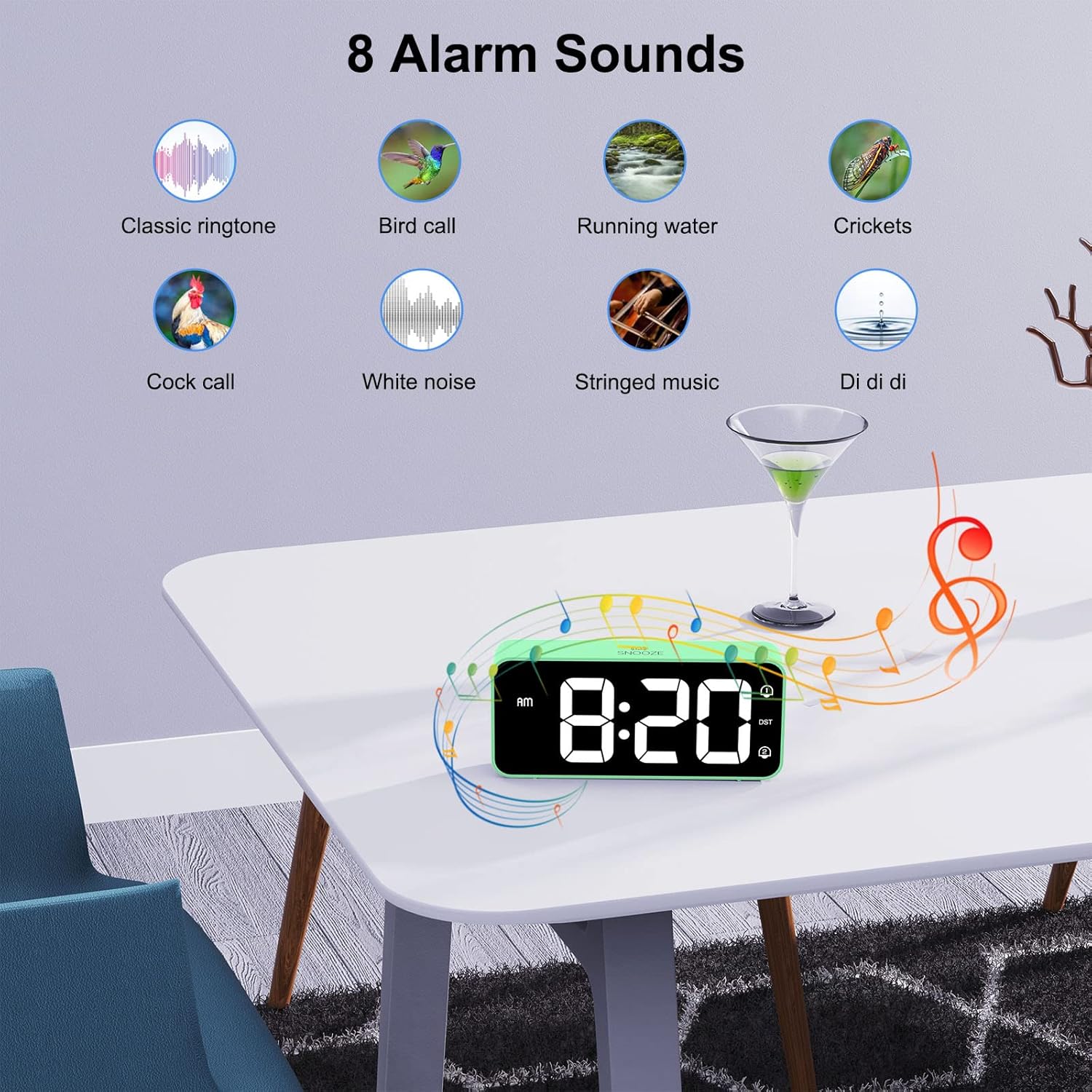
Image: A visual display of eight distinct alarm sound options, including classic ringtone, bird call, running water, crickets, cock call, white noise, stringed music, and a 'Di di di' sound, with the alarm clock shown on a table.
6.7 Poletni čas (DST)
To activate or deactivate Daylight Saving Time:
- Poiščite poletni čas gumb na zadnji plošči.
- Pritisnite poletni čas button once to toggle DST on or off. The DST icon will appear/disappear on the display.
6.8 vrata za polnjenje USB
The alarm clock includes a USB port on the back for charging mobile phones or other small electronic devices.
- Priključite polnilni kabel USB naprave v vrata USB na budilki.
- Ensure the alarm clock is connected to mains power for the USB charging function to work.
7. Vzdrževanje
- Površino ure očistite z mehko, suho krpo. Ne uporabljajte abrazivnih čistil ali topil.
- Ensure the ventilation openings are free from dust.
- If not in use for an extended period, disconnect the power adapter and remove the backup batteries.
8. Odpravljanje težav
| Težava | Možen vzrok | rešitev |
|---|---|---|
| Zaslon je prazen. | Ni priključka za napajanje. | Ensure the power adapter is securely plugged into the clock and a working outlet. |
| Alarm se ne oglasi. | Alarm ni aktiviran ali pa je glasnost prenizka. | Check if the alarm icon (1 or 2) is displayed. If not, activate it using the On/Off button. Adjust the volume using the Volume Scroll Wheel. |
| Ponastavitev časa/nastavitev po izpadu napajanjatage. | Rezervne baterije niso nameščene ali so izpraznjene. | Install two fresh AAA batteries in the battery compartment. |
| Polnjenje prek USB-ja ne deluje. | Clock not connected to mains power. | Ensure the alarm clock is plugged into a wall outlet. |
| Display too bright/dim. | Potrebno je prilagoditi nastavitev svetlosti. | Use the Dimmer Scroll Wheel to adjust brightness. |
9. Specifikacije
- Številka modela: 8813
- Znamka: HOMVILLA
- Vrsta zaslona: Large LED Mirror Display
- Velikost zaslona: 5.6 palcev
- Dimenzije izdelka: 14.4 cm (W) x 6.3 cm (H) x 3.81 cm (D) / 5.66 inches (W) x 2.48 inches (H) x 1.5 inches (D)
- Teža artikla: 157 g
- vir energije: Mains powered (USB cable and adapter included)
- Rezervna baterija: 2 x AAA bateriji (nista priloženi, samo za funkcijo pomnilnika)
- Format časa: 12-urni / 24-urni način izbire
- Alarmi: Dvojni alarmi
- Trajanje dremeža: 5 minut
- Prilagoditev svetlosti: 5% - 100% (via scroll wheel)
- Prilagoditev glasnosti: 90dB - 120dB (via scroll wheel)
- Zvoki alarma: 8 izbirnih melodij
- Dodatne funkcije: USB charging port, Daylight Saving Time (DST) mode
- Material: Akrilonitril butadien stiren (ABS)
- Vrsta sobe: Spalnica
- Vrsta pritrditve: Namizna

Image: A graphic summarizing the key features of the alarm clock, including 5-100% dimmer, 90-120dB volume, snooze, dual alarms, 12/24H format, 8 available music options, memory function, USB charging port, DST, and large display.
10. Garancija in podpora
HOMVILLA offers a lifetime warranty for this product. For any questions, technical support, or warranty claims, please contact HOMVILLA customer service through the retailer where you purchased the product or visit the official HOMVILLA webspletno mesto za kontaktne podatke.