
1. Izdelek je končanview
The Machenike Machcreator Mini Desktop, Model 4762H, is a compact and powerful computing solution designed for various applications, from business to everyday use. It features a 13th Gen Intel Core i7-13620H processor, 16GB DDR5 RAM, and a 512GB PCIe M.2 SSD, providing high-speed performance and efficient multitasking capabilities. This mini PC supports 4K dual monitor output and comes pre-installed with Windows 11 Pro.
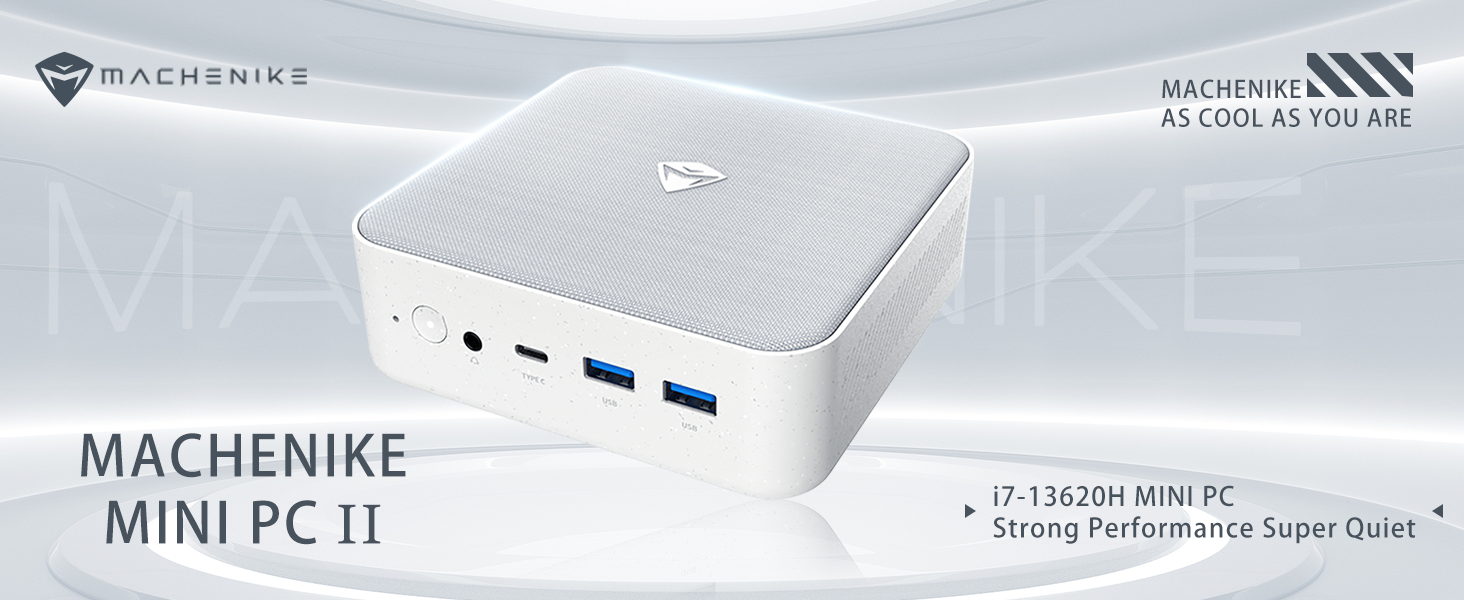
Slika: Konecview of the Intel Core i7 processor, highlighting 10 Cores, 16 Threads, 4.90 GHz Max Turbo Frequency, and 24 MB L3 Cache.
Ključne značilnosti:
- Procesor: Intel Core i7-13620H (10 jeder, 16 niti, do 4.9 GHz)
- Pomnilnik: 16GB DDR5 SODIMM RAM (expandable up to 64GB)
- Shranjevanje: 512GB PCIe M.2 Solid State Drive (supports dual M.2 expansion)
- Operacijski sistem: Windows 11 Pro
- Grafika: Integrated Intel UHD Graphics, supporting 4K dual monitor output via HDMI 2.0 and DisplayPort 1.4
- Povezljivost: Wi-Fi 6, Bluetooth, 2 x RJ45 Ethernet, USB 3.2 Gen2 Type-A, USB Type-C
- Hladilni sistem: Twin turbine cooling fan with deluxe all-copper radiator
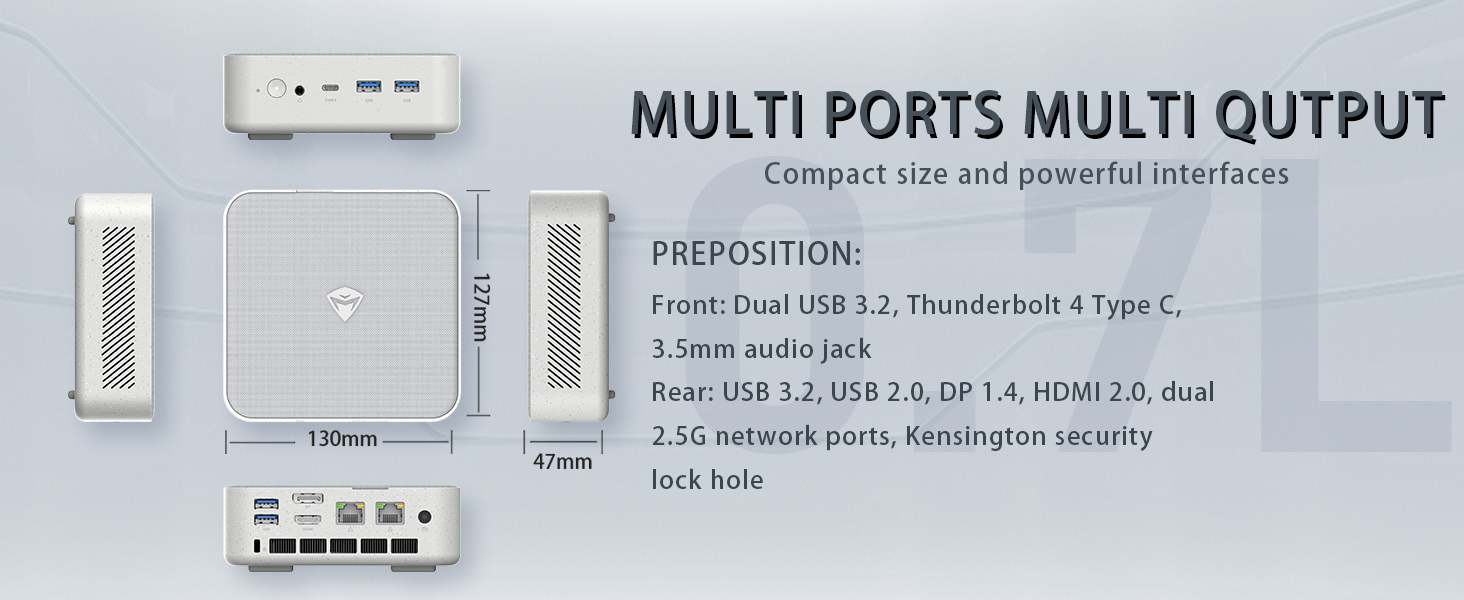
Image: Illustration of PCIe 4.0 SSD and memory slots, indicating support for up to 64GB DDR5 RAM and up to 4TB PCIe SSD expansion.
2. Navodila za namestitev
2.1 Razpakiranje naprave
Previdno vzemite vse komponente iz embalaže. Prepričajte se, da so prisotni naslednji elementi:
- Machenike Machcreator Mini Desktop (Model 4762H)
- Napajalni adapter
- Uporabniški priročnik (ta dokument)
- (Izbirno) Komplet za pritrditev VESA
2.2 Priključitev zunanjih naprav
Pred vklopom priključite bistvene periferne naprave:
- Zaslon: Connect your monitor(s) to the HDMI 2.0 or DisplayPort 1.4 ports on the rear of the mini PC. The USB Type-C port also supports video output.
- Tipkovnica in miška: Connect your USB keyboard and mouse to any of the available USB 3.2 Gen2 Type-A ports.
- Omrežje: For a wired connection, connect an Ethernet cable to one of the RJ45 ports. For wireless, ensure your Wi-Fi network is available.
- moč: Connect the power adapter to the DC-in port on the mini PC, then plug the adapter into a power outlet.
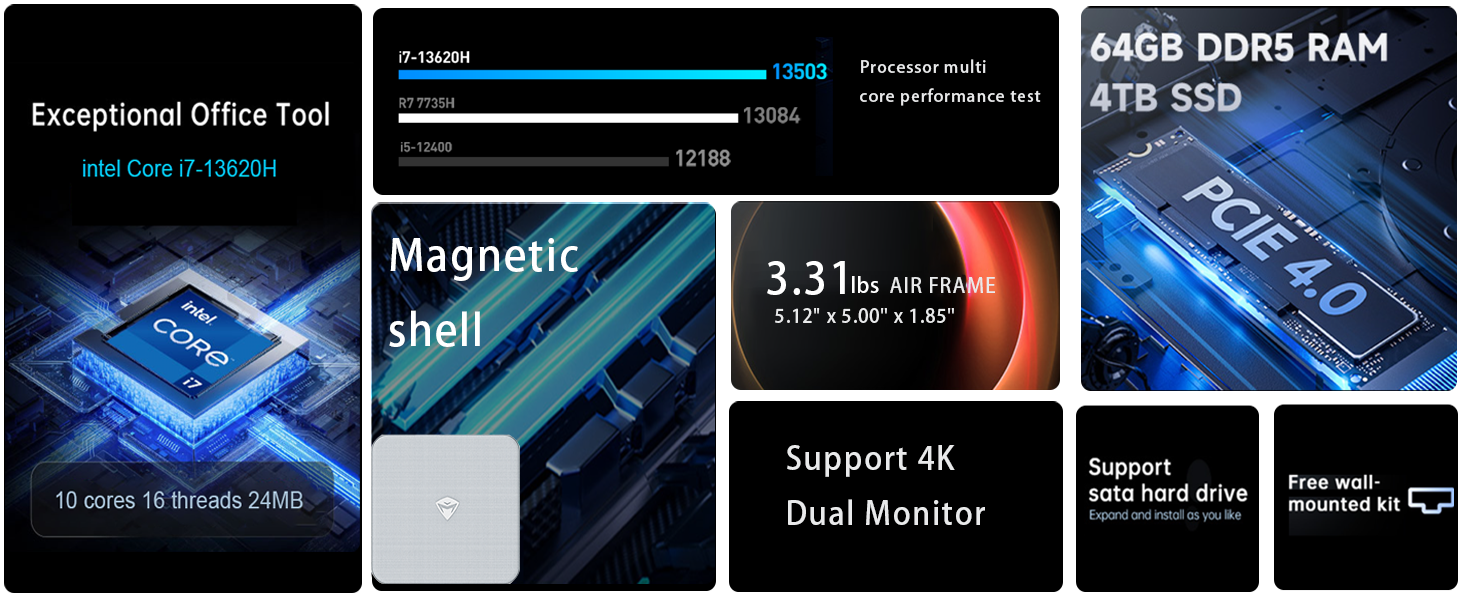
Slika: Podrobna view of the mini PC's front and rear ports, including USB 3.2 Gen2 Type-A, USB Type-C, 3.5mm Audio Jack, HDMI 2.0, DisplayPort 1.4, and RJ45 Ethernet ports. Dimensions are also shown.
2.3 Začetni zagon in namestitev sistema Windows 11 Pro
- Pritisnite gumb za vklop, ki se nahaja na sprednji strani mini računalnika.
- The system will boot into the Windows 11 Pro setup wizard. Follow the on-screen instructions to configure your language, region, network, and user account.
- Once setup is complete, your mini PC is ready for use.
3. Navodila za uporabo
3.1 Vklop/izklop
- Vklop: Enkrat pritisnite gumb za vklop.
- Izklopi: V sistemu Windows kliknite gumb Start in nato izberite Napajanje > Zaustavitev sistema.
- Ponovni zagon: V sistemu Windows kliknite gumb Start in nato izberite Napajanje > Ponovni zagon.
- Spanje: V sistemu Windows kliknite gumb Start in nato izberite Napajanje > Spanje.
3.2 Konfiguracija zaslona
The mini PC supports up to two 4K displays simultaneously. To configure display settings:
- Z desno miškino tipko kliknite na namizje in izberite »Nastavitve zaslona«.
- Here you can detect multiple displays, arrange them, change resolution, and adjust scaling.
3.3 Omrežna povezljivost
- Wi-Fi: V opravilni vrstici kliknite ikono omrežja, izberite omrežje Wi-Fi, vnesite geslo in se povežite.
- Ethernet: Če je priključen ethernetni kabel, bi moral sistem samodejno vzpostaviti žično omrežno povezavo.
3.4 Cooling System Modes
The mini PC features an advanced cooling system with adjustable modes via the BIOS to optimize performance and noise levels. These modes include:
- Način tišine: Prioritizes quiet operation, suitable for light tasks.
- Način ravnovesja: Offers a good balance between performance and noise.
- Način delovanja: Maximizes performance (up to 65W power release), ideal for demanding applications.
To change these settings, access the BIOS during startup (typically by pressing Del or F2 repeatedly after powering on) and navigate to the relevant power or performance settings.
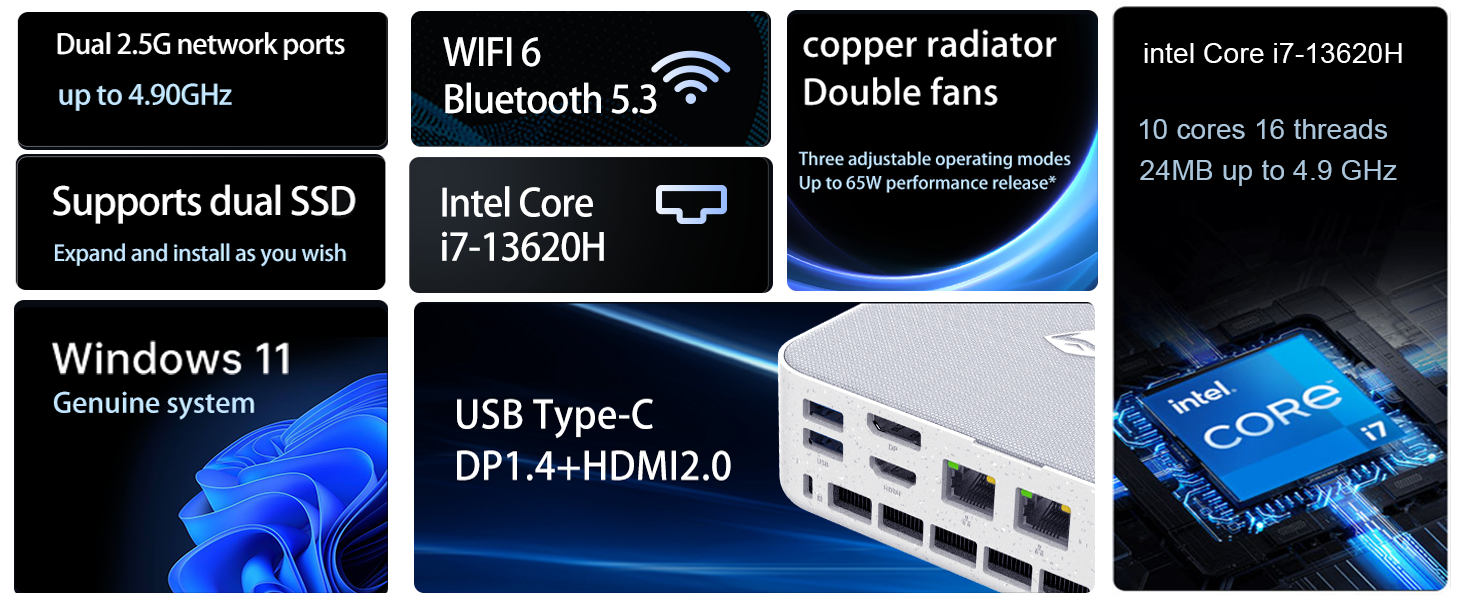
Image: Illustration of the twin turbine cooling fan and deluxe all-copper radiator, explaining how it prevents slowdowns due to overheating and offers silence, balance, and performance modes.
4. Vzdrževanje
4.1 Čiščenje naprave
To ensure optimal performance and longevity, regularly clean your mini PC:
- Power off the device and disconnect it from the power outlet.
- Za brisanje zunanjosti uporabite mehko, suho krpo.
- Use compressed air to gently clear dust from ventilation openings. Do not insert any objects into the vents.
4.2 Posodobitve programske opreme
Za zagotovitev varnosti in delovanja redno posodabljajte operacijski sistem Windows 11 Pro in gonilnike:
- Posodobitve sistema Windows: Go to Start > Settings > Windows Update and check for updates.
- Posodobitve gonilnikov: Visit the Machenike official webspletno mesto za najnovejše gonilnike za vaš specifični model.
4.3 Shranjevanje in razširitev pomnilnika
The Machenike Machcreator Mini Desktop supports upgrades for both RAM and storage:
- RAM: The device has 2 SODIMM slots and supports up to 64GB DDR5 RAM.
- Shranjevanje: It supports dual PCIe M.2 SSDs, allowing for significant storage expansion up to 4TB.
Opomba: Opening the device for upgrades may void your warranty. Consult a qualified technician or refer to specific upgrade guides from Machenike if available.
5. Odpravljanje težav
Ta razdelek obravnava pogoste težave, na katere lahko naletite. Za bolj zapletene težave se obrnite na podporo strankam.
5.1 Brez napajanja
- Prepričajte se, da je napajalnik varno priključen tako na mini računalnik kot na delujočo električno vtičnico.
- Preverite delovanje vtičnice tako, da vanjo priključite drugo napravo.
- Preverite napajalnik za morebitne vidne poškodbe.
5.2 Ni izhoda za prikaz
- Preverite, ali je monitor vklopljen in ali je izbran pravilen vhodni vir.
- Ensure the HDMI or DisplayPort cable is securely connected to both the mini PC and the monitor.
- Poskusite z drugim kablom za zaslon ali monitorjem, če je na voljo.
- Če uporabljate več zaslonov, poskusite hkrati priključiti samo enega.
5.3 Težave z omrežno povezljivostjo
- Žično (Ethernet): Check if the Ethernet cable is properly connected to both the mini PC and the router/modem. Verify router/modem status.
- Brezžično (Wi-Fi): Ensure Wi-Fi is enabled in Windows settings. Restart your router/modem. Check if other devices can connect to the Wi-Fi network.
- Run Windows Network Troubleshooter (Start > Settings > Network & internet > Advanced network settings > Network troubleshooter).
6. Specifikacije
Detailed technical specifications for the Machenike Machcreator Mini Desktop, Model 4762H:
| Funkcija | Specifikacija |
|---|---|
| Znamka | Machenike |
| Številka modela | 4762H |
| Operacijski sistem | Windows 11 Pro |
| Model procesorja | Intel Core i7-13620H |
| Hitrost procesorja | Up to 4.9 GHz (Max Turbo Frequency) |
| Velikost nameščenega RAM-a | 16 GB DDR5 (Expandable to 64 GB) |
| Hitrost ure pomnilnika | 4800 MHz |
| Na voljo pomnilniške reže | 2 |
| Zmogljivost pomnilnika | 512 GB PCIe M.2 SSD (Supports dual M.2, up to 4TB) |
| Grafični koprocesor | Intel UHD grafika (vgrajena) |
| Video izhodni vmesnik | HDMI 2.0, DisplayPort 1.4, USB Type-C |
| Največja ločljivost zaslona | 3840 x 2160 (4K) |
| Strojni vmesnik | 3.5mm Audio, Bluetooth, DisplayPort, Ethernet (2x RJ45), HDMI, USB, USB Type C |
| Brezžična povezljivost | Wi-Fi 6 (802.11ax), Bluetooth |
| Dimenzije artikla (DxŠxV) | 5.12 x 5 x 1.85 palcev |
| Teža predmeta | 49.8 funta (Note: This weight may be a data entry error; actual weight for a mini PC is typically much less.) |
| UPC | 193200587317 |
7. Garancija in podpora
7.1 Informacije o garanciji
Machenike products typically come with a limited manufacturer's warranty. Please refer to the warranty card included with your purchase or visit the official Machenike website for detailed warranty terms and conditions specific to your region and product model. Keep your proof of purchase for warranty claims.
7.2 Podpora strankam
For technical assistance, troubleshooting beyond this manual, or warranty inquiries, please contact Machenike customer support:
- Spletna podpora: Obiščite uradno spletno stran Machenike webspletno mesto (www.machenike.com - example link, actual link may vary) in se pomaknite do razdelka za podporo.
- Podpora po e-pošti: Refer to your product documentation for the specific support email address.
- Telefonska podpora: Check the Machenike webspletno mesto za regionalne telefonske številke za podporo.
When contacting support, please have your product model number (4762H) and serial number ready.