
1. Izdelek je končanview
The GeekTale Fingerprint Deadbolt (Model RD02) is a smart lock designed for keyless entry, offering multiple unlock methods including fingerprint, Bluetooth app, and traditional backup keys. It features quick fingerprint recognition and app-based user management.
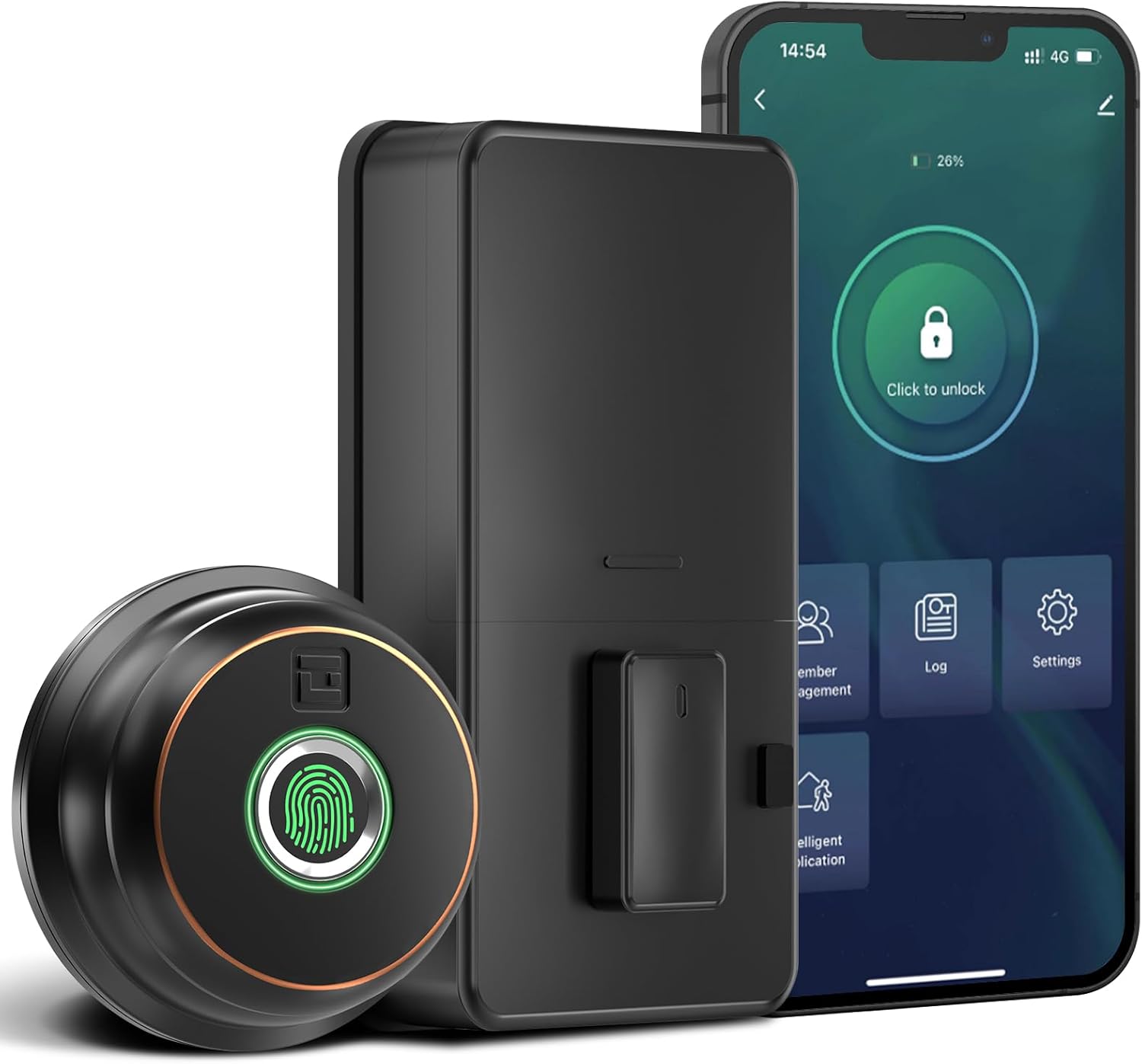
Slika: Konecview of the GeekTale Fingerprint Deadbolt, showing the exterior unit with fingerprint sensor, the interior unit, and a smartphone displaying the control app.
Ključne značilnosti:
- 3-in-1 Unlock Ways: Fingerprint, Bluetooth App, and Backup Keys.
- Hitro prepoznavanje prstnih odtisov: 360° Fingerprint ID for 0.3-second unlock.
- Nadzor pametne aplikacije: Manage up to 50 users, set auto-lock times (5-60s), view unlock records, and monitor battery level.
- Daljinski upravljalnik (z vmesnikom): Requires separate purchase of a gateway for remote unlock and notifications.
- Vzdržljiva konstrukcija: Outdoor lock made of aluminum alloy.
2. Vsebina paketa
Pred začetkom namestitve preverite, ali so vse komponente prisotne.
- Exterior Fingerprint Unit
- Interior Deadbolt Unit
- Montažna plošča
- Zapah z zapahom
- Udarna plošča
- Vijaki (različnih velikosti)
- Rezervni ključi
- Predloga za namestitev
3. Vodič za namestitev
This section provides step-by-step instructions for installing your GeekTale Fingerprint Deadbolt. A screwdriver is the primary tool required. The lock is designed to fit most standard US doors.
3.1 Preverjanje združljivosti vrat
Prepričajte se, da vaša vrata izpolnjujejo naslednje specifikacije:
- Nazaj: 2-3/4" (70 mm) ali 2-3/8" (60 mm)
- Premer vratne luknje: 2-1/8" (54 mm)
- Debelina vrat: od 1-3/8" do 2-1/8" (35 mm do 54 mm)

Image: Diagram illustrating door measurements for backset, door hole diameter, and door thickness, crucial for proper installation.
3.2 koraki namestitve
- Pripravite vrata: If replacing an existing deadbolt, remove it. Use the provided template to mark and drill holes if installing on a new door.
- Namestite zapah: Vstavite zapah zapaha v rob vrat. Prepričajte se, da je puščica "GOR" na zapahu obrnjena navzgor. Pritrdite z vijaki.
- Install Exterior Unit: Route the cable from the exterior unit through the door hole. Align the spindle with the latch mechanism.
- Namestitev notranje montažne plošče: Montažno ploščo pritrdite na vrata z vijaki in pazite, da kabel poteka skozi ploščo.
- Povežite kable: Priključite kabel iz zunanje enote v notranjo enoto.
- Install Interior Unit: Attach the interior unit to the mounting plate. Ensure the thumb turn operates smoothly.
- Vstavite baterije: Open the battery cover on the interior unit and insert 4 AA batteries (not included).
- Testno delovanje: Manually test the deadbolt with the thumb turn.

Slika: Razstavljeno view of the deadbolt components, illustrating how the exterior and interior units connect through the door.
3.3 Spindle Orientation for Right/Left Opened Doors
The spindle on the exterior knob should be in the horizontal position for both right-opened and left-opened doors. When installing the interior lock, ensure the knob is oriented correctly:
- For right-opened doors, the interior knob should be in a vertical state.
- For left-opened doors, the interior knob should be in a horizontal state.

Image: Visual guide for correctly orienting the spindle and interior knob based on door opening direction.
4. Navodila za uporabo
Learn how to use your smart deadbolt effectively.
4.1 Začetna nastavitev in seznanjanje aplikacij
- Prenesite aplikacijo: Iskanje "GeekTale" in your smartphone's app store and download the official application.
- Ustvari račun: Registrirajte se za nov račun ali se prijavite, če ga že imate.
- Dodaj napravo: Follow the in-app instructions to add your new deadbolt. Ensure Bluetooth is enabled on your phone and you are within range of the lock.
- Administrator Fingerprint: The first fingerprint registered will typically be the administrator.
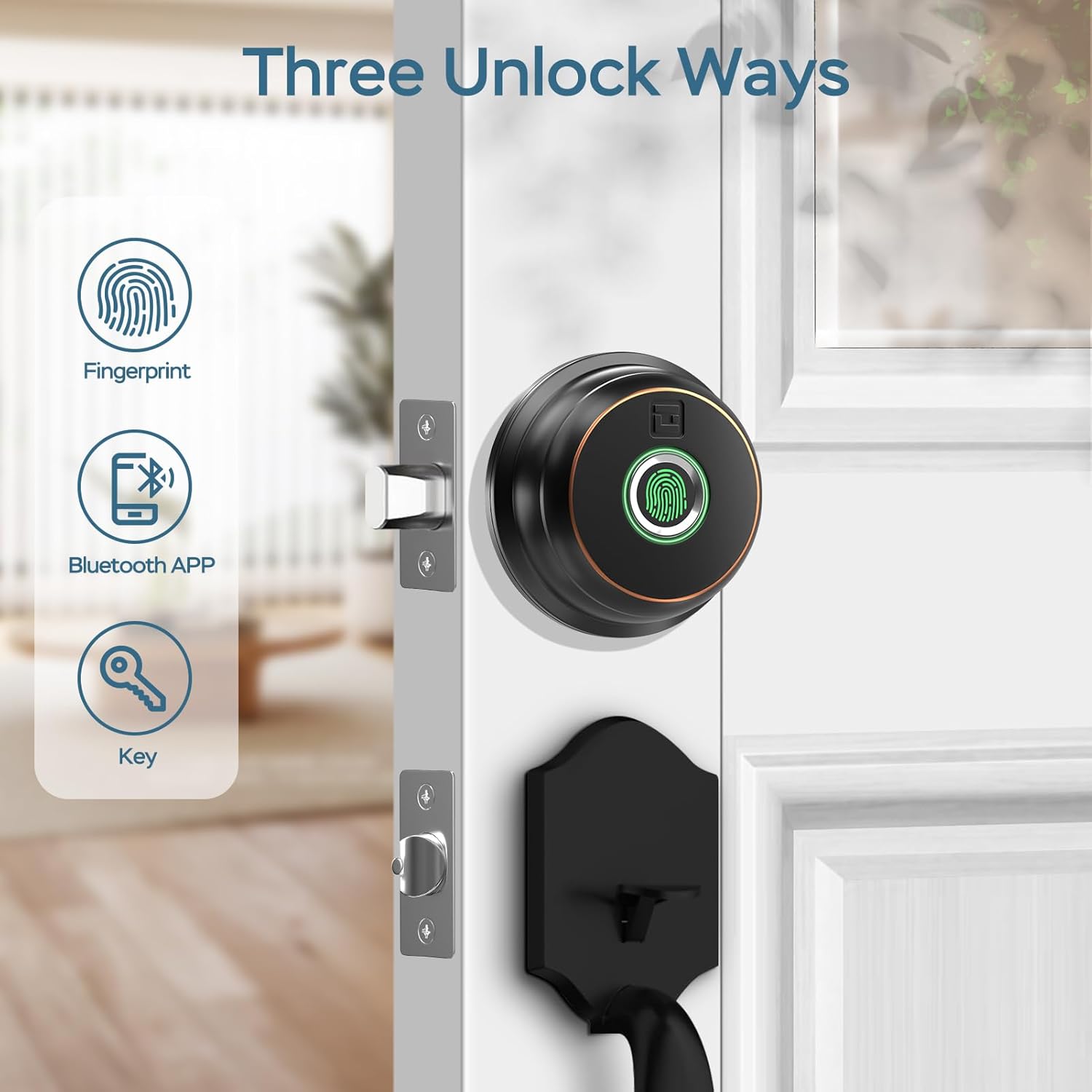
Image: Illustration of the three primary unlock methods: fingerprint, Bluetooth app, and physical key.
4.2 Odklepanje in zaklepanje
- Odklepanje prstnih odtisov: Place a registered finger on the fingerprint sensor. The lock will unlock in approximately 0.3 seconds.
- Odklepanje aplikacije: Open the GeekTale app, ensure Bluetooth connection, and tap the unlock icon.
- Odklepanje s ključem: Use the provided backup keys in the emergency keyhole.
- Samodejno zaklepanje: Configure auto-lock duration (5-60 seconds) via the app. The lock will automatically engage after the set time.
- Zaklepanje z enim dotikom: Touch the fingerprint sensor with any finger to instantly lock the deadbolt.

Image: A woman carrying groceries, demonstrating the convenience of the auto-lock feature after entering her home.
4.3 Funkcije aplikacije
- Upravljanje uporabnikov: Add or delete up to 50 users (fingerprints).
- Dnevnik dostopa: Review a history of unlock events, including method and user.
- Nastavitve samodejnega zaklepanja: Adjust the automatic locking delay.
- Način izklopa zvoka: Silence lock sounds for quiet operation.
- Share E-Key: Grant temporary or permanent access to others via the app.
- Stanje baterije: Monitor the current battery level of the lock.

Image: Screenshot of the GeekTale app interface, highlighting options for member management, access logs, and settings.
4.4 Remote Access (Gateway Required)
For remote control and notifications, a GeekTale Gateway (sold separately) is required. This allows you to:
- Unlock/lock the door from anywhere.
- Receive instant notifications when the lock is opened.
- Integrate with voice assistants like Alexa and Google Assistant.

Image: Depiction of the smart deadbolt, a gateway device, and a smartphone, illustrating remote unlock capabilities.
5. Vzdrževanje
Proper maintenance ensures the longevity and optimal performance of your deadbolt.
- Zamenjava baterije: The lock requires 4 AA batteries. Replace them when the low battery alert is issued by the app or the lock itself.
- Zasilno napajanje: In case of complete battery depletion, the lock features a USB-C port for emergency power using a power bank.
- Čiščenje: Wipe the exterior unit and fingerprint sensor with a soft, dry cloth. Avoid abrasive cleaners or solvents.
- Vzdrževanje ključavnice: Periodically check the keyhole for obstructions. Do not lubricate with oil-based products; use graphite powder if lubrication is needed.

Image: Illustration of the deadbolt's battery compartment and the USB-C port for emergency power, along with icons for low battery alert and emergency charge.
6. Odpravljanje težav
Pogoste težave in njihove rešitve.
| Težava | Možen vzrok | rešitev |
|---|---|---|
| Zaklepanje se ne odziva. | Prazne baterije. | Replace batteries. Use emergency USB-C power if needed. |
| Prstni odtis ni prepoznan. | Fingerprint not registered, dirty sensor, or incorrect placement. | Ensure finger is clean and dry. Re-register fingerprint if necessary. Place finger flat on sensor. |
| Aplikacija se ne more povezati s ključavnico. | Bluetooth off, out of range, or app issue. | Ensure Bluetooth is on. Move closer to the lock. Restart the app or your phone. |
| Samodejno zaklepanje ne deluje. | Auto-lock feature disabled or incorrect setting. | Check auto-lock settings in the app and ensure it is enabled with a desired delay. |
| Ključavnica je po namestitvi zrahljana. | Screws not tightened sufficiently. | Re-tighten all mounting screws. Ensure the mounting plate is flush against the door. |
7. Specifikacije
| Funkcija | Podrobnost |
|---|---|
| Ime modela | RD02 |
| Znamka | GeekTale |
| Metode odklepanja | Fingerprint, Bluetooth App, Backup Key |
| Kapaciteta prstnih odtisov | Do 50 |
| Hitrost prepoznavanja | 0.3 sekund |
| Povezljivost | Bluetooth |
| Material | Aluminij (zunanjost) |
| Vir napajanja | 4 x AA baterije (niso vključene) |
| Zasilno napajanje | Vrata USB-C |
| Debelina vrat | od 1-3/8" do 2-1/8" (35 mm do 54 mm) |
| Nazaj | Nastavljivo 60 mm ali 70 mm |
| Dimenzije (D x Š x V) | 2.76 x 1.18 x 3.93 inches (Exterior unit) |
| Teža | 1.63 funtov (0.74 kg) |
8. Garancija in podpora
GeekTale provides localized after-sales customer service. For any product-related issues or inquiries, please contact customer support through the designated after-sales channels. Refer to your purchase documentation for specific warranty terms and contact information.
Obrnite se na podporo: Please refer to the contact information provided with your product packaging or visit the official GeekTale webspletno mesto za možnosti podpore.