
GGSTOPWATER JM13
Open Ear Headphones Wireless Bluetooth 5.4 User Manual
Model: JM13 | Brand: GGSTOPWATER
1. Uvod
Thank you for choosing the GGSTOPWATER Open Ear Headphones. These wireless earbuds are designed to provide a comfortable listening experience while maintaining awareness of your surroundings. Featuring advanced Bluetooth 5.4 technology and an IPX5 waterproof rating, they are ideal for various activities including sports, running, workouts, and driving.

The open-ear design ensures comfort and awareness of your environment.

Key features of the GGSTOPWATER Open Ear Headphones.
2. Kaj je v škatli
Prosimo, preverite vsebino paketa in se prepričajte, da so prisotni vsi elementi:
- True Wireless Bluetooth Headphones (2 units)
- Headset Charging Compartment (1 unit)
- Polnilni kabel tipa C (1 kos)
- Uporabniški priročnik (1 enota)
- Silicone Lanyard (1 unit)
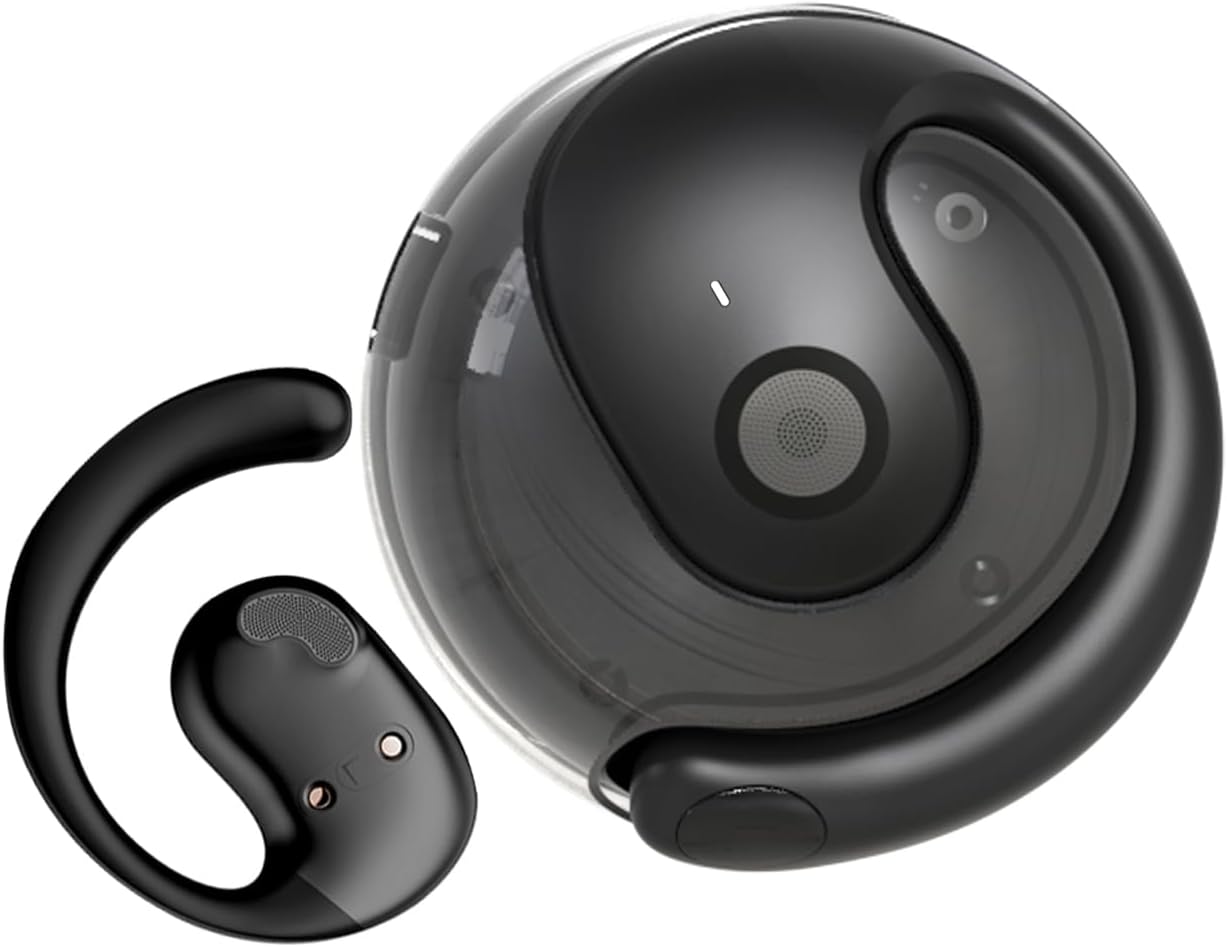
The GGSTOPWATER Open Ear Headphones and their compact charging case.
Oglejte si ta video za večview izdelka in njegovih komponent.
3. Nastavitev in seznanjanje
3.1 Začetno seznanjanje
- Ensure the headphones are charged (refer to Section 4).
- Odprite polnilno ohišje. Slušalke se bodo samodejno vklopile in preklopile v način seznanjanja.
- Na svoji napravi (pametnem telefonu, tablici, prenosniku) omogočite Bluetooth.
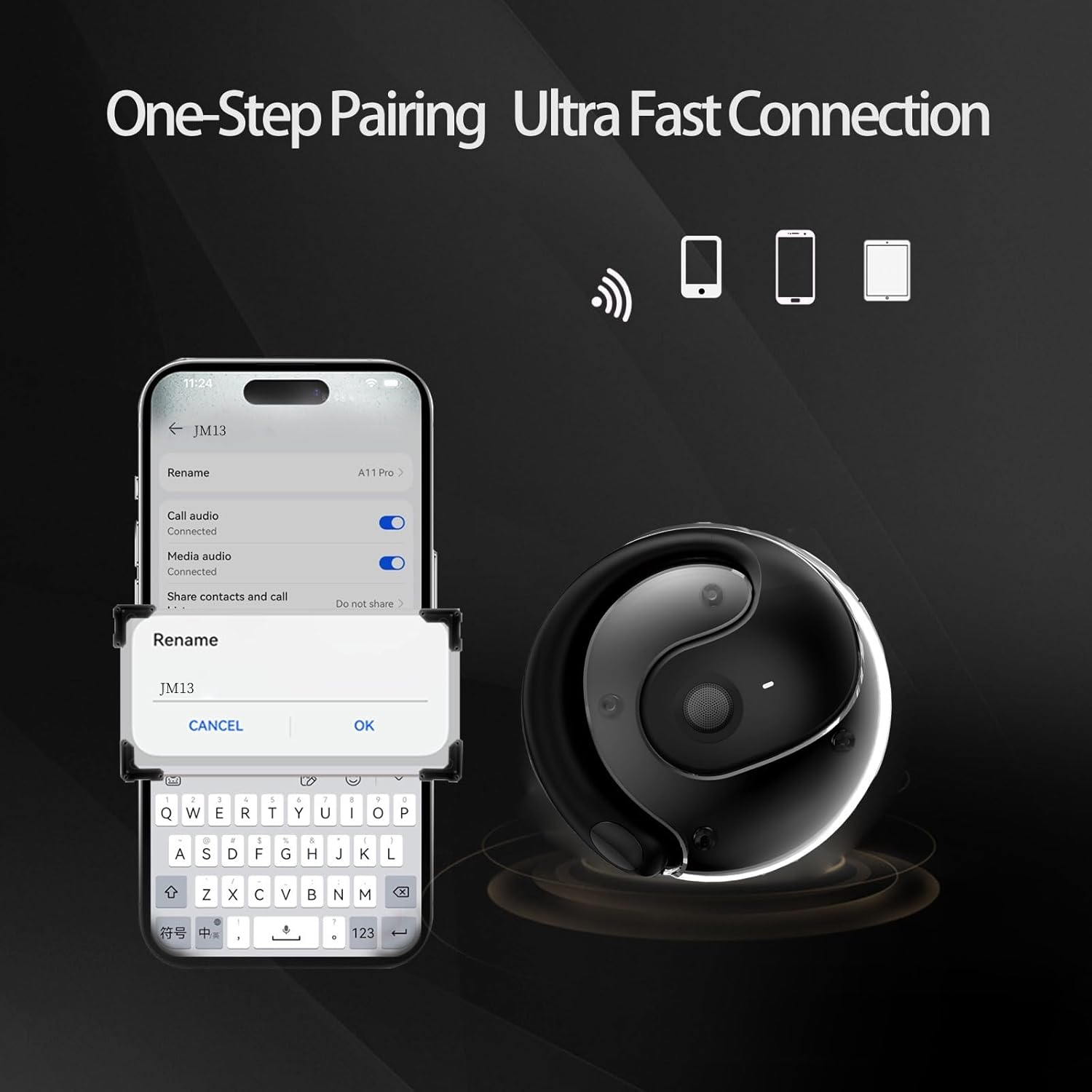
- Iskanje "JM13" in the list of available Bluetooth devices.
- Select "JM13" to connect. A voice prompt will confirm successful pairing.
3.2 Nošenje slušalk
For optimal comfort and sound, follow these steps to wear your headphones:

Ergonomic design for easy and comfortable wear.
4. Navodila za uporabo
The GGSTOPWATER Open Ear Headphones feature intuitive touch controls on each earbud. Refer to the diagram and descriptions below for common functions:

Detailed touch control commands for your headphones.
This video demonstrates the touch controls for music playback and call management.
4.1 Telephone Mode
- Zavrni klic: Dolgo pritisnite za 2 sekunde.
- Incoming Call (Answer): Single click to answer.
- Incoming Call (Hang Up): Single click to hang up.
4.2 Glasbeni način
- Predvajanje/pavza: En sam dotik.
- Prejšnja pesem: Double touch (Left earbud).
- Naslednja pesem: Double touch (Right earbud).
4.3 Binaural Mode (General Controls)
- Vklop: Dolgo pritisnite za 3 sekunde.
- Ugasniti: Dolgo pritisnite za 5 sekunde.
- Znižaj glasnost: Three touches (Left earbud).
- Povečaj glasnost: Three touches (Right earbud).
5. Baterija in polnjenje
The headphones and charging case are equipped with high-capacity batteries for extended use. The charging case has a 300mAh capacity.
- Headset Usage Time: Približno 4 ur.
- Čas polnjenja: Approximately 1.5 hours for the case.
- Čas pripravljenosti: Do 120 ure.
To charge the case, connect the provided Type-C charging cable to the charging port on the case and a compatible USB power source.
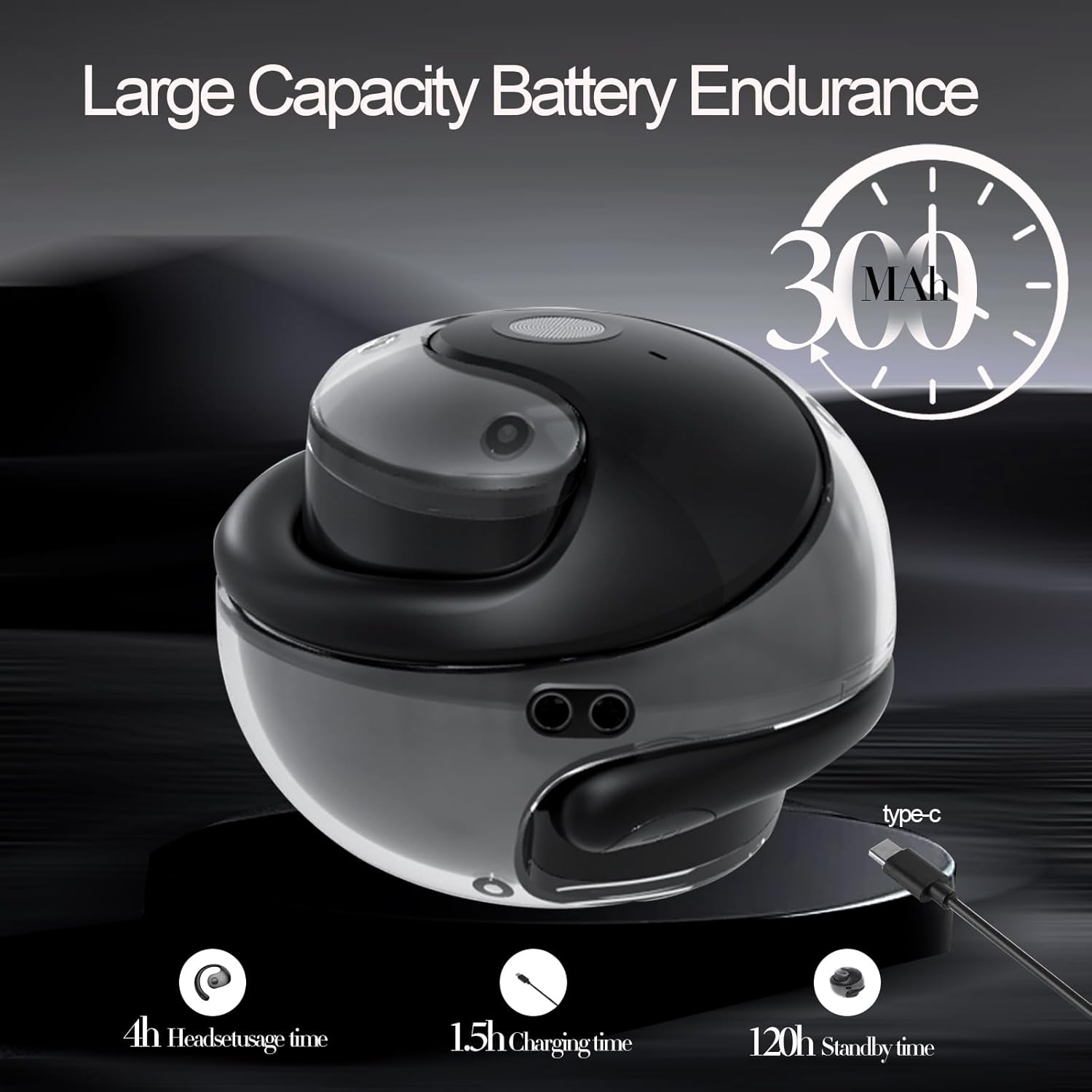
Battery life and charging indicators.
6. Vzdrževanje in nega
To ensure the longevity and optimal performance of your GGSTOPWATER Open Ear Headphones, please follow these maintenance guidelines:
6.1 Vodoodpornost (IPX5)
The headphones feature an IPX5 waterproof rating, meaning they are protected against low-pressure water jets from any direction. This makes them suitable for protection against daily sweat and light rain. However, they are not designed for submersion in water or use during heavy rainfall.
The IPX5 rating protects against sweat and light rain.
6.2 Čiščenje
Wipe the headphones and charging case with a soft, dry, lint-free cloth. Do not use abrasive cleaners, alcohol, or chemical sprays.
6.3 Shranjevanje
Store the headphones in their charging case when not in use to protect them from dust and damage. Avoid extreme temperatures.
7. Odpravljanje težav
Če imate težave s slušalkami, poskusite naslednje rešitve:
- Brez težav z zvokom/povezavo:
- Zagotovite, da so slušalke napolnjene.
- Izklopite in vklopite Bluetooth na svoji napravi.
- Forget "JM13" in your device's Bluetooth settings and re-pair.
- Znova zaženite napravo.
- Ena slušalka ne deluje:
- Obe slušalki vstavite nazaj v polnilno ohišje, zaprite pokrov, počakajte nekaj sekund in ju nato ponovno vzemite ven.
- Prepričajte se, da sta obe slušalki napolnjeni.
- Težave s polnjenjem:
- Preverite polnilni kabel in adapter za morebitne poškodbe.
- Prepričajte se, da je polnilna vrata na ohišju čista in brez umazanije.
8. Specifikacije
| Funkcija | Specifikacija |
|---|---|
| Ime modela | JM13 |
| Znamka | GGSTOPWATER |
| Tehnologija povezljivosti | Brezžično (Bluetooth) |
| Različica Bluetooth | 5.4 |
| Namestitev ušesa | Odprto uho |
| Stopnja vodoodpornosti | IPX5 (odporen na vodo) |
| Vrsta zvočnega gonilnika | Dinamični gonilnik (16 mm) |
| Frekvenčno območje | 20Hz - 20,000Hz |
| Impedanca | 32 Ohm |
| Nadzorna metoda | Daljinski upravljalnik (na dotik) |
| Vključene komponente | Etui za brezžično polnjenje |
| Teža predmeta | 3.52 unč |
| Proizvajalec | GGSTOPWATER |
9. Varnostne informacije
When using your GGSTOPWATER Open Ear Headphones, always prioritize your safety and the safety of others. The open-ear design enhances spatial awareness, allowing you to hear your surroundings, which is particularly beneficial for outdoor activities.
- Do not use at excessively high volumes for prolonged periods to prevent hearing damage.
- Be aware of your surroundings, especially when operating vehicles, cycling, or walking in traffic.
- Slušalke hranite stran od ekstremnih temperatur, neposredne sončne svetlobe in vlage.
- Slušalk ne poskušajte razstavljati ali spreminjati.
10. Garancija in podpora
GGSTOPWATER is committed to providing high-quality products. For warranty information, technical support, or any inquiries regarding your Open Ear Headphones, please refer to the contact details provided in your product packaging or visit the official GGSTOPWATER store on Amazon.
Note: Specific warranty terms and support contact information may vary by region and purchase location. Please retain your proof of purchase.
Ask a question about this manual
Ask about setup, troubleshooting, compatibility, parts, safety, or missing instructions. Manuals+ will review the question and use this page’s manual context to help answer it.