
Uvod
Thank you for choosing the OnePlus Nord Buds 3 Pro wireless earbuds. These earbuds are designed to provide an immersive audio experience with features like Hybrid Active Noise Cancellation, deep bass, and extended battery life. This manual provides detailed instructions for setting up, operating, maintaining, and troubleshooting your device to ensure optimal performance.
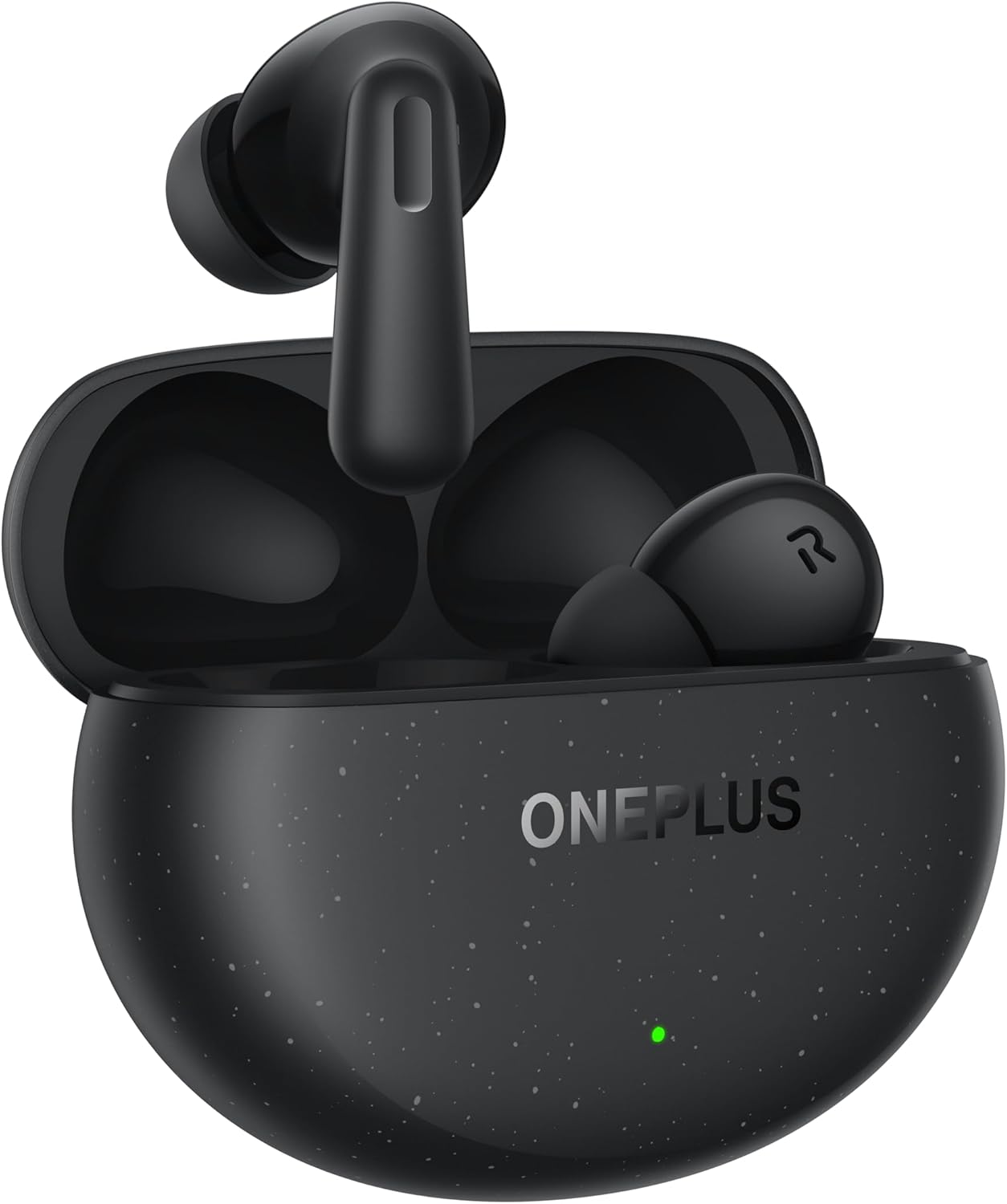
Image: The OnePlus Nord Buds 3 Pro earbuds, in Starry Black, are shown inside their open charging case. The case has a speckled finish and the OnePlus logo. A small green LED indicator is visible on the front of the case.
Kaj je v škatli
Carefully unpack your OnePlus Nord Buds 3 Pro and ensure all items are present:
- OnePlus Nord Buds 3 Pro earbuds (1 pair)
- OnePlus Nord Buds 3 Pro charging case (1 unit)
- Silicon eartips (3 pairs: S, M, L)
- USB Type-C charging cable (1 unit)
- Uporabniški priročnik (1 enota)
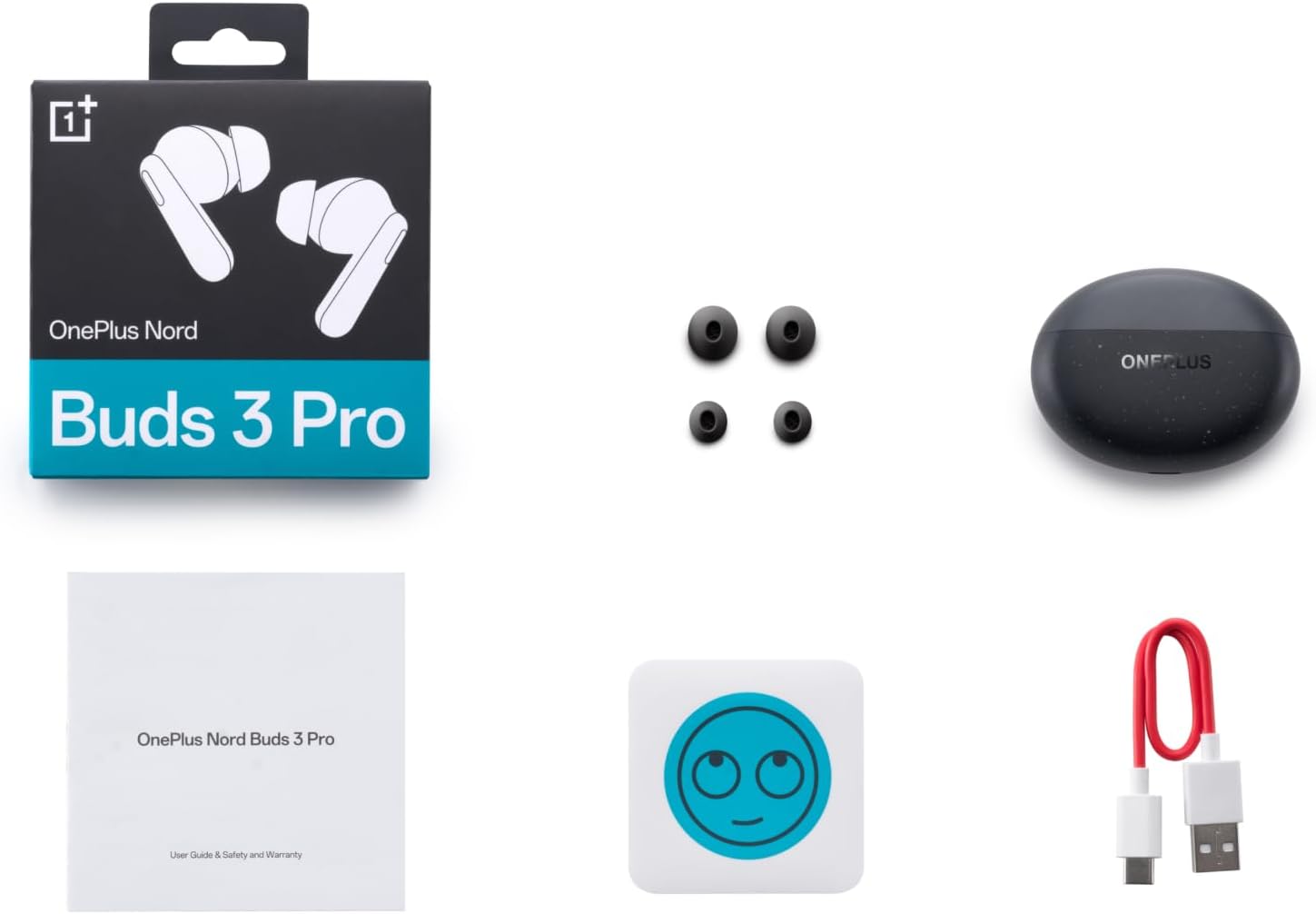
Image: A flat lay of the OnePlus Nord Buds 3 Pro package contents, including the retail box, the charging case, three pairs of silicone eartips, a USB Type-C charging cable, and the user guide.
Nastavitev
1. Začetno polnjenje
Pred prvo uporabo popolnoma napolnite slušalke in polnilno ohišje. Priloženi kabel USB Type-C priključite na polnilno vtičnico na ohišju in vir napajanja. Indikatorska lučka na ohišju bo prikazovala stanje polnjenja.
2. Seznanjanje z vašo napravo
- Prepričajte se, da so slušalke v polnilnem ohišju in da je pokrov ohišja odprt.
- Pritisnite in držite funkcijski gumb na polnilnem ohišju 2 sekundi, dokler indikatorska lučka ne utripa belo, kar označuje način seznanjanja.
- On your device (smartphone, tablet, etc.), go to Bluetooth settings and select "OnePlus Nord Buds 3 Pro" from the list of available devices.
- For Android devices, the earbuds support Google Fast Pair for quick connection. Simply open the case near your Android device and follow the on-screen prompts.

Image: A person holding a OnePlus Nord Buds 3 Pro charging case and a smartphone. The smartphone screen displays a prompt for Google Fast Pair, showing the earbuds ready to connect, illustrating the pairing process.
3. HeyMelody App
For enhanced features and customization, download the HeyMelody app from your device's app store. The app allows you to manage settings, update firmware, and locate your earbuds.
Navodila za uporabo
Dotaknite se kontrolnikov
The OnePlus Nord Buds 3 Pro feature intuitive touch controls on each earbud. Default controls are as follows, but can often be customized via the HeyMelody app:
- Enkratni dotik: Predvajanje/začasna ustavitev glasbe, sprejem/končanje klica.
- Dvojni dotik: Naslednja skladba, Zavrni klic.
- Trojni dotik: Prejšnja skladba.
- Press and Hold (1 second): Switch between Active Noise Cancellation (ANC) and Transparency mode.
Aktivno odpravljanje šumov (ANC) in način preglednosti
The earbuds offer Hybrid Active Noise Cancellation up to 49dB to minimize ambient noise. Transparency mode allows you to hear your surroundings without removing the earbuds. Toggle between these modes by pressing and holding the earbud touch area.

Image: An infographic detailing key features of the OnePlus Nord Buds 3 Pro, including up to 44 hours listening time, 49dB Hybrid Active Noise Cancellation, 12.4mm Titanized Diaphragm, and Basswave 2.0 technology.
Kakovost zvoka
Equipped with a 12.4mm titanium-coated diaphragm and Basswave 2.0 technology, the Nord Buds 3 Pro deliver rich bass, clear vocals, and an immersive sound experience.
Baterija in polnjenje
- Življenjska doba baterije slušalk: Up to 44 hours with ANC off, up to 20 hours with ANC on (including charging case).
- Hitro polnjenje: 10 minut polnjenja zagotavlja do 11 ur predvajanja.
- Polnilna torbica: Recharge the case using the provided USB Type-C cable.
Vzdrževanje
- Čiščenje: Slušalke in polnilno ohišje redno čistite z mehko, suho krpo, ki ne pušča vlaken. Ne uporabljajte agresivnih kemikalij ali abrazivnih materialov.
- Ušesne konice: Remove and clean the silicone eartips with water and mild soap if necessary. Ensure they are completely dry before reattaching.
- Kontakti za polnjenje: Za pravilno polnjenje naj bodo polnilne kontakte na slušalkah in v ohišju čiste in brez umazanije.
- Shranjevanje: Ko slušalk ne uporabljate, jih shranite v polnilno škatlico, da jih zaščitite in ohranite napolnjene. Izogibajte se ekstremnim temperaturam.
Odpravljanje težav
Slušalke se ne seznanjajo ali ne povezujejo:
- Prepričajte se, da so slušalke napolnjene.
- Place earbuds in the case, close the lid, then open it again to re-enter pairing mode.
- Preverite nastavitve Bluetooth v napravi in se prepričajte, da je Bluetooth omogočen.
- Poskusite pozabiti napravo v nastavitvah Bluetooth in jo znova seznaniti.
- Znova zaženite napravo.
Ni zvoka ali slaba kakovost zvoka:
- Preverite glasnost tako na napravi kot na slušalkah.
- Ensure the earbuds are properly seated in your ears and the correct size eartips are used.
- Očistite morebitne umazanije z zvočnikov slušalk in polnilnih kontaktov.
- Da se izognete motnjam, se premaknite bližje povezani napravi.
Slušalke se ne polnijo:
- Prepričajte se, da je polnilni kabel varno priključen tako na ohišje kot na vir napajanja.
- Preverite, ali je vir napajanja aktiven.
- Očistite polnilne kontakte na slušalkah in v notranjosti ohišja.
Specifikacije
| Funkcija | Podrobnost |
|---|---|
| Ime modela | Nord Buds 3 Pro (E511A) |
| Znamka | OnePlus |
| Tehnologija povezljivosti | Bluetooth |
| Različica Bluetooth | 5.4 |
| Nadzor hrupa | Hibridno aktivno odpravljanje šumov (do 49 dB) |
| Velikost gonilnika | 12.4mm Titanized Diaphragm |
| Frekvenčno območje | 20 Hz - 20,000 Hz |
| Občutljivost | 38 dB |
| Impedanca | 32 Ohm |
| Življenjska doba baterije (slušalke + etui) | Do 44 ur (izklopljeno ANC), do 20 ur (vklopljeno ANC) |
| Hitro polnjenje | 10 minut polnjenja za 11 uri predvajanja |
| Vmesnik za polnjenje | USB Type-C |
| Namestitev ušesa | V ušesu |
| Teža predmeta | 3.52 unč (0.1 kilograma) |
| Dimenzije izdelka | 1.09 x 0.92 x 0.82 palcev |
Garancija in podpora
The OnePlus Nord Buds 3 Pro are covered by a limited warranty. Please refer to the warranty card included in your package for specific terms and conditions, or visit the official OnePlus webza podrobne informacije o garanciji.
For technical support, troubleshooting assistance, or service inquiries, please visit the Podpora za OnePlus webmesto ali pa se obrnite neposredno na njihovo službo za stranke.