
1. Uvod
The JETBeam E26 is a versatile 3-in-1 flat flashlight designed for everyday carry (EDC), emergency situations, work, and outdoor activities. It integrates a powerful 2000-lumen white LED, a 365nm UV light, and a green laser beam into a compact, durable, and rechargeable unit. This manual provides essential information for the safe and effective use of your E26 flashlight.
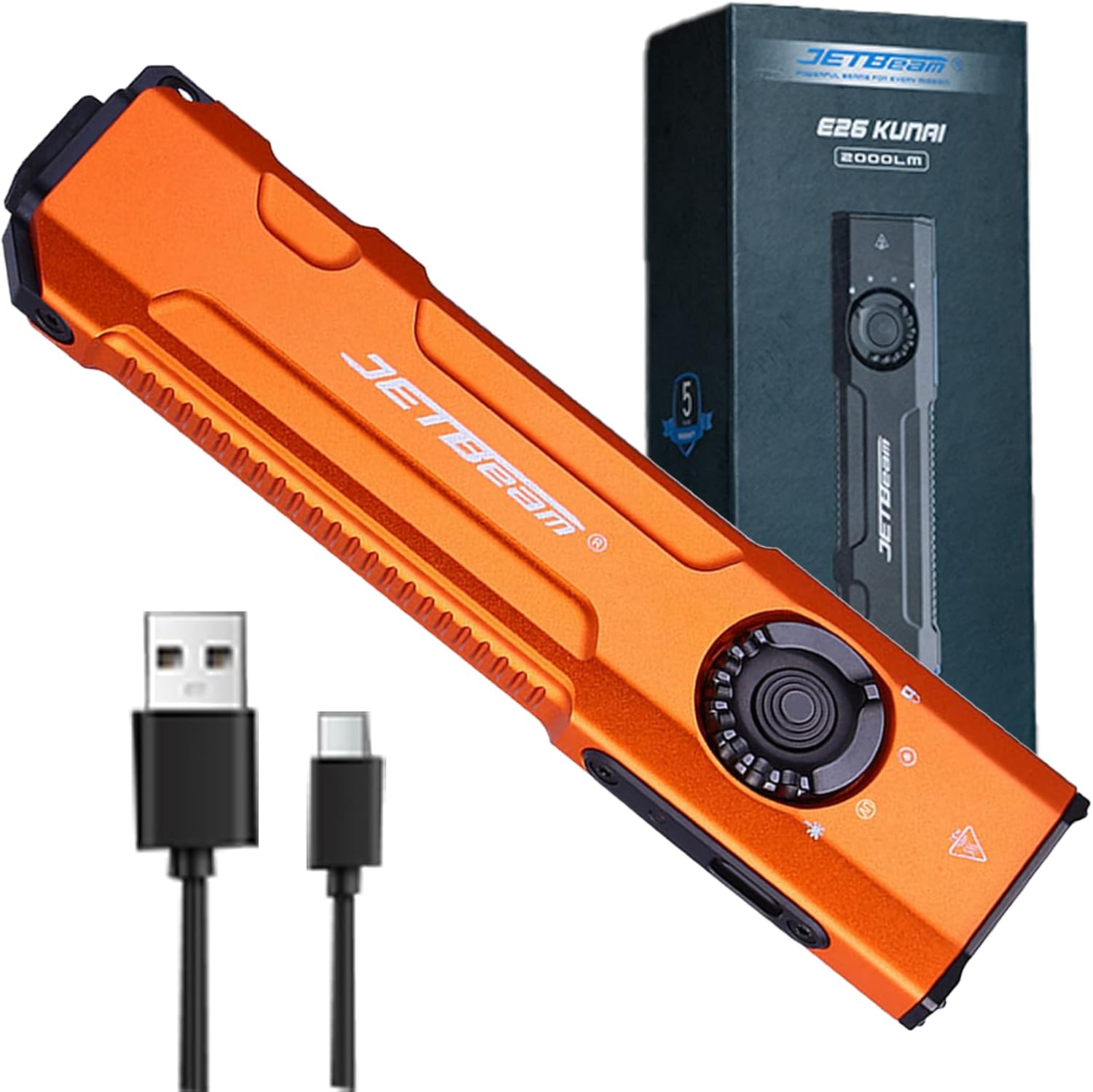
Image 1.1: The JETBeam E26 3-in-1 Flat Flashlight, showcasinzaradi svoje kompaktne zasnove in priložene dodatne opreme.
2. Varnostne informacije
Pred uporabo tega izdelka preberite in razumite vsa varnostna opozorila. Neupoštevanje teh navodil lahko povzroči telesne poškodbe ali škodo na izdelku.
2.1 Splošna varnost
- High Output Warning: The E26 flashlight can produce up to 2000 lumens of white light. Avoid directing the beam directly into eyes, as this can cause temporary vision impairment or permanent eye damage.
- Proizvodnja toplote: The flashlight may become hot during prolonged use at high brightness levels. Exercise caution to prevent burns.
- Nenamerna aktivacija: Always engage the lockout function when carrying the flashlight in a pocket or bag to prevent accidental activation and potential hazards, such as overheating or damage to clothing.
2.2 UV Light Safety
- Zaščita oči: Do not look directly into the UV light. Prolonged exposure to UV light can be harmful to eyes.
- Izpostavljenost kože: Avoid prolonged direct exposure of skin to UV light.
- Namen uporabe: The UV light is intended for detection purposes (e.g., pet stains, fluorescent agents) and not for general illumination.
2.3 Green Beam Safety
- Lasersko sevanje: This product emits a Class 3R laser. Avoid direct eye exposure.
- otroci: Keep out of reach of children. Supervise children if they are using the laser for pet play.
- Aircraft/Vehicles: Never point the laser at aircraft, vehicles, or reflective surfaces.
3. Vsebina paketa
Preverite, ali so v paketu vsi elementi:
- JETBeam E26 Flashlight (Battery Included) x 1
- Uporabniški priročnik x 1
- Polnilni kabel USB x 1
- Vrvica x 1
4. Izdelek je končanview
Familiarize yourself with the components and controls of your JETBeam E26 flashlight.
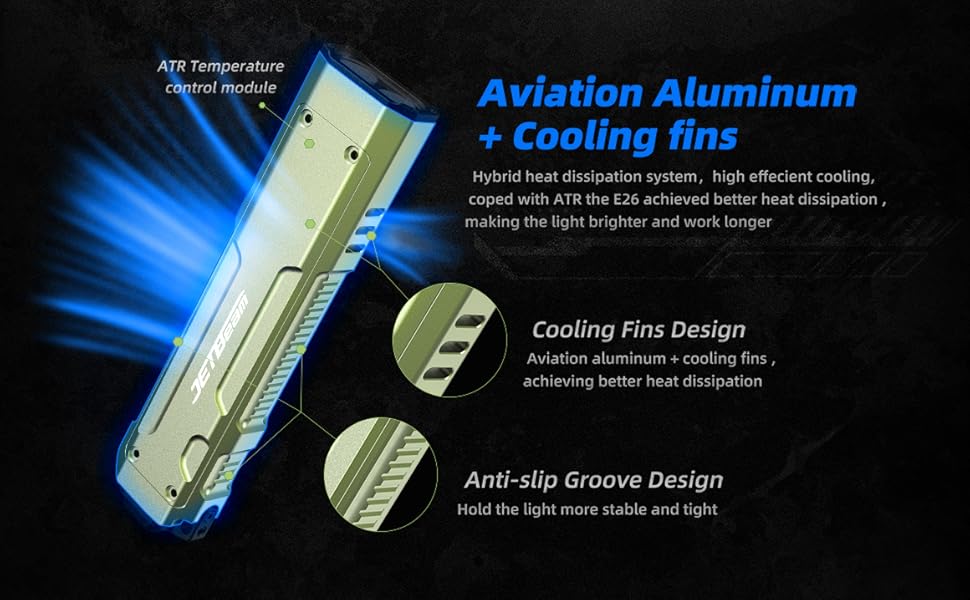
Image 4.1: Labeled diagram of the JETBeam E26 flashlight's key features.
- Bela svetloba: Primary illumination source.
- UV svetloba: Ultraviolet light for detection.
- Zeleni žarek: Laser pointer.
- Zaklepanje: Position on the revolving switch to prevent accidental activation.
- Vrtljivo stikalo: Selects between White Light, UV Light, Green Beam, and Lock modes.
- Stransko stikalo: Controls brightness levels and activates selected light source.
- Vrata tipa C: Za polnjenje notranje baterije.
- Indikator: Prikazuje stanje polnjenja in raven napolnjenosti baterije.
- Taktično stikalo: Rear button for momentary turbo output and strobe function.
5. Nastavitev
5.1 Polnjenje baterije
- Poiščite polnilni priključek USB-C na strani svetilke.
- Connect the provided USB-C charging cable to the port and a compatible USB power source.
- The power indicator light will show the charging status:
- Green: 35%-100% battery
- Oranžna: 15 %–35 % baterije
- Red: Less than 15% battery (charge immediately)
- Charging is complete when the indicator light remains green.
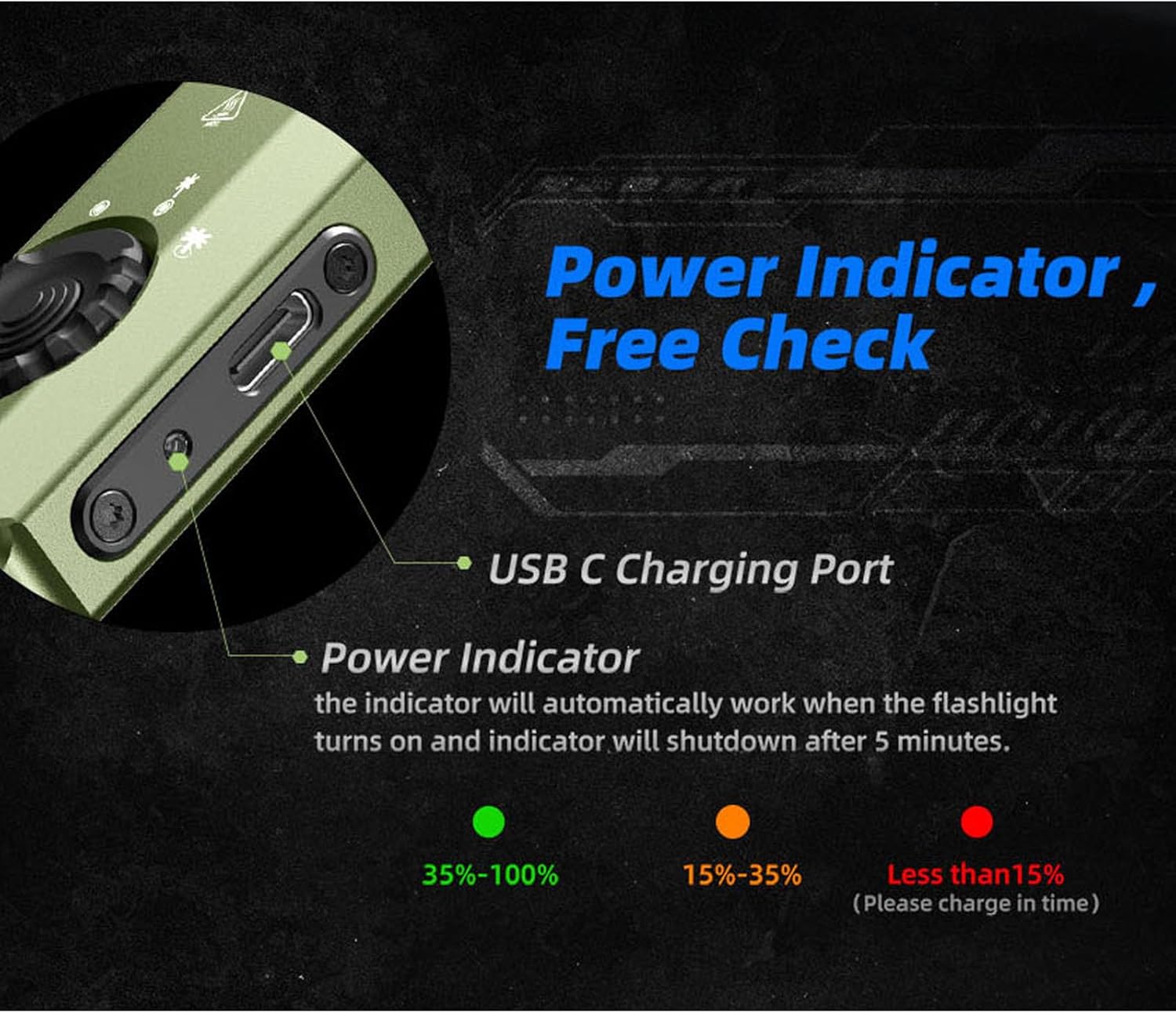
Image 5.1: USB-C charging port and battery indicator on the JETBeam E26.
5.2 Začetna uporaba
Before first use, ensure the revolving switch is moved from the 'Lock' position to the desired light source (White Light, UV, or Green Beam).
6. Navodila za uporabo
6.1 Mode Selection (Revolving Switch)
The revolving switch on the side of the flashlight allows you to select the desired light source:
- Obrnite stikalo na Zaklepanje symbol to prevent accidental activation.
- Rotate to the Bela svetloba symbol for standard illumination.
- Rotate to the UV svetloba symbol for ultraviolet light.
- Rotate to the Zeleni žarek symbol for the laser pointer.
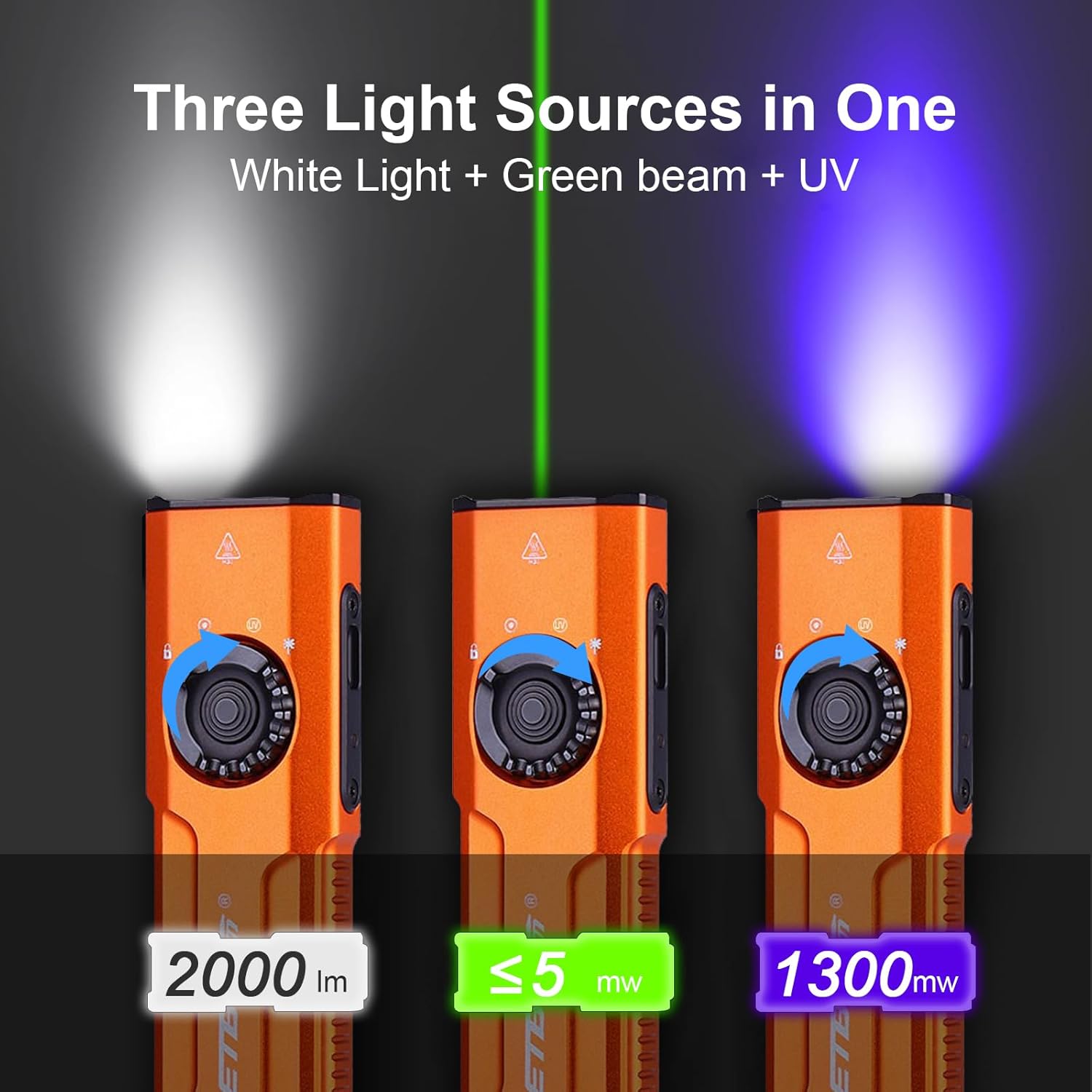
Image 6.1: The three distinct light sources of the E26 flashlight.
6.2 White Light Operation (Side Switch)
Once the revolving switch is set to White Light:
- Vklop/izklop: Single press the side switch to turn the white light on or off.
- Prilagoditev svetlosti: When the white light is on, press and hold the side switch to cycle through the four brightness levels: Low (15 lm), Medium (300 lm), High (700 lm), and Turbo (2000 lm). Release the switch at the desired brightness. The flashlight has a memory function and will recall the last used brightness level.
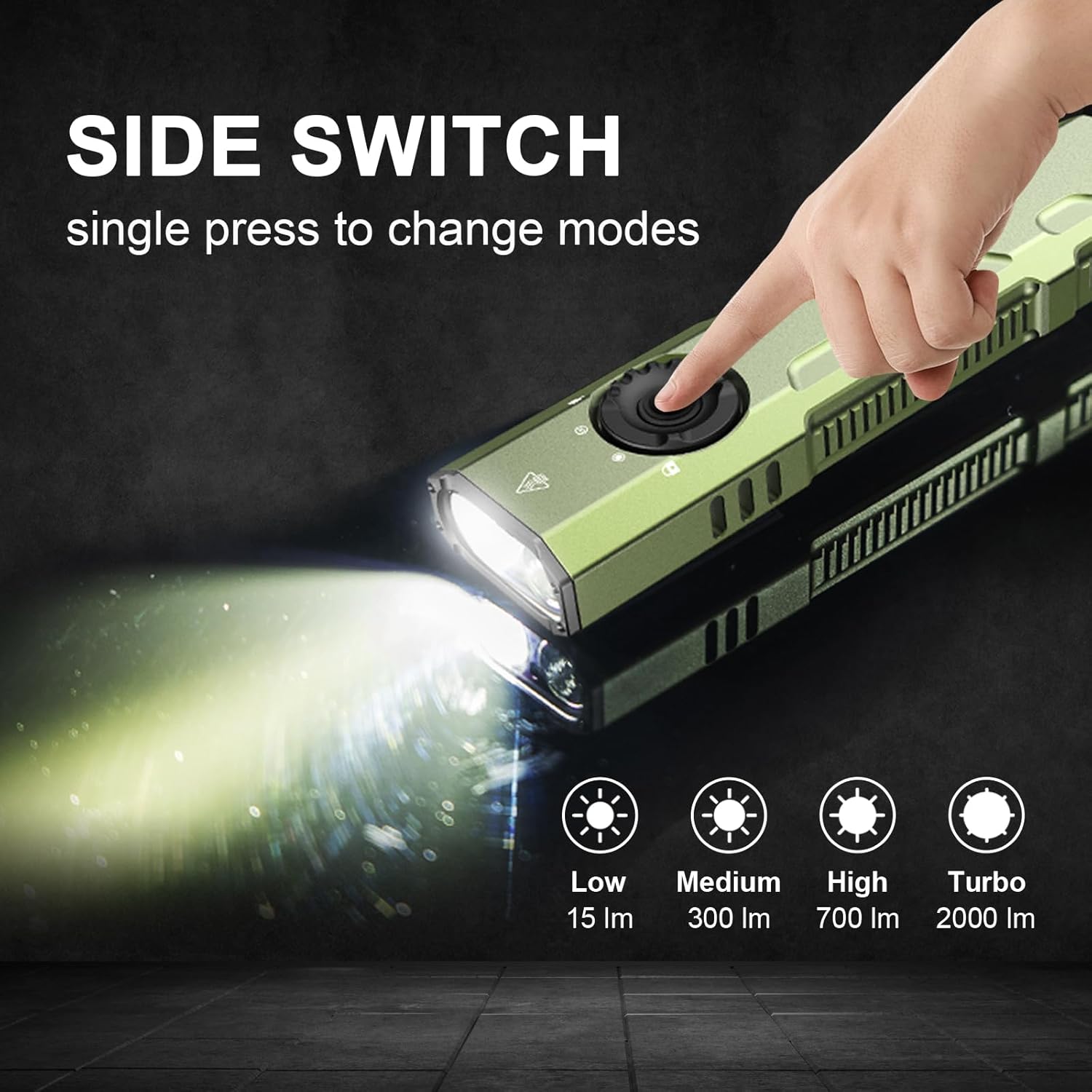
Image 6.2: Using the side switch to adjust white light brightness.
6.3 UV Light & Green Beam Operation (Side Switch)
Once the revolving switch is set to UV Light or Green Beam:
- Vklop/izklop: Single press the side switch to activate or deactivate the selected UV light or Green Beam.
6.4 Taktično stikalo za rep
The tactical tail switch provides quick access to high output and strobe functions, regardless of the revolving switch position:
- Trenutni turbo: A heavy press and hold of the tactical tail switch will activate the white light at its maximum (Turbo) output. Release to turn off.
- Strobe: A slight press followed by a double press of the tactical tail switch will activate the strobe function. Press again to turn off.

Image 6.3: The tactical tail switch for instant high output and strobe.
6.5 Clip Usage
The E26 features a sturdy two-way clip for versatile carrying options. It can be attached to a pocket, hat brim, backpack strap, or other gear, allowing for hands-free operation.
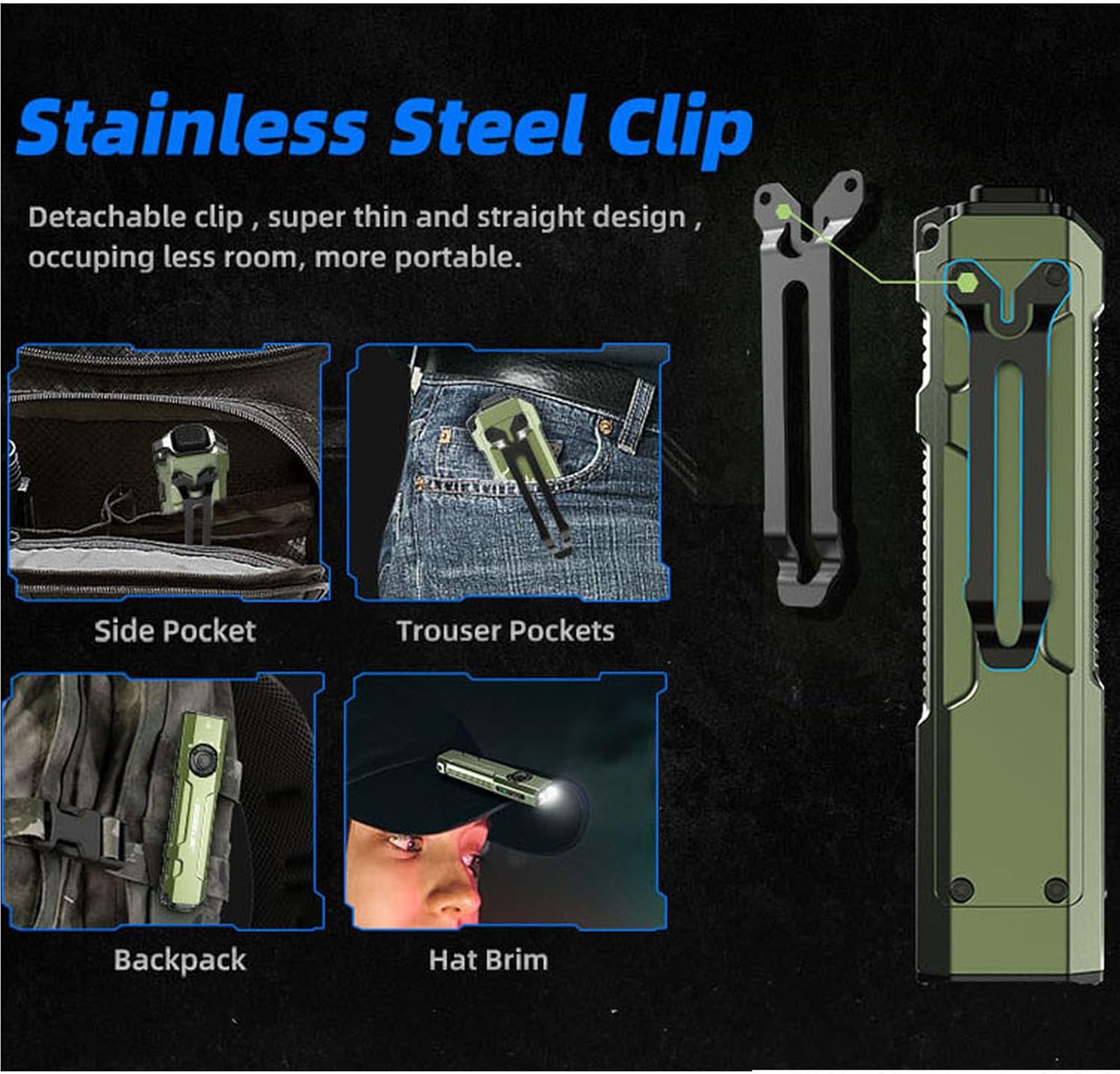
Image 6.4: Versatile carrying options using the stainless steel clip.
7. Vzdrževanje
- Čiščenje: Ohišje svetilke očistite z mehko krpoamp krpo. Ne uporabljajte abrazivnih čistil ali topil.
- Vrata za polnjenje: Keep the USB-C charging port free from dust and debris.
- Shranjevanje: Store the flashlight in a cool, dry place away from direct sunlight. For long-term storage, ensure the battery is partially charged (around 50%) and engage the lockout function.
8. Odpravljanje težav
8.1 Svetilka se ne vklopi
- Check if the revolving switch is in the 'Lock' position. Rotate it to the desired light source.
- Ensure the battery is charged. Connect the flashlight to a power source using the USB-C cable.
8.2 Light Output is Low or Flickering
- Charge the battery fully. Low battery can affect performance.
- Prepričajte se, da je leča čista in brez ovir.
8.3 Accidental Activation in Pocket
- Always engage the 'Lock' position on the revolving switch when carrying the flashlight to prevent unintended operation.
9. Specifikacije
| Funkcija | Podrobnost |
|---|---|
| Model | E26 |
| Bela svetlost | 2000 lumnov (največ) |
| UV Light Wavelength/Power | 365nm / 1300mW |
| Zeleni žarek | Vključeno |
| Vir napajanja | Built-in Rechargeable Lithium Ion Battery |
| Vrata za polnjenje | USB-C |
| Material | Anodiziran aluminij |
| Stopnja vodoodpornosti | IP68 (vodoodporen) |
| Odpornost na padce | 1.5 metrov |
| Dimenzije izdelka | 0.6"D x 1.25"Š x 5"V |
| Teža predmeta | 4 unče (0.25 funta) |
| Posebne lastnosti | Portable, Adjustable Light Modes, Rechargeable, Memory Function, Ceramic Glass Breaker |

Image 9.1: The E26 is designed to be waterproof and drop-resistant.
10. Uradni videoposnetek izdelka
Video 10.1: Overview of the Jetbeam E26 UV Kunai 3-in-1 Flat EDC Flashlight, demonstrating its features and compact design.
11. Informacije o garanciji
The JETBeam E26 flashlight comes with a Lifetime Warranty. For specific terms and conditions, please refer to the warranty documentation included with your product or contact JETBeam customer support.
12. Podpora
For further assistance, technical support, or inquiries regarding your JETBeam E26 flashlight, please refer to the contact information provided in your product packaging or visit the official JETBeam webmesto.


