
Gemmac EM03
Gemmac EM03 Emergency Radio User Manual
Model: EM03
Uvod
The Gemmac EM03 is a versatile emergency radio designed for outdoor activities and emergency situations. It features multiple charging options, an integrated power bank, Bluetooth speaker, LED flashlight, and an SOS alarm. This manual provides detailed instructions for its setup, operation, maintenance, and troubleshooting to ensure optimal performance and safety.
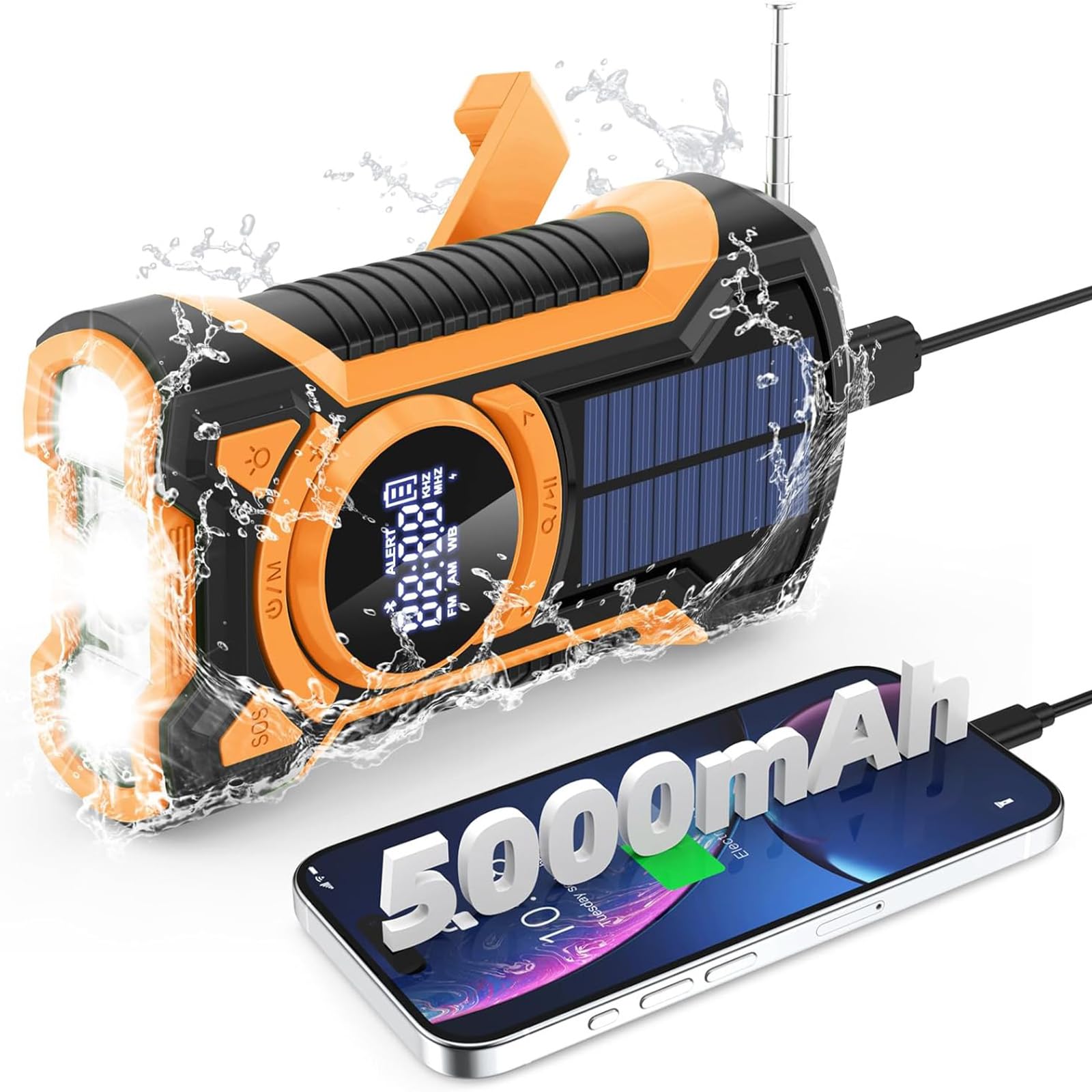
Slika: spredaj view of the Gemmac EM03 Emergency Radio, showcasing njegovo kompaktno zasnovo in zaslon.
1. Nastavitev
1.1 Razpakiranje in vsebina paketa
Previdno vzemite vse komponente iz embalaže. Prepričajte se, da so prisotni naslednji elementi:
- Gemmac EM03 Emergency Radio
- USB polnilni kabel
- Vrvica
- Uporabniški priročnik (ta dokument)
1.2 Začetno polnjenje
Before first use, it is recommended to fully charge the device using the USB charging method. This ensures the internal 5000mAh battery is at full capacity for reliable operation.
- Connect the supplied USB cable to the radio's DC 5V input port.
- Drugi konec kabla USB priključite na standardni napajalnik USB (ni priložen) ali na vrata USB računalnika.
- The battery indicator on the LCD display will show charging progress.
- Charging is complete when the battery indicator shows a full charge.

Image: Illustration of the three charging methods: hand crank, solar panel, and USB input.
2. Navodila za uporabo
2.1 Vklop/izklop
- Za vklop naprave pritisnite in držite Power/Mode (U/M) gumb.
- Za izklop naprave pritisnite in držite Power/Mode (U/M) gumb znova.
2.2 Radio Function (AM/FM/SW)
The radio supports AM, FM, and Shortwave (SW) bands.
- Vklopite radio s pritiskom na Power/Mode (U/M) gumb.
- Pritisnite Power/Mode (U/M) button repeatedly to cycle through FM, AM, and SW bands. The selected band will be displayed on the LCD screen.
- Extend the telescopic antenna for better FM/SW reception. For AM, rotate the device for optimal signal.
- Uporabite Tuning Up (>) in Tuning Down (<) gumbe za ročno uglaševanje postaje.
- Za samodejno iskanje postaj pritisnite in držite Tuning Up (>) or Tuning Down (<) button. The radio will stop at the next available strong signal.
- Glasnost prilagodite s tipko Povečanje glasnosti (+) in Znižaj glasnost (-) gumbi.
- For private listening, connect 3.5mm headphones to the headphone jack.
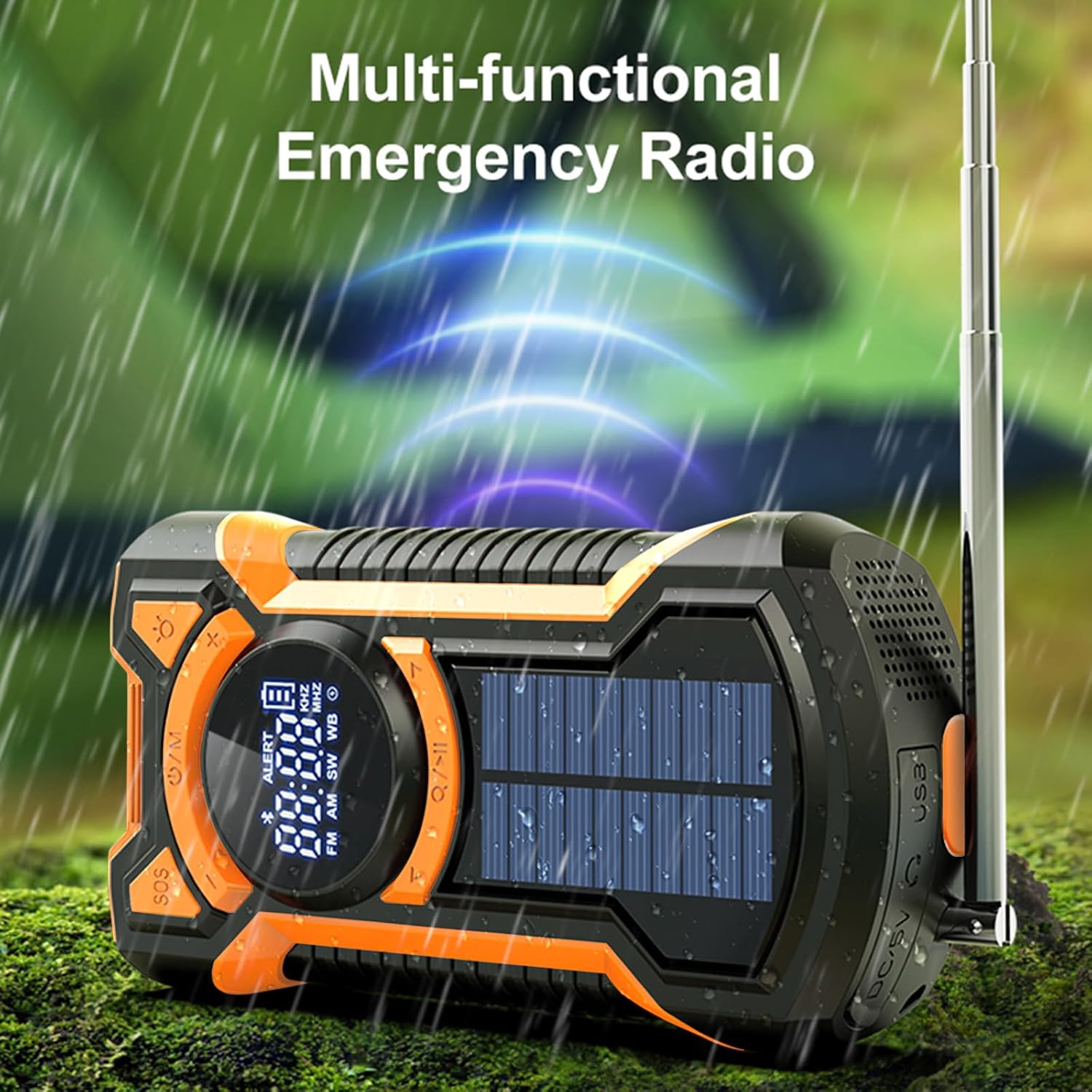
Image: The multi-functional emergency radio shown outdoors, emphasizing its readiness for various conditions.
2.3 Bluetooth funkcija zvočnika
The EM03 features an integrated Bluetooth 5.3 speaker for audio playback.
- Vklopite napravo.
- Pritisnite Power/Mode (U/M) button until "BT" or the Bluetooth icon appears on the LCD display, indicating Bluetooth mode.
- V mobilni napravi omogočite Bluetooth in poiščite razpoložljive naprave.
- Select "EM03" from the list of devices to pair.
- Once paired, you can play audio from your mobile device through the radio's speaker.
- Adjust volume using the radio's volume buttons or your connected device.

Image: The radio in Bluetooth mode, demonstrating connection to a smartphone for music playback.
2.4 LED Flashlight and Reading Light
The device includes a powerful LED flashlight and a reading light.
- Za vklop svetilke pritisnite Flashlight (Light bulb icon) gumb.
- Press the button again to cycle through different brightness modes (e.g., high beam, low beam) or to turn it off.
- The reading light can be activated by a separate button or by cycling through the flashlight modes, depending on the model. Refer to the icons on the device.

Image: The LED flashlight function of the radio, showing its bright illumination.

Image: Visual representation of the flashlight's far beam, low beam, and SOS light modes.
2.5 SOS alarm
V nujnih primerih se lahko aktivira alarm SOS, da pritegne pozornost.
- To activate the SOS alarm, press the SOS gumb.
- The alarm will emit a loud siren sound and a flashing red light.
- To deactivate the SOS alarm, press the SOS gumb znova.

Image: The SOS alarm feature in action, with a red flashing light indicating an emergency signal.

Slika: Bližnji posnetek view of the dedicated SOS button for emergency alerts.
2.6 Emergency Power Bank
The built-in 5000mAh battery can be used to charge external devices like smartphones.
- Connect your device's charging cable to the USB output port on the radio.
- The radio will begin charging your connected device.
- Spremljajte stanje polnjenja naprave.
- Note that using the power bank function will deplete the radio's internal battery.

Image: The emergency power bank feature, showing the radio connected to and charging a smartphone.
3. Načini polnjenja
The Gemmac EM03 offers three ways to recharge its internal 5000mAh battery:
3.1 USB Charging (DC 5V Input)
This is the primary and fastest charging method.
- Connect the USB charging cable to the DC 5V input port on the radio and to a USB power source.
- Polno polnjenje običajno traja približno 3.5 uri.
3.2 Polnjenje z ročno ročico
The hand crank provides power when other charging methods are unavailable.
- Unfold the hand crank located on the back of the radio.
- Rotate the crank clockwise or counter-clockwise at a steady pace (approximately 130-150 RPM) for 3-5 minutes to generate enough power for short-term use (e.g., 15-20 minutes of radio or flashlight).
- Continuous cranking will charge the internal battery.
3.3 Solarno polnjenje
The solar panel is a supplementary charging method, ideal for maintaining battery charge or for slow charging in direct sunlight.
- Radio postavite tako, da bo sončna celica obrnjena proti neposredni sončni svetlobi.
- The solar charging indicator (if available on the display) will illuminate.
- Solar charging is slower than USB or hand crank charging and is most effective for trickle charging or extending battery life.
Slika: Celovit view illustrating the hand crank, solar, and USB charging options for the radio.
4. Vzdrževanje
- Čiščenje: Napravo obrišite z mehko damp krpo. Ne uporabljajte močnih kemikalij ali abrazivnih čistil.
- Shranjevanje: Store the radio in a cool, dry place away from direct sunlight and extreme temperatures. If storing for extended periods, charge the battery at least once every three months to prolong its lifespan.
- Vodoodpornost: The device is IPX5 waterproof, meaning it is protected against low-pressure water jets from any direction. Do not immerse the radio in water. Ensure all port covers are securely closed to maintain water resistance.
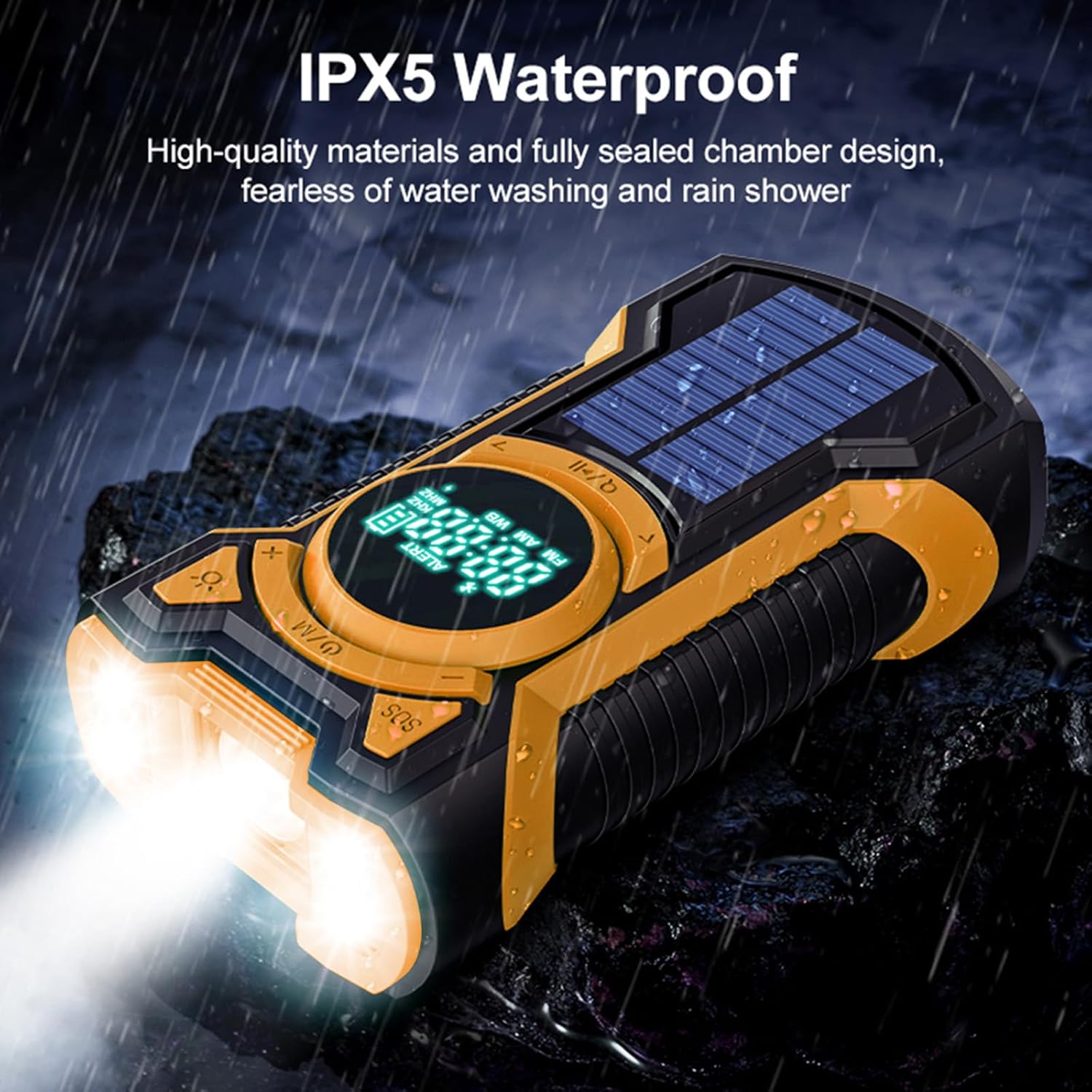
Image: The radio enduring water splashes, illustrating its IPX5 waterproof capability.
5. Odpravljanje težav
5.1 Radio Not Turning On
- Ensure the battery is charged. Connect to a USB power source or use the hand crank to provide initial power.
- Press and hold the Power/Mode button for a few seconds to ensure it registers.
5.2 Slab radijski sprejem
- Fully extend the telescopic antenna for FM/SW bands.
- For AM band, try rotating the radio to find the best signal.
- Move to an open area away from buildings, trees, or electronic devices that may cause interference.
5.3 Težave s seznanjanjem prek Bluetootha
- Ensure the radio is in Bluetooth mode ("BT" or Bluetooth icon displayed).
- Make sure Bluetooth is enabled on your mobile device and it is within range (typically 10 meters).
- Forget "EM03" from your device's Bluetooth list and try pairing again.
- Prepričajte se, da trenutno z radiem ni prek Bluetootha povezana nobena druga naprava.
5.4 External Device Not Charging (Power Bank)
- Check if the radio's internal battery has sufficient charge.
- Ensure the USB cable is securely connected to both the radio's output port and your external device.
- Try a different USB cable or external device to rule out cable or device issues.
5.5 Solar Charging is Slow
- Solar charging is designed as a supplementary or emergency charging method. It is inherently slower than USB charging.
- Ensure the solar panel is exposed to direct, strong sunlight. Cloudy conditions or indirect light will significantly reduce charging efficiency.
6. Specifikacije
| Znamka | Gemmac |
| Model | EM03 |
| Dimenzije | 4 x 7 x 14 cm |
| Teža | 340 g |
| Baterija | 5000 mAh litij-ionska baterija (polnilna, priložena) |
| Metode polnjenja | USB (DC 5V), Hand Crank, Solar Panel |
| Radijski pasovi | AM, FM, Shortwave (SW) |
| Različica Bluetooth | Bluetooth 5.3 |
| Vodoodpornost | IPX5 |
| Posebne lastnosti | Integrated LED Flashlight, SOS Alarm, Emergency Power Bank |
| Material | Akrilonitril butadien stiren (ABS) |
7. Informacije o garanciji
Warranty information for this product is typically provided at the point of purchase or within specific documentation included with your product. Please refer to your purchase receipt or the warranty card for details regarding coverage period and terms. For any warranty claims, please contact the seller or manufacturer directly.
8. Podpora strankam
If you encounter any issues or have questions not covered in this manual, please contact Gemmac customer support through the retailer where you purchased the product. You may also visit the official Gemmac brand store on Amazon for additional resources and contact information.
Trgovina blagovne znamke Amazon: Gemmac Store
Ask a question about this manual
Ask about setup, troubleshooting, compatibility, parts, safety, or missing instructions. Manuals+ will review the question and use this page’s manual context to help answer it.