
Uvod
Thank you for choosing the Raddy RF320 Shortwave Radio. This manual provides essential information for the safe and efficient operation of your device. Please read it thoroughly before use and retain it for future reference. The RF320 is a versatile portable radio offering comprehensive reception across AIR, FM, VHF, MW, SW, and WB bands, along with Bluetooth 5.0 connectivity, TF card playback, and emergency features like a flashlight and SOS function.
Varnostne informacije
- Radia ne izpostavljajte ekstremnim temperaturam, neposredni sončni svetlobi ali visoki vlažnosti.
- Izogibajte se padcem ali izpostavljanju naprave močnim udarcem.
- Keep the radio away from water and other liquids. It is not waterproof.
- Use only the specified charging cable and power adapter to prevent damage.
- Do not attempt to disassemble or modify the radio. This will void the warranty and may cause harm.
- Baterije zavrzite v skladu z lokalnimi predpisi.
Vsebina paketa
Preverite, ali so v paketu prisotni vsi elementi:
- Raddy RF320 Shortwave Radio
- USB polnilni kabel
- 3m Cable Antenna
- Slušalke
- Navodila za uporabo
Konec izdelkaview
Seznanite se s komponentami in upravljalnimi elementi radia.
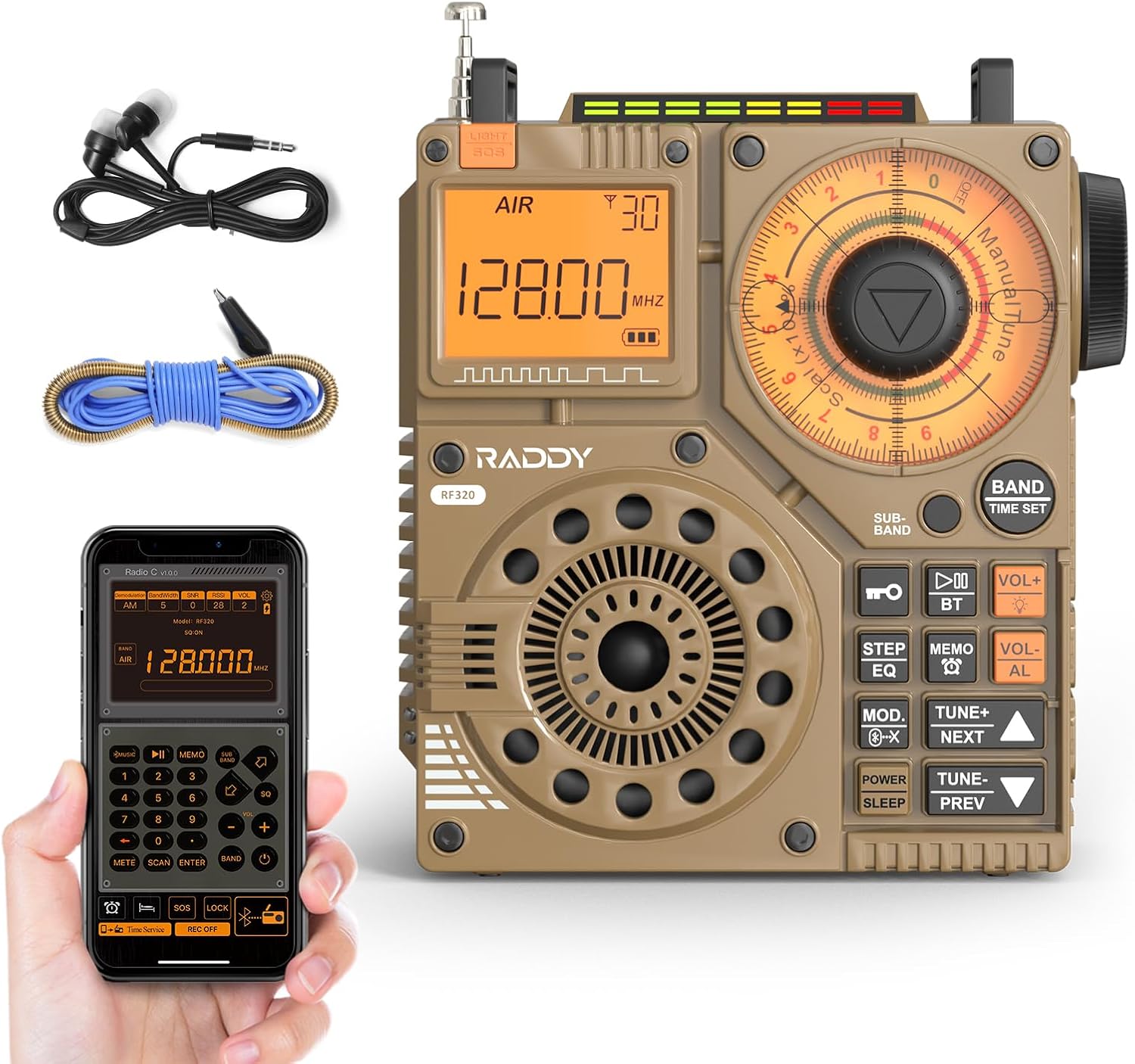
Slika 1: Spredaj view of the Raddy RF320 Shortwave Radio, showing the display, speaker, and control buttons.

Slika 2: stran view of the Raddy RF320, illustrating the fine-tuning knobs and their function for precise frequency adjustment.
Ključne značilnosti:
- Digitalni zaslon: Shows frequency, band, and other operational information.
- Tuning Knobs: For manual and fine-tuning adjustments.
- Band Selection Buttons: To switch between AIR, FM, VHF, MW, SW bands.
- Nadzor glasnosti: Prilagodi raven zvočnega izhoda.
- Vgrajena svetilka: Za osvetlitev v slabih svetlobnih pogojih.
- SOS funkcija: Aktivira signal za nujne primere.
- Bluetooth 5.0: Za brezžično pretakanje zvoka.
- Reža za TF kartice: For direct playback of stored audio files.
- 3.5 mm avdio priključek: For earphone connection.
Nastavitev
1. Polnjenje baterije
The RF320 is powered by a built-in Lithium-ion battery. Before first use, fully charge the radio.
- Connect the USB charging cable to the radio's charging port.
- Drugi konec kabla USB priključite na združljiv napajalnik USB (ni priložen) ali vrata USB računalnika.
- The charging indicator on the display will show the charging status. It will typically turn off or change color when fully charged.
2. Pritrditev antene
For optimal reception, especially on SW and AIR bands, extend the telescopic antenna or connect the included 3m cable antenna.
- Teleskopska antena: Extend it fully and adjust its direction for best signal.
- Cable Antenna: Plug the cable antenna into the designated antenna jack on the radio. Extend the cable antenna as much as possible, ideally outdoors or near a window, for improved shortwave reception.
Navodila za uporabo
1. Vklop/izklop
Pritisnite in držite MOČ gumb za vklop ali izklop radia.
2. Izbira pasu
Pritisnite BAND button repeatedly to cycle through the available frequency bands: FM, AM (MW), SW, VHF, AIR, WB.
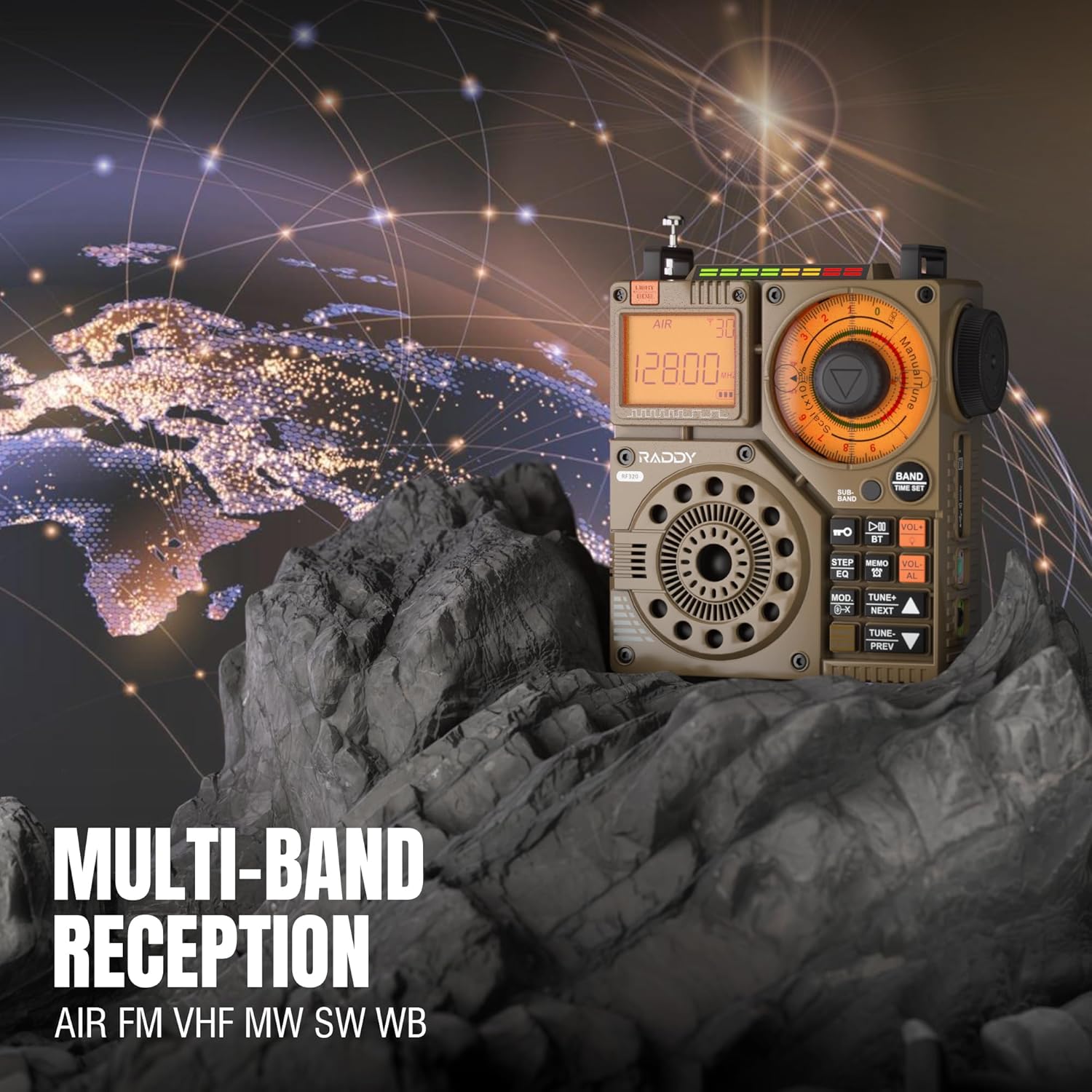
Figure 3: The Raddy RF320 radio on a rocky surface, symbolizing its multi-band reception capabilities across AIR, FM, VHF, MW, SW, and WB bands.
3. Tuning Methods
The RF320 offers multiple tuning options:
- Ročna nastavitev: Use the main tuning knob to adjust the frequency incrementally. The precise tuning knobs offer a minimum step value of 0.005 MHz for accurate frequency selection.
- Digitalno uglaševanje: Use the numeric keypad (if available on the device or via app) to directly enter a frequency.
- Samodejno iskanje: Pritisnite SAMODEJNO ISKANJE gumb za samodejno iskanje in shranjevanje razpoložljivih postaj.
- Polavtomatsko iskanje: This function allows for scanning within a specific range or with user intervention. Refer to the on-screen prompts or app interface for details.
4. Station Storage
The radio can store up to 955 stations (199 for each of AIR, FM, VHF, MW, and SW bands).
- Nastavite želeno postajo.
- Pritisnite in držite MEMO button (or equivalent) to save the station.
- Uporabite NASLEDNJA / PREJ gumbe za navigacijo po shranjenih postajah.
5. Bluetooth (BT) Mode
Za brezžično pretakanje zvoka povežite pametni telefon ali drugo napravo s podporo za Bluetooth.
- Pritisnite NAČIN button until 'BT' or 'Bluetooth' is displayed.
- On your device, search for Bluetooth devices and select 'Raddy RF320'.
- Ko je naprava združena, lahko predvajate zvok iz naprave prek zvočnika radia.
6. Predvajanje s kartice TF
Predvajaj zvok files directly from a TF (MicroSD) card.
- Insert a TF card (up to 32GB, FAT32 format) with audio files v režo za kartico TF.
- Pritisnite NAČIN button until 'TF' or 'Card' is displayed.
- Uporabite NASLEDNJA / PREJ gumbi za navigacijo po skladbah.

Figure 4: The Raddy RF320 radio next to a smartphone displaying music, highlighting its three operational modes: Bluetooth, TF Card, and Radio Receiver.
7. Svetilka in funkcija SOS
The RF320 includes an integrated flashlight and an SOS emergency signal.
- Svetilka: Pritisnite SVETLOBA button to turn the flashlight on/off.
- SOS: Pritisnite in držite SOS button to activate the emergency alarm and flashing light. Press again to deactivate.

Figure 5: Close-up of the Raddy RF320 radio with its integrated flashlight active, demonstrating its outdoor lighting capability.
8. Nadzor aplikacij
The Raddy RF320 can be controlled via a dedicated application on iOS, Android, and HarmonyOS systems.
- Download the 'Radio C' application from your device's app store.
- Ensure Bluetooth is enabled on your smartphone and the RF320 radio.
- Open the app and follow the on-screen instructions to connect to your RF320.
- The app allows for digital tuning, channel naming, recording broadcasts, and other advanced controls.

Figure 6: The Raddy RF320 radio displayed alongside a smartphone running its control application, illustrating the ease of use with app integration.
Vzdrževanje
- Radio očistite z mehko, suho krpo. Ne uporabljajte abrazivnih čistil ali topil.
- Ko radia dalj časa ne uporabljate, ga shranite na hladnem in suhem mestu.
- Periodically charge the battery to maintain its lifespan, even if the radio is not being used.
- Ensure the telescopic antenna is retracted when not in use to prevent damage.
Odpravljanje težav
| Težava | Možen vzrok | rešitev |
|---|---|---|
| Radio se ne vklopi. | Baterija je prazna. | Radio popolnoma napolnite. |
| Slab radijski sprejem. | Šibek signal; antena ni iztegnjena. | Extend the telescopic antenna or connect the 3m cable antenna. Adjust antenna position. Move to an area with better signal. |
| Bluetooth povezava ne uspe. | Radio not in BT mode; device too far; pairing issue. | Ensure radio is in BT mode. Bring devices closer. Delete 'Raddy RF320' from your device's BT list and re-pair. |
| TF kartica ne predvaja. | Card not inserted correctly; unsupported format; corrupted files. | Reinsert TF card. Ensure card is FAT32 format. Check if audio files so podprti. |
| Nadzor aplikacije ne deluje. | Bluetooth not connected; app not updated. | Ensure radio is paired via Bluetooth. Update the 'Radio C' app to the latest version. |
Specifikacije
| Funkcija | Specifikacija |
|---|---|
| Znamka | Raddy |
| Številka modela | RF320 |
| Podprti radijski pasovi | AIR, FM, VHF, MW (AM), SW |
| Tehnologija uglaševanja | FM, AM, VHF, SW, AIR |
| Tehnologija povezljivosti | Bluetooth 5.0 |
| Posebne lastnosti | Digital Display, Integrated Flashlight, Rechargeable, Automatic Squelch, Keypad Lock, TF Card Playback, App Control, SOS Function |
| Mere izdelka (D x Š x V) | 15 D x 9 Š x 15 V centimetrov |
| Vir napajanja | Napajanje z baterijo (1 litij-ionska baterija priložena) |
| Vrsta zaslona | Digital Display (LCD/LED) |
| Strojni vmesnik | 3.5mm avdio Jack |
| Stopnja vodoodpornosti | Ni vodoodporen |
| Notranji material | Kovina |
| Država izvora | Kitajska |
Garancija in podpora
Informacije o garanciji
Raddy products typically come with a standard manufacturer's warranty. Please refer to the warranty card included in your package or visit the official Raddy website for detailed warranty terms and conditions specific to the RF320 model. Keep your purchase receipt as proof of purchase for warranty claims.
Podpora uporabnikom
Za tehnično pomoč, odpravljanje težav, ki presegajo ta priročnik, ali vprašanja v zvezi z garancijo se obrnite na podporo strankam Raddy prek njihovega uradnega website or the contact information provided with your product packaging. When contacting support, please have your product model (RF320) and purchase details ready.