
Lamzu Maya X
Lamzu Maya X Wireless Gaming Mouse User Manual
Model: Maya X
Uvod
The Lamzu Maya X is an ultra-lightweight wireless gaming mouse designed for high-performance gaming. Featuring a symmetrical shape, optical switches, and a high-precision PAW3950 sensor, it offers exceptional responsiveness and comfort for various grip styles. This manual provides detailed instructions for setting up, operating, maintaining, and troubleshooting your Lamzu Maya X mouse.

Figure 1: Lamzu Maya X Wireless Gaming Mouse and 8K Polling Dongle.
Vsebina paketa
Preden začnete, se prepričajte, da so v paketu vsi elementi:
- Lamzu Maya X Wireless Gaming Mouse
- 8K Polling Dongle
- 1.8m Type-C Paracord Cable (for wired connection and charging)
- PTFE Feet (extra set)
- Žametna torba
- MAYA X Mouse Grip Tape
Nastavitev
1. Polnjenje miške
The Lamzu Maya X mouse comes with a built-in Lithium Ion battery. For optimal performance, it is recommended to fully charge the mouse before first use.
- Connect the supplied 1.8m Type-C paracord cable to the USB-C port on the front of the mouse.
- Connect the other end of the cable to an available USB port on your computer or a USB wall adapter.
- The mouse's indicator light will show charging status. Once fully charged, the light will change or turn off.
Miško lahko med polnjenjem uporabljate v žičnem načinu.
2. Priključitev miške
The Lamzu Maya X supports both 2.4G wireless and wired connectivity.
Wireless Connection (2.4G with 8K Polling Dongle)
- Locate the 8K Polling Dongle.
- Plug the 8K Polling Dongle into an available USB port on your computer. For best performance, use a USB port on the front of your computer or a USB hub placed close to the mouse to minimize interference.
- Miško vklopite s stikalom za vklop/izklop, ki se nahaja na spodnji strani miške.
- The mouse should automatically connect to the dongle. If connection is not established, refer to the troubleshooting section.

Figure 2: Wireless Connection with 8K Polling Dongle.
Žična povezava
- Connect the supplied 1.8m Type-C paracord cable to the USB-C port on the front of the mouse.
- Drugi konec kabla priključite na razpoložljiva vrata USB na vašem računalniku.
- The mouse will automatically switch to wired mode. In wired mode, the polling rate is 1000 Hz.

Figure 3: Dual Mode Connectivity (2.4G Wireless and Wired).
3. Namestitev gonilnikov in programske opreme
The Lamzu Maya X mouse is plug-and-play for basic functionality. For advanced customization, including DPI settings, button remapping, macros, and polling rate adjustments, you can download the official Lamzu Aurora Web Driver from the Lamzu webmesto. to web-based software eliminates the need for local installation.
- Visit the official Lamzu webspletno mesto (www.lamzu.com) to access the Aurora Web Voznik.
- Follow the on-screen instructions to connect your device and customize settings.
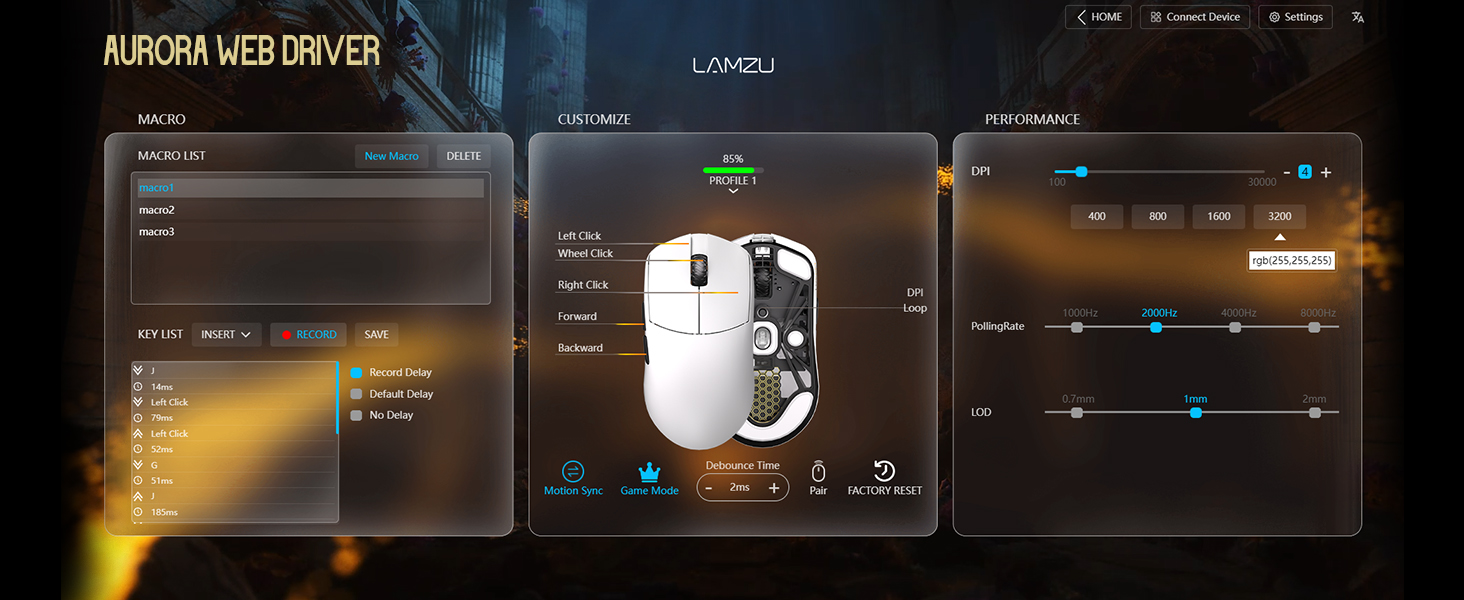
Figure 4: Lamzu Aurora Web Driver Interface.
Upravljanje miške
Funkcije gumbov
The Lamzu Maya X is a 6-button gaming mouse. The default functions are as follows:
| Gumb | Privzeta funkcija |
|---|---|
| Levi klik | Funkcija primarnega klika |
| Desni klik | Sekundarna funkcija klika |
| Scroll Wheel (Click) | Middle click / Universal scroll |
| Scroll Wheel (Up/Down) | Scroll content up/down |
| DPI Button (Bottom) | Cycle through preset DPI levels |
| Stranski gumb naprej | Navigate forward in web browsers/applications |
| Zadnji stranski gumb | Navigate backward in web browsers/applications |
| On/Off Switch (Bottom) | Power on/off the mouse |
All buttons, except the On/Off switch, can be remapped using the Aurora Web Driver software.

Figure 5: Lamzu Maya X Button Layout.
Adjusting DPI (Dots Per Inch)
The Lamzu Maya X features a Pixart PAW 3950 sensor, supporting up to 30,000 DPI. You can adjust the DPI sensitivity to match your preference and gaming style.
- On-the-fly Adjustment: Press the DPI button located on the bottom of the mouse to cycle through pre-configured DPI stages. The LED indicator on the mouse may change color to indicate the current DPI stage.
- Software Adjustment: For precise control and custom DPI stages, use the Lamzu Aurora Web Driver. You can set specific DPI values and assign them to different profiles.
Polling Rate
The polling rate determines how often the mouse reports its position to the computer. A higher polling rate results in smoother and more responsive cursor movement.
- Wireless (2.4G): The Maya X supports up to 8,000 Hz polling rate when using the included 8K Polling Dongle. This can be configured via the Aurora Web Voznik.
- Žično (USB-C): In wired mode, the mouse operates at a 1,000 Hz polling rate.
Grip Styles
The symmetrical shape of the Lamzu Maya X is designed to accommodate various grip styles, providing comfort and control for different hand sizes and preferences.
- Prijem dlani: The entire palm rests on the mouse, offering maximum stability.
- Krempljev prijem: Fingers are arched, and the palm makes minimal contact with the rear of the mouse, allowing for quick, precise movements.
- Fingertip Grip: Only the fingertips touch the mouse, providing the highest degree of maneuverability.

Figure 6: Supported Grip Styles.
Vzdrževanje
Proper maintenance ensures the longevity and optimal performance of your Lamzu Maya X mouse.
- Čiščenje: Za brisanje površine miške uporabite mehko, suho krpo. Za trdovratno umazanijo rahlo obrišiteamp Uporabite lahko krpo, vendar pazite, da v miško ne pride vlaga. Izogibajte se agresivnim kemikalijam ali abrazivnim materialom.
- Skrb za senzor: Keep the optical sensor on the bottom of the mouse clean and free of dust or debris. Use a cotton swab or compressed air if necessary.
- Mouse Feet (PTFE Skates): The PTFE feet are designed for smooth gliding. If they become worn or damaged, replace them with the extra set provided in the package.
- Shranjevanje: When not in use for extended periods, store the mouse in a cool, dry place, ideally in the provided velvet bag to protect it from dust and scratches.
- Vzdrževanje baterije: Avoid fully discharging the battery frequently. For long-term storage, charge the mouse to about 50% to preserve battery health.
Odpravljanje težav
If you encounter issues with your Lamzu Maya X mouse, refer to the following common problems and solutions:
| Težava | Možen vzrok/rešitev |
|---|---|
| Miška se ne odziva (brezžično) |
|
| Miška se ne odziva (žična) |
|
| Premikanje kurzorja je neenakomerno ali poskakujoče |
|
| Gumbi se ne odzivajo ali pa se pritisne dvojni klik |
|
| Baterija se hitro izprazni |
|
Specifikacije
| Funkcija | Podrobnost |
|---|---|
| Model | Maya X |
| Dimenzije (D x Š x V) | 4.88 x 2.52 x 0.04 palca (124 x 64 x 40 mm) |
| Teža | 1.66 unče (približno 47 g) |
| Senzor | Optični senzor Pixart PAW 3950 |
| Največja DPI | 30,000 DPI |
| MCU | Nordijski 52840 |
| Polling Rate | Up to 8,000 Hz (Wireless with 8K dongle), 1,000 Hz (Wired) |
| Stikala | Omron Optical Switches (Left/Right buttons) |
| Kodirnik | Dust-Proof Encoder with 30-grid roller |
| Povezljivost | 2.4G Wireless, USB-C Wired |
| Vrsta baterije | 1 litij-ionska baterija (priložena) |
| barva | Črna (glede na različico izdelka) |
| Država izvora | Kitajska |
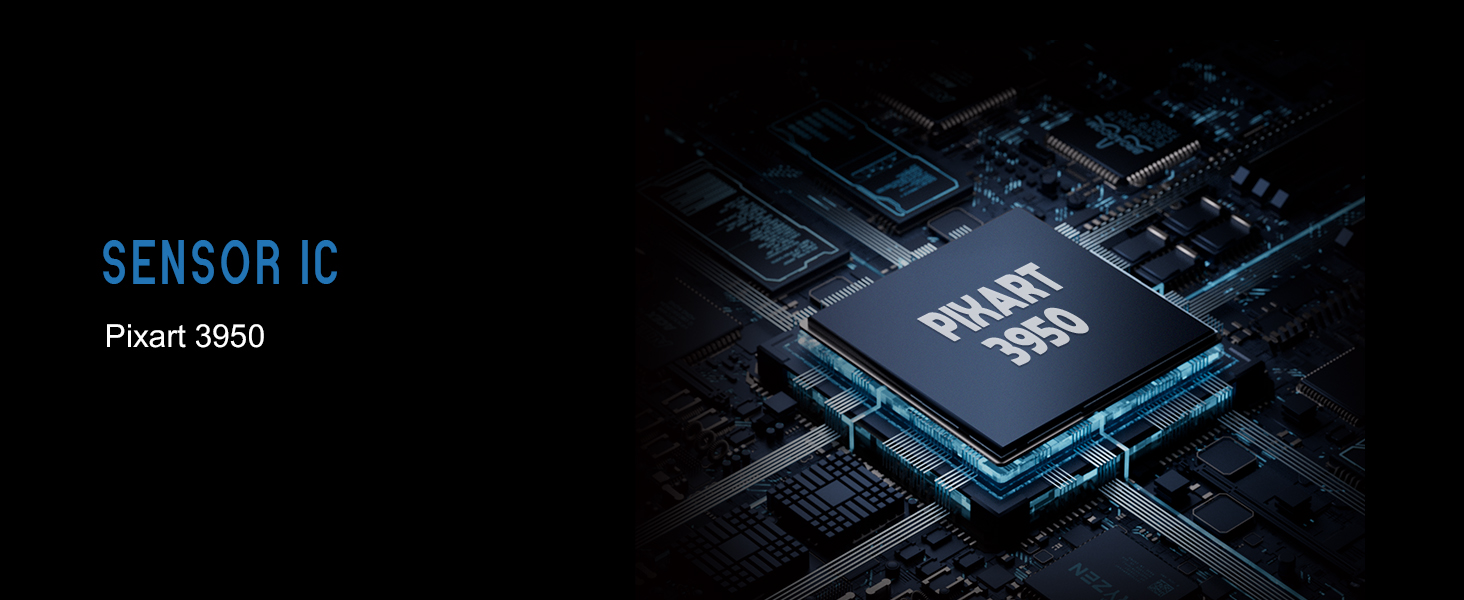
Figure 7: Lamzu Maya X Detailed Specifications.
Garancija in podpora
Lamzu products are manufactured to the highest quality standards. For information regarding warranty coverage, technical support, or service inquiries, please visit the official Lamzu webali se obrnite na njihov oddelek za pomoč uporabnikom.
- Uradno Webspletno mesto: www.lamzu.com
- Storitev za stranke: Glejte kontaktne podatke, navedene na uradni strani webmesto.
Za garancijske zahtevke shranite dokazilo o nakupu.
Ask a question about this manual
Ask about setup, troubleshooting, compatibility, parts, safety, or missing instructions. Manuals+ will review the question and use this page’s manual context to help answer it.