
1. Uvod
This manual provides detailed instructions for the setup, operation, and maintenance of your BPXX Bluetooth Thermal Shipping Label Printer, Model D463B. This printer is designed for efficient and clear printing of various thermal labels, including 4x6 inch shipping labels, with a resolution of 203 DPI. It supports both Bluetooth connectivity via the 'Ezlabel' mobile application and USB connection to computers.
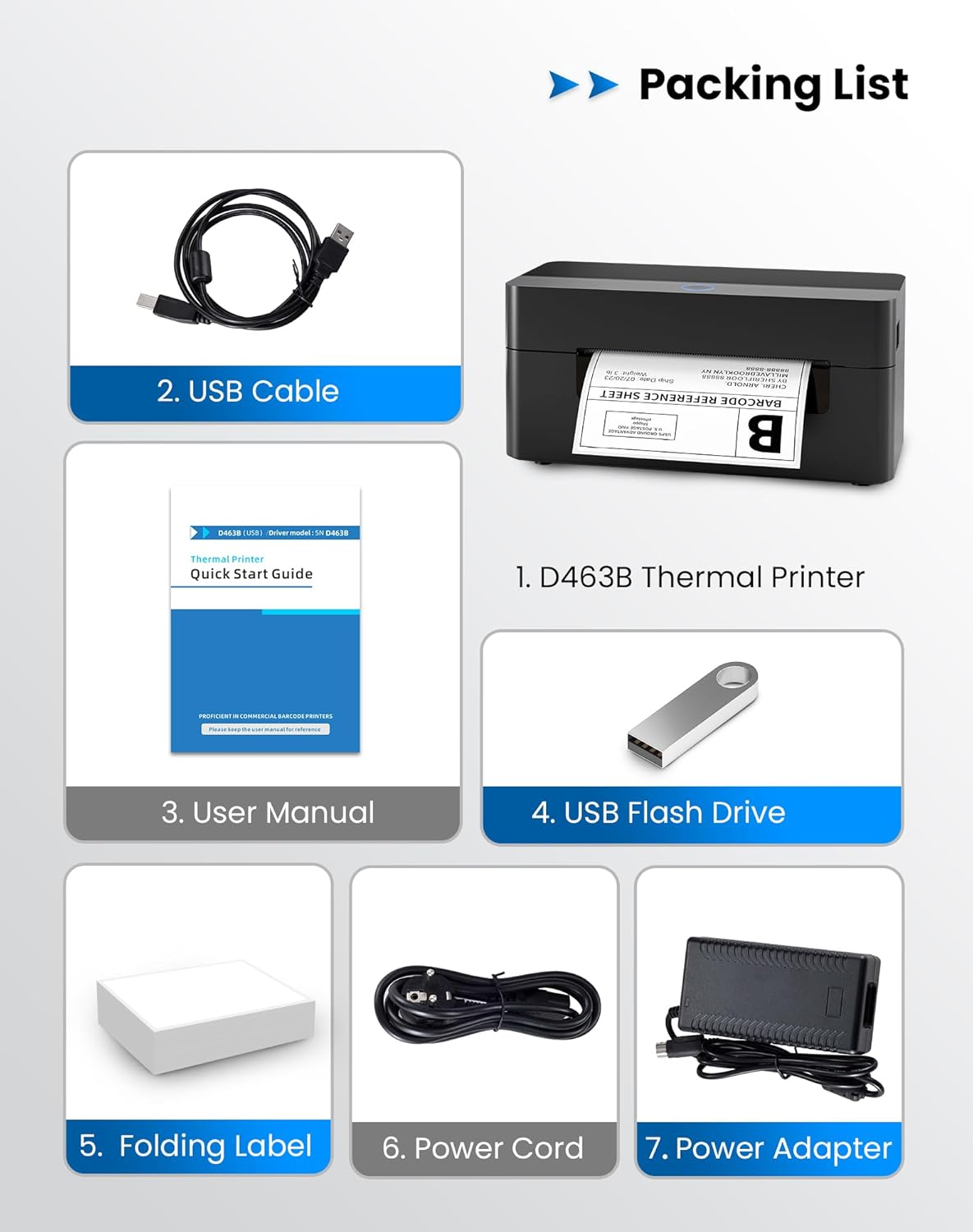
2. Pakirni seznam
Prosimo, preverite, ali so v vašem paketu priloženi vsi spodaj navedeni artikli:
- 1 x BPXX D463B Thermal Printer
- 1 x USB kabel
- 1 x uporabniški priročnik
- 1 x USB Flash Drive (containing drivers)
- 1 x Folding Label (sample roll)
- 1 x napajalni kabel
- 1 x napajalnik
3. Navodila za namestitev
3.1 Povezava strojne opreme
- Connect the power adapter to the printer's power port and plug the power cord into an electrical outlet.
- Open the printer cover and load the thermal labels. Ensure the labels are facing the correct direction for printing and are properly aligned within the guide rails.
- Trdno zaprite pokrov tiskalnika.

3.2 Namestitev programske opreme in gonilnikov
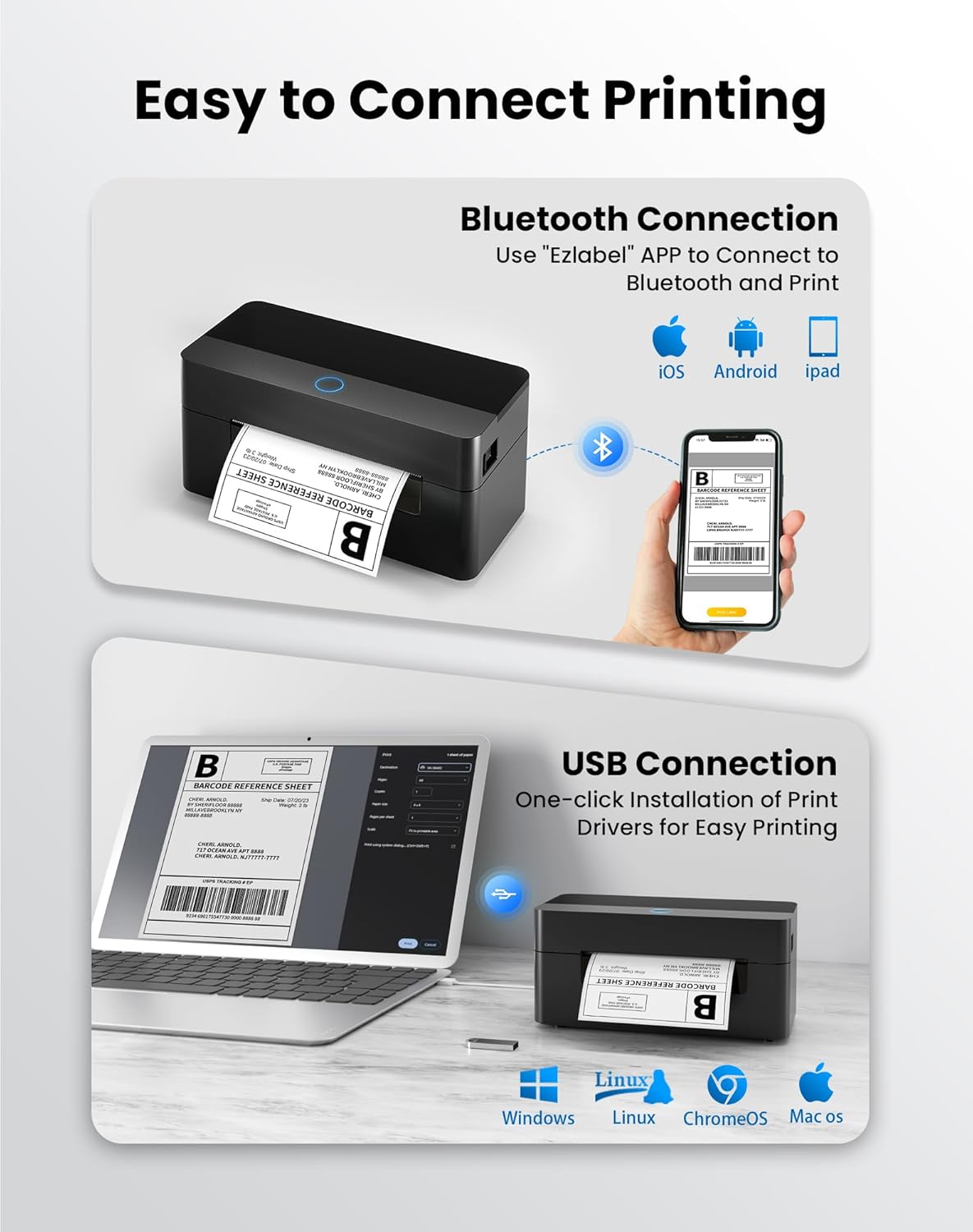
3.2.1 Mobilna aplikacija (povezava Bluetooth)
For mobile printing, download the 'Ezlabel' application from your device's app store (available for iOS and Android).
- Iskanje 'Ezlabel' in the App Store (iOS) or Google Play Store (Android).
- Prenesite in namestite aplikacijo.
- Omogočite Bluetooth na mobilni napravi.
- Open the 'Ezlabel' app and follow the in-app instructions to connect to your BPXX D463B printer via Bluetooth.
3.2.2 Computer Driver (USB Connection)
For computer printing, install the appropriate drivers for your operating system (Windows, Mac OS, Linux, ChromeOS). Drivers are provided on the included USB flash drive or can be downloaded from the official webmesto.
- Insert the provided USB flash drive into your computer.
- Locate and run the installer for your operating system.
- Sledite navodilom na zaslonu, da dokončate namestitev gonilnika.
- Alternatively, download drivers from: BPXX Driver Download
4. Navodila za uporabo
4.1 Nalaganje oznak
Ensure the thermal labels are loaded correctly for optimal printing. The printer supports thermal labels with widths ranging from 1 to 4.5 inches, including standard 4x6 inch shipping labels.
- Odprite zgornji pokrov tiskalnika.
- Place the roll of thermal labels into the label compartment, ensuring the printable side faces upwards.
- Feed the first label through the printer's output slot until it is slightly extended.
- Adjust the label guides to fit the width of your labels snugly, without being too tight.
- Zaprite zgornji pokrov. Tiskalnik bo samodejno zaznal velikost nalepke in jo kalibriral.

4.2 Printing via Bluetooth (Mobile App)
- Ensure the printer is powered on and connected to the 'Ezlabel' app via Bluetooth.
- Open the 'Ezlabel' app on your mobile device.
- Select or create your desired label design. The app includes preset templates for various label sizes.
- Confirm print settings such as label size and quantity.
- Initiate the print command from the app.
4.3 Printing via USB (Computer)
- Povežite tiskalnik z računalnikom s priloženim kablom USB.
- Ensure the printer drivers are correctly installed.
- Open the document or application from which you wish to print (e.g., a PDF viewer, shipping software).
- Select the BPXX D463B printer from your printer options.
- Adjust print settings as needed (e.g., paper size to 4x6 inches for shipping labels).
- Send the print command.
4.4 Supported Platforms and Print Quality
The BPXX D463B printer is compatible with major shipping carriers and e-commerce platforms, facilitating the printing of shipping labels, return labels, and postage labels.
- Shipping Carriers: FedEx, UPS, USPS, DHL, EasyPost, etc.
- E-commerce Platforms: Amazon, Shopify, Etsy, eBay, Walmart, etc.
The printer utilizes a high-quality thermal print head and advanced algorithms to deliver clear and sharp barcodes and text at 203 DPI resolution. It achieves a high-speed output of 152mm/s, capable of printing approximately 72 4x6 inch shipping labels per minute.


5. Vzdrževanje
Redno vzdrževanje zagotavlja optimalno delovanje in podaljšuje življenjsko dobo vašega tiskalnika.
- Čiščenje tiskalne glave: Use an alcohol swab or a specialized thermal printer cleaning pen to gently wipe the print head. Ensure the printer is off and cooled down before cleaning.
- Čiščenje zunanjosti: Zunanjost tiskalnika obrišite z mehko,amp krpo. Izogibajte se uporabi močnih kemikalij ali abrazivnih materialov.
- Odstranjevanje prahu: Periodically use compressed air to clear any dust or paper debris from inside the label compartment.
6. Odpravljanje težav
If you encounter issues with your BPXX D463B printer, refer to the following common problems and solutions:
- Tiskalnik se ne odziva:
- Ensure the power cord is securely connected and the printer is turned on.
- For Bluetooth connection, verify that Bluetooth is enabled on your device and the printer is paired within the 'Ezlabel' app.
- For USB connection, check the USB cable connection and ensure drivers are correctly installed. Try a different USB port or cable.
- Poor Print Quality (Faint/Streaky Prints):
- Očistite tiskalno glavo, kot je opisano v razdelku Vzdrževanje.
- Prepričajte se, da uporabljate visokokakovostne termične etikete.
- Check print density settings in the 'Ezlabel' app or printer preferences on your computer.
- Nalepke se ne podajajo pravilno:
- Verify that labels are loaded correctly and aligned with the guide rails.
- Ensure there are no obstructions in the label path.
- Perform a label calibration from the printer settings or app if available.
- Printer Offline Error:
- Znova zaženite tiskalnik in računalnik/mobilno napravo.
- Re-establish the Bluetooth or USB connection.
- Check printer status in your operating system's printer settings.
7. Specifikacije izdelka
| Ime modela | D463B |
| Znamka | BPXX |
| Tehnologija tiskanja | Toplotna |
| Tehnologija povezljivosti | Bluetooth, USB |
| Največja ločljivost tiskanja | 203 x 203 Dots Per Inch (DPI) |
| Največja hitrost tiskanja | 152 mm/s (72 labels per minute) |
| Največja velikost medija | 4 x 6 palcev |
| Podprta širina nalepke | 1 - 4.5 palcev |
| Združljive naprave | PC (Windows, Mac OS, Linux, ChromeOS), Smartphones (iOS, Android) |
| Nadzorna metoda | App ('Ezlabel'), USB |
| Dimenzije izdelka | 7.3"D x 3.3"Š x 3.3"V |
| Teža predmeta | 1.6 funtov |
| Vključene komponente | Printer, USB Cable, User Manual, USB Flash Drive, Sample Labels, Power Cord, Power Adapter |
8. Garancija in podpora
The BPXX D463B Thermal Shipping Label Printer comes with a limited warranty. For specific warranty terms and conditions, please refer to the documentation included with your product or contact BPXX customer support.
For technical assistance, troubleshooting, or any inquiries regarding your product, please contact BPXX customer support through the official webspletnega mesta ali kontaktnih podatkov, navedenih na embalaži izdelka.