
1. Uvod
The Auronic Electric Air Dehumidifier AU3270 is designed to effectively remove excess moisture from indoor environments, helping to prevent mold growth and maintain a healthy humidity level. This appliance is suitable for spaces up to 15 square meters and can extract up to 10 liters of moisture per day. This manual provides essential information for the safe and efficient use of your dehumidifier.

Image: The Auronic Electric Air Dehumidifier AU3270 positioned in a living room, illustrating its compact design and 10-liter daily capacity for optimal dehumidification.
2. Varnostna navodila
Pred uporabo naprave natančno preberite vsa varnostna navodila, da preprečite poškodbe ali škodo.
- Prepričajte se, da je napajalnik voltage se ujema z nalepko z nazivnimi vrednostmi na razvlažilniku zraka.
- Razvlažilnika zraka ne uporabljajte s poškodovanim napajalnim kablom ali vtičem.
- Napravo hranite stran od virov toplote, neposredne sončne svetlobe in vnetljivih materialov.
- Ne blokirajte dovoda ali odvoda zraka. Okoli enote naj bo vsaj 20 cm prostora.
- Razvlažilnik zraka vedno postavite na stabilno, ravno površino, da preprečite razlitje vode.
- Unplug the appliance before cleaning, maintenance, or when not in use for extended periods.
- Naprave, napajalnega kabla ali vtiča ne potapljajte v vodo ali druge tekočine.
- Ta naprava ni namenjena uporabi s strani oseb (vključno z otroki) z zmanjšanimi fizičnimi, senzoričnimi ali duševnimi sposobnostmi ali s pomanjkanjem izkušenj in znanja, razen če jih oseba, ki je odgovorna za njihovo varnost, nadzoruje ali jim daje navodila glede uporabe naprave.
- Otroke je treba nadzorovati, da se zagotovi, da se ne igrajo z napravo.
3. Nastavitev
3.1 Razpakiranje in vsebina paketa
Carefully remove the dehumidifier from its packaging. Check that all components are present and undamaged. The package typically includes the dehumidifier unit, a drainage hose, and this user manual.

Image: Contents of the Auronic Dehumidifier package, displaying the main unit, continuous drainage hose, and user manual, along with key product dimensions.
3.2 Namestitev
Place the dehumidifier on a firm, level surface in the desired location. Ensure there is at least 20 cm of free space around the air inlet and outlet for optimal airflow. The unit is effective for rooms up to 15 square meters. Avoid placing it in direct sunlight or near heat-emitting appliances.
3.3 Napajalni priključek
Plug the power cord into a grounded electrical outlet. Ensure the outlet meets the power requirements specified on the appliance's rating label.
3.4 Možnosti odvodnjavanja
The dehumidifier offers two drainage methods:
- Rezervoar za vodo: The unit collects condensed water in its internal 2-liter water tank. The appliance will automatically stop operating when the tank is full, and an indicator will illuminate.
- Neprekinjeno odvodnjavanje: For uninterrupted operation, attach the included drainage hose to the continuous drainage port on the back of the unit. Route the hose to a suitable drain or larger container, ensuring it is sloped downwards to allow water to flow freely by gravity.
4. Navodila za uporabo
4.1 Konec nadzorne ploščeview
The dehumidifier features an intuitive digital LED display and control buttons for easy operation.
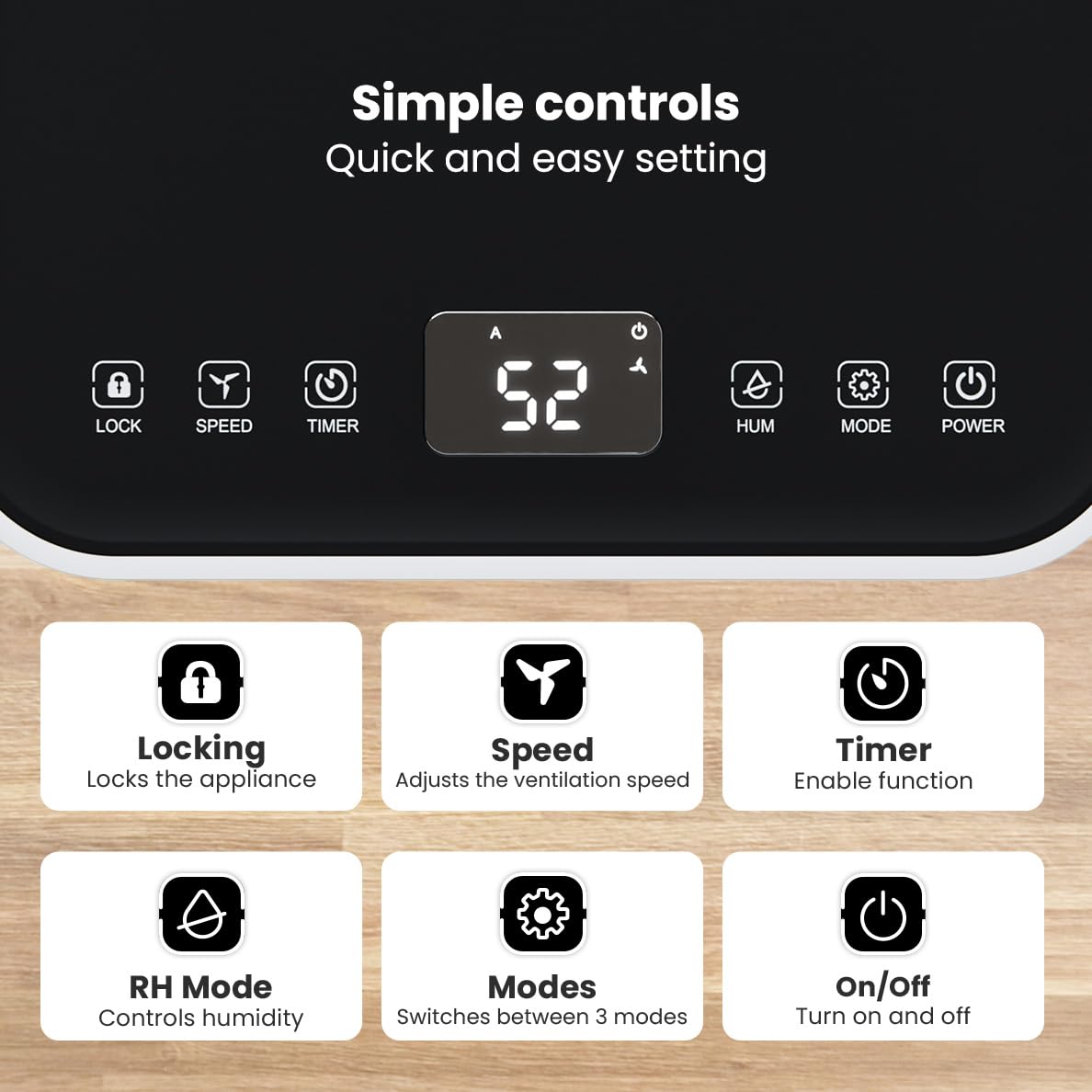
Slika: Podrobna view of the dehumidifier's control panel, highlighting each button's function for easy setting adjustments.
- Gumb za prižig (⏻): Vklopi ali izklopi aparat.
- Gumb za način (⚙): Switches between the three operating modes: Automatic, Continuous, and Quiet.
- RH Mode Button (💧): Controls the desired relative humidity level. Press to set the target humidity.
- Gumb časovnika (⏱): Enables the timer function for scheduled operation.
- Gumb za hitrost (⇋): Adjusts the ventilation speed (fan speed).
- Gumb za zaklepanje (🔒): Zaklene nadzorno ploščo, da prepreči nenamerne spremembe.
4.2 Načini delovanja
Press the Mode button to cycle through the available operating modes:
- Samodejni način: The device automatically adjusts its operation based on the current room humidity to maintain a comfortable level.
- Neprekinjeni način: Idealno za zelo damp environments like wet basements. The dehumidifier operates continuously regardless of the humidity level until the water tank is full or continuous drainage is active.
- Tihi način: Designed for night-time use or in areas where low noise is preferred. The dehumidifier operates at a reduced fan speed, ensuring a peaceful environment with a noise level below 36dB.

Image: A chart comparing the noise level of the Auronic Dehumidifier (42dB) to common sounds like breathing, whispering, and loud conversation, highlighting its quiet operation.
4.3 Humidity Sensor and Display
The integrated humidity sensor monitors the room's humidity level, which is displayed on the digital screen. The color of the display indicates the current humidity status:
- Modra: Humidity level is below 45%.
- zelena: Humidity level is between 45% and 64%.
- Rdeča: Humidity level is above 65%.
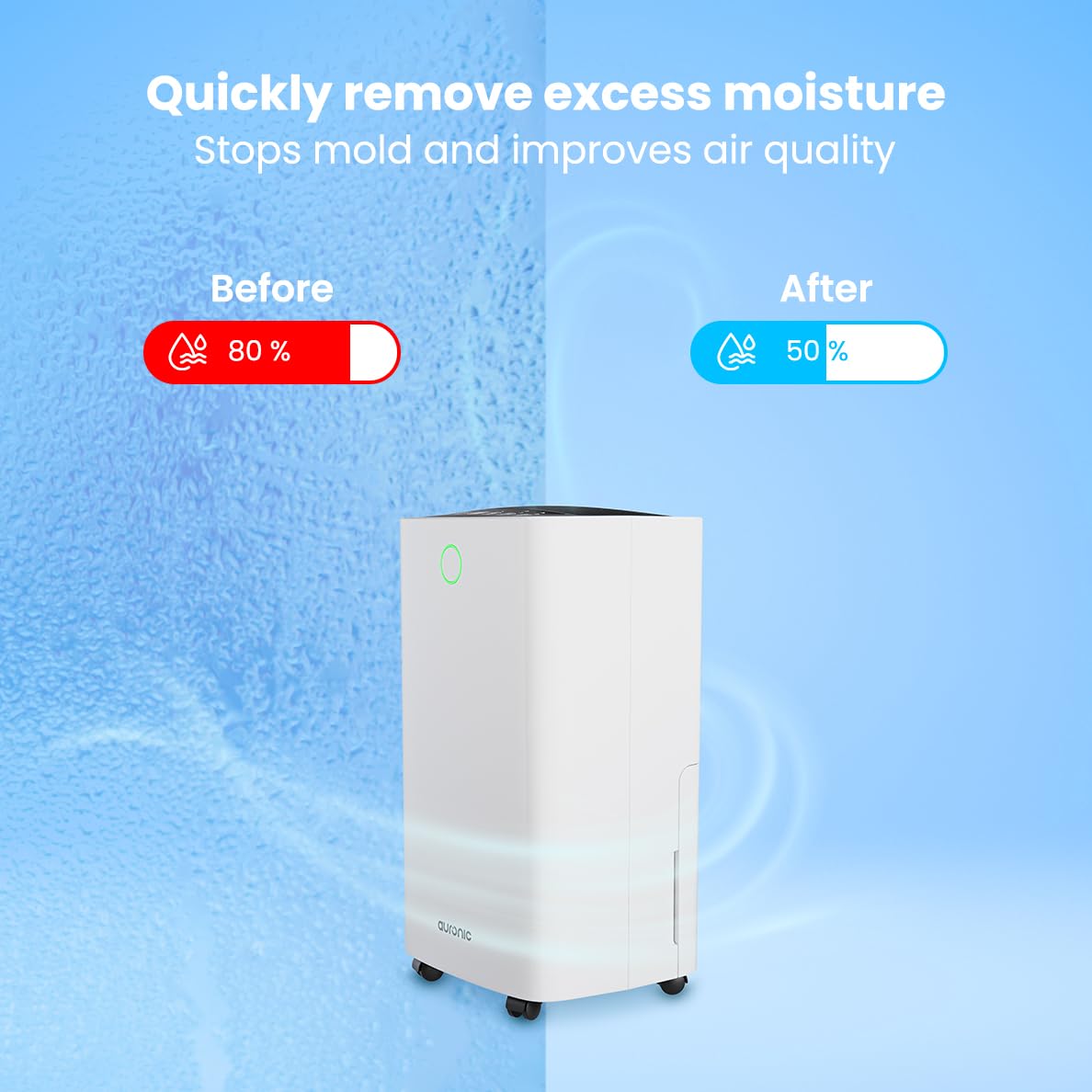
Image: A visual representation demonstrating the dehumidifier's effectiveness, showing a reduction in humidity from 80% to 50% in a room.
4.4 Funkcija sušenja perila
The Auronic dehumidifier includes a laundry drying function to assist in reducing the drying time of clothes, sheets, and towels. Place the appliance in your laundry room or near drying clothes to utilize this feature, which helps to remove moisture from the air and accelerate the drying process.

Image: The dehumidifier in a bathroom setting, demonstrating its ability to extract up to 10 liters of moisture and its suitability for rooms up to 15 square meters, alongside its intelligent humidity meter, wash-dry function, and silent operation.
5. Vzdrževanje
Redno vzdrževanje zagotavlja dolgo življenjsko dobo in učinkovito delovanje vašega razvlažilnika zraka.
5.1 Praznjenje rezervoarja za vodo
When the water tank is full, the dehumidifier will stop operating, and an indicator light will turn on. Carefully pull out the water tank from the unit, empty the collected water, and then reinsert the tank firmly until it clicks into place. Ensure the tank is properly seated to resume operation.
5.2 Čiščenje zračnega filtra
The air filter should be cleaned regularly (e.g., every two weeks or as needed) to maintain optimal performance. A dirty filter can reduce efficiency and increase energy consumption.
- Izključite razvlažilnik zraka iz električne vtičnice.
- Poiščite in odstranite zračni filter (običajno na zadnji ali stranski strani enote).
- Clean the filter using a vacuum cleaner to remove dust and debris. For heavily soiled filters, wash gently with lukewarm water and a mild detergent.
- Allow the filter to air dry completely before reinserting it into the dehumidifier.
5.3 Splošno čiščenje in shranjevanje
Obrišite zunanjost razvlažilnika zraka z mehko, damp cloth. Do not use abrasive cleaners or solvents. For long-term storage, ensure the water tank is empty and clean, the filter is clean and dry, and the unit is unplugged. Store the dehumidifier in a cool, dry place, preferably in its original packaging.
6. Odpravljanje težav
Če imate težave z razvlažilnikom zraka, si oglejte naslednje pogoste težave in rešitve:
| Težava | Možen vzrok | rešitev |
|---|---|---|
| Razvlažilnik se ne vklopi. | Ni napajanja; napajalni kabel ni priključen; gumb za vklop ni pritisnjen. | Check power connection; Ensure outlet is functional; Press the Power button. |
| Ni zbrane vode ali pa je razvlaževanje slabo. | Room temperature too low; Humidity level already low; Air filter clogged; Air inlet/outlet blocked; Water tank not properly inserted. | Ensure room temperature is above 5°C; Check current humidity; Clean the air filter; Clear any obstructions; Reinsert water tank correctly. |
| Enota je hrupna. | Enota ni na ravni površini; Zračni filter je zamašen; Notranje komponente vibrirajo. | Place on a stable, level surface; Clean the air filter; If noise persists, contact customer support. |
| Indikator polnega rezervoarja za vodo sveti, vendar rezervoar ni poln. | Float switch malfunction; Water tank not properly seated. | Remove and reinsert the water tank; Check float switch for obstructions. |
| Zaslon prikazuje kodo napake. | Notranja napaka ali okvara senzorja. | Izključite enoto iz vtičnice za 5 minut in jo nato ponovno priključite. Če napaka ne izgine, se obrnite na podporo strankam. |
7. Specifikacije
Technical specifications for the Auronic Electric Air Dehumidifier AU3270:
| Funkcija | Podrobnost |
|---|---|
| Znamka | Auronska |
| Ime modela | AU3270 |
| Zmogljivost | 10 litrov/dan |
| Kapaciteta rezervoarja za vodo | 2 litrov |
| Pokritost talne površine | Up to 15 m² (150000 Square Centimeters) |
| Wattage | 185 vatov |
| Mere izdelka (D x Š x V) | 50 G x 30.5 Š x 26.5 V centimetrov |
| Teža predmeta | 10 kilogramov |
| barva | Bela |
| Nivo hrupa | Below 36dB (in Quiet Mode) |
8. Garancija in podpora
8.1 Informacije o garanciji
Your Auronic Electric Air Dehumidifier AU3270 comes with a standard manufacturer's warranty. Please refer to the warranty card included in your package for specific terms, conditions, and duration. Keep your proof of purchase for warranty claims.
8.2 Podpora strankam
For any questions, technical assistance, or warranty claims, please contact Auronic customer support. Contact details can typically be found on the product packaging, the official Auronic webspletno mesto ali garancijski list.