
Uvod
The Zoom ZDM-1 Podcast Mic Pack is a comprehensive solution designed for high-quality audio recording and streaming. This pack includes the ZDM-1 dynamic microphone, ZHP-1 over-ear headphones, a TPS-4 tabletop tripod stand, a custom windscreen, and an XLR cable. This manual provides detailed instructions for setting up, operating, and maintaining your ZDM-1 Podcast Mic Pack to ensure optimal performance.

Image: The complete Zoom ZDM-1 Podcast Mic Pack, showcasing the microphone, headphones, and tripod.
Kaj je v škatli
Preverite, ali so v vašem paketu priloženi vsi naslednji elementi:
- ZDM-1 Dynamic Microphone
- ZHP-1 Over-Ear Headphones
- TPS-4 Tabletop Tripod Stand
- Custom Windscreen
- 2-Meter XLR Cable
- Cleaning Kit (if included in your specific bundle)

Image: All components of the ZDM-1 Podcast Mic Pack, including the microphone, headphones, tripod, windscreen, and XLR cable.
Vodnik za namestitev
- Assemble the TPS-4 Tripod Stand:
Unfold the legs of the TPS-4 tabletop tripod stand. Ensure it is stable on a flat surface. The stand features a universal 5/8"-27 thread for microphone attachment.
- Attach the ZDM-1 Microphone:
Carefully screw the ZDM-1 dynamic microphone onto the 5/8"-27 thread of the TPS-4 tripod stand. Ensure it is securely fastened but do not overtighten. The microphone includes an integrated pivot mount for angle adjustment.

Image: The ZDM-1 microphone securely attached to the TPS-4 tabletop tripod stand.
- Install the Windscreen:
Gently slide the custom windscreen over the head of the ZDM-1 microphone. This helps reduce plosive sounds (P, B, T, K) and breath noise during recording.

Image: The ZDM-1 microphone with its custom windscreen in place.
- Priključite kabel XLR:
Connect one end of the provided 2-meter XLR cable to the XLR output port at the base of the ZDM-1 microphone. Connect the other end of the XLR cable to an audio interface, mixer, or portable recorder that provides an XLR input.
- Connect the ZHP-1 Headphones:
Plug the 3.5mm (1/8-inch) stereo mini-jack of the ZHP-1 headphones into the headphone output of your audio interface, mixer, or recording device. If your device has a 6.35mm (1/4-inch) jack, use an appropriate adapter (not included).

Image: The ZHP-1 over-ear headphones, ready for connection.
Navodila za uporabo
Using the ZDM-1 Microphone
- Namestitev mikrofona: Position the ZDM-1 microphone approximately 6-12 inches (15-30 cm) from your mouth for optimal vocal capture. The supercardioid polar pattern is designed to pick up sound primarily from the front, minimizing off-axis noise. Experiment with distance to find the best sound for your voice and environment.
- Nastavitev ojačanja: Adjust the input gain on your audio interface or mixer. Start with the gain low and gradually increase it while speaking into the microphone at your normal volume. Aim for a strong signal level without clipping (distortion). Most digital audio workstations (DAWs) or interfaces have meters to help you monitor this.
- Uporaba vetrobranskega stekla: Keep the custom windscreen on the microphone to effectively reduce plosives and breath sounds, especially when speaking close to the microphone.
Using the ZHP-1 Headphones
- Spremljanje zvoka: The ZHP-1 headphones provide accurate and neutral sound reproduction for monitoring your recordings. Adjust the headphone volume on your audio interface or mixer to a comfortable listening level.
- Udobje in prileganje: The ZHP-1 features a self-adjusting headband and rotatable earcups for a comfortable fit during extended sessions. The closed-back design helps isolate sound, preventing leakage into your microphone.
Vzdrževanje
- Čiščenje mikrofona: Use a soft, dry cloth to wipe down the body of the ZDM-1 microphone. For the grille, a soft brush can be used to remove dust. Do not use liquid cleaners directly on the microphone.
- Čiščenje slušalk: Wipe the earcups and headband of the ZHP-1 headphones with a soft, slightly damp cloth. Avoid getting moisture into the speaker drivers. The leatherette earpads are replaceable if they become worn.
- Nega vetrobranskega stekla: The foam windscreen can be gently hand-washed with mild soap and water, then allowed to air dry completely before reattaching to the microphone.
- Shranjevanje: When not in use, store the ZDM-1 Podcast Mic Pack components in a clean, dry place, away from extreme temperatures and humidity. Disconnecting cables and storing them neatly can prolong their lifespan.
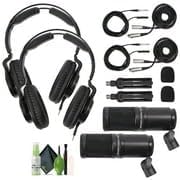
Slika: nprample of a cleaning kit that can be used for maintenance.
Odpravljanje težav
| Težava | Možen vzrok | rešitev |
|---|---|---|
| Ni zvoka iz mikrofona |
|
|
| Poor sound quality (e.g., muffled, distorted) |
|
|
| Iz slušalk ni zvoka |
|
|
Specifikacije
ZDM-1 Dynamic Microphone
- Tip: Dinamično
- Polarni vzorec: Superkardioid
- Frekvenčni odziv: 50 Hz - 18 kHz
- Najvišji SPL: 135 dB
- Povezljivost: XLR
- Posebne lastnosti: Large-diaphragm, internal shockmount, humbucking circuit
ZHP-1 Over-Ear Headphones
- Tip: Closed-back, Dynamic
- Voznik: Neodim
- Frekvenčni odziv: 10 Hz - 20 kHz
- Povezljivost: 3.5mm (1/8-inch) stereo mini-jack (detachable cable)
- Posebne lastnosti: Self-adjusting headband, rotatable earcups, replaceable earpads
TPS-4 Tabletop Tripod Stand
- Konstrukcija: Kovina
- Nit: 5/8"-27 (universal)
- Nastavljiva višina: 3.85 do 5 palcev
Garancija in podpora
For specific warranty information regarding your Zoom ZDM-1 Podcast Mic Pack, please refer to the warranty card included with your product or visit the official Zoom webmesto.
For technical support, product registration, or additional resources, please visit the Zoom North America Store on Amazon or the official Zoom Corporation webmesto.


