
Uvod
This manual provides essential information for the proper setup, operation, and maintenance of your ONN 24-inch FHD Gaming Monitor, model 100027813. Please read this manual thoroughly before using the product to ensure optimal performance and safety. This monitor is designed to deliver a high-quality gaming experience with its 1080p resolution, 165Hz refresh rate, 1ms response time, and FreeSync technology.
Varnostne informacije
Always observe the following safety precautions to prevent damage to the monitor and ensure user safety:
- Monitorja ne izpostavljajte dežju ali vlagi, da preprečite nevarnost požara ali električnega udara.
- Ne odpirajte monitorja casing. V notranjosti ni delov, ki bi jih lahko uporabnik popravil. Vsa servisna dela prepustite usposobljenemu serviserju.
- Monitor postavite na stabilno, ravno površino, da preprečite njegov padec.
- Zagotovite ustrezno prezračevanje okoli monitorja. Ne blokirajte prezračevalnih odprtin.
- Uporabljajte samo napajalnik, ki je priložen monitorju.
- Med nevihtami ali če monitorja dalj časa ne uporabljate, ga izključite iz električne vtičnice.
Vsebina paketa
Preverite, ali so v paketu prisotni vsi elementi:
- ONN 24-inch FHD Gaming Monitor
- Stojalo za monitor (podstavek in vrat)
- Napajalni adapter
- DisplayPort Cable (6 ft)
- HDMI Cable (6 ft)
- Uporabniški priročnik (ta dokument)

Image: Retail box of the ONN 24-inch Gaming Monitor, highlighting key features like 165Hz, 1ms response time, DisplayPort, HDMI, and Adaptive-Sync.
Nastavitev
1. Sestavljanje stojala
- Previdno vzemite komponente monitorja in stojala iz embalaže.
- Attach the stand neck to the stand base. Secure it with the provided screw, if applicable.
- Align the assembled stand with the mounting slot on the back of the monitor. Gently push until it clicks into place or secure with screws as per the design.
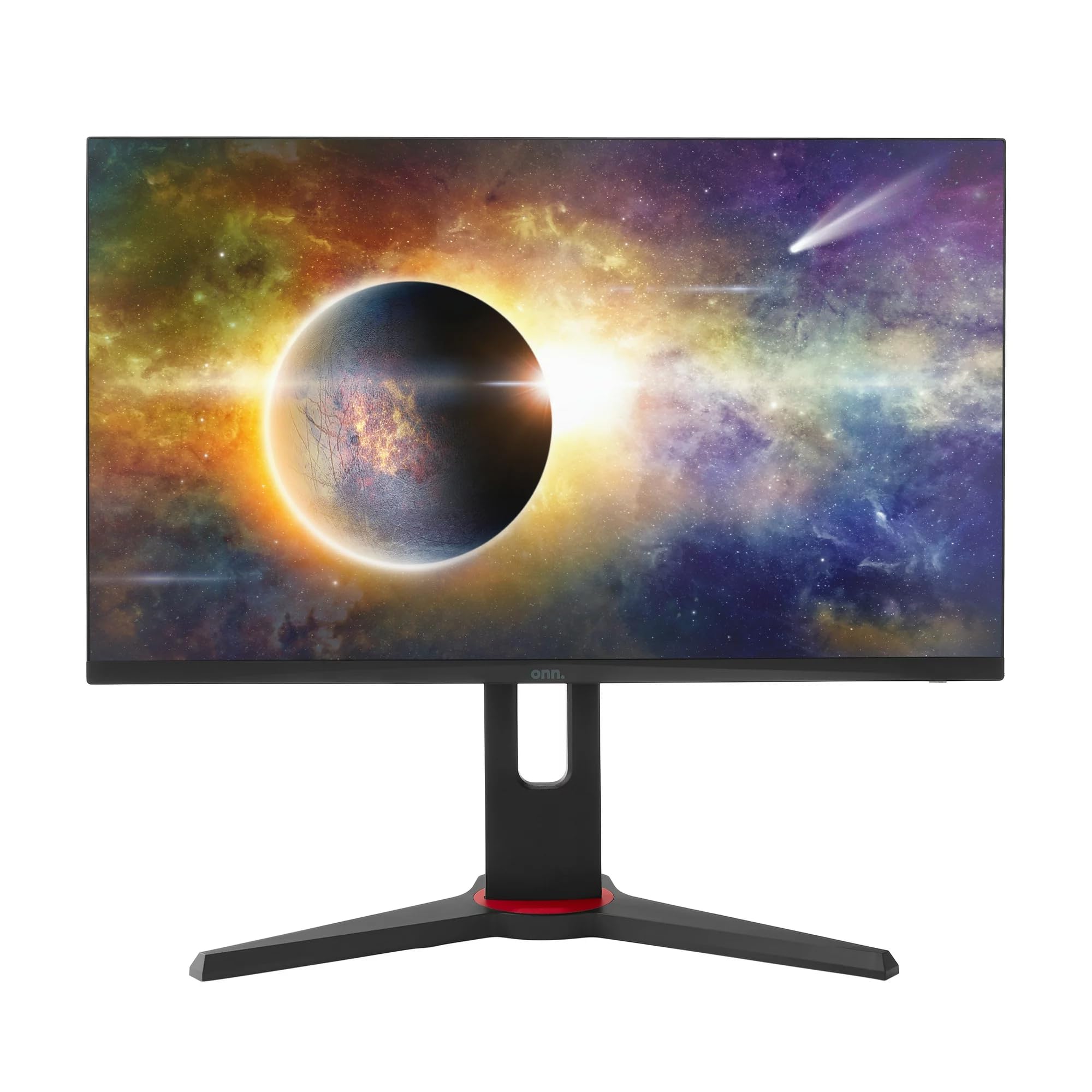
Slika: spredaj view of the ONN 24-inch Gaming Monitor, fully assembled with its stand.

Slika: Zadaj view of the ONN 24-inch Gaming Monitor, illustrating the stand attachment and cable management area.
2. Priključni kabli
Locate the input ports on the back of your monitor:
- moč: Napajalnik priključite na vhod za napajanje monitorja in nato na električno vtičnico.
- Video vhod: Connect one end of the provided DisplayPort or HDMI cable to the corresponding port on your computer's graphics card and the other end to the monitor. The monitor supports 2 HDMI inputs and 1 DisplayPort input.
- Zvočni izhod (neobvezno): If your monitor has a 3.5mm audio jack, you can connect external speakers or headphones.

Slika: Bližnji posnetek view of the monitor's rear ports, including HDMI 1, HDMI 2, DisplayPort (DP), and power input.
3. Začetni vklop
- Prepričajte se, da so vsi kabli dobro povezani.
- Press the power button on the monitor (usually located on the back or bottom right).
- The monitor should display the ONN logo and then search for an input signal.
- If no image appears, ensure your computer is powered on and the correct input source is selected on the monitor (see Operating section).
Delovanje
1. Vklop/izklop
Press the power button to turn the monitor on or off. The power indicator light will show the monitor's status (e.g., blue for on, amber for standby).
2. Navigacija po zaslonskem meniju (OSD)
Your monitor features an OSD menu for adjusting various settings. Typically, buttons on the back or bottom of the monitor control the OSD:
- Gumb menija: Odpre OSD meni.
- Navigacijski gumbi (gor/dol/levo/desno): Uporablja se za navigacijo po možnostih menija.
- Gumb za izbiro/vnos: Potrdi izbiro ali odpre podmeni.
- Gumb za izhod: Zapre trenutni meni ali zaslonski meni.
3. Prilagajanje nastavitev
Key settings you can adjust via the OSD menu include:
- Svetlost/kontrast: Prilagodite splošno svetlost in razliko med svetlimi in temnimi območji.
- Barvne nastavitve: Spremenite barvno temperaturo, gamo in posamezne ravni RGB.
- Vir vhoda: Manually select between HDMI 1, HDMI 2, or DisplayPort inputs.
- Hitrost osveževanja: Ensure your graphics card and monitor are set to 165Hz for the smoothest experience. This is usually configured in your operating system's display settings.
- Odzivni čas: Adjust the monitor's response time setting (e.g., 1ms) for reduced motion blur in fast-paced games.
- Tehnologija FreeSync: Enable FreeSync in the OSD menu and in your AMD graphics card settings to synchronize the monitor's refresh rate with your GPU's frame rate, eliminating screen tearing and stuttering.
- Načini slike: Select from preset modes optimized for different content (e.g., Standard, Game, Movie, Text).

Image: The ONN 24-inch Gaming Monitor displayed in a typical desk setup, connected to a laptop with gaming peripherals.
Vzdrževanje
Čiščenje monitorja
- Pred čiščenjem monitor vedno odklopite.
- Narahlo uporabite mehko krpo, ki ne pušča vlaken dampz vodo ali blagim, neabrazivnim čistilom za zaslone.
- Čistila ne pršite neposredno na zaslon. Najprej ga nanesite na krpo.
- Izogibajte se uporabi agresivnih kemikalij, abrazivnih gobic ali topil.
Shranjevanje
Če monitor shranjujete dalj časa, odklopite vse kable, ga zapakirajte v originalno embalažo (če je na voljo) in ga shranite na hladnem in suhem mestu, stran od neposredne sončne svetlobe in ekstremnih temperatur.
Odpravljanje težav
Če imate težave z monitorjem, si oglejte naslednje pogoste težave in rešitve:
| Težava | Možna rešitev |
|---|---|
| Na zaslonu ni slike |
|
| Image is flickering or distorted |
|
| Ni zvoka (če uporabljate zvočnike monitorja/avdio izhod) |
|
| Monitor ne doseže 165 Hz |
|
Specifikacije
Detailed technical specifications for the ONN 24-inch FHD Gaming Monitor (Model 100027813):
| Funkcija | Specifikacija |
|---|---|
| Številka modela | 100027813 |
| Velikost zaslona | 24 palcev |
| Resolucija | FHD 1080p (1920x1080) |
| Hitrost osveževanja | 165 Hz |
| Odzivni čas | 1 milisekund |
| Tehnologija zaslona | IPS |
| Prilagodljiva sinhronizacija | FreeSync |
| Razmerje stranic | 16:9 |
| Kontrastno razmerje | 2000:1 |
| Površina zaslona | Matte, Anti-glare with low blue light setting |
| Povezljivost | 2 x HDMI, 1 x DisplayPort |
| Mere izdelka (D x Š x V) | 61.3 x 11.3 x 37.3 cm |
| Teža predmeta | 6.1 kg |
| barva | Črna |
| Vrsta namestitve | Namizni nosilec |
| Posebne uporabe | Entertainment, Gaming |
Garancija
This ONN 24-inch FHD Gaming Monitor is a renewed product. Warranty terms and conditions for renewed products may vary. Please refer to the specific warranty information provided by the seller or retailer at the time of purchase. It is recommended to retain your proof of purchase for any warranty claims.
Podpora
For technical assistance, troubleshooting beyond this manual, or warranty inquiries, please contact the retailer or the Amazon Renewed support channel where the product was purchased. Have your model number (100027813) and proof of purchase ready when contacting support.