
1. Uvod
The VILTROX 56mm f/1.7 E Lens is a compact and lightweight prime lens designed for Sony E-mount APS-C cameras. With a fast f/1.7 maximum aperture, it excels in low-light conditions and provides excellent background separation, making it ideal for portrait photography. Its 56mm focal length on an APS-C sensor is equivalent to approximately 85mm on a full-frame camera, offering a classic portrait perspective. The lens features an advanced optical design and a silent STM autofocus motor for precise and quick focusing.
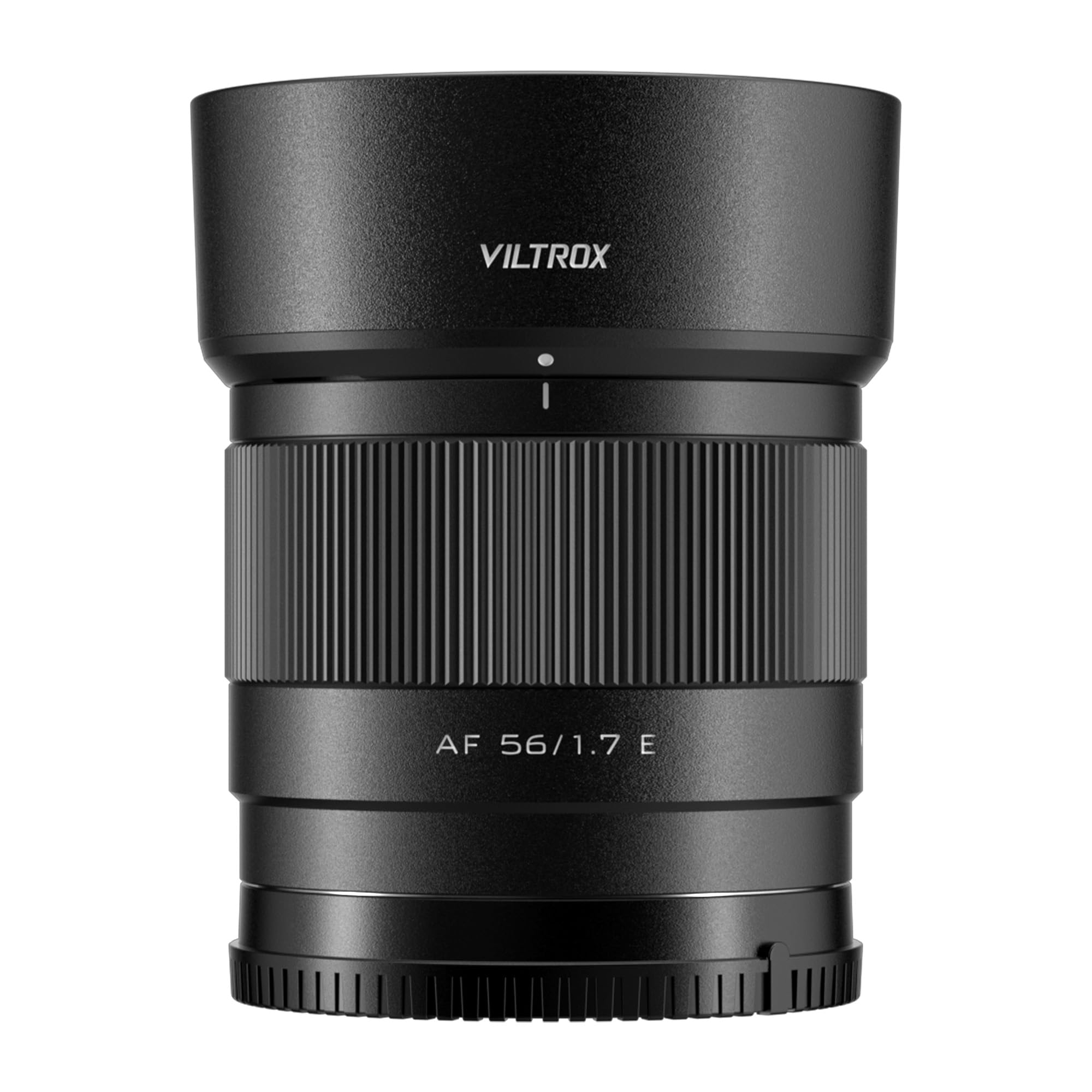
Figure 1: VILTROX 56mm f/1.7 E Lens mounted on a Sony camera.
2. Kaj je v škatli
Prosimo, preverite, ali so v vašem paketu vključeni vsi naslednji elementi:
- VILTROX 56mm f/1.7 E Lens
- Senčilo za objektiv
- Pokrovček sprednjega objektiva
- Pokrov zadnjega objektiva
- Torbica za lečo
- Navodila za uporabo
- Garancijska kartica

Figure 2: Contents of the VILTROX 56mm f/1.7 E Lens package.
3. Nastavitev
3.1 Pritrditev objektiva
- Prepričajte se, da je vaša kamera izklopljena.
- Remove the rear lens cap from the VILTROX 56mm f/1.7 E Lens and the body cap from your Sony E-mount camera.
- Poravnajte belo indeksno oznako na ohišju objektiva z belo indeksno oznako na bajonetu objektiva fotoaparata.
- Vstavite objektiv v nosilec kamere in ga zavrtite v smeri urinega kazalca, dokler se ne zaskoči. Objektiva ne vstavljajte na silo.
- Attach the lens hood by aligning its mark with the mark on the lens and twisting until it locks.
3.2 Posodobitve vdelane programske opreme
The lens is equipped with a USB-C port for convenient firmware updates. To update the firmware:
- Obiščite uradno spletno stran VILTROX webspletno mesto za prenos najnovejše vdelane programske opreme file for your specific lens model.
- Connect the lens directly to your computer using a USB-C cable. The lens will appear as a removable drive.
- Kopirajte preneseno vdelano programsko opremo file to the root directory of the lens drive.
- Safely eject the lens drive from your computer. The firmware update will proceed automatically.
- After the update, you can verify the new firmware version by opening the 'DeviceInformation.txt' file on the lens drive.
Video 1: Demonstrating the unboxing and mounting of the VILTROX 56mm f/1.7 E Lens onto a Sony E-mount camera.
4. Upravljanje objektiva
4.1 Samodejno ostrenje (AF)
The VILTROX 56mm f/1.7 E Lens features an STM (Stepping Motor) silent motor for efficient and reliable autofocus. This motor provides precise and fast focusing, which is crucial for capturing sharp images and smooth video. The lens supports various camera autofocus modes, including face and eye recognition, enhancing its performance for portrait and dynamic subjects.
4.2 Ročno ostrenje (MF)
To switch to manual focus, set your camera's focus mode to MF. Rotate the focus ring on the lens barrel to adjust focus. The smooth rotation of the focus ring allows for fine adjustments, which is beneficial for precise focusing in specific scenarios or for creative effects.
4.3 Nadzor zaslonke
The f/1.7 maximum aperture allows for significant control over depth of field, enabling you to create images with beautifully blurred backgrounds (bokeh). The aperture can be controlled directly from your camera body, allowing seamless integration with your camera's exposure settings.

Slika 3: Spredaj view of the VILTROX 56mm f/1.7 E Lens.
Video 2: Uradni videoposnetek izdelkaasing the VILTROX AF 56mm f/1.7 E Lens for Sony, highlighting its key features and performance.
5. Podrobne lastnosti
5.1 Ideal Portrait Focal Length
The 56mm focal length on an APS-C sensor provides a full-frame equivalent of approximately 85mm. This 'golden' portrait perspective offers a natural and pleasing compression, bringing out the three-dimensional sense of subjects and creating a beautiful background separation.
5.2 Advanced Optical Design
The lens incorporates 9 groups of 11 optical elements, including 4 ED (Extra-low Dispersion) lenses and 3 lenses with a high refractive index. This sophisticated design effectively minimizes chromatic aberrations and distortions, ensuring high image clarity and sharpness across the frame.
5.3 Video Performance
Designed with video shooters in mind, the 56mm f/1.7 lens offers comprehensive and reliable video shooting capabilities. It supports camera body anti-shake functions and exhibits very low distortion. The breathing effect (change in focal length during focusing) is almost imperceptible, contributing to more immersive and professional-looking video content.
5.4 Compact and Lightweight
Weighing only 170g, this lens is exceptionally compact and lightweight. Its portability makes it an excellent choice for everyday use, travel, and situations where minimizing gear weight is essential, encouraging users to carry it and capture more creative themes.

Slika 4: stran view of the VILTROX 56mm f/1.7 E Lens mounted on a Sony camera.

Slika 5: Zadaj view of the VILTROX 56mm f/1.7 E Lens.
6. Specifikacije
| Znamka | VILTROX |
| Ime modela | VILTROX AF 56mm f/1.7 E Lens |
| Številka modela | AF 56/1.7 E |
| Goriščna razdalja | 56mm (85mm full-frame equivalent) |
| Vrsta objektiva | Prime, Standard |
| Združljivi pritrdilni elementi | Sony E |
| Največja zaslonka | f/1.7 |
| Najmanjša zaslonka | f/16 |
| Število lamel diafragme | 9 |
| Oblika leč | 9 groups, 11 elements (including 4 ED, 3 high refractive index) |
| Vrsta ostrenja | Auto/Manual (STM Motor) |
| Premaz leč | Nano Crystal Coating |
| Stabilizacija slike | Digital (Camera Body Anti-shake Support) |
| Real Angle Of View | 29.8 stopinj |
| Velikost foto filtra | 52 milimetrov |
| Teža predmeta | 170 gramov |
| barva | Črna |
| Stopnja vodoodpornosti | Vodoodporen |
7. Vzdrževanje
7.1 Čiščenje leče
- Use a soft, lint-free cloth or a lens brush to gently remove dust and debris from the lens surface.
- For stubborn smudges or fingerprints, apply a small amount of lens cleaning solution to a microfiber cloth and gently wipe the lens in a circular motion.
- Never use abrasive materials or harsh chemicals, as these can damage the lens coatings.
7.2 Shranjevanje
- Always attach the front and rear lens caps when the lens is not in use to protect the optical elements.
- Lečo shranjujte na hladnem in suhem mestu, stran od neposredne sončne svetlobe in ekstremnih temperatur.
- If storing for an extended period, consider using a dehumidifying agent to prevent mold and mildew growth.
8. Odpravljanje težav
8.1 Samodejno ostrenje ne deluje
- Ensure the camera's focus mode is set to 'AF' (Autofocus).
- Preverite, ali je objektiv varno nameščen na ohišje fotoaparata.
- Verify that the camera's firmware and the lens firmware are up to date.
- Clean the electrical contacts on both the lens and the camera body with a clean, dry cloth.
8.2 Image Quality Issues (Softness, Aberrations)
- Ensure proper focus. If using autofocus, try manual focus to confirm sharpness.
- Check for smudges or dust on the lens elements and clean as per maintenance instructions.
- Verify camera settings (e.g., shutter speed, ISO) are appropriate for the shooting conditions.
- Chromatic aberrations are minimized by the optical design but can sometimes be corrected in post-processing software.
9. Garancija in podpora
The VILTROX 56mm f/1.7 E Lens comes with a 3-letna garancija proizvajalca. For technical support, warranty claims, or further inquiries, please visit the official VILTROX website or contact their customer service directly. Keep your purchase receipt and warranty card for reference.
Uradna trgovina VILTROX: Uradna trgovina VILTROX